Prices from Amazon AU, updated daily. Swipe or use the arrows for more.
Disclosure: This article contains affiliate links to amazon.com.au. If you buy through one of these links iFix may earn a small commission at no extra cost to you. It doesn't change which products we recommend. We focus on what actually lasts based on 16 years of repair-shop experience.
Quick summary8 picks
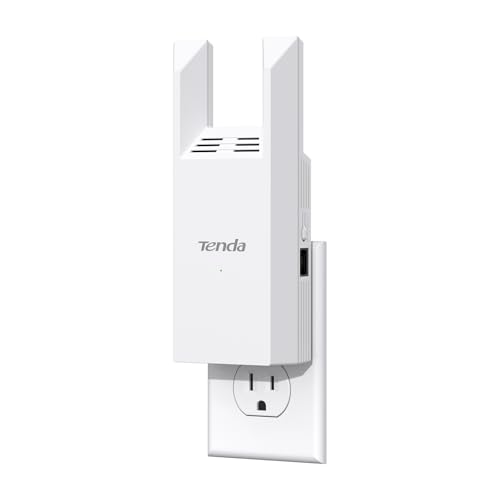
- Entry PickTenda WiFi Range Extender AC1200 about$42.99
- TP-Link RE205 AC750 Dual Band Mesh Wi-Fi about$53.00
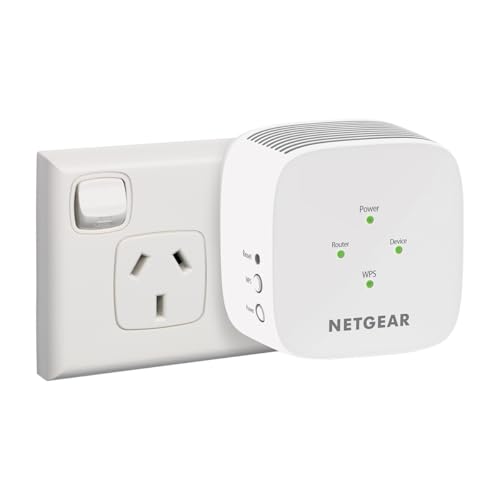
- NETGEAR WiFi 5 Range Extender about$79
- TP-Link RE315 AC1200 Dual Band Mesh Wi-Fi about$69.00
- TP-Link RE450 AC1750 Dual Band Mesh Wi-Fi about$88
- TP-Link TL-WR1512X AX1500 Wi-Fi 6 Travel Router about$129.00
- TP-Link RE705X AX3000 Dual Band Wi-Fi 6… about$149.00
- Most PremiumTP-Link TL-WR3002X AX3000 Wi-Fi 6 Travel… about$149.00
One dead bedroom does not need a new network
Every winter the same job walks into the workshop wearing different clothes. A laptop that keeps dropping out, a smart TV that buffers in the back room, a security camera that goes offline every night at seven. The hardware is usually fine. What failed is geometry: the NBN router lives near the front door because that is where the technician put the socket, and the room where everyone actually uses the internet is three brick walls and a bathroom away. A lot of Central Coast housing stock is double brick or carries foil sarking in the walls, and 5GHz Wi-Fi treats both like sheet metal. The fix does not have to be a new network. Sometimes it is a $69 plug in the right power point.
An extender (the box brands now insist on calling mesh, more on that shortly) is a radio that sits between your router and the dead zone, receives the signal, and rebroadcasts it. That is the whole trick. It is also why the category has a reputation problem: plugged into the wrong socket, an extender faithfully rebroadcasts a terrible signal, and the review that follows blames the hardware. Used properly, one of these picks turns a room the router cannot reach into a room it can. Eight picks are in the chart, and the five written up below split into two groups: three wall-plug extenders for fixing a dead room at home, and two travel routers that do the same job for hotel rooms, caravans and job sites. Prices run $43 to $149 across the chart, every unit is AU retail stock, and each one earns its place for a different room and a different plan.
The halving problem: what a repeater does to your speed
A single radio cannot talk and listen on the same channel at the same time. A basic repeater receives a packet from the router, stores it, then retransmits it to your laptop on the same channel. Every packet crosses the air twice, so usable throughput drops by roughly half. That is not a defect in any one product; it is how shared-medium radio works. The spec sheets never print it, and it is the single biggest reason people return these things in disappointment. If your router delivers 40Mbps to the hallway socket, a same-band repeat hands the bedroom something like 20Mbps. Whether that matters depends entirely on what the room does with it: a 4K stream wants 25Mbps, email wants almost nothing, and a smart plug wants less than that.
Dual-band extenders soften the penalty. Every unit in this guide can receive on one band and retransmit on the other, so the inbound and outbound legs stop fighting over the same airtime. The RE705X takes it further with Wi-Fi 6: OFDMA and higher-order modulation mean the backhaul leg wastes less airtime per packet, which is why pairing a Wi-Fi 6 extender with a Wi-Fi 6 router keeps noticeably more of your speed than the AC-era units manage. The honest maths: expect to keep 50 to 80 percent of the speed available at the extender's socket, with well-placed dual-band units at the top of that range. Plan around that number and the category stops disappointing people.
What AC750, AX1800 and AX3000 actually promise
The number after AC or AX is marketing arithmetic: the theoretical peak of every band added together, achievable by no single device ever. AC750 is 300Mbps on 2.4GHz plus 433Mbps on 5GHz. AX3000 is 574 plus 2402. A laptop connects to one band at a time, so the realistic ceiling is the biggest single number, taken with the usual radio salt. What the bigger numbers do buy is headroom: an AX3000 backhaul leg has airtime to spare after the relay tax, an AC750 leg does not. Match the extender to the router, roughly. A Wi-Fi 6 extender behind a 2019 AC router spends most of its talent waiting.
The generation matters more than the number. Wi-Fi 6 brought OFDMA, which lets the radio pack small transmissions from several devices into one airtime slot instead of queueing them one by one. A hallway extender serving a phone, a TV and three smart plugs is exactly the crowded-radio situation OFDMA was designed for. WPA3 arrives in the same generation, which your streaming does not care about but your security posture should. The AC-era picks here are not obsolete; they hold the top of the sales chart at their prices for good reason. But if the router in your hallway already says Wi-Fi 6 on the label, buy the extender that speaks its language.
Extender or mesh: the renter's maths
A proper mesh kit with a dedicated backhaul radio is the better network. It is also $530 to $825 for the current Wi-Fi 7 kits in our mesh Wi-Fi systems guide, and it wants to replace your router, which matters if you rent and the router is the landlord's, or it is the locked-down box your provider supplied. An extender asks for none of that. It piggybacks on whatever router exists, plugs into a power point you already have, and moves out when you do. For one dead room, $69 against $600 is not a close decision.
The slippery part of the category is the word mesh itself. TP-Link stamps EasyMesh or OneMesh on the box, which means the extender shares your router's network name and hands devices off without a separate SSID. Useful, real, but not the same animal as a mesh kit with a third radio doing dedicated backhaul. If the whole house is patchy, if you are chasing coverage across two storeys and a granny flat, stop reading this guide and price a mesh kit or a stronger router from our home Wi-Fi router picks. If the problem is one room, one wall, one stubborn corner: an extender is the right tool and the rest of this page is for you.
Placement decides more than the model number
The single most common installation mistake: plugging the extender into the dead room. It feels logical. It is exactly wrong. The extender can only rebroadcast what it receives, and in the dead room it receives rubbish. The rule is halfway: a power point roughly midway between router and dead zone, ideally with line of sight to one or both. Every TP-Link unit here has a signal LED that shows blue in a good spot and red in a poor one; walk it around the house until it stays blue. Ten minutes of socket roulette does more for your speed than any spec on the box, and it costs nothing. Do the walk at the time of day the room is actually used, because interference from neighbouring networks rises in the evening and a socket that looks fine at lunch can be marginal at eight.
Watch the bands too. The 2.4GHz band bends around obstacles and carries further, but it is slow and, in any suburb, congested with every neighbour's doorbell and baby monitor. 5GHz carries the speed and dies at the second brick wall. A dual-band extender placed well uses 5GHz for the hop to the router and serves the far room on whichever band each device prefers. One warning from the smart-home side of the bench: plenty of older sensors and cameras only speak 2.4GHz, and an extender broadcasting both bands under one name can confuse their setup apps. Most of the picks let you name the bands separately when you need to.
The Ethernet port is the best feature nobody uses
Every pick in this guide has at least one Ethernet port, and it changes what the box is. Run a cable from that port to a smart TV or a desktop and the device gets its link over copper instead of contesting the air. Better again, flip the extender into access point mode, feed it with a cable from the router, and it stops being a repeater entirely: no halving, no relay, just a second clean Wi-Fi source. If your house has any wired path to the far end (an old phone-line conduit, a garage run, a powerline kit already in the wall), AP mode turns a $69 extender into what a second router would cost triple to do.
The port also rescues the awkward houses. Brick-veneer place with the router stuck in the garage: one flat cable under the hall runner, AP mode, done. Apartment with the router locked in a comms cupboard: extender in the hallway socket, short cable to the TV cabinet. The one layout to avoid is chaining two extenders wirelessly, one feeding the other. Each hop repeats the halving, so the far end of a two-hop chain often measures in single digits. If one extender cannot bridge the distance, the answer is a cable or a mesh kit, not a second extender. I have unpicked that exact setup in customer houses more times than I can politely say.
Travel routers: the same radio wearing a different job
The two travel routers in this guide exist because hotel and caravan-park Wi-Fi is built to be hostile. Every device logs in separately through a browser page, the network is shared with every other guest, and gadgets without browsers (a Chromecast, an e-reader) often cannot log in at all. A travel router signs in once, then hangs your own private network off that connection. Your five devices look like one. Your traffic to the router is encrypted with your own password rather than whatever the motel chose in 2014, and both picks run WireGuard or OpenVPN on the router itself, so every connected device rides the VPN without installing a single app on any of them. That matters for work laptops that forbid software installs, and for the tablet the kids use.
They are also quietly the best extender you can own. Both run in range extender and access point modes, both are powered by USB-C, and the WR1512X runs happily off the same battery pack you already carry (our power bank guide covers which ones hold real watt-hours). Neither takes a SIM card, which the listings state plainly: they share internet from hotel Wi-Fi, an Ethernet socket, or a phone plugged in on USB tethering. For a caravan, a uni dorm or the fortnight the family spends up the coast, one of these does the job of an extender, a switch and a VPN box out of a jacket pocket.
How I picked these five
Screening first, opinions second. Every pick is condition New from Amazon AU's own retail stock, not a marketplace seller moving grey imports with the wrong compliance marks. Prices sit between $43 and $149 at time of writing. Sales ranks are Amazon AU's own category ranks, checked the same day, and the lead pick sits at number one in its category. I let one brand dominate because the category does: TP-Link's extenders and travel routers are what actually moves in Australia, the EasyMesh support is consistent across the range, and after sixteen years of computer and network repairs on the Central Coast they are the units I see least often in the workshop with genuine hardware faults.
What did not make the list: single-band AC300 units (the halving problem with no escape hatch), anything without an Ethernet port, and powerline kits, which deserve their own guide because their failure modes live in your switchboard rather than your Wi-Fi. If you buy one of these and the dead room stays dead, the problem is probably the router end or the device itself, and that is a diagnosis job rather than a shopping job. Bring the laptop that keeps dropping out to the workshop in Erina and we will tell you whether you have a Wi-Fi problem, a driver problem or a failing network card. Those are three different bills, and two of them are small ones. The diagnosis is the part worth paying for.
The 5 picks in depth, $53 to $149
Prices are Amazon AU at time of writing (26 August 2026) and move week to week. Ranks are Amazon AU category sales ranks, checked the same day.

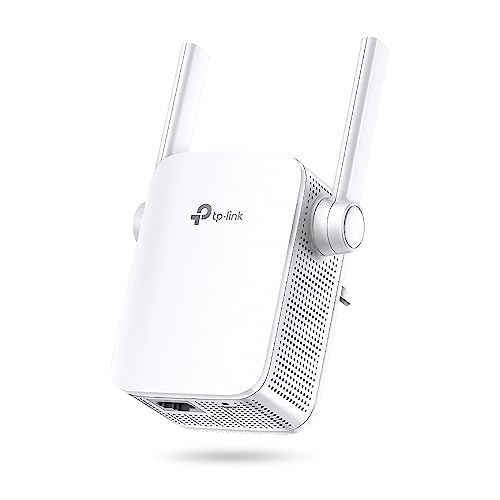
TP-Link RE205 AC750 Dual Band Wi-Fi Extender
ASIN B0783PHTJJ • $53.00 • Ships from Amazon AU
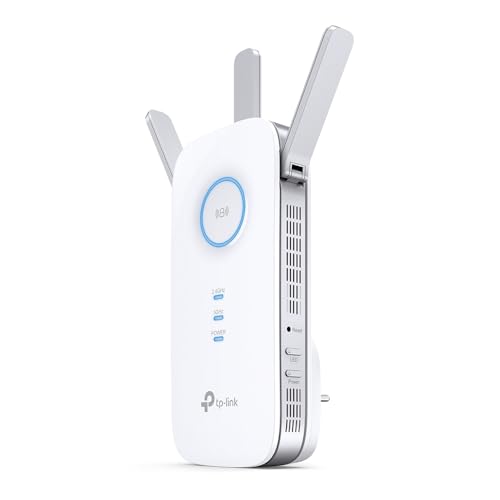
Barely over fifty dollars, a power point, ten minutes. The RE205 is the least you can spend on a TP-Link here and still get a dual-band unit from the brand that owns the category, and it has held the number one spot on Amazon AU's repeater chart long enough that the ranking is not a fluke. It receives on both 2.4GHz and 5GHz and rebroadcasts on both, with the combined AC750 badge breaking down to 300Mbps and 433Mbps theoretical. The signal light on the front does the placement work for you: walk it between power points until the light says the router's signal is still strong, then stop. It pairs with any router or access point over WPS or the Tether app, and TP-Link backs it with a three-year warranty, which is generous at this price.
Be clear-eyed about the arithmetic. After the relay tax, a well-placed RE205 hands the far room something in the range of 20 to 50 usable megabits depending on your router and your walls. On an NBN 50 plan that is most or all of your service, which is exactly why this unit makes sense: the extender stops being the bottleneck when the plan is modest. On NBN 250 or faster it would absolutely be the bottleneck, and you should be two picks further down the page. The listing's mesh and AI roaming claims mean it shares your router's network name where the router supports TP-Link's scheme; the handoff is real but not as crisp as the Wi-Fi 6 units below manage.
This is the fix for a single stubborn room on a standard NBN plan: the study that drops video calls, the kid's room at the end of the hall, the camera in the carport that goes offline every evening. It is compact enough not to block the second socket on a double power point, and the Ethernet port underneath will happily feed a smart TV over copper. If your plan is above 100Mbps or your router already says Wi-Fi 6, spend up; the RE205's radios will be the ceiling. At $53 it is the lowest-risk experiment in this guide, and the warranty outlasts most tenancies.
Honest caveats: AC750 is an older radio generation with modest ceilings, and heavy walls can drop the far room to single digits if placement is lazy. The Ethernet port is 100Mbps, not gigabit, so wired devices cap there. No WPA3. Single-name roaming needs a compatible TP-Link router; on other brands you get a separate extender network name.
Best for: One dead room on an NBN 25 to 50 plan, at the smallest sensible spend.
Price: $53 at time of writing • Standard: Wi-Fi 5, AC750 (300 + 433Mbps) • Bands: Dual band, 2.4GHz and 5GHz • Ethernet: 1 port, 100Mbps • Placement aid: Signal strength LED • Warranty: 3 years • Rank: #1 in Network Repeaters (Amazon AU)
View on Amazon AU
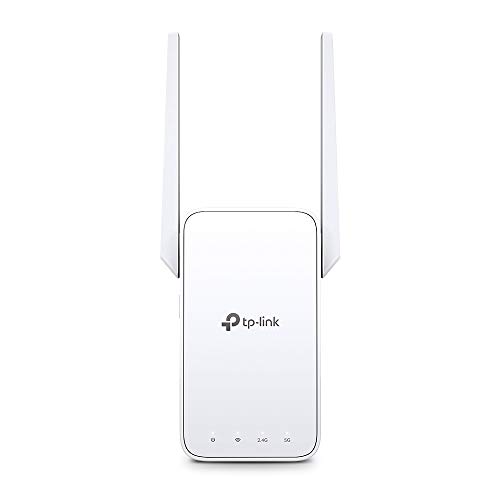
TP-Link RE315 AC1200 Wi-Fi Extender with EasyMesh
ASIN B0FM75121S • $69.00 • Ships from Amazon AU
The RE315 is the pick I would put in most Central Coast houses. AC1200 breaks down to 300Mbps on 2.4GHz and 867Mbps on 5GHz, which leaves enough headroom after the relay tax to carry an NBN 100 plan into the back room mostly intact. The feature that earns the extra $16 over the RE205 is EasyMesh: the industry standard rather than TP-Link's private scheme, so it forms a single roaming network with any EasyMesh-compatible router, not just TP-Link's own. Adaptive Path Selection quietly re-picks the fastest route back to the router as conditions change through the day, and the same front-panel signal light takes the guesswork out of choosing a socket. Setup is the Tether app or a WPS press, nothing exotic.
The Ethernet port runs at 100Mbps, which is this unit's one real compromise. As a wired feed for a smart TV it is fine, since no stream needs more, but in access point mode it caps the whole rebroadcast at 100Mbps, so households on gigabit-class plans should look at the RE705X instead. Where the RE315 shines is the messy middle of the market: a provider-supplied AC router you cannot replace, a rental with the router bolted to the wrong end of the house, a plan between 50 and 100 megabits. It repeats both bands, names them together or separately as you prefer, and the WPS handshake means the less technical members of the household never see a settings page.
It is also the unit I reach for on smart-home rescue jobs. A camera or a sensor in the garage that keeps falling off 2.4GHz gets a strong local signal without touching the main router's configuration, which matters when the router belongs to the provider and every settings change risks a support call. Second on Amazon AU's repeater chart, three-year warranty, and the price has sat under $80 for months. For most people reading this page, this is the answer. Buy it, place it halfway, and spend the change on a long Ethernet cable for the television.
Honest caveats: The 100Mbps Ethernet port caps wired devices and AP-mode throughput; gigabit plans deserve the RE705X. Wi-Fi 5 radios mean no OFDMA and no WPA3. Single-name roaming depends on the router also speaking EasyMesh, and older provider-supplied boxes often do not, which leaves you joining a second network name in the far rooms.
Best for: Most single dead rooms on NBN 50 to 100, especially behind a provider-supplied router.
Price: $69 at time of writing • Standard: Wi-Fi 5, AC1200 (300 + 867Mbps) • Mesh: EasyMesh, industry standard • Ethernet: 1 port, 100Mbps, AP mode • Placement aid: Signal LED + Adaptive Path Selection • Warranty: 3 years • Rank: #2 in Network Repeaters (Amazon AU)
View on Amazon AU
TP-Link RE705X AX3000 Wi-Fi 6 Extender
ASIN B0BB79NDS2 • $139.00 • Ships from Amazon AU
This is the extender for a house that has already gone Wi-Fi 6. AX3000 splits into 574Mbps on 2.4GHz and 2402Mbps on 5GHz, with 160MHz channel support doing the heavy lifting: the backhaul hop to the router can run wide enough that even after the relay tax, a fast NBN plan arrives in the far room mostly intact. OFDMA lets it serve a crowd of small devices without queueing them one at a time, and WPA3 brings the security up to current. It forms a OneMesh network with TP-Link routers for single-name roaming and also speaks EasyMesh, so it slots into mixed-brand setups. The gigabit Ethernet port finally matches the radios: wired devices get a full-speed link, and access point mode is genuinely worth using.
The buying logic is about matching, not maxing. Behind an AC-era provider router, the RE705X's advantages mostly sit idle, because the backhaul can only be as modern as the router it talks to. Behind a Wi-Fi 6 router it is a different machine, and it is the only wall-plug pick here I would put on a gigabit-class plan. It is also the unit to choose when the plan is AP mode over a cable run: gigabit in, Wi-Fi 6 out, and you have built a second access point that embarrasses most standalone units near this price. The two antennas fold flat for transport, the case runs warm but within spec, and the same signal LED guides placement.
Third on the AU repeater chart at time of writing, which for a $139 unit in a category led by $53 ones says plenty about how many houses have made the Wi-Fi 6 jump. If yours has not, keep the $70 difference and take the RE315; behind an old router the two behave almost identically. If it has, this is the last extender you should need for years, and the gigabit port keeps the wired side honest. Three-year warranty, the same as the rest of the family, and the resale market for Wi-Fi 6 gear stays healthy.
Honest caveats: Its advantages need a Wi-Fi 6 router to show up; behind an AC router it performs like a dearer RE315. 160MHz channels overlap radar-protected DFS frequencies in some areas and the unit quietly falls back to 80MHz. One Ethernet port only, and the case is chunky enough to shade the neighbouring socket on a double power point.
Best for: Wi-Fi 6 households on fast NBN plans, or anyone building a wired-backhaul access point.
Price: $139 at time of writing • Standard: Wi-Fi 6, AX3000 (574 + 2402Mbps) • Channels: 160MHz supported • Security: WPA3 • Mesh: OneMesh + EasyMesh • Ethernet: 1 × Gigabit, AP mode • Warranty: 3 years • Rank: #3 in Network Repeaters (Amazon AU)
View on Amazon AU
TP-Link TL-WR1512X AX1500 Wi-Fi 6 Travel Router
ASIN B0G1S72H46 • $98.53 • Ships from Amazon AU
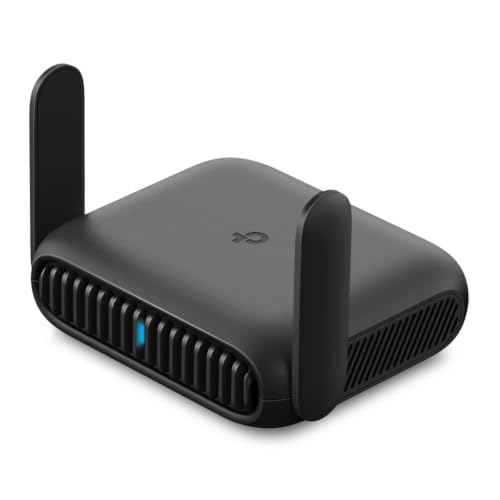
The WR1512X is a Wi-Fi 6 travel router that runs off USB-C. AX1500 splits as 1201Mbps on 5GHz and 300Mbps on 2.4GHz, and the mode list covers the lot: router, access point, range extender, client, hotspot, USB tethering and USB modem. On the road that means one login to the motel Wi-Fi, or a hotel Ethernet socket, and every device you own rides behind it on your own private, encrypted network. At home between trips it moonlights as a spare extender or a second access point. The VPN support is the standout at the price: WireGuard and OpenVPN run on the router itself, so the whole private network sits inside the tunnel without installing anything on any device.
Power is 5V over USB-C, which is the quietly clever part. A laptop, a phone charger or a battery pack all run it, so a caravan or a car can host a real network without an inverter. USB tethering deserves a special mention for Australian conditions: venue Wi-Fi in regional towns is often unusable, and plugging a phone into the router turns one mobile data plan into a proper multi-device network with far better reach than the phone's own hotspot manages. The listing is upfront that there is no SIM slot; internet comes from Wi-Fi, cable, or a tethered phone or USB modem. Two external antennas help the signal reach further than the antenna-less pocket routers it competes against.
For the customer who asks what to buy before three months of work travel, this is the answer. It solves the Chromecast-in-a-motel problem, keeps your traffic off shared guest networks, and covers the other 48 weeks of the year as the house's spare extender. At about $99 it costs roughly what a decent powered USB hub does, and it sits at number 25 in Amazon AU's router chart, a niche product in a list full of household flagships. It is the current TP-Link entry travel router in the family, one step below the WR3002X.
Honest caveats: No SIM slot, despite how this category is often marketed: it needs existing Wi-Fi, Ethernet or a tethered phone for its internet. AX1500 is entry-level Wi-Fi 6, so temper expectations through motel walls. Powering it from a laptop's spare USB port can brown out under load; give it a proper 5V supply instead.
Best for: work travellers and caravanners who want one login, a private network and on-router VPN.
Price: $98.53 at time of writing • Standard: Wi-Fi 6, AX1500 (300 + 1201Mbps) • Modes: 7, incl. extender, AP, USB tethering • VPN: WireGuard and OpenVPN on-router • Ports: Gigabit • Power: USB-C, 5V • Rank: #25 in Routers (Amazon AU)
View on Amazon AU
TP-Link TL-WR3002X AX3000 Wi-Fi 6 Travel Router
ASIN B0F1281MCW • $149.00 • Ships from Amazon AU
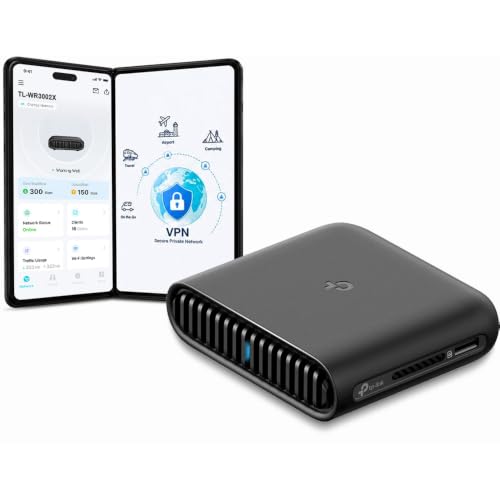
The WR3002X is the WR1512X after a year in the gym. AX3000 lifts the 5GHz leg to 2402Mbps theoretical, the WAN port jumps to 2.5 gigabit, and the VPN support grows a second role: it works as both VPN client and VPN server. That last line is the feature that earns the price for anyone who works away from home. Set it up as a server on your home connection and the travelling unit, or just your laptop, dials home into your own network from anywhere: your files, your cameras, your printers, without renting a VPN service or exposing a single port to the open internet. The same seven modes carry over, from range extender through USB tethering, plus a TF card slot for sharing files across the network.
The 2.5G WAN port sounds like overkill for a travel product and mostly is, but it makes the router a legitimate permanent fixture between trips: on a gigabit-class fibre plan it will route the full service, which very few travel units can claim. USB-C power carries over from the smaller unit, as do the twin external antennas. In a caravan running a 12V system, or a site office running off a generator and a USB modem, this is the difference between camping-grade internet and an actual office network. Heat is the price of the speed: under sustained VPN load the case runs distinctly warm, so give it some airflow rather than burying it in a bag pocket while it works.
Buy it over the WR1512X if any of three things are true: your home plan is above 500 megabits, you want the dial-home VPN server, or the travel network regularly carries more than a handful of devices. Skip it if the job is two phones and a laptop in a motel twice a year; the smaller unit does that for $50 less. Both share the no-SIM caveat. As a pair, one at home as the server and one in the bag, they make a small private WAN for under $250.
Honest caveats: No SIM slot here either; the modem line on the listing means a tethered USB modem, not a built-in one. It runs warm under sustained VPN load and wants airflow. At $149 it overlaps entry mesh-kit territory, so buy it for the travel and VPN roles rather than as a plain stay-at-home extender.
Best for: Remote workers who want a VPN server at home and gigabit-class routing on the road.
Price: $149 at time of writing • Standard: Wi-Fi 6, AX3000 (574 + 2402Mbps) • WAN: 2.5 Gigabit • VPN: WireGuard and OpenVPN, client and server • Modes: 7, incl. extender, AP, USB tethering • Storage: USB port + TF card sharing • Power: USB-C • Rank: #25 in Routers (Amazon AU)
View on Amazon AUSide-by-side comparison
| Product | Price | Best for |
|---|---|---|
| Tenda WiFi Range Extender AC1200 | ~$42.99 | Lowest spend on one dead room, modest plan |
| TP-Link RE205 AC750 Dual Band Mesh Wi-Fi | ~$53.00 | One dead room on NBN 25 to 50 |
| NETGEAR WiFi 5 Range Extender | ~$79 | One room, with the NETGEAR app and WPS setup |
| TP-Link RE315 AC1200 Dual Band Mesh Wi-Fi | ~$69.00 | Most single dead rooms on NBN 50 to 100 |
| TP-Link RE450 AC1750 Dual Band Mesh Wi-Fi | ~$88 | Wired TV or PC via the gigabit port, Wi-Fi 5 setups |
| TP-Link TL-WR1512X AX1500 Wi-Fi 6 Travel Router | ~$129.00 | Work travel: one login, private network, VPN |
| TP-Link RE705X AX3000 Dual Band Wi-Fi 6… | ~$149.00 | Wi-Fi 6 routers on fast NBN plans |
| TP-Link TL-WR3002X AX3000 Wi-Fi 6 Travel… | ~$149.00 | VPN server at home, gigabit-class routing on the road |
What we see fail at the bench: extenders
Extenders and travel routers cross the bench less often than laptops, but when they do the pattern is consistent. Almost none arrive with dead radios. They arrive cooked, browned out, or blamed for a fault that lives somewhere else in the house. The category's real weakness is where it lives: sealed plastic, plugged into a wall, running 24 hours a day beside a skirting board with zero airflow. Here is what actually kills them, and what to check before you assume the hardware died.
Heat in a sealed wall plug
A wall-plug extender is a router squeezed into a case with no fan and vents that are mostly decorative, running continuously. The electrolytic capacitors in its internal power supply age with temperature: roughly every ten degrees of extra operating heat halves their service life. Behind a curtain, above a heater, or double-adaptored next to a plugpack that also runs warm, a multi-year design life becomes eighteen months. The symptom is never a clean death; it is random reboots that get gradually more frequent and usually get blamed on firmware. Give the unit an open socket, clear of fabric and heat sources, and it will generally outlast the router it serves.
Brown-outs on USB power
The travel units mostly get underfed rather than broken. A router under full load with the VPN running pulls real current, and a long thin USB cable can drop enough voltage that the board sees brown-out resets: the network vanishes for thirty seconds, returns, vanishes again. The fix costs almost nothing: a short, thick cable and a proper 5V supply at 2A or better, not the spare port on a laptop. We also see connectors. A USB-C socket on any pocket device works loose after enough insertions, and a router that reboots when the cable is nudged has a mechanical fault, not a software one. That is a board-level soldering job, and worth doing on a $140 unit.
The fault that is not the extender
Half the units that come in as faulty test perfectly in the workshop. The real fault was upstream: a provider router mid-death dropping its 5GHz radio, a powerline kit fighting interference on the switchboard, or a neighbour's new mesh kit parking on the same channel. The extender faithfully rebroadcast a failing network and took the blame for it. Before replacing anything, test in the room next to the router. If speeds are bad there, the extender was never the problem, and the money belongs in a new router instead. That diagnosis takes twenty minutes and saves buying the wrong box twice.
Decision tree: which one should you actually buy?
- One dead room in a rental, plan under 100Mbps? → TP-Link RE315, $69. EasyMesh, both bands, a placement LED, and it moves out when you do. Put it halfway along the hall, not in the dead room.
- Smallest spend that still fixes the study on NBN 50? → RE205, $53. The AC750 radios are an older generation, but on a 50 megabit plan they are not the bottleneck. Number one in the category for a reason.
- Wi-Fi 6 router and a fast plan, want the speed to survive the hop? → RE705X, $139. 160MHz backhaul, WPA3 and a gigabit Ethernet port. The only wall plug here that belongs on a gigabit-class plan.
- Three months of motels ahead? → WR1512X, $99. One login for every device, your own private network, and WireGuard running on the router itself. Powers off the battery pack you already carry.
- Working remotely and need to reach the home network securely? → WR3002X, $149. The VPN server role dials you home from any motel in the country, and the 2.5G WAN makes it a real router between trips.
- Extender in place, one device still dropping out and copping the blame? → Half of these faults are the device, not the extender: failing Wi-Fi cards and aged antenna leads look identical to bad coverage. Bring it in to our Erina workshop and we will isolate which radio is actually failing before you buy anything twice.
Frequently asked questions
Does a Wi-Fi extender halve your internet speed?
A single-band repeater roughly halves throughput, because every packet crosses the air twice on the same channel. Dual-band units dodge most of the penalty by receiving on one band and retransmitting on the other, and Wi-Fi 6 models with 160MHz backhaul keep more again. In practice, expect to keep 50 to 80 percent of the speed available at the extender's location. The bigger factor is placement: an extender in a strong-signal spot hands on most of a good connection, while one in the dead room hands on all of a terrible one. Measure the speed at the socket with your phone first, then decide whether the leftover covers what that room actually does.
Should I buy a Wi-Fi extender or a mesh system?
Count the dead rooms. One stubborn room: an extender under $130 is the right tool and takes ten minutes. Patchiness across multiple rooms or storeys is a coverage architecture problem, and a mesh kit with dedicated backhaul, or a better-placed modern router, fixes the cause instead of patching one symptom. Renters lean extender, because it piggybacks on the landlord's or provider's router without touching its settings and leaves with you. Owners on fast plans lean mesh. The price gap is real, roughly $69 against $530 and up for current Wi-Fi 7 kits, so be honest about how many rooms are genuinely a problem before spending.
Where should I plug in a Wi-Fi extender?
Halfway between the router and the dead zone, not in the dead zone itself. The extender can only repeat what it receives, so its own socket needs a strong signal. Every TP-Link pick here has a signal LED showing link quality: walk the unit between power points until the light stays blue, then leave it there. Avoid sockets behind curtains, above heaters or inside cabinets, because these units run warm and heat shortens their lives. Keep them off crowded double adaptors too. If no halfway socket gets decent signal, no extender will save that layout, and the answer becomes a cable with access point mode, or a mesh kit.
Will these extenders work with my NBN provider's router?
Yes. Extending is standard Wi-Fi and works with any brand of router, including locked-down provider-supplied units, because the extender joins the network like any other client. What varies is the single-network-name experience: EasyMesh roaming needs the router to also support EasyMesh, and many provider boxes do not, in which case the extender broadcasts its own network name and you join that name in the far rooms. That is cosmetic rather than functional. Nothing needs changing inside the provider router's settings, which matters when the admin interface is locked or gets reset remotely during firmware pushes.
Do travel routers work with hotel Wi-Fi login pages?
Yes, that is their core trick. The router joins the hotel network, you sign in through the browser login page once, and every device behind the router is then online without individual logins. Devices with no browser, like a Chromecast or an e-reader, work normally because to them the network is just your own private Wi-Fi. Some venues limit devices per room; behind a travel router your whole kit counts as one device. Occasionally an aggressive portal re-authenticates every day, which means repeating the login, but still once per network rather than once per gadget. It is a five-minute setup that pays off for the whole stay.
Do the TP-Link travel routers take a SIM card?
No, and the listings say so plainly. Neither the WR1512X nor the WR3002X has a SIM slot. They create their network from an existing source: hotel or venue Wi-Fi, an Ethernet socket, a phone connected by USB in tethering mode, or a separate USB modem. For most Australian travellers the phone-tether path is the practical one, turning a single mobile plan into a multi-device network with better range than the phone's own hotspot. If you want a built-in SIM slot, that is a 4G or 5G router, which is a different category with different trade-offs, mainly power draw, price and plan cost.
Related buying guides
Wi-Fi drops are a symptom. We find the cause.
When the extender is in and one device still misbehaves, the fault usually lives in the device: failing Wi-Fi cards, aged antenna leads, a charge port full of corrosion on something that met a drink. Sixteen years of board-level repair in Erina means we test the actual radio rather than guessing with parts. Walk it in, or book ahead and skip the queue.
Visit our Erina workshop Book Online