Prices from Amazon AU, updated daily. Swipe or use the arrows for more.
Disclosure: This article contains affiliate links to amazon.com.au. If you buy through one of these links iFix may earn a small commission at no extra cost to you. It doesn't change which products we recommend. We focus on what actually lasts based on 16 years of repair-shop experience.
Quick summary18 picks
- Entry PickUanTii Zigbee Door Window Open Close… about$29.99
- Ecowitt WH51 Soil Moisture Sensor Soil… about$29.99
- Zigbee Temperature Humidity Sensor Indoor… about$39
- SMLIGHT SLZB-07 Zigbee USB Coordinator about$47.90
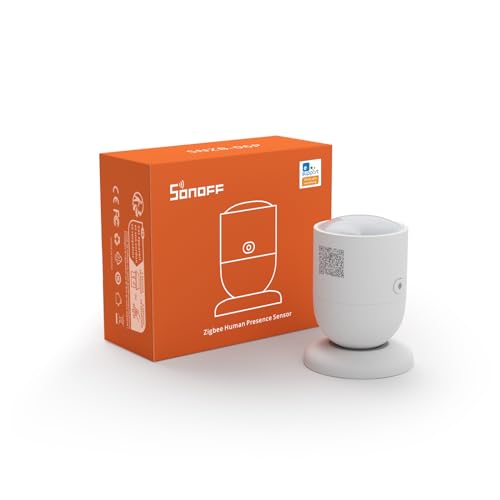
- SONOFF SNZB-06P Zigbee Human Presence Sensor about$43.34
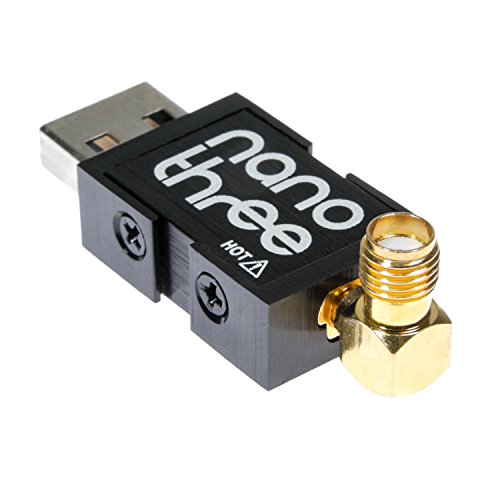
- NESDR Nano 3 - Premium Tiny RTL-SDR… about$83.95
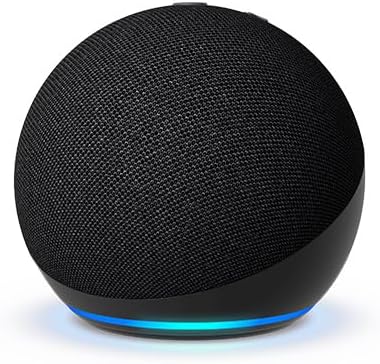
- Amazon Echo Dot about$129
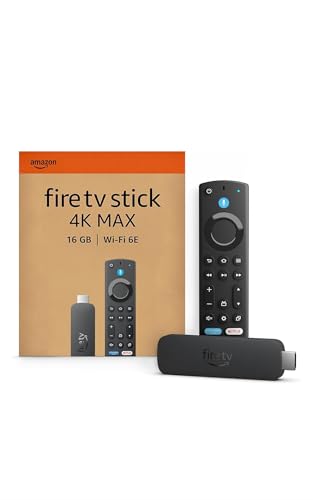
- Amazon Fire TV Stick 4K Max about$147
- iRasptek Raspberry Pi 4B 2GB Starter Kit about$204.99
- SwitchBot Hub 2 IR Remote and Sensor about$108.73
- REOLINK PoE RLC-811A Security Camera… about$209.99
- ECOWITT WS2910 Wi-Fi Weather Station Color… about$219.99
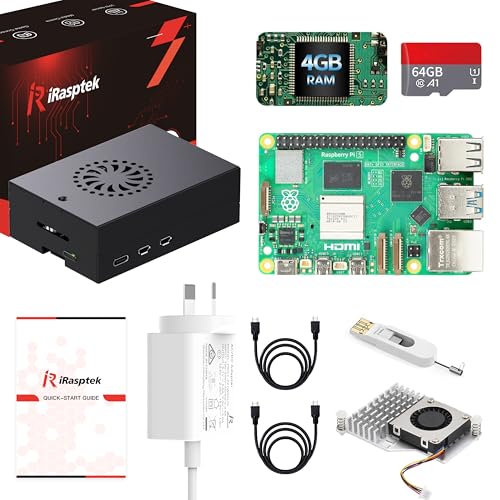
- iRasptek Pi 5 4GB Starter Kit about$294.994GB RAM, 27W.
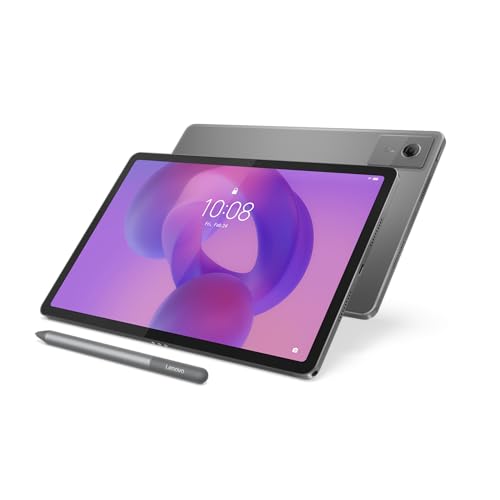
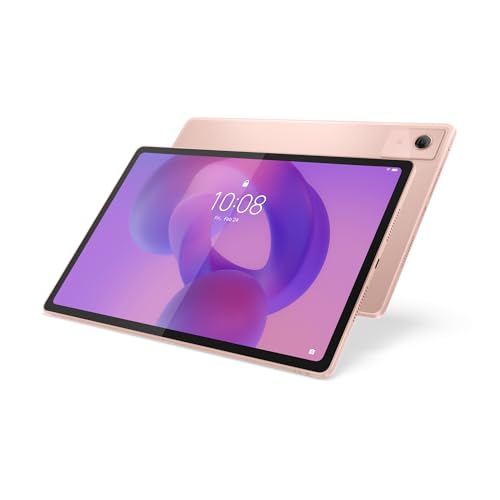
- Lenovo IdeaTab 11-inch Tablet with Pen 4/128 about$376.9890Hz refresh, 11.0" screen.
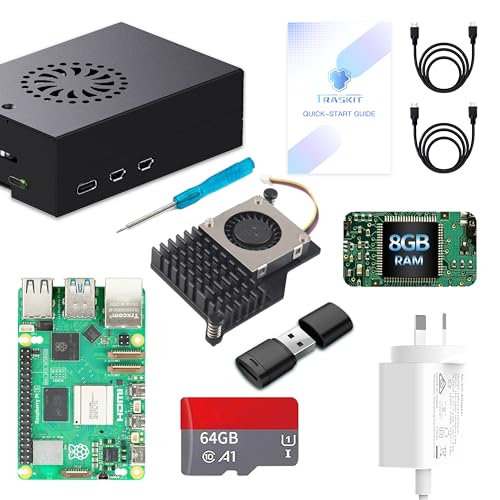
- TRASKIT Pi 5 8GB Starter Kit about$384.99
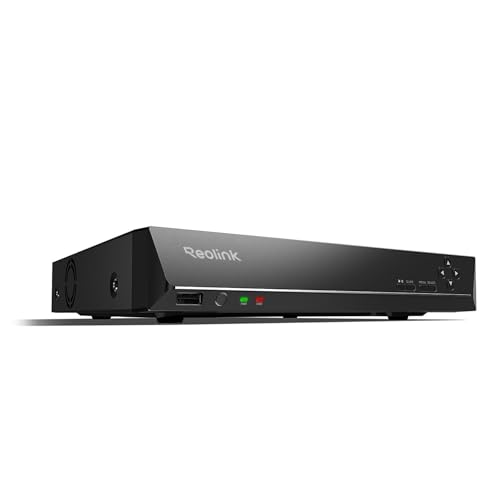
- Reolink RLN16-410 16-Channel PoE NVR about$382.49
- Lenovo Idea Tab Plus 12.1" 2.5K 90Hz Touch… about$4998GB RAM, 90Hz refresh, 12.1" screen.
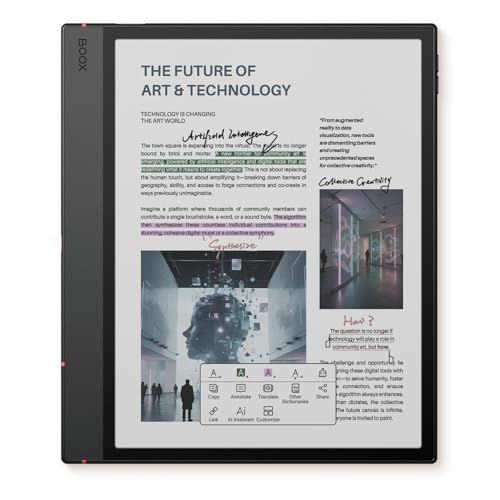
- Most PremiumBOOX Note Air6 C 10.3-inch Colour E Ink Tablet about$919
Most “best smart home” lists are written by someone who unboxed each product for an afternoon. This one is different in a single, specific way: nearly everything on it runs in my own Home Assistant install, which has been going for more than a year and currently looks after 103 devices. Where I do not own the exact model, I say so, and I say what I run instead.
Every pick below comes with the automation I actually use it for, plus a couple of ideas worth stealing. The YAML is there for the ones worth copying, rewritten with placeholder names so you can drop it into your own setup.
What to look for in Home Assistant hardware
Local beats cloud, every time. The best Home Assistant devices talk to the box in your cupboard directly. Zigbee sensors, Shelly energy monitors, Reolink cameras and a weather station feeding an SDR all keep working when the internet drops. Devices that only report through a manufacturer's server are the weak point in any install, and I have a few of them in mine that I would not buy again. The comparison table below has a column for exactly this.
Zigbee for batteries, Wi-Fi for mains. Battery sensors belong on Zigbee, where a coin cell lasts a year or more. Mains-powered gear such as energy monitors, cameras and streamers is fine on Wi-Fi or Ethernet. Most low-cost Wi-Fi smart devices only work on the 2.4GHz band, so if your router uses band steering to push everything onto 5GHz, pairing will fail in confusing ways. A separate 2.4GHz network name fixes it; our home Wi-Fi router guide covers the routers that let you do it.
Storage is where installs die. Home Assistant writes to its database constantly. A microSD card is not built for that, and a dead card is the most common Home Assistant failure I see. Use eMMC or an SSD. If a card has already died and taken years of config with it, that is a data recovery job, and the sooner it stops being written to, the better the odds.
If you are still deciding whether to build a smart home at all, start with what a smart home actually costs in Australia. This page assumes you have decided, and want the hardware that works.
The brain: what runs Home Assistant
Three sensible options, from most headroom to least expensive. A fourth, the Raspberry Pi 3, gets a mention after them.
TRASKIT Raspberry Pi 5 8GB Starter Kit
ASIN B0G6CTF2P5 • $384.99 • Sold by TRASKIT AU
The 4GB kit below has the same box contents without the extra memory, and the extra RAM here is the only reason to pay the difference. The box holds the Pi 5 8GB, an aluminium case with an anodised active cooler and PWM fan, a 27W USB-C power supply with a 1.5 metre lead, a 64GB microSD card and a card reader.
Memory is the first thing a busy install runs out of, and RAM is soldered to the board, so you cannot add it later. If you plan on camera re-streaming or a local AI add-on, buy the 8GB now. For a normal home of sensors, lights and a handful of automations, the 4GB kit is enough and I would put the saving into an SSD.
What I run with it: I have not run this 8GB kit myself. My own install is the Pi 4 below, and it carries every device, sensor and automation I have, so treat the 8GB as headroom for heavy add-ons, not a requirement.
Also try: Flash Home Assistant OS over the preloaded Raspberry Pi OS, and move to an SSD before the install grows.
Honest caveats: The listing preloads Raspberry Pi OS (Bookworm), not Home Assistant OS, so there is a flash before first boot. The microSD card is the weak point for a 24/7 server, and the active cooler has a fan.
RAM: 8GB • Storage: 64GB microSD (replace with SSD) • Power: 27W USB-C supply included • Cooling: active, PWM fan • Case: aluminium • Rank: #24 in Barebone PCs (Amazon AU)
View on Amazon AUiRasptek Raspberry Pi 5 4GB Starter Kit
ASIN B0F3X5KQ9J • $294.99 • Sold by iRasptek Global, dispatched by Amazon
The Pi 5 is the board I would buy today if I were starting from scratch and wanted room to grow. It is roughly two to three times faster than the Pi 4 I actually run, and that shows up in the places you notice: restarts after an update, dashboards that load a week of history, and add-ons that do real work. This kit ranks #8 in Barebone PCs on Amazon AU and it includes the 27W USB-C supply the Pi 5 genuinely needs, plus an active cooler with a PWM fan and an aluminium case.
The kit ships with Raspberry Pi OS (Bookworm) on the 64GB card, and a card reader is in the box. Ignore the preloaded OS. Flash Home Assistant OS with the Raspberry Pi Imager instead, and if you can, boot from an SSD rather than the SD card. The Pi 5's PCIe lane makes an NVMe HAT a very tidy upgrade, though check that it fits inside the supplied case first.
What I run with it: My own Pi runs 103 devices, 595 sensors and 42 automations, plus a Zigbee radio, an SDR dongle, an MQTT broker and a camera re-streaming add-on. A Pi 5 does all of that with headroom to spare.
Also try: Pair it with the Zigbee dongle below on a short USB extension cable, and put an SSD on it before you put anything important on it.
Honest caveats: The supplied 64GB SD card is the weakest part of the kit for a 24/7 server. Budget for an SSD. The active cooler has a fan, so expect some noise in a quiet room. It is sold by iRasptek Global and dispatched by Amazon, not sold by an Australian retailer.
RAM: 4GB • Storage: 64GB microSD, Pi OS preloaded (replace with SSD) • Power: 27W USB-C PD supply included • Cooling: active, PWM fan • Case: aluminium alloy • Rank: #8 in Barebone PCs (Amazon AU)
View on Amazon AUiRasptek Raspberry Pi 4B 2GB Starter Kit
ASIN B0H5K52869 • $204.99 • Sold by iRasptek Global
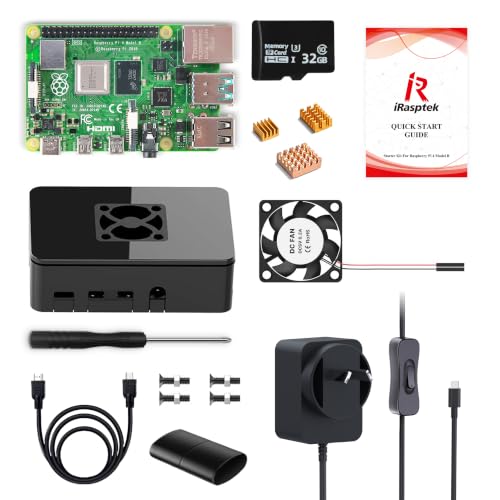
My whole install runs on a Raspberry Pi 4. It is not the fastest option any more, but it is proven, it is low-cost next to a Pi 5, and it is still fully supported by Home Assistant OS on the 64-bit image. I have not run this exact kit, but the board is the same family as the one in my cupboard, and it ranks #7 in Barebone PCs on Amazon AU.
This is a complete kit: the 2GB Pi 4B, a case with a cooling fan and three heatsinks, a 5V 3A USB-C supply with an on/off switch, and a 32GB card with Raspberry Pi OS and a card reader. You will be wiping that card and flashing Home Assistant OS. A proper 3A supply matters because undervoltage is a real failure mode on these; Home Assistant even ships a Raspberry Pi power checker integration, which I run, to flag it.
What I run with it: The Pi 4 carries my entire setup. The one thing I would change if I were rebuilding it: boot it from a USB SSD, because a Pi 4 on an SD card is a Pi 4 waiting for a card failure.
Also try: Add the Raspberry Pi Power Supply Checker and System Monitor integrations so you get a warning when the supply sags or the CPU runs hot.
Honest caveats: This kit has 2GB of RAM, which is the floor for a small install, not the comfortable middle. If you plan on camera re-streaming or heavy add-ons, step up to one of the Pi 5 kits above. Slower than the Pi 5 on restarts and history-heavy dashboards.
RAM: 2GB • CPU: quad-core Cortex-A72 1.5GHz • Wireless: dual-band Wi-Fi, Bluetooth 5.0 • Storage: 32GB microSD • Power supply: 5V 3A USB-C included • Cooling: fan and 3 heatsinks
View on Amazon AUWhat about a Raspberry Pi 3? Home Assistant dropped 32-bit support at the end of 2025, so a Pi 3 now needs the 64-bit image. It installs, and recent releases fixed booting one from a USB SSD, but 1GB of RAM is tight and users are still reporting instability. No Australian seller on Amazon has a new Pi 3 board anyway. If you have one in a drawer, give it a side job, such as a dedicated SDR receiver or the brains of a magic mirror build. Do not buy one to run the house. For more power than any Pi, a small x86 box from our mini PC guide runs Home Assistant OS very happily.
Zigbee: the radio and the sensors
Zigbee is the backbone of a reliable Home Assistant install. One USB dongle, then as many low-cost battery sensors as you like, all talking locally. Add a couple of mains-powered Zigbee plugs early; they act as routers and hold the mesh together. Our smart plug guide covers plugs in more depth.
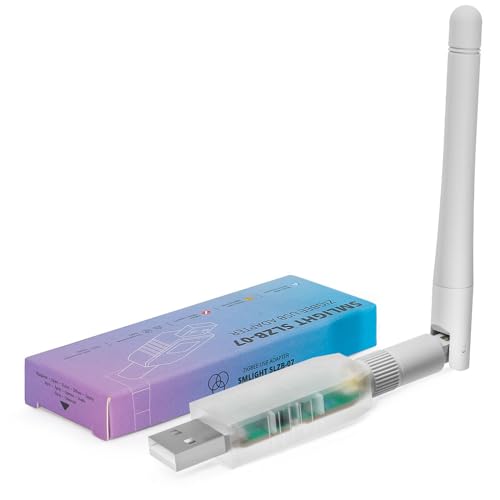
SMLIGHT SLZB-07 Zigbee 3.0 USB Coordinator
ASIN B0D737SJ5G • $47.90 • Sold by DialedInAus
This little stick is what lets Home Assistant talk to Zigbee sensors directly, with no brand hub and no cloud. I run the older Sonoff ZBDongle-P (the CC2652 chip). The SLZB-07 is a stick of the same type built on the EFR32MG21 chip, and the listing says it comes pre-flashed and ready for Home Assistant's built-in ZHA integration or Zigbee2MQTT. It ranks #37 in USB Computer Network Adapters on Amazon AU.
The single most useful thing I can tell you about any Zigbee dongle: never plug it straight into the Pi. USB 3 ports and SSDs throw off interference right in the 2.4GHz band Zigbee uses, and a dongle sitting next to them drops devices at random. A 50 cent USB 2 extension lead that gets it 30cm away fixes it.
What I run with it: Every Zigbee device in this guide pairs through a stick like this. Two low-cost mains-powered Zigbee plugs act as routers and hold the mesh together, which matters more than the dongle's transmit power: battery sensors do not repeat, mains devices do.
Also try: Name devices by room the moment you pair them, and back up the coordinator from the ZHA settings. If the stick ever dies, that backup is the difference between a swap and re-pairing every sensor.
Honest caveats: I have not run the SLZB-07 myself. Choose ZHA or Zigbee2MQTT and stick with it; moving between them means re-pairing. Keep your Wi-Fi 2.4GHz channel away from your Zigbee channel. The listing calls Thread and Matter support experimental, so buy it as a Zigbee coordinator and treat anything else as a bonus.
Chip: EFR32MG21 with CP2102N USB-UART • Output: +20dB amplifier and 3dB antenna • Firmware: pre-flashed, coordinator or router • Works with: ZHA, Zigbee2MQTT • Rank: #37 in USB Computer Network Adapters (Amazon AU)
View on Amazon AUSONOFF SNZB-06P Zigbee Presence Sensor
ASIN B0CNGKFG9Y • $43.34 • Sold by Amazon AU
Ordinary motion sensors see movement. This one uses 5.8GHz microwave radar, so it sees a person who is sitting still, reading or asleep on the couch, which is exactly when a PIR sensor switches your lights off on you. It also has a built-in light sensor, so it can decide whether the room is dark enough to need lights at all.
My own presence sensor is a Tuya mmWave unit that is not sold by an Australian seller, so the SNZB-06P is the one I recommend in its place. It is sold by Amazon AU directly and it is #47 in its category.
What I run with it: Bedroom lighting that turns on when someone walks in after dark and only turns off once the room has been empty for a few minutes. With radar presence rather than motion, nobody has to wave their arms to keep the light on.
Also try: Drive a wall dashboard with it: screen on when someone is in the room, off when they leave. That one automation cuts the static on-screen hours that cause tablet burn-in (see the dashboard section).
Honest caveats: Needs mains USB power, not batteries. Radar passes through thin walls, so aim it away from a hallway or the neighbouring room.
Sensor: 5.8GHz microwave radar • Detects: moving and stationary people • Extra: light sensor • Protocol: Zigbee 3.0 • Rank: #47 in Home Thermostats & Accessories (Amazon AU)
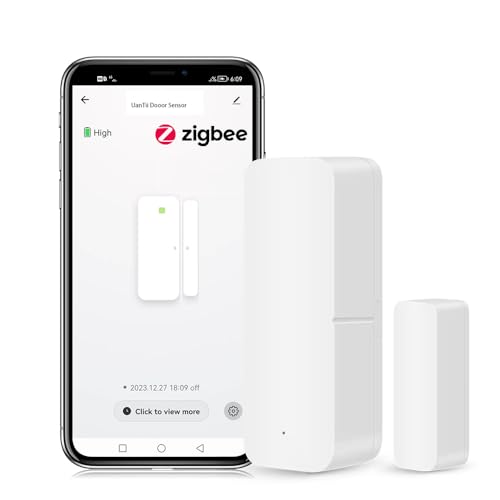
View on Amazon AUUanTii Zigbee Door and Window Sensor
ASIN B0G24B4S3Z • $29.99 • Sold by UanTii Smart Home AU
I run four Sonoff SNZB-04P contact sensors on windows and doors. They are not currently sold by an Australian seller on Amazon, so this UanTii unit is the Zigbee contact sensor I would point you at instead. It is a standard Tuya Zigbee reed switch, it runs on a coin cell, and it reports open and closed within a second or two.
The listing says you need a Tuya hub. With Home Assistant you do not: the Zigbee dongle above is the hub. Tuya Zigbee contact sensors generally pair to ZHA and Zigbee2MQTT as standard devices, but check the Zigbee2MQTT supported devices list for the exact model before you buy a box of them.
What I run with it: When the air conditioner switches on, Home Assistant checks every window and door sensor. If anything is open, the kitchen speaker says which one, at low volume, during waking hours only. It catches the window nobody remembered.
Also try: Rain is on the way and a window is open: send a phone notification. Pair it with the weather station below.
Show the YAML (placeholder entity names)
alias: Aircon on with a window open
triggers:
  - trigger: state
    entity_id: climate.living_room_aircon
    to: cool
conditions:
  - condition: time
    after: "09:00:00"
    before: "21:00:00"
  - condition: or
    conditions:
      - condition: state
        entity_id: binary_sensor.window_1
        state: "on"
      - condition: state
        entity_id: binary_sensor.back_door
        state: "on"
actions:
  - action: media_player.volume_set
    target:
      entity_id: media_player.kitchen_speaker
    data:
      volume_level: 0.1
  - action: tts.speak
    target:
      entity_id: tts.google_translate_en_com
    data:
      media_player_entity_id: media_player.kitchen_speaker
      message: "The air conditioner is on but a window or door is open."
mode: single
Honest caveats: Battery not included. Tuya Zigbee devices vary by batch, so compatibility is very likely but not guaranteed.
Protocol: Zigbee (Tuya) • Power: coin cell • Reports: open and closed, battery level • Rank: #161 in Home Security Kits (Amazon AU)
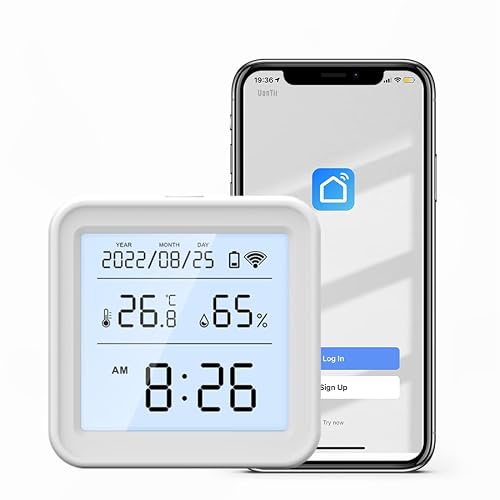
View on Amazon AUUanTii Zigbee Temperature and Humidity Sensor
ASIN B0G6T81TZM • $39 • Sold by UanTii Smart Home AU
My two room temperature sensors are Tuya Wi-Fi units, and I would not buy them again: they report through the Tuya cloud, which means Home Assistant only knows the temperature for as long as a server overseas feels like telling it. A Zigbee sensor like this one talks to your own dongle and keeps working with the internet unplugged.
It has a backlit display, so it is useful as a plain thermometer too, and at #49 in Indoor Thermometers it is the best-selling Zigbee option from an Australian seller.
What I run with it: A high-temperature alert: if the inside temperature passes 32°C, my phone gets a notification. It exists for pets as much as people.
Also try: Feed room temperature into the air conditioner automation so it only runs when a room is actually warm, not just because it is 2pm.
Honest caveats: Same Tuya Zigbee compatibility note as the door sensor. Battery not included.
Protocol: Zigbee (Tuya) • Reads: temperature, humidity • Display: backlit LCD • Power: battery • Rank: #49 in Indoor Thermometers (Amazon AU)
View on Amazon AUGarden and weather
This is the part of my install I am proudest of. Five soil probes across three vegetable beds, a local weather station and the hourly forecast all feed a garden dashboard that tells me which beds need water and which to leave alone. Here is what the probes logged over the last seven days, straight out of Home Assistant:

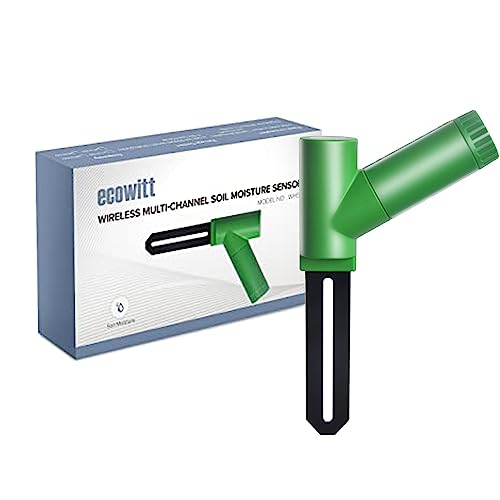
Ecowitt WH51 Soil Moisture Sensor
ASIN B07JM621R3 • $29.99 • Sold by ecowitt au
I have five soil probes across three vegetable beds, and the chart above is what they logged over the past week. Mine are Tuya Wi-Fi probes, and like the room sensors they go through the cloud. If I were buying today, I would buy these.
The WH51 is #3 in Soil Meters on Amazon AU. The Australian version transmits on 433MHz, and it is an accessory: it needs an Ecowitt Wi-Fi gateway (the GW1100) to get onto your network. Or, and this is the fun part, it can be read directly by the RTL-SDR dongle further down this page, because rtl_433 has a decoder for it. No gateway, no cloud, no app.
What I run with it: Each bed has a moisture alert. When a probe drops below its threshold for five minutes, Home Assistant pulls the hourly forecast, the local rain and wind readings, when the bed was last watered and whether the moisture trend is rising or falling, and asks Gemini for a two or three sentence recommendation. If rain is due within two hours, it tells me to wait. That advice lands on my phone and on the garden dashboard.
Also try: A trend sensor per probe (Home Assistant's built-in Trend helper), so you can see whether a bed is drying out or recovering, not just its current number.
Honest caveats: Useless on its own: budget for the GW1100 gateway or the SDR route. Measures moisture only, not soil temperature.
Frequency: 433MHz (AU) • Rating: IP66 • Needs: Ecowitt gateway or rtl_433 • Rank: #3 in Soil Meters (Amazon AU)
View on Amazon AUEcowitt WS2910 Wi-Fi Weather Station
ASIN B07FD3DSXJ • $219.99 • Sold by ecowitt au
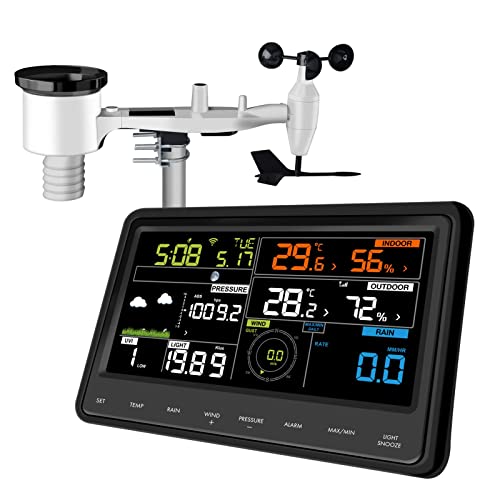
A local weather station changes what Home Assistant can decide, because the forecast is for your suburb and the station is for your yard. The WS2910 is the #2 weather station on Amazon AU: a solar-assisted 7-in-1 outdoor array (temperature, humidity, rain, wind speed, wind direction, light and UV) and a colour display console with Wi-Fi.
The Wi-Fi console is the reason I picked this one over less costly stations. Point its custom upload setting at Home Assistant's Ecowitt integration and the data arrives on your own network, no cloud account required. The outdoor array also transmits on 433MHz, the band the SDR listens on.
What I run with it: My rain automations run off a local station. One gives a heads-up when rain is likely soon; another triggers a full outdoor check when it actually starts (more on that in the camera section). Rain today, rain rate and wind all feed the garden advice too.
Also try: Retract an awning or close a motorised window on wind gusts. Log a proper rainfall history for the garden instead of guessing.
Honest caveats: Mount the outdoor array clear of roof runoff and heat sources or the temperature reads high. The console needs a 2.4GHz network.
Sensors: temperature, humidity, rain, wind speed, wind direction, light, UV • Console: colour LCD, Wi-Fi • Power: solar plus batteries • Rank: #2 in Weather Stations (Amazon AU)
View on Amazon AURadio: the RTL-SDR
This is the pick most Home Assistant lists leave out, and it is the one people ask me about most. A $80 receiver turns the air around your house into data.
Nooelec NESDR Nano 3 RTL-SDR (Aluminium Enclosure)
ASIN B073JZ8CC2 • $83.95 • Sold by Nooelec Australia
An RTL-SDR is a software-defined radio receiver on a USB stick, and it is the most fun thing in my whole install. Plug it into the Home Assistant box, run the rtl_433 add-on, and suddenly every low-cost wireless gadget within range that transmits on 433MHz shows up as a sensor: weather stations, soil probes, temperature sensors, tyre pressure monitors, doorbells. The same dongle with different software will decode ADS-B, the position broadcasts from aircraft overhead. There are decoder libraries on GitHub for an enormous range of devices.
Buy one with a metal case. These dongles run hot. That is normal: the tuner and demodulator chips are working flat out, all the time, and a warm stick is a working stick. The Nano 3 has an aluminium enclosure with silicone thermal pads and a custom heatsink, so the heat spreads across the whole case instead of cooking the chips, and the metal also keeps stray interference out. It uses a 0.5PPM temperature-compensated crystal oscillator (TCXO), which is what stops the tuning drifting off frequency as the stick warms up. Plastic-cased dongles without a TCXO are the ones that lose signal an hour in.
What I run with it: My weather comes from a low-cost 433MHz weather station picked up through rtl_433. On top of it sits a rain predictor: when humidity climbs faster than 0.4% a minute while the temperature falls faster than 0.15°C a minute (the gust front ahead of a downpour), with humidity already above 65% and no rain yet, the speaker announces that rain is likely approaching. And because an SDR add-on can occasionally stall, a watchdog restarts it if the weather sensor goes quiet for five minutes.
Also try: Track aircraft overhead with an ADS-B decoder. Read the Ecowitt soil probes above without buying their gateway.
Show the YAML (placeholder entity names)
alias: Restart rtl_433 when the weather goes quiet
triggers:
  - trigger: state
    entity_id: sensor.weather_station_temperature
    to: unavailable
    for:
      minutes: 5
conditions:
  - condition: template
    value_template: >
      {{ this.attributes.last_triggered is none or
         (now() - this.attributes.last_triggered).total_seconds() > 1800 }}
actions:
  - action: hassio.addon_restart
    data:
      addon: YOUR_RTL433_ADDON_SLUG
  - action: notify.persistent_notification
    data:
      title: rtl_433 restarted
      message: "Weather data was missing for 5 minutes, so the add-on was restarted."
mode: single
Honest caveats: Keep it to public broadcasts such as aircraft, weather stations and your own sensors; listening in on other people's private communications is a different matter legally. Give it a USB extension so the heat and the antenna sit away from the Pi.
Chipset: RTL2832U • Oscillator: 0.5PPM TCXO • Enclosure: aluminium with thermal pads and heatsink • Antenna: SMA and MCX • Rank: #1,289 in Internal Components (Amazon AU)
View on Amazon AUShow the rain predictor YAML (placeholder entity names)
alias: Rain approaching (local station trend)
triggers:
  - trigger: numeric_state
    entity_id: sensor.humidity_rate_per_min      # Derivative helper, 15 min smoothing
    above: 0.4
    for:
      minutes: 5
  - trigger: numeric_state
    entity_id: sensor.temperature_rate_per_min   # Derivative helper, 15 min smoothing
    below: -0.15
    for:
      minutes: 5
conditions:
  - condition: numeric_state
    entity_id: sensor.humidity_rate_per_min
    above: 0.4
  - condition: numeric_state
    entity_id: sensor.temperature_rate_per_min
    below: -0.15
  - condition: numeric_state
    entity_id: sensor.outdoor_humidity
    above: 65
  - condition: state
    entity_id: binary_sensor.raining_now
    state: "off"
  - condition: template
    value_template: >
      {{ this.attributes.last_triggered is none or
         (now() - this.attributes.last_triggered).total_seconds() > 7200 }}
actions:
  - action: tts.speak
    target:
      entity_id: tts.google_translate_en_com
    data:
      media_player_entity_id: media_player.living_room_speaker
      message: "Humidity is climbing fast and the temperature is dropping. Rain is likely on the way."
mode: single
Climate and energy
Aircon and energy monitoring are where Home Assistant most directly saves money. Here are four days of my rooftop solar against household load, hourly, from Home Assistant:

That gap between the orange and the blue is the whole argument for automating loads. For a wider comparison of monitors, including plug-in options that need no electrician, see the smart energy monitor guide.
SwitchBot Hub 2 Smart IR Remote and Sensor
ASIN B0BM8VS13P • $108.73 • Sold by Amazon AU
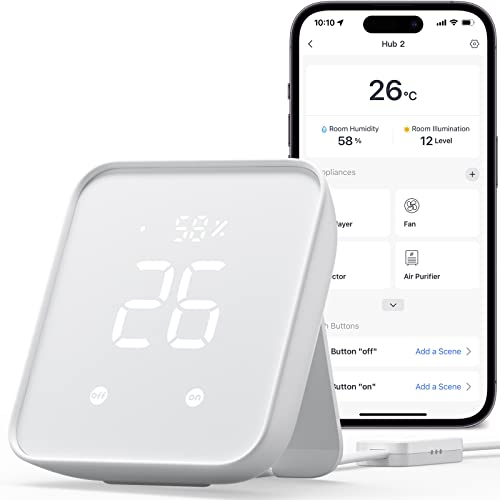
Most Australian split systems are controlled by an infrared remote, which Home Assistant cannot talk to. A SwitchBot Hub 2 sits where the remote would point, learns the remote's codes through the SwitchBot app and puts the aircon behind Wi-Fi. The listing says it learns TV and air conditioner remotes, so one box can cover the whole lounge room. I run a Sensibo Sky on my own aircon, but the Sensibo Air is not reliably available from an Australian seller on Amazon AU right now, so the Hub 2 (sold by Amazon AU, #10 in Hygrometers) is the one I would point you at instead.
It doubles as a room sensor: the listing describes a temperature and humidity sensor with a large LED screen, plus a light sensor. Home Assistant has a SwitchBot Cloud integration, and the IR remotes you set up in the SwitchBot app come across through it. Check what it exposes for your particular aircon before you buy.
What you can run with it: Hold a room between 21°C and 23°C during set hours, and fire the window warning from the door sensor card the moment the aircon switches on with something open.
Also try: Pre-cool the house when the first phone is on its way home. Only run cooling while there is solar surplus (see the energy chart above).
Honest caveats: I have not run a Hub 2 myself. The Home Assistant link goes through SwitchBot's cloud, so this is a cloud-dependent device. It needs 2.4GHz Wi-Fi. Infrared is one-way, so Home Assistant only knows what it last sent, not what someone did with the physical remote.
Control: infrared, learns existing remotes • Sensors: temperature, humidity, light • Network: 2.4GHz Wi-Fi • Integration: SwitchBot Cloud • Rank: #10 in Hygrometers (Amazon AU)
View on Amazon AUCameras
I will not show you my camera feeds, and I will not tell you how many there are or where they point. I will tell you what Home Assistant does with them, because that is the interesting part. For a full camera system comparison, see our security camera systems guide.
Reolink RLN16-410 16-Channel PoE NVR
ASIN B0H45F8R5T • $382.49 • Sold by ReolinkAU
This is the bigger sibling of the NVR I run. It powers up to sixteen PoE cameras over single network cables, records around the clock to its own internal hard drives, and passes through the person, vehicle and animal detection from the Reolink cameras behind it. There is no monthly fee, and it keeps working as its own system with the internet down.
For Home Assistant the key point is that Reolink integrates locally. The official Reolink integration picks up Reolink NVRs and the cameras behind them: live streams, detection events, floodlights, sirens and settings, all as entities you can automate.
What I run with it: When it starts raining, Home Assistant grabs a snapshot from every outdoor camera and has Gemini look at them for anything that is about to get wet: washing on the line, cushions on the outdoor furniture, a window left down. If it finds something, my phone gets a list. It sounds like a party trick until the first time it saves a load of washing.
Also try: Person detected at the front after dark: turn on the floodlight and cast that camera to a Nest Hub.
Honest caveats: It is built around Reolink cameras, so check compatibility before mixing brands. No hard drive comes in the box: it takes two, each up to 8TB, so buy the size you actually need. 4K cameras fill a drive quickly.
Channels: up to 16 PoE cameras • Recording: 24/7 to internal drives (two bays, up to 8TB each, drives not included) • Detection: person, vehicle, animal (from Reolink cameras) • Integration: official Reolink • Seller: ReolinkAU on Amazon AU, new • Rank: #16 in Surveillance NVR Kits (Amazon AU)
View on Amazon AUReolink RLC-811A 4K PoE Camera with 5x Zoom
ASIN B08PYL7YB1 • $209.99 • Sold by ReolinkAU
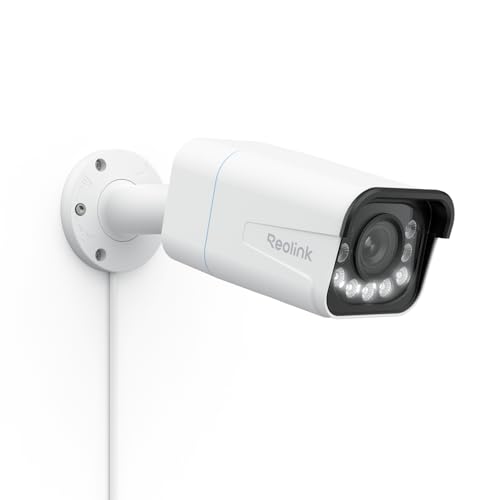
The RLC-811A is one of the models I run. It is a 4K bullet camera with 5x optical zoom, colour night vision from built-in spotlights and a siren, powered and connected over one PoE cable. The optical zoom is the feature that matters: it lets you frame a driveway or gate tightly without losing detail to digital cropping.
In Home Assistant, the spotlight and siren show up as ordinary light and siren entities, which makes the camera useful for much more than recording.
What I run with it: I have tested an AI snapshot notification with these: a detection triggers a still, Gemini describes what is in it in one sentence (“a courier leaving a parcel at the door”), and that description becomes the phone notification instead of a generic “motion detected”.
Also try: Use the time-lapse mode to record a garden bed or a 3D print. Flash the spotlight when someone arrives after dark.
Honest caveats: Needs a PoE switch or the NVR above. 4K streams are heavy for a Pi to re-stream, so view them through the NVR or a dedicated add-on.
Resolution: 4K • Zoom: 5x optical • Night: colour with spotlights • Extras: siren, person and vehicle detection • Power: PoE
View on Amazon AUA voice speaker and a streaming stick
Google hardware is how my Home Assistant install talks back. Every spoken alert on this page plays through a Google speaker via the Cast integration. Google's newest speaker has no live Amazon AU offer right now, so both picks in this section are Amazon devices, and neither is a Cast target. The speaker is an Alexa device, and the stick reaches Home Assistant through the Android Debug Bridge integration instead.
Amazon Echo Dot (Alexa)
ASIN B09B8YP8KY • $129 • Sold by Amazon AU
I run a Google Home Mini and two Nest Hubs, and none of them is sold on Amazon AU any more, new or second-hand. Google's newest speaker has no live Amazon AU offer at the moment, so the speaker I would point you at instead is the Echo Dot. It is the number one smart speaker on Amazon AU, and Amazon AU sells it directly.
It is an Alexa speaker, which is a different route from the Cast integration behind every spoken alert in this guide. I have not had an Echo on my network, so I cannot tell you how announcements reach it from Home Assistant. If announcements are the main job, work that out for your own setup before you buy several. On its own, the listing covers music from Amazon Music, Apple Music, Spotify and others or over Bluetooth, voice control of compatible lights, locks and sensors, and setting up compatible Matter devices.
What I run with it: I have not run an Echo Dot in my own install. My spoken reminders the night before bin day, rain warnings from the weather station and the aircon-with-a-window-open warning all play through Google speakers at low volume, during waking hours only.
Also try: The listing says it has built-in motion and indoor temperature sensors that can trigger Alexa Routines, for example turning on a compatible light when you walk into a room.
Honest caveats: It is Alexa, not Google, so it is not a Cast device the way a Nest speaker is. Check how it would reach Home Assistant in your setup before you buy several. It has a mic off button if you want the microphones off.
Assistant: Alexa • Matter: set up compatible devices • Sensors: motion, indoor temperature • Rank: #1 in Smart Speakers (Amazon AU) • Seller: Amazon AU
View on Amazon AUAmazon Fire TV Stick 4K Max
ASIN B0CW4F344C • $147 • Sold by Amazon AU
I run an older Chromecast Ultra. The Fire TV Stick 4K Max is the stick I would put in its place: 4K with Dolby Vision, HDR10+ and Dolby Atmos, a 2.0 GHz quad-core processor, 16GB of storage and Wi-Fi 6E support.
Home Assistant reaches Fire TV devices through its Android Debug Bridge integration, which means switching on ADB debugging in the stick's developer settings first. Once it is connected you can read what is playing, send it commands and use its power state as a trigger. That is a different route from the Cast and Android TV Remote integrations used for Google TV devices, and I have not run this one on my own network.
What I would run on it: When the television turns on, the room light turns on with it.
Also try: Pause playback when the doorbell rings. Dim the lights when a movie starts and bring them back up when it is paused.
Honest caveats: Setup is fiddlier than a Cast device, because ADB debugging has to be switched on and it helps to reserve the stick's address on your router. Its voice assistant is Alexa, not Google. For a straight streaming comparison, see the streaming devices guide.
Video: 4K, Dolby Vision, HDR10+ • Audio: Dolby Atmos • Storage: 16GB • Processor: 2.0 GHz quad-core • Network: Wi-Fi 6E • Seller: Amazon AU
View on Amazon AUDashboards, and the burn-in problem
A wall dashboard is the part of Home Assistant everyone else in the house actually sees, and it is where I made my most expensive mistake. No LCD tablet is immune to burn-in when it shows the same layout 24 hours a day. What you are really seeing is image retention: a static, bright layout plus the heat of charging around the clock slowly leaves a ghost of the dashboard on the panel. Avoid OLED tablets outright; OLED burn-in is permanent and worse. Then pick from three honest options below.
Lenovo IdeaTab 11-inch Tablet with Pen
ASIN B0FGJNXGC2 • $376.98 • Sold by Amazon AU
My dashboard lives on a wall-mounted Galaxy Tab A9+ running 24/7. If I were buying a fresh wall tablet at this price, this is where I would start: an 11-inch 2.5K (2560 x 1600) screen, a MediaTek Dimensity 6300 processor, a 7,040mAh battery and four Dolby Atmos tuned speakers for the announcements Home Assistant can push to it. The Lenovo Tab Pen comes in the box too. I have tried much less costly tablets. They lag badly, and a dashboard that takes two seconds to respond to a tap is one nobody uses.
The honest part: I have not run this model on my own wall, so treat the fit as a spec-sheet judgement. After about a year of running my dashboard around the clock, the A9+ has visible screen burn-in, with the layout ghosted into the panel. Expect any always-on tablet to age the same way if you run it the same way.
What I run with it: What I would run on it, having learned the hard way: the screen only switches on when the presence sensor sees someone in the room, the dashboard uses a dark theme, and the battery charge limit is set to around 85% so the cell is not held at full charge on a charger forever.
Also try: Use the Home Assistant companion app's kiosk-style settings, or Fully Kiosk Browser, which Home Assistant can control directly (screen on, screen off, brightness).
Honest caveats: This is the 4GB RAM configuration, the least memory of any tablet in this guide, so keep the dashboard light on camera tiles and long history graphs. Burn-in after roughly a year of static 24/7 use is likely. A tablet charging permanently is also a swollen-battery risk, which I see in the workshop regularly.
Screen: 11-inch 2.5K (2560 x 1600) • RAM: 4GB • Storage: 128GB • Audio: 4 speakers, Dolby Atmos • Battery: 7,040mAh • Rank: #7 in Tablets (Amazon AU)
View on Amazon AULenovo Idea Tab Plus 12.1-inch 2.5K
ASIN B0H2LPPL1G • $499 • Sold by Amazon AU
If you want a bigger, sharper dashboard and more headroom than the IdeaTab 11, this is the step up: a 12.1-inch 2.5K IPS panel at 90Hz, a MediaTek Dimensity 6400 and 8GB of RAM. Camera-heavy dashboards and busy history graphs are where the extra memory shows.
It is Android, so Fully Kiosk Browser runs on it and Home Assistant can switch the screen on and off exactly like the IdeaTab 11.
What I run with it: The same setup as the IdeaTab 11: presence-driven screen, dark theme, charge limit. On a 12-inch panel there is room for the garden and energy views side by side.
Also try: Mount it landscape near the kitchen and give each family member a tab on the dashboard.
Honest caveats: Still an LCD, so it carries the same image-retention risk as any tablet run 24/7 with a static layout. It reduces the risk only through the habits above, not by magic.
Screen: 12.1-inch 2.5K IPS, 90Hz • Chip: MediaTek Dimensity 6400 • RAM: 8GB • Storage: 128GB • Rank: #7 in Tablets (Amazon AU)
View on Amazon AUBOOX Note Air6 C 10.3-inch Colour E Ink Tablet
ASIN B0FR4L5XMV • $919 • Sold by Amazon AU
This is the answer if screen burn-in is the thing you want gone entirely. E Ink does not have a backlit pixel that can wear unevenly; it holds an image with no power at all. What it leaves behind is ghosting, faint traces of the previous screen, and a full refresh clears it. That is a completely different thing from LCD burn-in.
It runs Android 16 with 6GB of RAM and 64GB of storage, and the listing says third-party apps are supported, so the Home Assistant companion app or a browser works. The 10.3-inch Kaleido 3 colour panel shows 4,096 colours at 150 ppi (300 ppi in black and white), and there is a warm and cold front light for a dark room.
What I run with it: As a status board: which windows are open, what the soil probes read, whether the bins go out tonight, today's solar total. Information that changes slowly suits E Ink perfectly.
Also try: Show the garden briefing each morning. Hang it by the back door with the weather.
Honest caveats: E Ink colour is muted and refreshes slowly, so it is useless for camera feeds or anything animated. The 3,700mAh battery is meant for a reading day, not a wall mount, so plan on a cable. It is also the most expensive option here.
Screen: 10.3-inch Kaleido 3 colour E Ink with front light • RAM: 6GB • Storage: 64GB, microSD slot • OS: Android 16 • Burn-in: not possible (E Ink) • Rank: #8 in Tablets (Amazon AU)
View on Amazon AUShow the presence-driven screen YAML (placeholder entity names)
alias: Dashboard screen follows presence
triggers:
  - trigger: state
    entity_id: binary_sensor.kitchen_presence
    to: "on"
    id: here
  - trigger: state
    entity_id: binary_sensor.kitchen_presence
    to: "off"
    for:
      minutes: 3
    id: gone
actions:
  - choose:
      - conditions:
          - condition: trigger
            id: here
        sequence:
          - action: switch.turn_on
            target:
              entity_id: switch.wall_tablet_screen
      - conditions:
          - condition: trigger
            id: gone
        sequence:
          - action: switch.turn_off
            target:
              entity_id: switch.wall_tablet_screen
mode: restart
Side-by-side comparison
Common mistakes I see in the workshop
Running Home Assistant on the SD card it came with
Constant small writes wear microSD cards out, and when they go, they tend to go without warning and take the configuration with them. Move to an SSD or eMMC before the install gets big, and turn on automatic backups to somewhere that is not the same card.
Plugging the Zigbee dongle straight into the Pi
USB 3 ports and SSDs radiate noise across the 2.4GHz band. A dongle sitting right next to them drops devices at random and gets blamed for a hardware fault it does not have. A short USB 2 extension lead is the fix.
Buying cloud-only sensors to save a few dollars
A Wi-Fi sensor that reports through an overseas server is less costly until the server changes its API, rate-limits you or disappears. I have them in my own install and I would not buy them again. Pay the extra for Zigbee.
Leaving a wall tablet on the charger at 100% forever
Burn-in is the visible problem. A swollen battery is the one that lifts the screen out of the frame, and I see those regularly. Set a charge limit and let the screen sleep when the room is empty.
Choking an SDR dongle in a plastic case
SDR dongles are supposed to run warm. Wrapped in plastic behind a cabinet, with no metal case to spread the heat, they drift off frequency and drop signal. Use a metal-cased dongle with a temperature-compensated oscillator and give it some air.
Frequently asked questions
Should I buy a Raspberry Pi 5 or stay on a Pi 4 for Home Assistant?
Buy a Raspberry Pi 5 if you want more performance for the money, plan to run heavier add-ons, or enjoy tinkering, and boot it from an SSD rather than the SD card. The 8GB kit is for camera re-streaming or local AI add-ons, where memory runs out first; the 4GB kit is plenty for a normal home. A Pi 4 is still a perfectly good budget option; it is what my own install runs on. The failure I see most often is not the board at all, it is a worn-out SD card, which is why storage matters more than which box you choose.
Will Home Assistant keep working if the internet goes down?
Everything that is local keeps working, and in a well-built install that is almost everything. Zigbee sensors talk to your own dongle, Shelly and Reolink devices are read over your own network, and automations run on the box in your cupboard. What stops are cloud integrations: devices that report through a manufacturer's server, such as Tuya Wi-Fi sensors or the SwitchBot integration, plus remote access from outside the house and anything that calls an online AI model. That is the practical reason I steer people toward Zigbee and local devices. It is the difference between a smart home that degrades gracefully and one that forgets the temperature the moment an overseas server has a bad day.
Zigbee or Wi-Fi sensors for Home Assistant?
Zigbee for anything that runs on a battery. Zigbee sensors use very little power, so coin cells last a year or more, they form a mesh through your mains-powered Zigbee devices, and they talk to Home Assistant directly through a USB dongle with no cloud in the way. Wi-Fi sensors are fine for mains-powered devices such as plugs, energy monitors and cameras, but battery Wi-Fi sensors chew through batteries and many of the low-cost ones only work through the manufacturer's cloud. Keep your Zigbee dongle on a USB extension cable away from USB 3 ports and SSDs, and add a couple of mains-powered Zigbee plugs early so the mesh has routers to lean on.
Can a Raspberry Pi 3 still run Home Assistant in 2026?
Only if you already own one. Home Assistant dropped support for 32-bit systems at the end of 2025, so a Pi 3 now has to run the 64-bit Home Assistant OS image. It does install, and recent Home Assistant OS releases have even fixed booting a Pi 3 from a USB SSD. But it has 1GB of RAM, and people in the Home Assistant community are still reporting instability on current releases. I would not buy one new for this. If there is one in a drawer, it makes a good second job: a dedicated rtl_433 receiver, or the brains behind a magic mirror, while a Pi 5 runs the house.
Is it legal to use an RTL-SDR dongle in Australia?
Receiving public broadcasts is what these dongles are designed for, and hobbyists all over Australia use them to track aircraft on ADS-B, read weather stations and pull in their own 433MHz sensors. The line to stay well behind is listening in on other people's private communications, which is a legal matter in its own right rather than a hobby question. For Home Assistant the use is simple and uncontroversial: decoding the weather station on your own roof, the soil probes in your own garden and the temperature sensors in your own house. That is all my setup does, and it is where the rtl_433 add-on is aimed.
How do I stop a wall-mounted tablet getting screen burn-in?
You cannot make an LCD tablet immune, but you can slow it right down. Burn-in on a dashboard tablet is image retention from the same bright layout sitting on screen for thousands of hours, made worse by heat from charging around the clock. Turn the screen off when nobody is in the room using a presence sensor, use a dark dashboard theme, drop the brightness, and set a battery charge limit of around 85% so the cell is not held at full charge. Avoid OLED tablets entirely, because OLED burn-in is permanent and worse. If you want a status board that cannot burn in at all, E Ink is the answer, as long as you do not need colour or camera feeds.
Do Google Nest speakers work with Home Assistant?
Yes, as announcement and media targets. Home Assistant's Google Cast integration finds Google speakers and displays on your network automatically, and from then on any automation can speak through them, play a sound or cast a dashboard or camera stream to a Nest Hub. That is how every spoken alert in my house works. What Home Assistant does not do through that integration is replace Google's own voice assistant; for talking to Home Assistant by voice, its own Assist pipeline is the tool. Google's newest speaker has no live Amazon AU offer right now, so the speaker pick in this guide is an Amazon Echo Dot. It is an Alexa speaker, not a Cast device, so check how it would reach Home Assistant in your setup before relying on it for announcements.