![Samsung Galaxy Tab A11+ [AU Version]](/images/affiliate-products/B0FW9DZMC8.jpg)
Prices from Amazon AU, updated daily. Swipe or use the arrows for more.
Disclosure: This article contains affiliate links to amazon.com.au. If you buy through one of these links iFix may earn a small commission at no extra cost to you. It doesn't change which products we recommend. We focus on what actually lasts based on 16 years of repair-shop experience.
Quick summary6 picks
- Entry PickXIAOMI REDMI Pad 2 about$34811" screen, 9000mAh.
- Lenovo IdeaTab 11-inch Tablet with Pen | 4/128 about$37711" screen, 7040mAh, 20W.
- Lenovo IdeaTab Plus 12.1-Inch 2.5K MediaTek… about$44990Hz refresh, 10200mAh.
- Samsung Galaxy Tab A11+ [AU Version] about$47490Hz refresh, 11.0" screen.
- Lenovo Idea Tab Plus 12.1" 2K 12GB/256GB… about$50012.1" screen, 10200mAh, 45W.
- Most PremiumLenovo Idea Tab 5G 11" 2.5K 90Hz Touch… about$66090Hz refresh, 11" screen.
What matters on a tablet for an older parent
Most of the tablets that come into the shop for older customers aren't broken in any technical sense. They've been set up with too many apps, the text is too small to read without glasses, the speaker is too quiet for a video call and the charging port has been worn loose by a cable that's always pulled at an angle. Every one of those is a hardware or setup choice you can get right at the start, and that's what I've judged these four on.
So I've looked at screen size and brightness, how loud and clear the speakers are likely to be from the listing details, whether there's a headphone jack, how much storage is included, whether it can take a SIM card and what the warranty is. I haven't chased benchmark scores, because a parent reading the news, watching the grandkids on a video call and checking email doesn't need a fast processor. They need a big, bright screen and a setup that doesn't change under them.
The four picks run from $347.99 to $659.85 on Amazon AU at time of writing, and every one is sold and shipped by Amazon AU. All four run Android. I've left iPads out, because we don't link Apple devices to Amazon, but I've covered when an iPad makes more sense further down. If you're also sorting a phone for the same person, the seniors phone guide covers the handset side with the same hardware-first approach.
Screen size and text you can actually read
Screen size is the biggest single difference between these four. Three are 11 inch and the Lenovo Idea Tab Plus is 12.1 inch, which doesn't sound like much on paper but is noticeably more room when you've turned the text size up. Bigger text means fewer words per line and more scrolling, so a larger screen claws back some of what you lose. If the person you're buying for already holds their phone at arm's length, I'd lean towards the 12.1 inch model.
Resolution matters less than people think at this size, and all four listings describe sharp screens: 2.5K on the Lenovos and the Redmi Pad 2, and a 90Hz display on the Samsung. Brightness is more useful for older eyes and bright Australian rooms. The Idea Tab Plus lists 600 nits typical and 800 nits at its high brightness mode, and the Idea Tab 5G lists 500 nits. The Samsung and Redmi listings don't give a nits figure, so I won't quote one for them.
Glare is the other half. A glossy screen near a window reflects the room straight back at you, and that's often what people mean when they say they can't see the tablet. The Redmi Pad 2 listing is the matte glass version, which Xiaomi says cuts reflections indoors and outdoors. Whichever one you buy, spend ten minutes in the Android display settings turning up the font size and display size together, because doing only one of them makes the layout look broken.
Sound, speakers and the headphone jack
Video calls with family are probably the main use for most of these tablets, and a quiet speaker ruins them. The Samsung Galaxy Tab A11+ and the Redmi Pad 2 both list quad speakers with Dolby Atmos, which in my experience is the most reliable sign on a listing that the tablet will be loud enough in a kitchen with the kettle going. The two Lenovo listings in this guide don't state their speaker setup, so I'd check Lenovo's spec page if sound is the main concern.
A headphone jack is worth more than it looks. The Galaxy Tab A11+ listing confirms an audio jack, which means a pair of wired headphones just plugs in with no pairing, no charging and nothing to go wrong when the Bluetooth settings get changed by accident. That's a common call for help that a jack avoids entirely. The other three listings don't mention a jack, so I'd treat them as Bluetooth-only until you've confirmed otherwise on the manufacturer's page.
If you do go Bluetooth, set up the headphones or speaker yourself and test them before you hand the tablet over. Pairing is the step older users struggle with most, and once it's done the tablet usually reconnects on its own. I'd also turn the media volume up to near maximum in the settings and leave it there, so the volume buttons on the side are the only control they need to think about.
Wi-Fi or a SIM card: where the tablet will live
If the tablet will only ever be used at home on the Wi-Fi, a Wi-Fi model is all you need, and three of these four are Wi-Fi. The Lenovo Idea Tab 5G is the exception, with a nano-SIM slot and 5G listed. That's the one to look at if your parent doesn't have home internet, if the home Wi-Fi is unreliable, or if they want to use it in the car, at the caravan park or in hospital waiting rooms without hunting for a network.
A SIM in a tablet usually means a separate data plan, so factor that in before you buy. A small prepaid data plan is often enough for video calls and the news, and it removes the most common support call of all, which is the tablet dropping off the Wi-Fi after a router restart or a password change. The Samsung Galaxy Tab A11+ also comes in a 5G version, a separate listing at $597, if you'd rather have the Samsung with a SIM.
If home Wi-Fi is the weak point, fixing the Wi-Fi is often a better spend than a 5G tablet. A router in a cupboard at the other end of the house is a common reason a tablet seems slow or keeps disconnecting. Our Central Coast computer repair team sorts home networks as well as computers, and a tidy Wi-Fi setup helps every device in the house, not just the tablet.
Setting it up so it stays simple
The best thing you can do for an older user is set the tablet up yourself before you hand it over. Sign in with their Google account, write the account details down on paper and keep a copy somewhere safe, install only the apps they'll actually use and move those to the first home screen. Delete or hide the rest. A home screen with six large icons gets used, and a screen full of preinstalled apps and widgets gets someone stuck.
Turn on automatic updates, so security fixes arrive without anyone having to approve them, and switch off the notifications for every app that doesn't need them. Set a screen lock they'll remember, ideally a PIN rather than a pattern, and set up a second family member's account details for recovery. These ten minutes of setup save more frustration than any spec difference between these four tablets.
Scams are the bit I'd spend the most time on. Older people are targeted with fake support calls and pop-ups that ask them to install a remote access app, and once that app is on a tablet the scammer can see everything. Tell them plainly that no real company will ask them to install anything over the phone. The guide to protecting parents from online scams walks through the settings and the conversation, and it's worth reading before you hand the tablet over.
Cases, stands and the charging port
The charging port is the part that wears out first on almost every tablet that comes in to us, and on older users' tablets it's nearly always the same cause. The tablet sits on a lap or a table with the cable plugged in and bent sharply at the port, and every time it's picked up the plug levers against the socket. Over a year or two that loosens the port until it only charges at a certain angle. A folding stand case that props the tablet up with the cable running straight out fixes most of it.
Buy the case at the same time as the tablet, in the exact model, because a case cut for a different tablet covers the speakers or the port. A case with a stand also saves the screen, because most cracked tablet screens we see are from a tablet sliding off a bed or a couch arm onto tiles. The Lenovo Idea Tab 5G comes with a folio keyboard in the box, which doubles as a cover, so that's one less thing to buy for that pick.
Use the charger that came with the tablet, or a quality replacement from a known brand, and avoid the no-name chargers from the servo counter. A poor charger runs hot and can damage the charging circuit over time, and that's a more expensive fix than a port. The explainer on bad chargers covers what to look for, including the RCM compliance mark that an Australian charger should carry.
Android tablet or iPad
If your parent already uses an iPhone, or the rest of the family is on Apple and wants to share photos and FaceTime, an iPad is usually the simpler choice, because everything works the same way as the phone they already know. We don't link iPads or iPhones to Amazon. Apple devices go through our refurbished store instead, with our own warranty, so this guide sticks to Android tablets.
If they use an Android phone, especially a Samsung, an Android tablet makes more sense, because their Google account, contacts and photos carry straight across. The Samsung Galaxy Tab A11+ is the natural match for a Samsung phone. The listing mentions Quick Share and syncing with compatible Galaxy devices, which means photos sent from the phone show up on the tablet without any extra apps or cables, and that's the kind of thing older users actually use every week.
If they don't have a smartphone at all, any of these four will do the job, and I'd lean towards the Samsung for its speakers and headphone jack, or the Lenovo Idea Tab Plus if a bigger screen matters more. Avoid anything with a tiny screen or 32GB of storage, however good the price looks, because it'll fill up with updates within a year or two and start nagging about storage space.
Storage, updates and how long it should last
Storage is the spec that quietly decides how long a tablet stays usable. Photos, video call apps and system updates all grow over the years, and a tablet that runs out of space slows down and nags constantly. All four list 128GB or more, which is enough for most people, and the Samsung adds a microSD slot that the listing says takes cards up to 2TB, which is the easy way to add room for photos later without touching the tablet's own storage.
One thing to check on the Samsung: the title says 8GB and 256GB, but the listing's feature text mentions 128GB of built-in storage. The model number on this listing is SM-X230NZAEXSA, so match that against Samsung's spec page or the box, and if you need the 256GB, confirm it before you order. Listings that disagree with themselves are common on Amazon, and the model number is the thing that settles it.
Update support matters as much as storage. None of the four listings states how many years of Android updates the tablet will get, so check the manufacturer's support page before you buy if you're planning to keep it four or five years. With a case, a sensible charger and a setup that's kept simple, I'd expect any of these to last that long. The usual end of life we see isn't the screen or the processor, it's a worn charging port or a battery that's lost its capacity.
The 4 picks, $348 to $660
Prices are Amazon AU at time of writing (23 October 2026) and move week to week. Ranks are Amazon AU category sales ranks, checked the same day.

Samsung Galaxy Tab A11+ 11 inch, 8GB, 256GB, Wi-Fi, Grey (AU Version)
ASIN B0FW9DZMC8 • $474.00 • Ships from Amazon AU
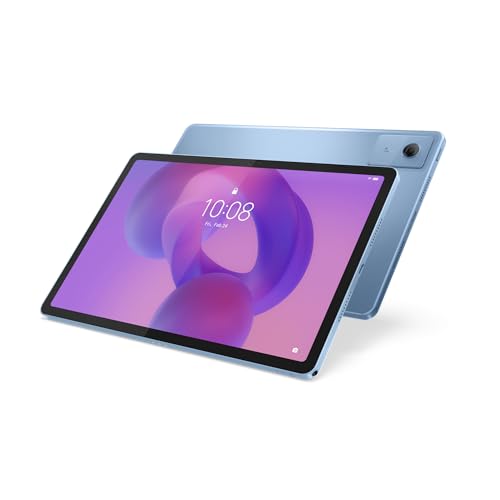
This is the tablet I'd buy for most older parents, and it's the best-ranked tablet in this guide. It's $474 at time of writing, sold and shipped by Amazon AU, and it was ranked #6 in Amazon AU's Tablets category on the day I checked. That rank is shared with the 5G version of the same tablet, a separate listing at $597. The screen is 11 inch with a 90Hz refresh rate. The title lists 8GB of memory and 256GB of storage, and it's the AU Version, which matters for warranty and charger. The listing confirms quad speakers with Dolby Atmos and an audio jack, which is the combination I'd want for video calls and wired headphones.
There's one thing to check before you order. The title says 256GB, but the listing's feature text mentions 128GB of built-in storage, so match the model number, SM-X230NZAEXSA, against Samsung's spec page or the box before you rely on the bigger figure. Either way, there's a microSD slot that the listing says takes cards up to 2TB, so running out of room for photos isn't a worry. The listing mentions Quick Share and syncing with compatible Galaxy devices, which is handy if your parent has a Samsung phone. Warranty is listed as one year from the manufacturer. The listing first went up in November 2025. Samsung's AU Version also means local support if anything goes wrong.
If your parent has no home internet, the $597 5G version is the same tablet with a SIM slot, and it's worth the extra over adding Wi-Fi to the house just for a tablet. Fit a stand case on day one so the charging cable runs straight out of the port instead of bending. Turn the font size and display size up together in the settings before you hand it over, and test a video call on the speakers with the family before you leave. For most older users on Android, this is the one.
Honest caveats: The listing contradicts itself on storage: 256GB in the title, 128GB in the feature text, so confirm the model number first. No brightness figure is stated. The 5G version is a separate listing at $597. The rank is shared with that 5G listing.
Best for: Most older users on Android, especially anyone with a Samsung phone or wired headphones.
Screen: 11 inch, 90Hz • Memory: 8GB • Storage: 256GB in title, 128GB in feature text (check model) • Expansion: microSD up to 2TB (listing) • Audio: Quad speakers, Dolby Atmos, audio jack • Connectivity: Wi-Fi (5G version is a separate listing) • Model: SM-X230NZAEXSA • Warranty: 1 year manufacturer • Rank: #6 in Tablets (Amazon AU), listing shared with the 5G version
View on Amazon AU
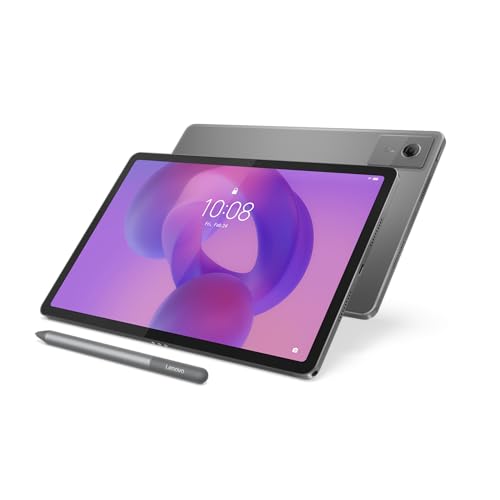
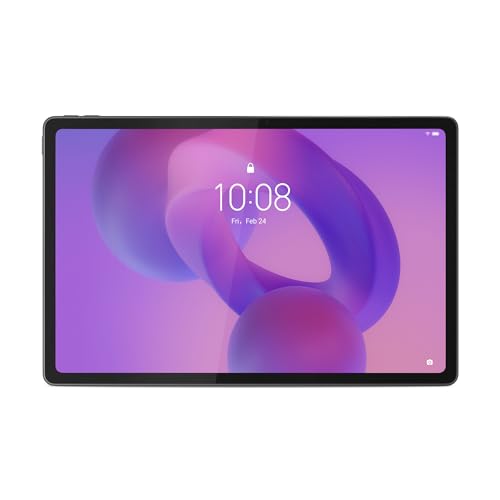
Lenovo Idea Tab Plus 12.1 inch 2.5K, 8GB, 256GB, Wi-Fi, with Pen (ZAG70452AU)
ASIN B0GVHH9C1S • $449.00 • Ships from Amazon AU
If the screen is the thing that matters most, this is the one I'd look at, because it's the biggest in this guide by a clear margin. It's $449 at time of writing, sold and shipped by Amazon AU, and it was ranked #7 in Amazon AU's Tablets category on the day I checked. That rank is shared across several Lenovo Idea Tab listings, so read it as the range selling well rather than this exact model. The screen is 12.1 inch, 2.5K (2560 x 1600) IPS, at 90Hz. Lenovo lists 600 nits typical and 800 nits in high brightness mode, which is the brightest stated figure here. It comes with a pen in the box, and the model number ends in AU.
Inside, the listing gives a MediaTek Dimensity 6400 processor, 8GB of LPDDR4x memory and 256GB of UFS 2.2 storage, which is plenty for photos, video calls and the news for years. The battery is listed at 10,200mAh, the largest in this guide, though a bigger screen uses more of it. It runs Android 15 out of the box. The listing doesn't state the speaker setup or whether there's a headphone jack, so check Lenovo's spec page if either matters. Warranty is listed as a one year limited warranty. It's also less expensive than the Samsung at time of writing, which makes it easy to recommend. The pen in the box is a nice extra, not a reason to buy it.
A 12.1 inch tablet is heavier to hold for long periods, so I'd treat this as one for a stand on the table rather than one for reading in bed. The weight isn't stated on the listing, so check it if that matters. Fit a stand case straight away, both for the screen and to stop the charging cable bending at the port. The pen is useful for anyone who'd rather tap with a stylus than a finger. For older eyes that want the most screen, this is the one.
Honest caveats: Speaker setup, headphone jack and weight aren't stated on the listing. A 12.1 inch tablet is heavy to hold in one hand for long. Wi-Fi only, with no SIM option on this listing. The #7 rank is shared across several Lenovo Idea Tab listings.
Best for: Older users who'll mostly use it on a stand and want the biggest, brightest screen.
Screen: 12.1 inch 2.5K (2560 x 1600) IPS, 90Hz • Brightness: 600 nits typical, 800 nits HBM (listing) • Processor: MediaTek Dimensity 6400 • Memory and storage: 8GB LPDDR4x, 256GB UFS 2.2 • Battery: 10,200mAh (typical) • In the box: Pen included • Model: ZAG70452AU • Warranty: 1 year limited • Rank: #7 in Tablets (Amazon AU), shared across Lenovo Idea Tab listings
View on Amazon AU
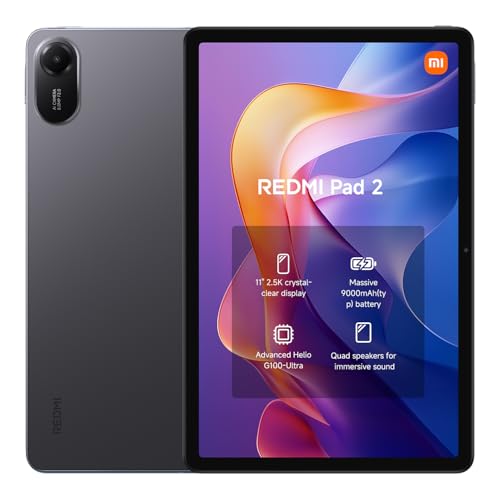
Xiaomi Redmi Pad 2 11 inch 2.5K, 128GB, Matte Glass Version, Graphite Grey (AU)
ASIN B0FSQBKTDC • $347.99 • Ships from Amazon AU
The Redmi Pad 2 is the lowest-priced tablet in this guide, and it's the one I'd choose for a bright room or a seat by the window. It's $347.99 at time of writing, sold and shipped by Amazon AU, and it was ranked #9 in Amazon AU's Tablets category on the day I checked. That rank is shared with the smaller 9.7 inch Redmi Pad 2 listing. The screen is 11 inch at 2.5K, and this listing is the matte glass version, which Xiaomi says uses a nano-texture treatment to cut 97% of light interference. In plain terms, it reflects less of the room back at you. Storage is 128GB. The title carries an AU tag, and the warranty is listed as two years.
The listing gives a 9,000mAh battery and quad speakers with Dolby Atmos and Hi-Res Audio support, which should make it loud enough for video calls in a normal room. It also describes support for the Redmi Stylus for writing on the matte surface, but it doesn't clearly say a stylus is in the box, so don't count on one. The memory figure isn't stated in the data Amazon AU returned, and the listing doesn't mention a headphone jack, so check Xiaomi's spec page for both. The model field on this listing is a barcode number rather than a model code, 6932554432980. The listing first went up in September 2025. Check the barcode on the box against the listing when it arrives.
The two year warranty is the longest of the four, which counts for something on a tablet that'll be used every day. Xiaomi's software has more of its own apps and prompts than Samsung's, so spend some time hiding the extras before you hand it over. Fit a stand case and use a decent charger from a known brand. Make sure you're on the 11 inch listing, not the 9.7 inch one, because they share a page of results. For a bright room on a tighter spend, this is the one.
Honest caveats: Memory, headphone jack and stylus-in-box aren't confirmed on the listing. Xiaomi's software adds its own apps and prompts that need tidying up. Storage is 128GB with no expansion stated. The rank is shared with the 9.7 inch listing, so check you're on the 11 inch one.
Best for: A bright room or a window seat, on the lowest spend in this guide.
Screen: 11 inch 2.5K, matte glass version • Storage: 128GB • Battery: 9,000mAh (typical) • Audio: Quad speakers, Dolby Atmos, Hi-Res Audio • Stylus: Redmi Stylus supported, not confirmed in box • Model: 6932554432980 (barcode) • Warranty: 2 years manufacturer • Rank: #9 in Tablets (Amazon AU), shared with the 9.7 inch listing
View on Amazon AU
Lenovo Idea Tab 5G 11 inch 2.5K, 8GB, 128GB, Keyboard Folio and Pen, Polar Blue (ZAFM0731AU)
ASIN B0H2LSTFDB • $659.85 • Ships from Amazon AU
This is the pick for a parent with no home internet, or one who wants to use the tablet away from the house. It's $659.85 at time of writing, sold and shipped by Amazon AU, and it was ranked #7 in Amazon AU's Tablets category on the day I checked. Like the Idea Tab Plus, that rank is shared across several Lenovo Idea Tab listings. The listing confirms 5G with a nano-SIM slot, so it'll get online anywhere there's mobile coverage. The screen is 11 inch 2.5K IPS at 90Hz, with 500 nits listed. It comes with a Lenovo folio keyboard and a Lenovo Tab Pen in the box, and the model number ends in AU. It's the most expensive pick here.
Inside, the listing gives a MediaTek Dimensity 6300 processor, 8GB of LPDDR4X memory and 128GB of UFS 2.2 storage. That's enough for most older users, though it's half the storage of the Idea Tab Plus. The listing also mentions TÜV Rheinland low blue light certification for the screen. It doesn't state the battery size, the speaker setup or whether there's a headphone jack, so check Lenovo's spec page if those matter. Warranty is listed as one year limited. The listing first went up in May 2026. You'll need a data plan for the SIM, so add that cost before you compare it with the Wi-Fi tablets. Check coverage with your carrier first.
The keyboard folio is the useful extra here, because it works as a cover and a stand, and a physical keyboard is easier for longer emails than typing on glass. It also keeps the charging cable running straight out rather than bent under the tablet. If your parent has good home Wi-Fi, the Samsung or the Idea Tab Plus will do the same job for less. A small prepaid data plan is usually enough for video calls and the news. For an older user without home internet, this is the one.
Honest caveats: You'll need a data plan for the SIM, which adds a running cost. Battery size, speakers and headphone jack aren't stated on the listing. Storage is 128GB, half the Idea Tab Plus. It costs about $210 more than the Idea Tab Plus, mostly for the 5G and the keyboard folio.
Best for: Older users without home internet, or who want the tablet online away from the house.
Screen: 11 inch 2.5K IPS, 90Hz, 500 nits • Connectivity: 5G, nano-SIM • Processor: MediaTek Dimensity 6300 • Memory and storage: 8GB LPDDR4X, 128GB UFS 2.2 • In the box: Folio keyboard and Tab Pen • Screen certification: TUV Rheinland low blue light (listing) • Model: ZAFM0731AU • Warranty: 1 year limited • Rank: #7 in Tablets (Amazon AU), shared across Lenovo Idea Tab listings
View on Amazon AUSide-by-side comparison
What we see fail in the workshop: tablets
Tablets used by older owners tend to fail in the same few ways, and very few of them are the processor or the screen wearing out on its own. It's usually the charging port, a dropped tablet with a cracked screen, or a battery that's been left on the charger for years. Here's what each one looks like and how to head it off.
Loose and worn charging ports
This is the most common tablet repair we see from older customers. The tablet sits on a lap or a table with the cable bent at the port, and every time it's picked up the plug levers against the socket. The first sign is a tablet that only charges when the cable is held a certain way. Lint packed into the port from a handbag or a pocket causes the same symptom, and that's a quick clean rather than a repair, so get it looked at before you assume the port has gone.
Cracked screens from short drops
Most cracked tablet screens come from a fall of less than a metre, off a bed, a couch arm or a kitchen bench stool onto tiles. On most tablets the glass and the display are glued together, so a crack usually means replacing the whole screen assembly. A case with a raised edge and a stand stops most of these, because the tablet lands on the case rather than the corner of the glass. If the touch still works after a crack, keep using it with care and get a quote before it spreads.
Batteries that sit on the charger for years
A tablet that lives on the charger at 100% all day, every day, ages its battery faster than one that's charged and unplugged. After a few years the battery holds less, and in some cases it swells, which shows up as a screen lifting at one edge or a case that no longer sits flat. If you see that, stop charging it and get it checked. Unplugging the tablet once it's full, or using any battery protection setting in the menu, helps the battery last longer. Keep it out of hot cars and off sunny windowsills too.
Decision tree: which one should you actually buy?
- Your parent uses Android and wants video calls and wired headphones? → The Samsung Galaxy Tab A11+ at $474, with quad speakers and an audio jack.
- The screen size matters more than anything else? → The Lenovo Idea Tab Plus 12.1 inch at $449, with the brightest stated screen here.
- The tablet will sit by a bright window? → The Xiaomi Redmi Pad 2 matte glass version at $347.99, with a two year warranty.
- There's no home internet, or they want it out of the house? → The Lenovo Idea Tab 5G at $659.85, with a SIM slot and a keyboard folio in the box.
- They already use an iPhone? → An iPad is usually simpler, and we cover Apple devices through the iFix store rather than Amazon.
- The tablet won't charge, the screen is cracked or it's lifting at an edge? → Stop charging it and bring it to our Erina workshop, and we'll check the port, screen and battery before you spend anything.
Frequently asked questions
What size tablet is best for an older person?
For most older users I'd go 11 inch or larger. Three of the picks in this guide are 11 inch and the Lenovo Idea Tab Plus is 12.1 inch, which gives noticeably more room once the text size is turned up. Bigger text means fewer words fit on a line, so a larger screen helps claw that back. The trade is weight: a 12.1 inch tablet is heavier to hold for long, so it suits someone who'll mostly use it on a stand. Smaller tablets are easier to carry but usually mean squinting or constant zooming.
Is an iPad or an Android tablet better for seniors?
It mostly depends on the phone they already use. If they're on an iPhone, an iPad works the same way and shares their photos and messages, so it's usually the easier choice. If they use an Android phone, especially a Samsung, an Android tablet carries their Google account, contacts and photos straight across. If they don't have a smartphone, either works, and the deciding points are screen size, speaker volume and how simply you can set it up. We sell Apple devices through our own refurbished store rather than through Amazon.
Does a tablet need a SIM card?
Not if it will only be used at home on Wi-Fi, which is how most people use them. Three of the four picks here are Wi-Fi only. A tablet with a SIM slot, like the Lenovo Idea Tab 5G, is useful when there's no home internet, when the Wi-Fi is unreliable or when your parent wants to use it in the car or while travelling. It does need a separate data plan, so add that running cost before you compare prices. A small prepaid data plan is usually enough for video calls, email and the news.
How do I make a tablet easier for my parent to use?
Set it up yourself before you hand it over. Turn up the font size and the display size together in the settings, install only the apps they'll use and put them on the first home screen, and hide or remove the rest. Turn on automatic updates, switch off unnecessary notifications and set a PIN they'll remember. Write the account details on paper and keep a copy. Test a video call and the volume before you leave. Those steps make far more difference to day-to-day use than which tablet you choose.
How long should a tablet last?
With a case, a decent charger and a simple setup, four or five years is a reasonable expectation for any of these. The usual end of life we see isn't the screen or the processor, it's a worn charging port or a battery that has lost capacity after years on the charger. Software support also matters, and none of these listings states how many years of updates the tablet will get, so check the manufacturer's support page before you buy if you plan to keep it that long.
Can a tablet charging port be repaired?
Usually, yes. A tablet that only charges when the cable is held at an angle often has lint packed into the port, which is a quick clean. If the port itself has worn loose, it can generally be replaced, though on some tablets it's soldered to the main board and the job is more involved. Don't force the cable in or keep wiggling it, because that can damage the socket further. Get it assessed first, so you know whether a clean, a port repair or a new tablet makes the most sense for its age.
Related buying guides
Tablet only charging at an angle? Get the port checked
Most tablet faults we see from older owners are a worn or lint-packed charging port, a cracked screen from a short drop or a battery that's started to swell. Bring it to our Erina workshop and we'll tell you what's wrong and whether it's worth repairing, before you spend anything on a replacement.
Visit our Erina workshop Book Online