Prices from Amazon AU, updated daily. Swipe or use the arrows for more.
Disclosure: This article contains affiliate links to amazon.com.au. If you buy through one of these links iFix may earn a small commission at no extra cost to you. It doesn't change which products we recommend. We focus on what actually lasts based on 16 years of repair-shop experience.
Quick summary8 picks
- Entry PickJVC 55" 4K QLED Google TV - AV-AQ557155A about$55955" screen, QLED.
- SKYWORTH Q6600H 55" - QLED+ 4K Smart Google TV about$629120Hz refresh, 55" screen, QLED.
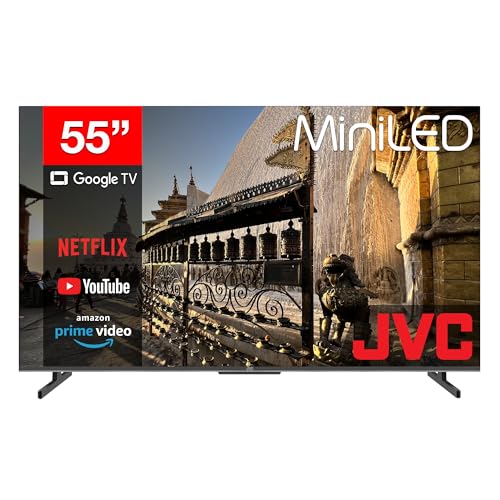
- JVC 55" 4K Mini LED 144Hz Google TV -… about$750144Hz refresh, 55" screen.
- Sony 50" X77L BRAVIA LED 4K HDR Google TV about$79950" screen.
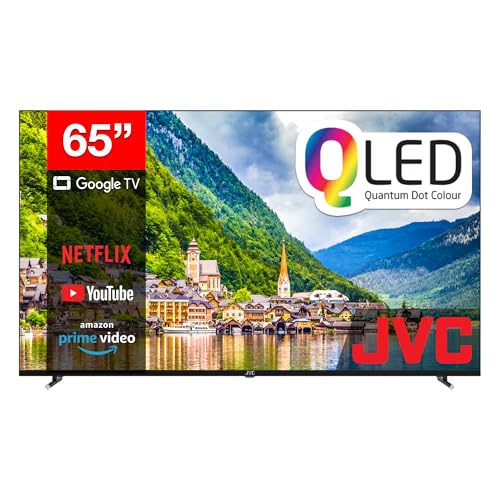
- JVC 65" 4K QLED Google TV - AV-AQ657155A about$82265" screen, QLED.
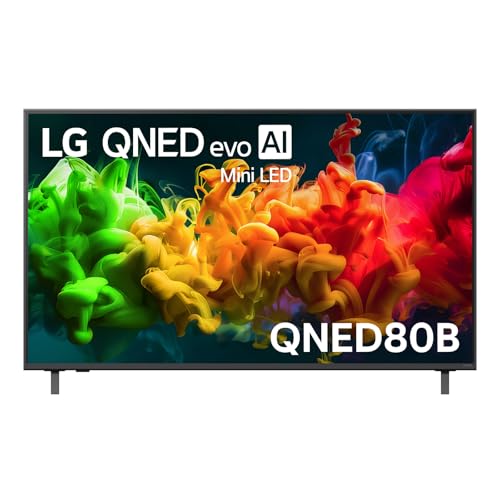
- LG 55" QNED80B EVO AI MINI LED 4K SMART TV… about$94555" screen.
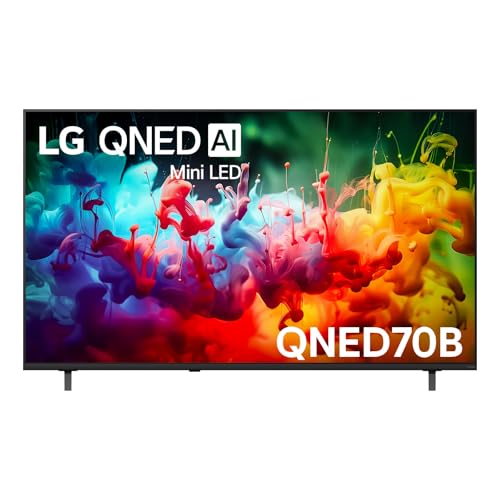
- LG 65" QNED70B AI MINI LED 4K SMART TV 2026 about$98565" screen.
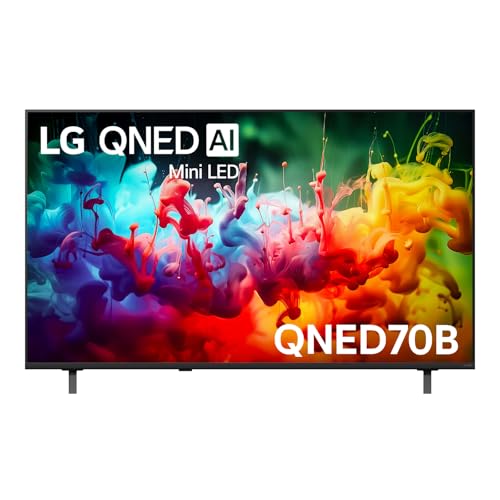
- Most PremiumLG 55" QNED70B AI MINI LED 4K SMART TV 2026 about$99555" screen.
What $1,000 buys in a TV now
A thousand dollars goes a long way in a TV now. It buys a 65-inch 4K set with a Mini LED backlight from LG, or a 55-inch QLED with Dolby Vision and Google TV for well under that, and the best-selling sets in Amazon AU's TVs category mostly sit inside this band. What it doesn't buy is OLED at a lounge-room size, or the brightest premium Mini LED panels. For most rooms and most viewing, you won't miss either as much as the marketing suggests.
The picks run from about $559 to $985, and I've chosen them across sizes rather than five versions of the same 55-inch set. A bigger screen on a basic panel or a smaller screen on a better one is the real choice at this money, and which way you go depends mostly on how far back the couch is and how much daylight the room gets. If your mind's already made up on size, the 65-inch TV guide and the 55-inch guide go deeper on each.
I've also chosen on the boring stuff a repair shop cares about. Every pick is sold by Amazon AU or the brand's own Australian storefront, so warranty claims go to a local seller. Each one has at least one HDMI port with ARC for a soundbar, and every set here runs a mainstream smart platform that still gets updates. A TV is a ten year purchase for most households, so the parts that age matter more than a picture-mode name.
Screen size first, then panel
Pick the size before you look at anything else. A rough rule for 4K is to sit between one and one and a half times the screen's diagonal away. That puts a 55-inch set at about 1.4 to 2.1 metres and a 65-inch at about 1.6 to 2.5 metres. Most Australian lounges have the couch between 2 and 3 metres from the wall, which is why 65 inches has become the default size people actually buy.
Going bigger than the room suits is the most common regret I hear about, and it's usually the other way round from what people expect. They worry a 65 is too big, buy a 55, and wish they'd gone larger within a month. If you're torn between two sizes and the budget covers it, the bigger one is generally the right call. The exception is a bedroom or a study, where a 50 or 55 makes more sense because you're sitting close.
Measure the wall or the cabinet too, not just the distance. A 65-inch set is roughly 1.45 metres wide, and the feet on many TVs sit near the outer edges, so a narrow entertainment unit may not hold it without a central stand or a wall bracket. The listings give dimensions, and it's worth checking them against your furniture before the box turns up.
Think about where the light comes from as well. A TV opposite a big window fights glare all afternoon, and a glossy screen shows every reflection in a dark room with a lamp on. Neither changes which size suits you, but it does change how much the panel type matters. In a bright room, brightness and an anti-glare finish matter more than black level. In a room you can darken, contrast is what you'll notice, and that's where Mini LED earns its price.
QLED, Mini LED and plain LED, in plain terms
Every TV here is an LCD at heart. The picture is made by a liquid crystal layer, and the light behind it comes from LEDs. The names on the box describe two separate things: the colour layer, and how the backlight is arranged. Once you know that, the jargon stops being confusing.
QLED means a quantum dot layer has been added to make the colours more saturated, especially bright reds and greens. The JVC and SKYWORTH QLED picks use this. It's a real improvement over a plain LED set on colour, but it doesn't change how the backlight works, so dark scenes in a dark room still show a slightly grey black. LG's QNED is its own name for a similar idea, which LG calls Dynamic QNED Colour.
Mini LED changes the backlight. Instead of a few dozen large LEDs, the set uses many small ones arranged in zones that can dim separately, so dark areas of the picture actually get darker while bright areas stay bright. The LG QNED70B uses Mini LED, and it's the main reason it leads this list at 65 inches. You'll still see a little glow around bright objects on a black background, called blooming, but it's a clear step up on contrast from edge-lit sets.
A plain LED set like the Sony X77L uses a standard backlight without quantum dots or local dimming. It's not exciting, but it's a mature, well-proven design, and the picture processing on a decent brand can make up a lot of the gap in normal daytime viewing. For a bright room where you mostly watch the news, sport and streaming shows, it's perfectly fine.
Refresh rate and HDMI for consoles
If there's a PlayStation 5 or an Xbox Series X going near the TV, refresh rate matters. The SKYWORTH Q6600H lists 120Hz Turbo Motion, and the LG and JVC listings don't state a 120Hz panel, so I'd treat those as 60Hz sets for gaming until you've confirmed it on the spec sheet. A 60Hz panel is completely fine for films and TV, and most console games still run at 60 frames, but competitive players will want the higher figure.
Count the HDMI ports, and look for the one marked ARC or eARC. That's the port that sends sound back to a soundbar over the same cable, and it's the one you'll use most. The JVC sets list four HDMI inputs with ARC on one, plus an optical audio output and an RJ45 network port. The other listings don't give a port count, so check the spec sheet if you'll run a console, a set-top box and a soundbar together.
One thing we see a lot is HDMI ports damaged by cables pulled at an angle, usually when a TV gets moved or a cable gets tripped over. The port is soldered to the main board, and a cracked joint means a board repair. Use cables with some slack, don't let the cable's weight hang off the port, and on a wall-mounted TV a short right-angle adaptor takes the strain off.
Smart platforms: Google TV vs webOS, and updates
The smart platform is the part of the TV you touch every day, and it ages faster than the screen. The JVC, SKYWORTH and Sony picks run Google TV, which has every major Australian streaming app and casting from phones built in. LG uses its own webOS, which is quick and well supported, and the QNED70B listing adds Google Cast and Apple AirPlay, so phones of both kinds can send video to it.
Updates are the thing to check. LG's listing for the QNED70B says it gets security updates until 31 December 2030, which is the kind of written commitment I'd like to see from every brand. Google TV sets are updated through Google and the maker together, and that support varies more between brands. A TV that stops getting app updates still works, but apps slowly stop supporting it, and that's when people reach for a streaming stick.
If the smart platform ever gets slow or loses an app, a plug-in streaming device fixes it for a fraction of a new TV's price. I've covered the good ones in the streaming devices guide. It's also a reason not to pay extra for a smart platform you like today, because you can replace it later without replacing the screen.
Sound: why nearly every TV here wants a soundbar
Thin TVs have no room for proper speakers, and the sets under $1,000 are no exception. Dialogue is usually the first casualty, because small down-firing speakers lose the middle of the voice range and the sound bounces off the cabinet. Several of these listings mention Dolby Atmos, which is a format the TV can decode or pass on, not a promise that the built-in speakers will sound like a cinema.
A soundbar connected by HDMI ARC is the best upgrade you can make, and a modest one beats any TV's built-in speakers. Plug it into the ARC port, turn on HDMI-CEC in the TV settings, and the TV remote controls the volume. I've picked the models I'd buy in the soundbars under $1,000 guide.
If a soundbar isn't in the plan yet, use the TV's dialogue or clear voice mode and turn off any virtual surround setting. Those settings mostly add echo. The SKYWORTH lists Dolby Audio with DBX-tv processing and the Sony uses its X-Balanced speaker shape, which help a little, but treat every TV here as one that will eventually want a soundbar.
Running cost and power
None of these listings state a power draw, so read the energy rating label on the box or the brand's spec sheet before you compare them. As a guide, if a set draws 100W while you watch, five hours a day is half a kilowatt-hour. At the AU average tariff of roughly 33c per kWh that's about 16.5 cents a day, or around $60 a year. That's an assumption, not a measured figure for any of these sets, but it puts the running cost in proportion.
Two things change it a lot. Bright picture modes, especially the vivid or store modes the TV often ships in, can push the draw well up, and they look worse at home anyway. Set the TV to a standard, cinema or filmmaker mode and turn down the backlight in a dark room. The LG has FILMMAKER Mode, which is a good starting point that also gets the colours closer to how the show was made.
Standby draw on modern TVs is small, but quick-start features that keep the TV half awake add a bit. More important is what's plugged in around it. A console left in rest mode and a set-top box that never sleeps often draw more over a year than the TV itself does in standby.
Delivery, wall mounting and storms
Carry a TV upright, the way it sits in the box, and never lay it flat on its face. A large panel flexes when it's carried flat, and that's how a lot of cracked screens and broken backlight strips happen on the trip home. Two people for anything 55 inches and up, and check the screen with the TV switched on before you throw out the box.
If it's going on the wall, use a bracket rated for the weight and the VESA pattern on the listing, and fix it into studs or masonry, not plasterboard on its own. Leave room behind it for the HDMI cables and the power lead to run without a sharp bend, because a cable crushed against the wall is a fault waiting to happen.
The fault we see most after a summer storm is a dead power board. A surge comes in through the mains or the antenna lead and takes out the TV's power supply, and the set either won't turn on or clicks and stays dark. Plug the TV into a surge-protected powerboard, and unplug the antenna lead as well as the power during a big storm, because a surge on the antenna side goes straight past the powerboard.
The 5 picks, $559 to $985
Prices are Amazon AU at time of writing (28 October 2026) and move week to week. Ranks are Amazon AU category sales ranks, checked the same day.

LG 65-inch QNED70B AI Mini LED 4K Smart TV (2026)
ASIN B0GN2K69DJ • $985.00 • Ships from Amazon AU
The LG QNED70B is the pick I'd buy with a thousand dollars and a normal lounge room. It's a 2026 model, released in March according to the listing, and the 65-inch version is sold and shipped by Amazon AU at the top of this guide's band. The TVs category rank is #2 when I checked, though that rank is shared across the sizes on the listing, so read it as the QNED70B range selling well rather than this exact size. What makes it the lead is the Mini LED backlight at 65 inches, which is the combination that's been out of reach under $1,000 until this year. It's also the set I'd recommend to most people who ask me what TV to buy this year, because it gets the basics right without asking you to compromise on size.
Mini LED is what lets the dark parts of a film actually look dark while the bright parts stay bright, and it's the biggest step up on this list over the QLED sets. LG pairs it with its Dynamic QNED Colour system for richer colour and runs it on the alpha 7 AI Processor Gen9. You get FILMMAKER Mode and HDR10 Pro for HDR content. The smart side is webOS with Google Cast and Apple AirPlay, so both Android phones and iPhones can send video straight to it, and Google Gemini and Microsoft Copilot are built into the voice features. webOS is quick on this hardware, and LG has kept the menus simple enough that the remote doesn't need a manual.
The detail I like most is in writing on the listing: security updates until 31 December 2030. That's more than four years of support from now, which is longer than most TVs at this price commit to. The model code is 65QNED70BSA and the listing gives a 1 year limited warranty, with Australian Consumer Law covering faults well past that on a TV at this price. The listing doesn't state a refresh rate or an HDMI count, so check those if a console is going on it. At this size, carry it upright with two people and check the screen with it switched on before the box goes out.
Honest caveats: The #2 rank is shared across every size on the listing. The listing doesn't state the refresh rate, HDMI count or power draw. Mini LED still shows some blooming around bright objects on black. The built-in speakers are thin, as on every set here, so plan for a soundbar.
Best for: A typical lounge room that wants the biggest jump in picture quality a thousand dollars can buy.
Size: 65-inch • Panel: 4K Mini LED, Dynamic QNED Colour • Processor: alpha 7 AI Gen9 • HDR: HDR10 Pro, FILMMAKER Mode • Smart: webOS, Google Cast, AirPlay • Updates: Security updates to 31 Dec 2030 (listing) • Model: 65QNED70BSA • Seller: Amazon AU • Rank: #2 in TVs (Amazon AU, listing shared with other sizes)
View on Amazon AU
JVC 65-inch 4K QLED Google TV (AV-AQ657155A)
ASIN B0DSPTKG3P • $821.63 • Ships from Amazon AU
The JVC AV-AQ657155A is the way to get a 65-inch screen for well under the LG's price. It's sold by Amazon AU and sat at #35 in the TVs category when I checked. JVC TVs in Australia are an Amazon-sold range, and in my experience they're straightforward sets that use common, well-understood parts. This one is a QLED, so it has the quantum dot colour layer but not the zoned Mini LED backlight of the LG. In a bright room, watching sport and streaming during the day, you'll struggle to see the difference. It's the set I'd point to for a family room that's mostly used for the news, the footy and the kids' shows, where screen size gets more use than contrast. The listing gives it as a 2025 release.
The listing gives a fuller spec on inputs than most. There are four HDMI inputs with ARC on one for a soundbar, two USB ports, an AV input for older gear, an antenna input, an optical audio output and an RJ45 port for a wired network connection. Wired is worth using if your Wi-Fi is patchy in the lounge, because 4K streaming drops to a softer picture before it buffers. It supports Dolby Vision and Dolby Atmos, and the remote has Google Assistant and shortcut buttons for the main streaming apps. The AV input is a small thing, but it means an old DVD player or a retro console still has somewhere to plug in without an adaptor.
Where it falls behind the LG is in a dark room at night. With a standard backlight, black areas look slightly grey and you can't get the same contrast in a film. The listing gives a 1 year warranty and the model code AV-AQ657155A. If you mostly watch in daylight and want 65 inches for the least outlay, this is the one, and the money saved covers a decent soundbar. Turn off the vivid picture mode it ships in and use the standard or movie mode, which looks more natural and is easier on the backlight. Set up the soundbar over HDMI ARC with HDMI-CEC switched on, and the TV remote handles the volume. Keep the box for the first few weeks in case the panel shows a fault early.
Honest caveats: No local dimming, so blacks look grey in a dark room. The listing doesn't state the refresh rate, so treat it as a 60Hz set for gaming. JVC's smart platform support depends on Google TV updates rather than a written end date. Warranty is 1 year on the listing.
Best for: A bright lounge where 65 inches matters more than dark-room contrast, with money left for a soundbar.
Size: 65-inch • Panel: 4K QLED • HDR + audio: Dolby Vision, Dolby Atmos • Inputs: 4x HDMI (1x ARC), 2x USB, AV, antenna • Outputs: Optical audio, RJ45 network • Smart: Google TV, Assistant voice remote • Model: AV-AQ657155A • Seller: Amazon AU • Rank: #35 in TVs (Amazon AU)
View on Amazon AU
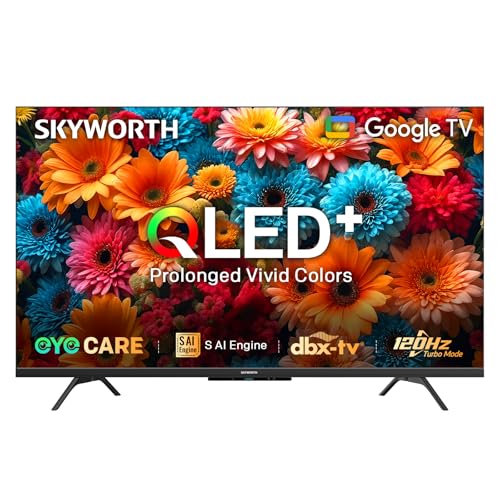
SKYWORTH Q6600H 55-inch QLED+ 4K Google TV
ASIN B0DXFKXCW7 • $629.00 • Sold by SKYWORTH Australia on Amazon AU
The SKYWORTH Q6600H is the gaming pick and the one I'd put in a smaller lounge or a games room. It's sold by SKYWORTH Australia, the brand's own AU storefront, and it ranked #4 in the TVs category when I checked, a rank shared with the 60-inch size on the same listing. The reason it's here is the 120Hz Turbo Motion figure, which is the only stated 120Hz panel among these picks. If a PlayStation 5 or Xbox Series X is going on it, that's the line I'd look at first, along with its MEMC motion smoothing for sport. SKYWORTH is a large Chinese TV maker that has been building its Australian presence, and buying through its own AU storefront keeps the warranty claim local.
SKYWORTH calls the panel Gen 5 QLED+, and the listing describes a quantum dot layer placed directly on a reflector sheet rather than a separate diffusion plate, which it says improves brightness and colour. I can't verify the percentages it quotes, but the design is reasonable. It supports Dolby Vision and Dolby Atmos, uses an S AI Engine for picture processing, and runs Google TV with voice control and screen casting. Sound is Dolby Audio with DBX-tv processing. The model code is 55Q6600H, and the listing gives the weight as about 9.6 kg. The frameless design keeps the bezels thin, which makes a 55-inch set look bigger on the wall than the number suggests.
There's a light bar under the screen that glows when the TV is on, which some people like and others will want to turn off, so check the settings menu for it. The listing doesn't give an HDMI port count or say which ports support 120Hz, and that matters if you'll run two consoles. Warranty is listed as 1 year from the manufacturer. As a 55-inch set at this price with a 120Hz panel, it's the strongest gaming option here. Turn on the game mode when a console is connected, because it cuts the processing delay between the controller and the screen. Keep MEMC off for films, since it gives movies the smooth soap-opera look most people dislike.
Honest caveats: The #4 rank is shared with the 60-inch size. The listing doesn't state the HDMI count or which ports carry 120Hz. No local dimming is described, so dark-room contrast is QLED level. The brightness and colour percentages are the maker's own claims.
Best for: A games room or smaller lounge with a current console, where 120Hz matters more than screen size.
Size: 55-inch • Panel: 4K QLED+ (Gen 5 quantum dot) • Refresh: 120Hz Turbo Motion, MEMC • HDR + audio: Dolby Vision, Dolby Atmos, DBX-tv • Smart: Google TV, voice control, casting • Weight: About 9.6 kg (listing) • Model: 55Q6600H • Seller: SKYWORTH Australia • Rank: #4 in TVs (Amazon AU, listing shared with 60-inch)
View on Amazon AU
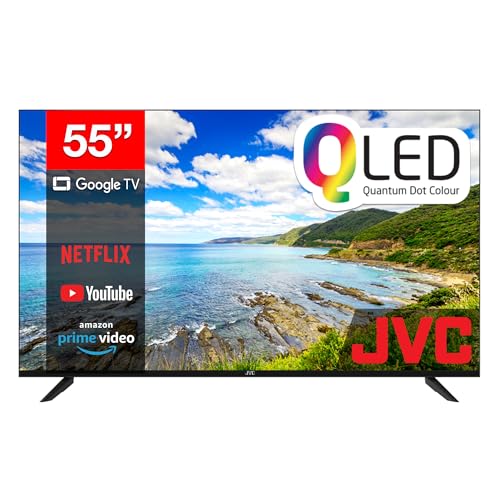
JVC 55-inch 4K QLED Google TV (AV-AQ557155A)
ASIN B0DSPTVJWF • $559.03 • Ships from Amazon AU
The JVC AV-AQ557155A is the 55-inch version of the 65-inch JVC above, and it's the lowest-priced TV on this page. It's sold by Amazon AU and sat at #12 in the TVs category when I checked, which is a strong rank for its own listing rather than a shared one. For a bedroom, a rumpus room, a holiday house or a first TV in a share house, it covers everything most people need: 4K, QLED colour, Dolby Vision, and Google TV with every major streaming app. It's also the set I'd suggest for a parent who wants something simple that works. The listing gives a 2025 release date, so it's a current model.
The inputs match its bigger sibling. Four HDMI inputs with ARC on one, two USB ports, an AV input, an antenna input, an optical audio output and an RJ45 network port are all listed. The optical output is handy if you have an older soundbar or amplifier without HDMI, which is common in houses that kept a good stereo. The remote has Google Assistant voice search and shortcut buttons for the main apps, and Google Cast lets a phone send video straight to it without a separate stick. Being the same platform as the 65-inch JVC also means the menus and remote are identical, which helps in a house with one of each size.
Like the 65-inch JVC, it uses a standard backlight, so in a dark room black areas look a little grey and night-time films lose some depth. In a normal room during the day, that's hard to notice. The listing gives a 1 year warranty and doesn't state a refresh rate, so treat it as a 60Hz set if gaming matters. If you want the most reliable basic 55-inch for the least money, this is the one. Set it to the standard or movie picture mode rather than vivid, and the backlight runs cooler and lasts longer. Keep it out of direct afternoon sun if it's in a bedroom, because a hot panel all summer is hard on the backlight strips.
Honest caveats: Standard backlight with no local dimming. The listing doesn't state the refresh rate or power draw. At 55 inches it's on the small side for a lounge with the couch three metres back. Warranty is 1 year on the listing.
Best for: Bedrooms, second lounges and first TVs where a reliable 55-inch for the least outlay is the brief.
Size: 55-inch • Panel: 4K QLED • HDR + audio: Dolby Vision, Dolby Atmos • Inputs: 4x HDMI (1x ARC), 2x USB, AV, antenna • Outputs: Optical audio, RJ45 network • Smart: Google TV, Assistant voice remote • Model: AV-AQ557155A • Seller: Amazon AU • Rank: #12 in TVs (Amazon AU)
View on Amazon AU
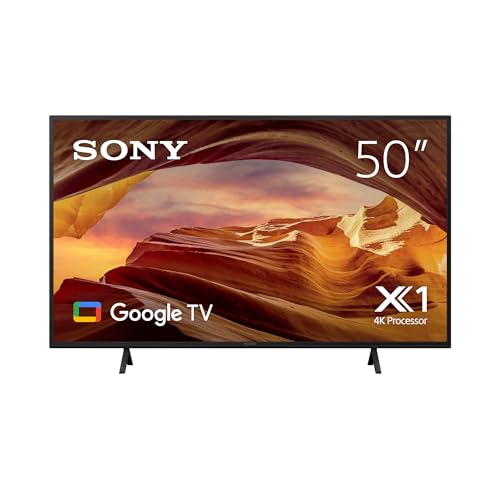
Sony 50-inch X77L BRAVIA LED 4K HDR Google TV (KD50X77L)
ASIN B0C2ZSQ3ZL • $799.00 • Ships from Amazon AU
The Sony X77L is the pick for a smaller room where you'd rather have a brand you know than the biggest screen for the money. It's sold by Amazon AU and the 50-inch model is listed as KD50X77L. Its rank was #174 in the TVs category when I checked, well below the others, and it's an older model, released in July 2023 according to the listing. I've included it anyway because Sony's picture processing is the strength here, and in a study, a bedroom or a small apartment lounge, 50 inches is often the right size rather than a compromise. The X77L is also sold on Amazon AU in a 43-inch size if the room is smaller still, so the same processing is available a size down.
It's a plain LED set, so there's no quantum dot layer and no local dimming. What Sony brings instead is the processing. The 4K Processor X1 cleans up noise and adds detail, 4K X-Reality Pro sharpens lower-resolution content in real time, and Live Colour lifts saturation. That matters more than it sounds, because a lot of what Australians watch is free-to-air and older streaming shows that aren't true 4K, and good processing makes those look noticeably cleaner. The X-Balanced speaker shape also gives clearer dialogue than most thin TVs. It won't beat the LG's Mini LED in a dark room, but for daytime viewing in a smaller room it holds its own against bigger, newer sets on picture clarity.
It runs Google TV, so the apps and casting match the JVC and SKYWORTH sets. The listing gives a 1 year manufacturer warranty and no refresh rate, HDMI count or power figure, so check Sony's spec sheet if you need those. Being a 2023 model, its software support has already used some of its life. I'd buy it for the processing and the size, and pick the JVC 55-inch instead if a bigger screen matters more. At 50 inches it's also light and easy to wall mount, and a bracket for this size is a simple one-person job to fit and a two-person job to hang. Check the VESA pattern on Sony's spec sheet before you buy the bracket.
Honest caveats: Oldest set here (2023) with the lowest rank, so software support has less life left. Plain LED with no local dimming or quantum dots. The listing doesn't state refresh rate, HDMI count or power. It's the smallest screen on the list.
Best for: Studies, bedrooms and small apartments where a 50-inch with Sony's picture processing is the right size.
Size: 50-inch • Panel: 4K LED • Processing: 4K Processor X1, X-Reality Pro, Live Colour • Audio: X-Balanced speaker • Smart: Google TV • Released: July 2023 (listing) • Model: KD50X77L • Seller: Amazon AU • Rank: #174 in TVs (Amazon AU)
View on Amazon AUSide-by-side comparison
What we see fail in the workshop: TVs
Modern TVs don't fail often, but when they do it's usually one of three parts, and most of them are fixable at the right price. The trick is knowing which fault you've got before you decide whether to repair or replace, because the symptoms overlap. Here's what we see most, and what each one looks like. None of these are rare, and none of them mean the TV was a bad buy.
Backlight strips: sound but no picture
LED TVs light the screen with strips of LEDs behind the panel, and when one LED in a strip fails, the whole strip or the whole backlight often goes dark. The giveaway is sound with a black screen, and if you shine a torch close to the screen you can just make out the picture. It's the most common big-screen fault we see, and it usually shows up after a few years of running the backlight bright. It's a repairable job on most sets, and turning the backlight down in normal viewing helps it last.
Power boards after storms
The power supply board turns mains power into the low voltages the rest of the TV runs on, and it takes the hit from a surge. A TV that won't power on at all, or clicks and flashes its standby light, after a storm usually has a damaged power board. Sometimes it's a single failed component and sometimes the whole board, but it's often fixable. A surge-protected powerboard and unplugging the antenna during a big storm prevent most of these. If the standby light is on but the screen stays dark, it's more likely the backlight than the power board.
Cracked panels and HDMI ports
A cracked screen is the one fault that's usually not worth fixing, because the panel is most of the TV's cost. Most cracks we see come from a TV carried flat, a bump during a move, or a kid's toy, and the crack often spreads from a corner. HDMI faults are the opposite: a port that's stopped working after a cable was yanked is usually a soldering repair on the main board. If one input stops working, try the others before assuming the whole TV is gone. A port fault isn't a reason to give up on an otherwise good TV.
Decision tree: which one should you actually buy?
- Normal lounge, couch 2 to 3 metres back, want the best picture under $1,000? → The LG 65-inch QNED70B, around $985, Mini LED at 65 inches with security updates listed to 2030.
- Want 65 inches for less, and mostly watch in daylight? → The JVC 65-inch QLED, around $822, with four HDMI inputs, ARC and a wired network port.
- PS5 or Xbox Series X going on it? → The SKYWORTH Q6600H 55-inch, around $629, the only stated 120Hz panel among these picks.
- Bedroom, rumpus room or a first TV for the least outlay? → The JVC 55-inch QLED, around $559, #12 in TVs with Dolby Vision and Google TV.
- Small room and you'd rather have a Sony? → The Sony 50-inch X77L, around $799, chosen for its picture processing rather than the spec sheet.
- TV has sound but no picture, or won't turn on after a storm? → Bring it to our Erina workshop. We'll check the backlight and power board and tell you what's wrong and whether it's worth fixing before you spend anything.
Frequently asked questions
What is the best TV under $1,000 in Australia?
For most lounge rooms, the LG 65-inch QNED70B, because it brings a Mini LED backlight to 65 inches inside the budget, and its listing commits to security updates until the end of 2030. If you mostly watch in daylight and want the same size for less, the JVC 65-inch QLED is the alternative. For gaming, the SKYWORTH Q6600H is the only set here with a stated 120Hz panel. The right one depends on your room's light, the seating distance and whether a console is involved.
Is 55 or 65 inches better for an Australian lounge room?
For most lounges, 65 inches. A rough rule for 4K is to sit one to one and a half times the screen's diagonal away, which puts a 65-inch set at about 1.6 to 2.5 metres. Most couches sit 2 to 3 metres from the wall. People who buy a 55 for a lounge often wish they'd gone bigger. A 55 or a 50 suits bedrooms, studies and rooms where you sit closer than about 2 metres.
What is the difference between QLED and Mini LED?
They describe different parts of the TV. QLED is a quantum dot colour layer that makes colours more saturated. Mini LED is a backlight made of many small LEDs in zones that dim separately, so dark parts of the picture can get darker while bright parts stay bright. A TV can have both. In a bright room the difference is small, but in a dark room watching films, Mini LED gives noticeably better contrast than a QLED with a standard backlight.
Do I need a soundbar with a TV under $1,000?
Usually, yes, if you care about clear dialogue. Thin TVs have small speakers that lose the middle of the voice range, and a Dolby Atmos logo on the box refers to the format the TV can handle, not how its own speakers sound. A modest soundbar connected to the HDMI ARC port is the best upgrade you can make. Until then, try the TV's dialogue or clear voice mode and turn off virtual surround settings.
Why did my TV stop working after a storm?
Most likely a surge damaged the power supply board, which converts mains power for the rest of the TV. The usual signs are a TV that won't turn on at all, or one that clicks and flashes its standby light. Surges can come in through the power point or the antenna lead. It's often repairable. To prevent it, use a surge-protected powerboard and unplug both the power and the antenna lead during a big storm.
Is it worth repairing a TV or should I replace it?
It depends on the fault. A failed backlight, a power board or a damaged HDMI port is usually worth repairing on a TV a few years old, because the panel is fine and the repair costs a fraction of a new set. A cracked screen usually isn't, because the panel is most of the TV's cost. Get the fault diagnosed first, then compare the repair quote with the price of a replacement of the same size and quality.
Related buying guides
TV gone dark, or dead after a storm?
Most TV faults are a failed backlight strip, a power board hit by a surge, or a damaged HDMI port, and they're usually fixable on a set a few years old. Bring it into our Erina workshop and we'll find the fault, tell you what it will cost and whether it's worth repairing before you spend anything on a new TV.
Visit our Erina workshop Book Online