Prices from Amazon AU, updated daily.
Disclosure: This article contains affiliate links to amazon.com.au. If you buy through one of these links iFix may earn a small commission at no extra cost to you. It doesn't change which products we recommend. We focus on what actually lasts based on 16 years of repair-shop experience.
Quick summary3 picks
- Best For Most PeopleSamsung T9 Portable SSD 1TB about$379.99
- Entry PickSAMSUNG T9 Portable SSD 2TB about$659.99
- Most PremiumSamsung Portable SSD T7 Shield 2TB Beige about$800.09
What to look for in a portable SSD
Solid state, not spinning. This guide contains zero hard drives, and that is deliberate. A portable spinning hard drive has read heads floating microns above spinning platters. Drop it or knock it while it is running and the heads can strike the surface, scoring the platters and taking the data with them. In the data recovery work we do, dropped and knocked portable hard drives are one of the jobs we get most. For anything that leaves a desk, solid state is the only kind of drive we will put our name on. No moving parts means nothing to crash when it hits the floor.
Interface and real-world speed. The headline MB/s number on the box only happens if your computer has the matching port. This is the fact that most changes the decision here, and a lot of reviews mention it only in passing, so there is a whole section on it below. Read it before you pay for speed you cannot use.
Ruggedness. If the drive is going to a worksite, on the road, on a shoot, or into a kid's bag, an IP rating and a drop rating are worth real money. If it lives between a desk and a laptop sleeve, they are not.
Capacity and price per gigabyte. The bigger drive is almost always better value per gigabyte, and running an SSD near full slows it down and wears it faster. Buy more than you think you need today.
The three picks, ranked
Prices below are the figures on amazon.com.au when this guide was last reviewed. Treat them as a snapshot: the Amazon buybox moves week to week, so tap through to check the live price before you buy. The recommendation logic holds even if the numbers shift, and here is why. The T9 is never the slower drive, and on a machine without a Gen 2x2 port the two run at the same speed, so the T9 only has to be price-competitive to be the better buy. Right now it is actually cheaper. If a sale flips that, check the live prices on the buttons and pick the T7 Shield only when you need its ruggedness.

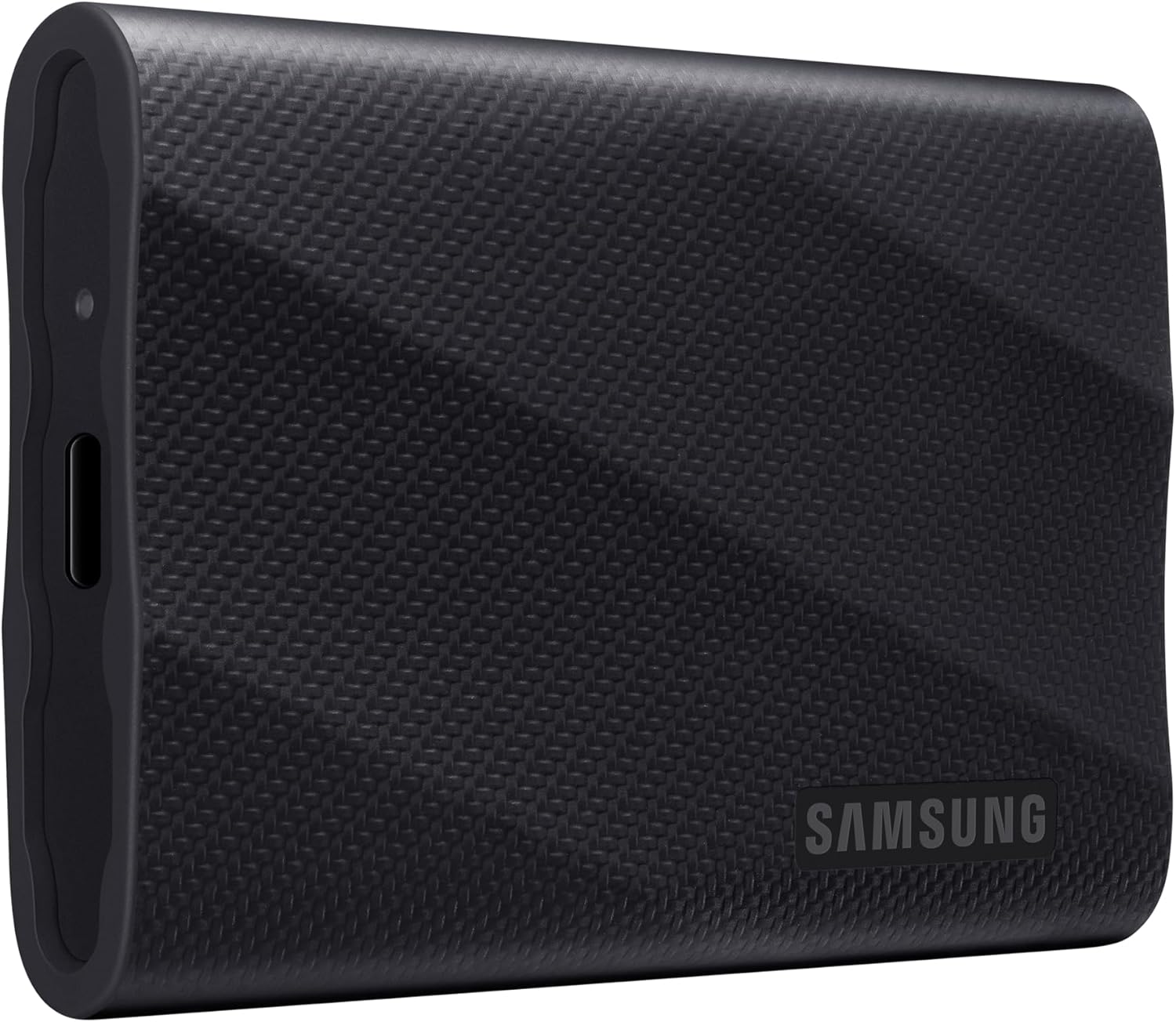
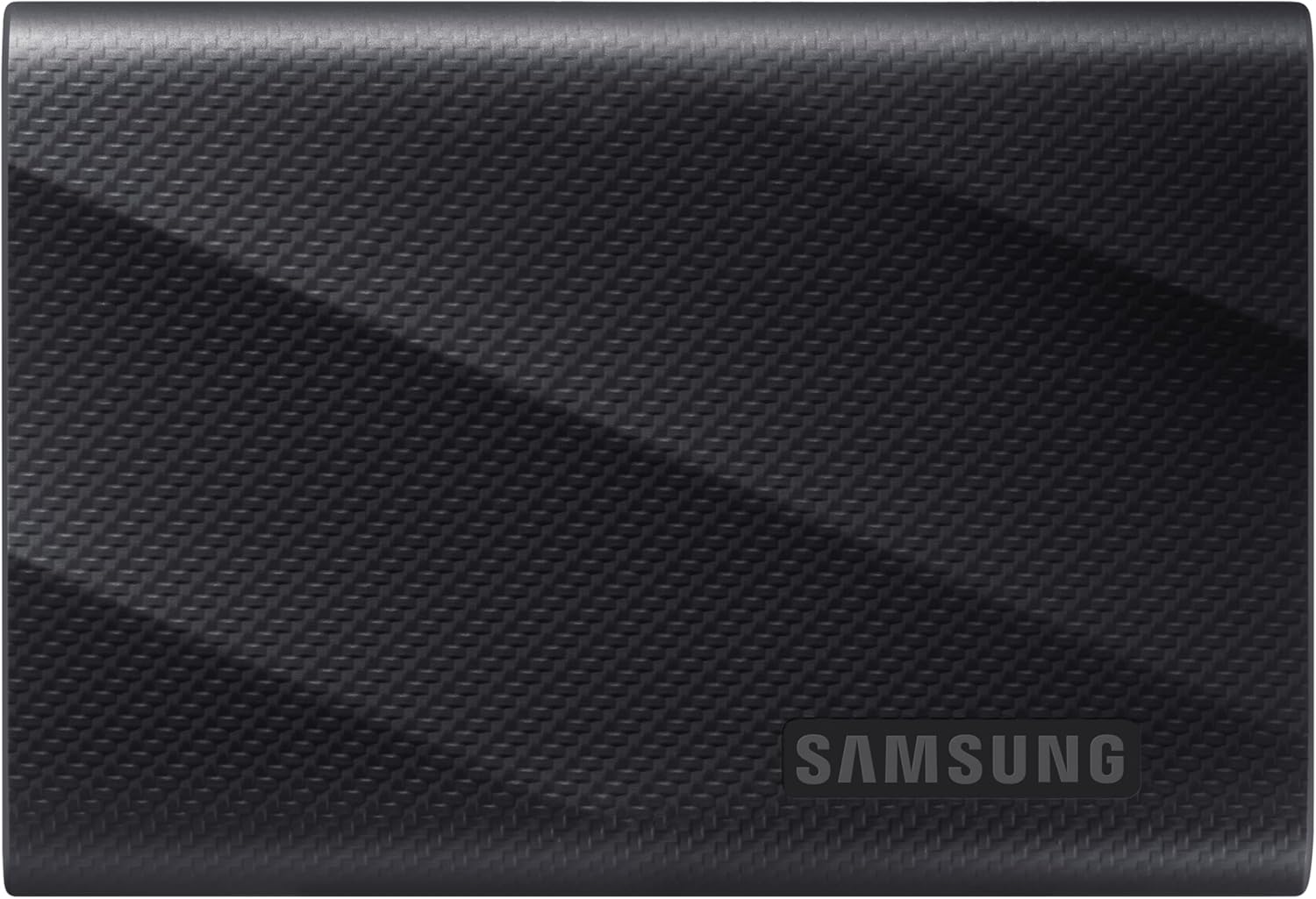
Samsung T9 Portable SSD 2TB
★★★★★ 4.7 / 5, about 28,000 ratings across the Samsung range • ASIN B0CGH7WSVD • about $659.99
This is the drive I would put in most bags. The T9 is Samsung's fastest portable SSD, rated up to around 2,000MB/s read over USB 3.2 Gen 2x2, and at 2TB the price per gigabyte is the best of the three here. If you shoot photos or video, keep a large working library, or just want one drive you will not outgrow in a year, this is the one. With tens of thousands of ratings behind the T9 line at 4.7 stars, it is a proven design, not a gamble.
The real caveat is the port question below: you only see the full 2,000MB/s on a Gen 2x2 machine, and most people are on Gen 2 at around 1,050MB/s. Even at that speed it is quick, and at current AU pricing it undercuts the rugged T7 Shield 2TB while being faster. That combination is why it leads.
Best for: photo and video libraries, anyone who wants the most storage per dollar and the highest ceiling on speed.
Capacity: 2TB • Interface: USB 3.2 Gen 2x2 (20Gbps) • Speeds: up to ~2,000MB/s read, ~1,950MB/s write on Gen 2x2, ~1,050MB/s on a Gen 2 port • Encryption: AES 256-bit hardware • Rugged rating: none • Rating: 4.7 / 5
Check current price on Amazon AU
Samsung T9 Portable SSD 1TB
★★★★★ 4.7 / 5, about 28,000 ratings across the Samsung range • ASIN B0CGH97FLM • about $379.99
If 2TB is more than you need, the 1TB T9 is the sensible everyday pick. Same fast Gen 2x2 controller, same drive, half the capacity. At $379.99 it is the least expensive drive on this page, so the faster drive is not the one carrying a premium. For carrying documents, transferring big files between machines and keeping a fast working copy of the things that matter, 1TB is plenty and the speed is the same as its bigger sibling.
Against the rugged T7 Shield 2TB, the T9 1TB is faster on paper and costs well under half as much, so unless you need both the ruggedness and the capacity, this is the drive to buy. That is the whole inversion: the rugged drive used to be the value buy, and right now it is not.
Best for: everyday file transfer, a fast portable copy of your important data, anyone who does not need 2TB.
Capacity: 1TB • Interface: USB 3.2 Gen 2x2 (20Gbps) • Speeds: up to ~2,000MB/s read, ~1,950MB/s write on Gen 2x2, ~1,050MB/s on a Gen 2 port • Encryption: AES 256-bit hardware • Rugged rating: none • Rating: 4.7 / 5
Check current price on Amazon AU
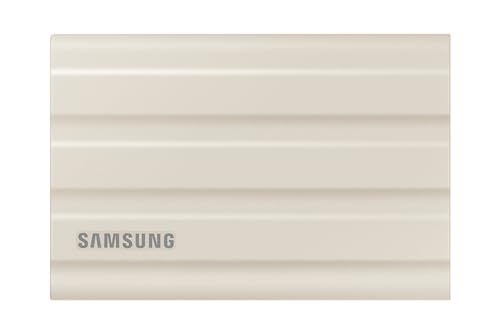
Samsung Portable SSD T7 Shield 2TB Beige
★★★★★ 4.7 / 5, about 28,000 ratings across the Samsung range • ASIN B09YHPY6ZJ • about $800.09
The T7 Shield is the drive you buy when it is going to have a hard life. IP65 dust and water resistance, a grippy rubberised body and a 3-metre drop rating make it the one I would hand to a tradesperson, a photographer working on location, or anyone whose gear takes knocks. At 2TB it gives you the room for large files while surviving conditions that would kill a bare drive. This listing is the beige colourway of the same 2TB drive, sold by F Digital on Amazon AU.
The trade is speed and, right now, price. It runs USB 3.2 Gen 2 at around 1,050MB/s, half the T9's ceiling, and on current Amazon AU pricing it costs more than the faster T9 2TB. So this is a considered choice: you are paying for the armour, not the performance. If your drive never leaves a controlled desk, the T9 is the smarter spend. If it lives in a ute or a camera bag, the ruggedness earns its keep.
Best for: worksites, travel, field recording, anyone who needs dust, splash and drop protection at 2TB.
Capacity: 2TB • Colour: Beige • Interface: USB 3.2 Gen 2 (10Gbps) • Speeds: up to ~1,050MB/s read, ~1,000MB/s write • Encryption: AES 256-bit hardware • Rugged rating: IP65 dust and water, 3-metre drop • Rating: 4.7 / 5
Check current price on Amazon AUSide-by-side comparison
| Product | Price | Best for |
|---|---|---|
| SAMSUNG T9 Portable SSD 2TB | ~$659.99 | Top Pick, Best Value Per GB |
| Samsung Portable SSD T7 Shield 2TB Beige | ~$800.09 | Rugged Pick, For The Field |
| Samsung T9 Portable SSD 1TB | ~$379.99 | Best For Most People |
The one spec that decides it: does your computer even support Gen 2x2?
Here is the fact that should drive your choice, and the one most reviews skate past. The T9's headline 2,000MB/s only happens over USB 3.2 Gen 2x2, a 20Gbps interface. Gen 2x2 is genuinely rare. Most Windows laptops ship with USB 3.2 Gen 2 at 10Gbps, not Gen 2x2, and no Mac supports Gen 2x2.
The part that catches people out: Thunderbolt and USB4 ports do not support Gen 2x2 either. They are faster interfaces in their own right, but Gen 2x2 is a separate USB mode they do not implement. So plugging a T9 into a Thunderbolt Mac or a USB4 laptop still runs it at Gen 2 speed, around 1,050MB/s. To actually see 2,000MB/s you need a machine or an add-in card with an explicit Gen 2x2 port, which in practice means a minority of Windows desktops and laptops. A two-minute check settles it: on Windows, open Device Manager, expand Universal Serial Bus controllers, and look for one listed as USB 3.2 Gen 2x2 or 20Gbps; if you only see 10Gbps or Gen 2, you are on Gen 2. On a Mac, hold Option, open the Apple menu and choose System Information, then look under USB and Thunderbolt; you will find Thunderbolt or USB4, never Gen 2x2.
Why this matters for the buying decision: if your machine has no Gen 2x2 port, the T9 and the T7 Shield run at almost exactly the same speed. At that point the speed sheet is a tie, and you choose on the two things that actually differ: price and ruggedness. That is the whole game. Buy the T9 for the sharper price and the T7 Shield for protection, and stop paying attention to the 2,000MB/s number unless you have checked that your port can use it.
How to use a portable SSD properly
- Do not run it near full. An SSD kept close to capacity slows down and wears faster. Leave headroom, which is another reason to size up.
- Eject before you unplug. Pulling a drive mid-write is a classic way to corrupt files, and we get the fallout in the shop. Use the safe-eject step every time.
- Use the supplied cable, or a rated one. A cheap or damaged cable can drop you to a slower USB mode, or drop the connection entirely mid-transfer.
- Do not treat it as your only copy. It is a fast working drive or the copy you carry, not a backup on its own. More on that next.
What I see at the bench: why this guide has no hard drives
iFix runs a data recovery bench, and it shapes how I think about portable storage. The single most common portable-drive job we get is a dropped or knocked spinning hard drive. The physics are unforgiving: a hard drive reads with heads hovering a fraction of a hair's width above platters spinning thousands of times a minute. A knock while it is running lets the heads touch down, and once they score the platter surface, the data underneath is often gone for good. That is why, for anything that leaves a desk, I only recommend solid state. No platters, no heads, nothing to crash on impact.
Solid state is far tougher, but it is not immortal. Here is the part the box will not tell you. SSDs fail too, and when they do it is often sudden and total: the controller gives up and the whole drive drops offline at once, with none of the clicking or gradual bad-sector warning a dying hard drive gives. SSD recovery is genuinely harder and less predictable than hard drive recovery for that reason. So the ruggedness of a T7 Shield protects you from the drop that kills a spinning drive, but nothing protects you from a controller that simply dies one morning. One more thing we tell anyone who brings in a locked drive: both of these Samsung drives use AES 256-bit hardware encryption, so if you set a password and lose it, the data is gone. That is not a recovery job, it is a locked door with no key. Store the password as carefully as the drive.
Which is why one drive is never a backup. The fix is not a tougher single drive, it is a second copy. Follow 3-2-1: three copies, on two types of media, one kept off-site. A portable SSD is a superb fast working copy or the drive you carry between places, but keep another copy somewhere else. If you want the fixed side of that plan, a small home NAS is the natural partner, and we cover those in our home NAS and backup guide.
If a drive does fail, stop. The worst thing you can do with a drive that has died or is misbehaving is keep plugging it in and hoping. Repeated power cycling can turn a recoverable situation into a lost one. Power it down, stop writing to it, and bring it in. Our data recovery service exists for exactly these cases, and the sooner a failed drive reaches us, the better the odds.
So which Samsung SSD should you buy?
- You want the best value and the most storage. Samsung T9 2TB. Fastest ceiling, best value per gigabyte, and at current AU pricing it undercuts the rugged 2TB drive.
- You want a fast everyday drive and do not need 2TB. Samsung T9 1TB. Same speed as its bigger sibling, and the lowest price of the three picks here.
- Your drive lives a hard life and you need 2TB. Samsung T7 Shield 2TB. IP65, 3-metre drop rating, room for large files. Buy it for the armour.
- No Gen 2x2 port? The T9 and T7 Shield perform almost identically, so decide purely on price and whether you need the ruggedness.
On the Central Coast and dealing with a drive that has stopped showing up, or want a hand setting up a backup that actually holds? Walk in to our Erina workshop. We handle failed drives and backup planning as part of our computer repairs across the Central Coast, and you can browse the drives we rate in our external storage picks.
Drive stopped showing up, or want a backup that actually holds?
Drives fail, that is the job. If you have lost access to files, or you want a hand planning a portable drive and a real 3-2-1 backup, we can help on the Central Coast. iFix runs a data recovery service, so this is our home turf.