Prices from Amazon AU, updated daily. Swipe or use the arrows for more.
Disclosure: This article contains affiliate links to amazon.com.au. If you buy through one of these links iFix may earn a small commission at no extra cost to you. It doesn't change which products we recommend. We focus on what actually lasts based on 16 years of repair-shop experience.
Quick summary8 picks
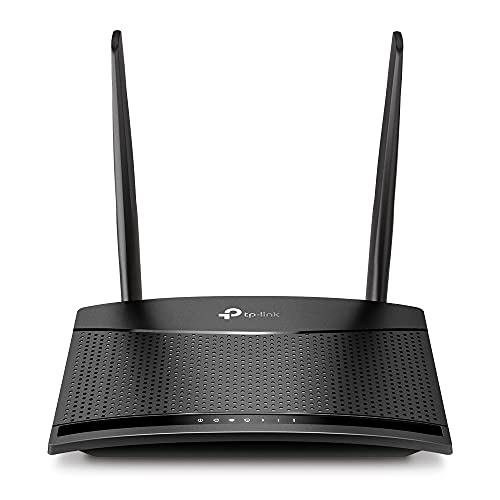
- Entry PickTP-Link TL-MR100 4G LTE Router about$90.49
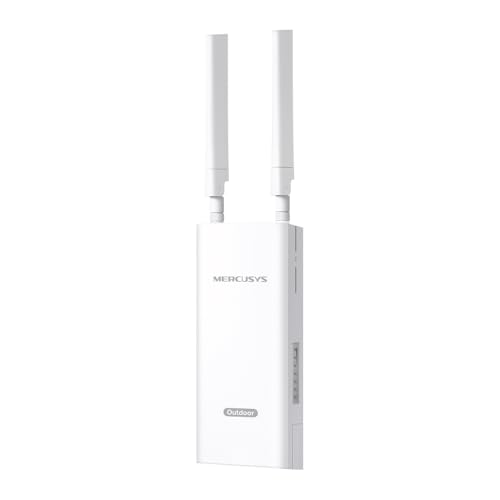
- Mercusys MB118-4G 4G LTE Router about$143.00
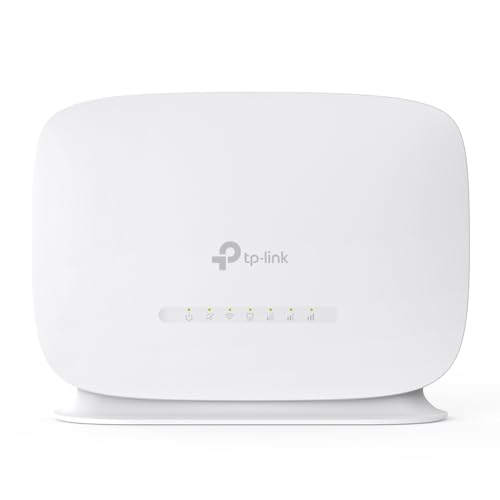
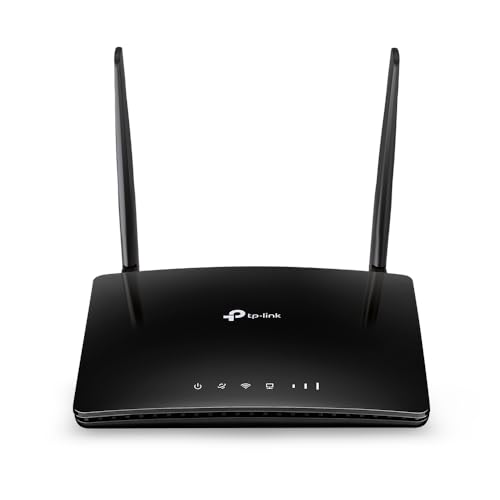
- TP-Link TL-MR105 4G LTE Router about$59.99
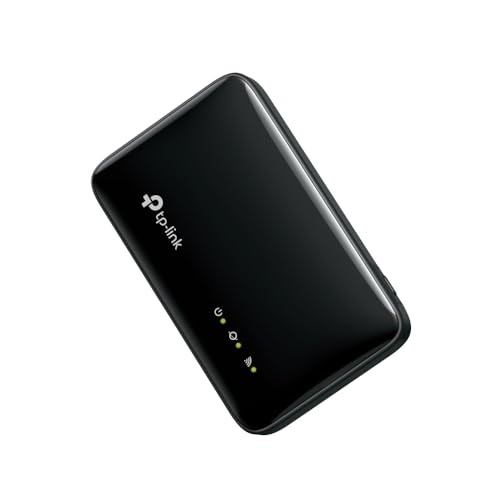
- TP-Link M7005 Wi-Fi 6 4G LTE Mobile Wi-Fi about$111.302400mAh.
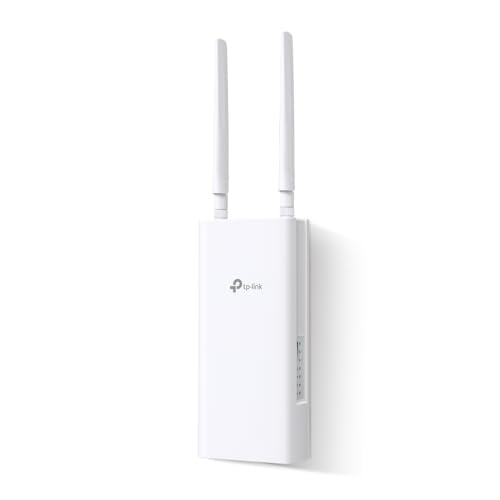
- TP-Link 4G 300 Mbps Wi-Fi Outdoor Router about$145.00
- TP-Link Archer MR402 AC1200 Dual Band… about$138.71
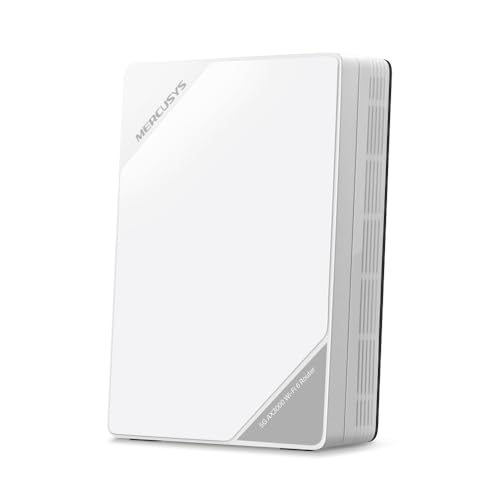
- Mercusys MB520-5G AX3000 Dual-Band Wi-Fi 6… about$339.00
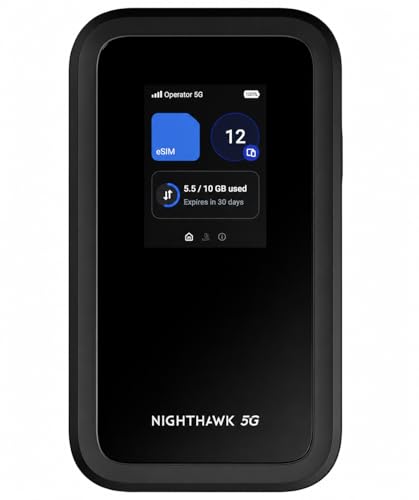
- Most PremiumNETGEAR Nighthawk M7 5G eSIM Portable WiFi… about$655
Why the fixed line drops, and what a backup covers
Most NBN dropouts I hear about at the counter come down to one of three things. On fibre to the node, the last stretch to the house is old copper, and copper in a pit that fills after a storm gets noisy, drops out and comes back as the weather changes. The second is equipment at the house: modem power supplies and the small plug packs that run the NBN box fail more often than people expect, usually after a few summers in a hot cupboard. The third is the network itself, which you can't do anything about except wait.
A 4G or 5G router with a SIM in it covers all three, because it doesn't use the fixed line at all. It talks to the nearest mobile tower and shares that connection over Wi-Fi like any other router. For a household that works from home, runs a small business, or has someone who relies on a video call to keep a business running or catch up with the grandkids, that's the difference between a day lost and a slightly slower day.
What it won't cover is a full blackout on its own. The router needs power, and so does the mobile tower. Towers usually have battery backup for some hours, but a long, widespread outage can take them down too. I'll come back to power further down, because it's the part people forget until the first time they need the thing.
4G or 5G: what you'll actually get at your address
Start with coverage, not with the router. Every carrier publishes a coverage map, and the useful thing to check is the outdoor and indoor coverage at your actual address, not the suburb. If the map shows 5G at your place, a 5G router can be properly quick. If it shows 4G only, a 4G router does the same job for a lot less, and for a backup connection that mostly carries video calls, email and a bit of streaming, 4G is usually plenty.
Indoors versus outdoors matters more than people think. Brick veneer, foil-backed insulation and tinted low-E glass can knock a 4G signal down hard, which is why a phone that shows full bars in the yard can struggle in the back bedroom. Before you buy anything, stand where the router would go and run a speed test on your phone using the same carrier you plan to use for the SIM. That one test tells you more than any brochure.
The 4G routers in this guide quote up to 150 Mbps download, which is the ceiling of the radio, not what you'll see. In my experience a good indoor 4G signal gives somewhere in the tens of megabits, and a weak one gives a few. That's still enough for a video call or two. The 5G units quote multi-gigabit figures that are lab numbers; real 5G is often a few hundred megabits on a good day, which beats a lot of NBN plans.
Two things to check before you buy. First, the 3G networks are gone in Australia, so anything you buy has to be 4G or 5G, which all of these are. Second, the low 700 MHz band (band 28) is the one that carries furthest and gets through walls best, and it matters a lot in regional areas and at the fringe of town. None of the listings here state their supported bands, so check the manufacturer's spec sheet for band 28 before you order, especially if you're out of town.
The data cost maths for an outage
A backup connection is only as useful as the data on the SIM. Rough figures are fine for planning. A one-on-one video call uses somewhere around half a gigabyte to a gigabyte an hour depending on the app and quality, a group call in HD can use more, and HD streaming runs at roughly 3 GB an hour. Background stuff is the one that catches people out: phone and computer updates, cloud photo backups and game downloads all start the moment they see a fast connection, and they don't know it's a mobile SIM.
So here's a worked example. Two people working from home with four hours of calls each is maybe 6 to 8 GB a day. Add an evening of streaming and you're past 10 GB. A three-day outage is 30 GB or more, before any updates sneak through. That's why I'd set up a backup SIM with a decent chunk of data and a long expiry, and turn off automatic updates and cloud sync while you're running on it. Most phones and computers let you mark a Wi-Fi network as metered, which does most of that in one switch.
For the plan itself, look at data-only SIMs with long-expiry prepaid packs, or adding a data SIM to an existing mobile account, which some carriers will do for a small monthly fee. Check the current plans on the day; they change constantly. The point is to have something already active in the router, because a SIM that's expired or still in the packet is no use at 9am on the morning the line goes down. If you're on the fringe of town or further out, check whether the plan runs on the carrier's full network, because some resold plans may not get every band or the newest 5G sites.
Failover: automatic, manual, and what the listings actually say
Failover is the router noticing the fixed line has dropped and switching to the mobile connection on its own. It's the setup everyone wants, and it's the one most listings are vaguest about. None of the five listings here say outright that they do automatic failover between the NBN and the SIM. Two of them (the TP-Link MR402 and the Mercusys MB520-5G) have a port that can take a wired connection instead of the SIM, which tells you they can run on either, but not that they'll switch between them by themselves. Check the manufacturer's manual for a backup or failover setting before you count on it.
- Manual swap: the mobile router sits in a drawer, charged and with an active SIM. When the line drops, you plug it in or turn the hotspot on and connect to it. It's the simplest setup and it works, it just needs someone home.
- Second network: the mobile router runs all the time on its own Wi-Fi name. When the NBN drops, devices that matter get switched over by hand.
- Dual-WAN: your main router supports a backup internet port, and the mobile router plugs into it. The main router handles the switch. This is the proper automatic setup, but it depends on your main router having the feature.
If you're buying a new main router anyway, the home Wi-Fi router guide is worth a look for models with a WAN backup setting. For a small office where nobody can be home to swap things over, dual-WAN is the setup I'd push for. For most households, a manual swap that takes two minutes is perfectly fine, and it's a lot less to go wrong. Whatever you choose, give the backup Wi-Fi a different name from the main one. If both networks share a name, devices hop between them unpredictably, and you'll never be sure which connection a call is running on.
Antennas, outdoor units and the booster you shouldn't buy
If the signal inside is weak, the fix is usually height and a clear line to the tower, not a bigger number on an antenna box. The catch with a roof antenna is the cable. Coax loses signal along its length, and the thin cable that comes with a lot of antenna kits can throw away a good part of what the antenna gained over a few metres. That's why outdoor routers like the Mercusys MB118-4G exist: the radio goes up on the pole or wall with the antennas, and a single Ethernet cable carries both data and power (PoE) back inside, with no signal lost on the way down.
Indoor routers with detachable antennas, like the TP-Link MR402, let you swap in a better antenna or run a short lead to a window. The listings don't state the connector type, so check it before ordering an antenna, and keep any lead as short as you can. For a short-term fix, try the router in a few spots first. A metre higher, or on the side of the house facing the tower, often makes more difference than any accessory.
The thing not to buy is a mobile signal booster or repeater. They're sold online and they look like an easy fix, but in Australia it's illegal to use one without the carrier's permission, and the ACMA does chase them down because a badly behaved booster can interfere with the network for everyone nearby. An external antenna plugged into your own router is fine. A box that rebroadcasts the carrier's signal isn't.
Keeping it powered when the power's out too
A mobile router is a low-power device. Most draw well under 20 W, and the adapter's rating on the label tells you the most it can pull. That makes them easy to keep running. The portable hotspots in this guide have their own batteries, and the M7005's listing quotes up to 12 hours. For the mains-powered routers, a small UPS for the router and modem will keep them going through a short blackout. Check the NBN side too. On fibre to the premises the connection box needs mains power, and on fibre to the node the node in the street needs power as well, with limited battery backup, so in a long blackout the fixed line is usually gone whatever you do at home.
For longer outages, a power station does the job. Rough maths: a router drawing 12 W from a 500 Wh power station runs for around 30 hours once you allow for inverter losses, and longer if the power station has a DC or USB-C output the router can use directly, since you skip the inverter altogether. Our portable power station picks go through sizing in more detail.
Remember the plug pack too. A lot of router failures we see are the power supply, not the router, and a no-name replacement from a market stall is how people end up with a fried board. The guide to bad chargers explains why, and the short version is to use the supplied adapter or a proper replacement with the same voltage, polarity and connector.
Setting it up so it works on the day you need it
A backup that hasn't been tested isn't a backup. Once a month, unplug the NBN for ten minutes and run off the mobile router: check it connects, check the speed, check the devices that matter can find it. It's also when you'll notice a SIM that's been suspended for not being used, which some prepaid plans do after a few months of no activity, or a router that wants a firmware update.
Write the Wi-Fi name and password on a label on the router itself, and keep a note of the SIM's number and carrier with it. The day you need the backup is usually a stressful day, and nobody remembers which drawer the login is in. If you've set a SIM PIN, note that somewhere safe too, because three wrong guesses locks the SIM until you get the PUK code from the carrier. Keep the backup SIM on a different carrier from your phones if you can. A fault that takes out one carrier won't take out the other, and you'll still have the phones as a third option.
If the router, the NBN box or a home office computer starts misbehaving and you can't tell which bit has failed, that's the kind of thing we sort out at the computer repair side of the shop. And if it's a phone's hotspot that's playing up when you need it as the backup, bring it into our Erina workshop; a phone that drops its hotspot under load is often a battery or heat problem rather than the network.
The 5 picks, $104 to $579
Prices are Amazon AU at time of writing (2 October 2026) and move week to week. Ranks are Amazon AU category sales ranks, checked the same day.

TP-Link M7005 Wi-Fi 6 4G LTE Mobile Wi-Fi Hotspot, 2400 mAh
ASIN B0FSD6WTYL • $110.38 • Ships from Amazon AU
The M7005 is #4 in Amazon AU's Mobile Internet Devices category at $110, sold and shipped by Amazon AU, and it's the simplest backup in this guide. It's a pocket hotspot: put a SIM in the side slot, turn it on, and it shares a 4G connection over Wi-Fi. TP-Link quotes up to 150 Mbps download and 50 Mbps upload on 4G, Wi-Fi 6 at up to 287 Mbps on 2.4 GHz, and up to 10 devices at once. The 2400 mAh battery is quoted at up to 12 hours of continuous use, and setup and monitoring run through TP-Link's tpMiFi app. It's the kind of device that suits a renter, since nothing gets mounted or drilled.
For backup use, the battery is the big advantage. It keeps working through a blackout without a UPS or power station, as long as the tower is still up, and it doesn't need a power point near a window to find a signal. You can walk it around the house to find the best spot, which is a better test of your coverage than any map. Ten devices is plenty for a household running a couple of laptops and phones through an outage. It also doubles as a travel hotspot, so it isn't just sitting in a drawer. Keep it charged and it's ready the moment the light on the NBN box goes red.
The limits are the ones you'd expect from something pocket-sized. There are no external antenna ports listed, so if your indoor signal is weak there's no easy upgrade path, and the Wi-Fi is 2.4 GHz only according to the listing. The listing quotes a 3-year warranty. For a household that wants a backup it can grab and switch on, it's the one I'd start with. One small point in its favour: the side-mounted SIM slot means you don't have to pull the back off to change SIMs, which matters on a device you'll swap prepaid SIMs in and out of, because back covers and their clips wear out with repeated removal.
Honest caveats: Wi-Fi is listed on 2.4 GHz only, which is slower and more crowded than 5 GHz in apartments. No external antenna port is listed. Battery life is quoted as up to 12 hours; a lithium pack loses capacity if it's stored flat or left charging in a hot spot for months, so top it up during the monthly test.
Best for: A household that wants a battery-powered backup it can switch on in seconds and take travelling.
Type: Pocket 4G hotspot • 4G speed: Up to 150 Mbps down, 50 Mbps up • Wi-Fi: Wi-Fi 6, up to 287 Mbps on 2.4 GHz • Devices: Up to 10 • Battery: 2400 mAh, up to 12 hours quoted • Warranty: 3 years (per listing) • Seller: Amazon AU • Price: $110 at time of writing • Rank: #4 in Mobile Internet Devices (Amazon AU)
View on Amazon AU
Mercusys MB118-4G Outdoor 4G LTE Router with PoE Injector
ASIN B0FW5DBD9Z • $103.55 • Ships from Amazon AU
The MB118-4G is #89 in Amazon AU's Routers category at $104, sold and shipped by Amazon AU, and it's the one for a weak-signal house. It's an outdoor 4G router in an IP65 weatherproof case, made to mount on a pole, a wall or in a window, with the radio up where the signal is. Mercusys quotes up to 150 Mbps on 4G, 300 Mbps Wi-Fi, up to 32 devices, plus 6 kV lightning protection and 15 kV ESD protection. It runs on PoE, either 802.3af/at or passive, and a PoE injector comes in the box. The TP-Link TL-MR100-Outdoor is a close relative for a little more, but this one ranked higher on the day I checked.
This is the setup I described in the antenna section. Rather than running coax from a roof antenna down to an indoor router and losing signal on the way, the whole radio goes outside and a single Ethernet cable brings data and power back in. The LTE antennas are detachable, so you can fit higher-gain antennas later if you need to. Inside, you plug the Ethernet into your main router's WAN or backup port, which also makes it the best fit here for a dual-WAN failover setup, assuming your main router supports one. On a two-storey house, a unit high on the wall facing the nearest tower is usually the best spot you'll get without a mast.
It needs more work to install than the others: a mounting spot with a clear view toward the tower, a cable run through a wall or window frame, and a power point for the injector indoors. Its own Wi-Fi is outside, so treat it as a modem and let your indoor router handle the Wi-Fi. The listing quotes a 2-year warranty. If you're comfortable running a cable and fixing a bracket, it's about an hour's job. If you're not, an antenna installer can do it, and the PoE design means there's no mains wiring outside, which keeps it simple.
Honest caveats: It's a mounting job, not plug and play, and the cable entry needs sealing so water doesn't track along it into the wall. The Wi-Fi radio sits outside, so indoor Wi-Fi from it will be weak. Antenna connector type isn't stated on the listing, so check before buying upgrade antennas.
Best for: A house with weak indoor 4G signal, or a dual-WAN setup that needs the modem mounted outside.
Type: Outdoor 4G LTE router • 4G speed: Up to 150 Mbps • Wi-Fi: 300 Mbps, 2.4 GHz • Weatherproofing: IP65 • Power: PoE (802.3af/at or passive), injector included • Antennas: Detachable external LTE • Devices: Up to 32 • Seller: Amazon AU • Rank: #89 in Routers (Amazon AU)
View on Amazon AU
TP-Link Archer MR402 AC1200 Dual Band 4G LTE Router
ASIN B0DJ2KK5M2 • $153.16 • Ships from Amazon AU
The Archer MR402 is #189 in Amazon AU's Routers category at $153, sold and shipped by Amazon AU, and it's the indoor router I'd point most households to. It takes a SIM, quotes up to 150 Mbps on 4G, and shares it over dual-band AC1200 Wi-Fi (up to 300 Mbps on 2.4 GHz and 867 Mbps on 5 GHz) to up to 64 devices. The two LTE antennas are detachable, and there's a LAN/WAN port that turns it into a normal router if you plug a wired connection into it. It's a plain desk router to look at, with the antennas on the back, and the listing says it's plug a SIM in and go, with no configuration needed.
That combination is what makes it a good backup. With 5 GHz Wi-Fi it can stand in as the main router for the whole house during an outage, rather than just a hotspot for a couple of laptops. The detachable antennas mean you can try a better antenna if the signal's marginal, and the WAN port gives you options. It can sit on a desk running off the SIM, or plug into the NBN as your everyday router, then run off the SIM when you need it. Whether it'll switch between the two automatically isn't stated on the listing, so check TP-Link's manual. That flexibility is worth a lot in a backup.
Unlike the M7005 there's no battery, so for blackouts it needs a UPS or power station. The listing doesn't state a warranty length. For a household that wants a proper router that can carry everyone through an outage, it's the sensible middle ground. Put it on the same shelf as the NBN box so swapping cables is easy, and run the monthly test by pulling the NBN cable out of its WAN port. TP-Link says its SIM compatibility comes from field testing across more than 100 countries, which mostly matters if you travel with it. It's the pick I'd buy for my own house.
Honest caveats: No battery, so it goes down in a blackout without a UPS or power station. The listing doesn't confirm automatic failover between the SIM and the WAN port, and doesn't state the supported 4G bands or warranty length, so check the spec sheet before relying on it in a regional area.
Best for: A household that wants a full dual-band router to run the whole house off a SIM during an outage.
Type: Indoor 4G LTE router • 4G speed: Up to 150 Mbps • Wi-Fi: AC1200 dual band (300 + 867 Mbps) • Devices: Up to 64 • Antennas: 2 detachable LTE • Wired WAN: LAN/WAN port for wired router mode • Seller: Amazon AU • Price: $153 at time of writing • Rank: #189 in Routers (Amazon AU)
View on Amazon AU
Mercusys MB520-5G AX3000 Wi-Fi 6 5G Router with 2.5 Gbps Port
ASIN B0FGXT5266 • $411.44 • Ships from Amazon AU
The MB520-5G is #89 in Amazon AU's Routers category at $411, sold and shipped by Amazon AU, and it's the home router for people with real 5G at their address. Mercusys quotes up to 4.67 Gbps on 5G (a lab figure; expect a fraction of that in practice), AX3000 dual-band Wi-Fi 6 at up to 2402 Mbps on 5 GHz and 574 Mbps on 2.4 GHz, and up to 256 devices. There's a 2.5 Gbps WAN/LAN port, EasyMesh support, internal antennas with external ports for extended range, and a phone port that supports VoLTE calling. It's a desktop unit rather than an outdoor one, so position matters, and a window on the side facing the tower is the place to start.
With good 5G, this isn't so much a backup as a second main connection, and some households with poor fixed-line options end up running on it full time. For backup use, the 2.5 Gbps WAN/LAN port means it can also take a wired connection, and EasyMesh means it can join a compatible mesh system rather than sitting off to the side as a separate network. The phone port is an unusual extra: a home phone that runs over the mobile network keeps working when the fixed line is down, which suits a household that still relies on a landline handset. That's a real point for older relatives who still pick up the home phone first.
The listing quotes a 2-year warranty. Like the MR402, it doesn't confirm automatic failover, so check the manual. At this price it only makes sense if the coverage map shows 5G at your address; with 4G only, the MR402 does the same job for much less. One more thing to watch: a 5G router at this level runs warm, and one stuffed in a cupboard with the NBN box can slow down or drop out on a hot day, so give it open air. Of the two 5G picks, this is the one I'd choose for a house rather than a person, because it's built to sit in one spot and run everything.
Honest caveats: The 4.67 Gbps figure is a theoretical maximum, not a real-world speed. Automatic failover between the SIM and wired port isn't confirmed on the listing. It has no battery, so plan power for blackouts. Supported 5G bands aren't listed, so check coverage and the spec sheet first.
Best for: A home with solid 5G coverage that wants a full Wi-Fi 6 router able to carry the house, phone included, through an outage.
Type: Indoor 5G router • 5G speed: Up to 4.67 Gbps (theoretical) • Wi-Fi: AX3000 Wi-Fi 6 (2402 + 574 Mbps) • Devices: Up to 256 • Wired: 2.5 Gbps WAN/LAN port • Extras: EasyMesh, phone port with VoLTE • Warranty: 2 years (per listing) • Seller: Amazon AU • Rank: #89 in Routers (Amazon AU)
View on Amazon AU
Netgear Nighthawk M7 5G eSIM Portable Wi-Fi 7 Router
ASIN B0GL2XNQDQ • $579.00 • Ships from Amazon AU
The Nighthawk M7 is #41 in Amazon AU's Routers category at $579, sold and shipped by Amazon AU (the listing notes it ships from Australia), and it's the top end of this guide. It's a portable 5G hotspot with Wi-Fi 7 according to the listing title, and its party trick is SIM flexibility: it's unlocked, and it takes one physical SIM plus up to 8 eSIMs from different operators, managed in the Netgear app. Battery life is quoted at up to 10 hours, and wired connections run through USB-C, or an Ethernet adapter sold separately. It's priced like a premium device, but everything about it is aimed at the person who can't be offline.
The multi-SIM side is what makes it interesting as a backup. If one carrier's tower goes down in a storm, you can switch to an eSIM on another carrier without hunting for a physical SIM, and that's a real advantage in places where one network is noticeably stronger than another. Netgear also sells a Hotspot Cradle (MD200) that the listing says adds wired backup internet, which looks like the route to a proper home setup. As with the others, I'd confirm exactly how that cradle handles failover in Netgear's own documentation before buying it for that reason. eSIMs also make it quick to add a short-term data pack during a long outage, without a trip to the shops.
For most homes it's more than you need. It makes sense for someone who works on the road, travels regionally, or runs a small business where an outage costs real money. If that's you, it's the most flexible device in this guide, since it works as a hotspot in the car, a travel router, and a home backup with the cradle. For a household that just wants the NBN covered, I'd spend a fraction of this on the M7005 or the MR402 and put the difference into a power station or a decent UPS, which does more for staying online than extra speed. Battery life also varies with signal and the number of devices, as the listing points out.
Honest caveats: It's the most expensive pick by a long way, and the cradle, fast charger and Ethernet adapter that turn it into a home setup are all sold separately. Battery life is quoted as up to 10 hours and varies with use and signal. Supported 5G bands aren't listed, so check before relying on it regionally.
Best for: A remote worker or small business that wants portable 5G with multi-carrier eSIM switching.
Type: Portable 5G hotspot • Wi-Fi: Wi-Fi 7 (per listing title) • SIM: 1 physical SIM plus up to 8 eSIMs • Battery: Up to 10 hours quoted • Wired: USB-C; Ethernet adapter sold separately • Home add-on: Hotspot Cradle MD200, sold separately • Seller: Amazon AU • Price: $579 at time of writing • Rank: #41 in Routers (Amazon AU)
View on Amazon AUSide-by-side comparison
| Product | Price | Best for |
|---|---|---|
| TP-Link TL-MR100 4G LTE Router | ~$90.49 | |
| Mercusys MB118-4G 4G LTE Router | ~$143.00 | |
| TP-Link TL-MR105 4G LTE Router | ~$59.99 | |
| TP-Link M7005 Wi-Fi 6 4G LTE Mobile Wi-Fi | ~$111.30 | |
| TP-Link 4G 300 Mbps Wi-Fi Outdoor Router | ~$145.00 | |
| TP-Link Archer MR402 AC1200 Dual Band… | ~$138.71 | |
| Mercusys MB520-5G AX3000 Dual-Band Wi-Fi 6… | ~$339.00 | |
| NETGEAR Nighthawk M7 5G eSIM Portable WiFi… | ~$655 |
What we see fail at the bench: mobile routers and hotspots
Mobile routers are simple boxes, and they fail in simple ways. When one stops connecting, it's rarely the radio. It's usually the power, the SIM contacts, or heat from being stuck in a cupboard or on a sunny windowsill. These are the three we see most, and all of them are easier to prevent than to fix. Most of them can be sorted on the counter in a few minutes.
Dead plug packs and swapped adapters
The router's power supply is the part that fails first, and the second most common fault is a replacement adapter from the wrong device. Routers often use similar-looking barrel plugs with different voltages and polarity, and a 12 V adapter in a 9 V router, or reversed polarity, can kill the power circuit on the board. Label the adapter to the router the day you unbox it. If the original dies, match the voltage, polarity and current rating exactly rather than grabbing whatever fits the socket from the drawer. Keep the original with the router.
SIM trays and dirty contacts
A router that suddenly says no SIM, after months of sitting untouched, often has a contact problem rather than a dead SIM. Dust and moisture get into the SIM slot, especially on units near a window, and the gold contacts tarnish. Power it off, take the SIM out, wipe the contacts with a dry lint-free cloth and reseat it. Never force a SIM in the wrong way or with an adapter that's lifting, because bent pins in the slot are a board-level repair, and it's the kind of fix that takes far longer than the five-minute clean.
Swollen hotspot batteries
Pocket hotspots left on charge permanently as a home router are the ones that swell. The lithium pack sits at full charge in a warm spot for months and slowly puffs, until the back cover lifts or the case splits at a seam. If the case has started to bulge, stop using it and don't keep charging it. For a hotspot that lives on a shelf as a backup, charge it to full, unplug it, and top it up during the monthly test rather than leaving it on the charger full time.
Decision tree: which one should you actually buy?
- Want the simplest backup you can switch on in a blackout? → The TP-Link M7005 at $110. It has its own battery and fits in a drawer.
- Signal inside the house is weak? → The Mercusys MB118-4G at $104 mounts outside and runs data and power down one Ethernet cable.
- Want a proper router to run the whole house off a SIM? → The TP-Link Archer MR402 at $153, with dual-band Wi-Fi and detachable antennas.
- Got real 5G at your address and want a home phone that survives an outage? → The Mercusys MB520-5G at $411, with Wi-Fi 6, a 2.5 Gbps port and a VoLTE phone port.
- Work on the road or need to switch carriers when one goes down? → The Netgear Nighthawk M7 at $579, with one SIM plus up to 8 eSIMs.
- Router dead, hotspot swelling or phone hotspot dropping out? → Bring it to our Erina workshop and I'll tell you what's failed and whether it's worth fixing before anything's done.
Frequently asked questions
Can I use 4G as a backup for the NBN?
Yes. A 4G router with an active SIM gives you a separate connection that doesn't rely on the fixed line at all, so it keeps working when the NBN drops. For most households it's plenty for video calls, email and some streaming. The two things to sort out first are coverage at your actual address, using the carrier's map, and a SIM with enough data and a long enough expiry that it's still active on the day you need it.
Does a 4G router switch over automatically when the NBN goes down?
Only if it's set up for it. Automatic switching needs a router with a failover or backup WAN setting, either in the mobile router itself or in your main router with the mobile router plugged into its backup port. None of the listings in this guide confirm automatic failover outright, so check the manufacturer's manual. A manual swap, where you turn the backup on and connect to it, works fine for most homes.
How much data do I need for a backup internet plan?
Plan on roughly 2 to 5 GB a day for one person working from home with video calls, and more if anyone's streaming. HD streaming runs at roughly 3 GB an hour. A three-day outage for a busy household can pass 30 GB. Turn off automatic updates and cloud backups while you're on the backup, or mark the network as metered, because those can burn through a data pack in an hour.
Will a 4G router work during a blackout?
It will if it has power and the mobile tower is still running. Pocket hotspots have their own batteries, and mains routers can run off a small UPS or a power station, since most draw well under 20 W. Mobile towers usually have battery backup for some hours, but a long, widespread blackout can take them down too, so a mobile router covers most outages but not every one. Test it once with the mains off, so you know how long things actually last.
Are mobile signal boosters legal in Australia?
Not without the carrier's permission. Mobile repeaters and boosters that rebroadcast the network's signal are illegal to use in Australia unless the carrier has authorised them, and the ACMA does act on them because they can interfere with the network for other people. An external antenna connected to your own 4G or 5G router is a different thing and is fine. If indoor signal is weak, an outdoor router or a better antenna is the legal way to fix it.
Is 5G worth it over 4G for a backup?
Only if you have solid 5G coverage at your address and you'll use the speed. For a backup that mostly carries calls and email, 4G is usually enough and the routers cost a lot less. 5G makes sense if the backup needs to carry a whole busy household, or if you might use it as your main connection because the fixed line at your place is poor. Check the coverage map at your address before deciding.
Related buying guides
When the router or hotspot gives up
A router that won't power on is usually the plug pack, a no-SIM error is often the slot contacts, and a bulging hotspot is a battery that needs to come out. Bring it in to Erina and I'll tell you which one it is and whether it's worth fixing before you spend anything on a replacement.
Visit our Erina workshop Book Online