Prices from Amazon AU, updated daily. Swipe or use the arrows for more.
Disclosure: This article contains affiliate links to amazon.com.au. If you buy through one of these links iFix may earn a small commission at no extra cost to you. It doesn't change which products we recommend. We focus on what actually lasts based on 16 years of repair-shop experience.
Quick summary8 picks
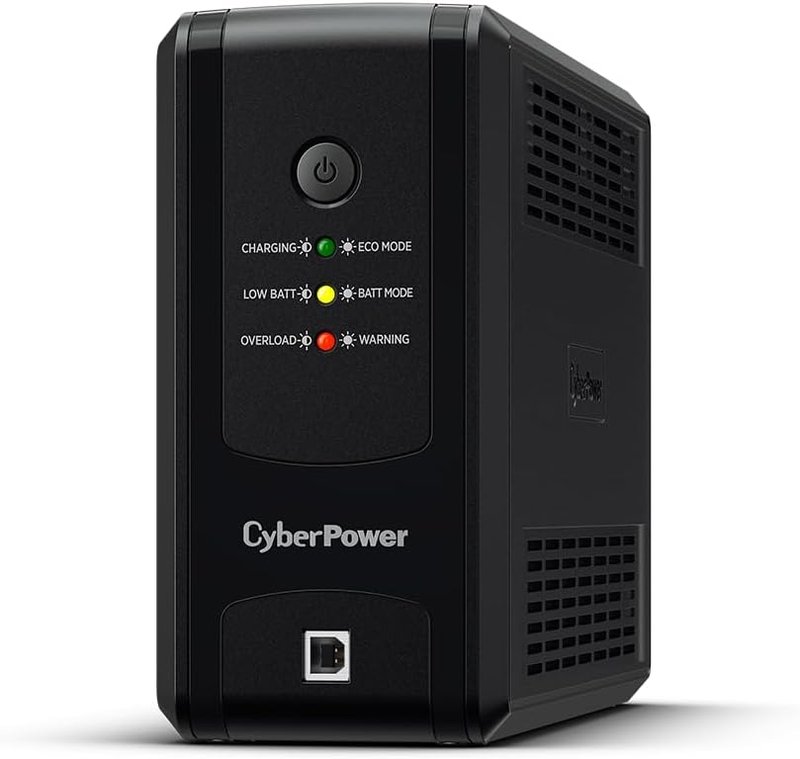
- Entry PickCyberPower UT850EG 850VA / 425W… about$118.62850VA, 425W.
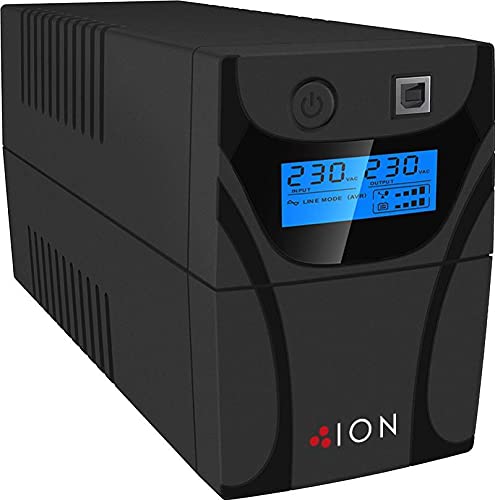
- ION F11 650VA Line Interactive Tower UPS about$158.09650VA.
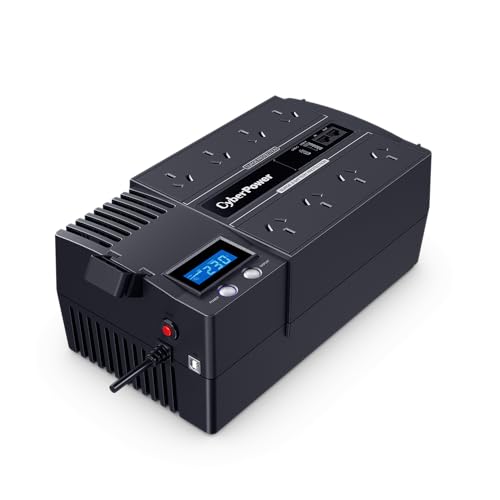
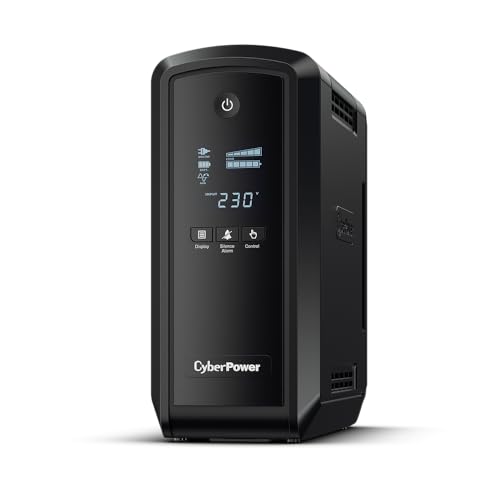
- Cyberpower Brics LCD 420W / 700VA… about$155.00700VA, 420W.
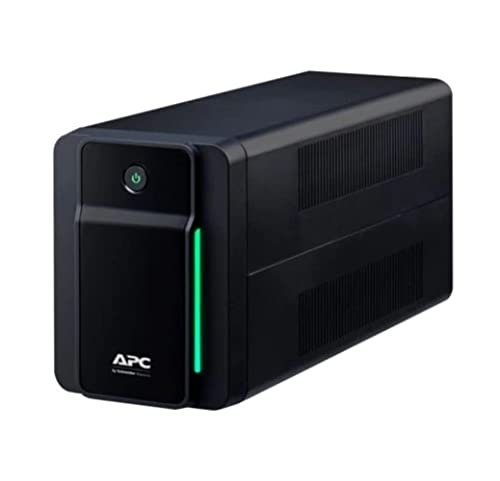
- APC Back-UPS 950VA / 520W (BX950MI-AZ) about$175.00950VA, 520W.
- CyberPower Systems PFC Sinewave Series… about$278.00900VA, Pure sinewave, 540W.
- ION F11 1200VA Line Interactive Tower UPS about$359.951200VA.
- CyberPower Systems PFC Sinewave Series… about$3951350VA, Pure sinewave, 810W.
- Most PremiumION F11 UPS 2200VA / 1200W Line Interactive… about$426.202200VA, 1200W.
Why this matters now
Two things have changed in the UPS market over the last few years, and both push toward "buy now, not later" for most home and small-business buyers.
First, modern PC power supplies have changed. Almost every desktop PSU manufactured in the last five years includes Active PFC (Power Factor Correction), an efficiency-improving circuit required to meet the 80+ Bronze/Silver/Gold/Platinum ratings you see on PSU boxes. Active PFC has an important side effect: it refuses to operate cleanly on the simulated sine wave output that less costly UPSes produce when they switch to battery. In our shop, the symptom looks like a PC that "won't run from the UPS": beeping, immediate shutoff, or refusal to start. The fix is either a pure sine wave UPS or accepting that the UPS is now just an expensive surge protector. Choose the right output waveform from the start.
Second, voltage instability is real and getting worse in older Australian suburbs. Modern household loads, from heat pumps and EV chargers to induction cooktops, multiple PCs and air conditioners running simultaneously, are stressing feeder lines that were sized decades ago for much lighter consumer demand. On the Central Coast and in older Sydney suburbs we routinely see mains voltage dipping to 215V or surging to 250V at peak times. Automatic Voltage Regulation (AVR) in a UPS quietly corrects these fluctuations without burning battery cycles, which extends both the UPS battery life and the lifespan of every sensitive electronic device plugged into it. Every line-interactive pick in this guide includes AVR.
Cost-of-living context applies here too. With real wage growth at 0.3% and discretionary spending under pressure, the $150-$426 bracket covers what most Australian home offices and small businesses actually need. Premium enterprise UPSes at $1,000+ are designed for server rooms and rack mounting, not desks, so the picks in this guide are sized for the workloads they'll actually protect.
The eight picks, from entry protection to pure-sine gaming
Prices accurate at time of writing (August 2026), and the Amazon AU buybox shifts week to week. All eight picks are sold and shipped by Amazon AU direct, so they reach Australian addresses including the Central Coast with proper local warranty and returns. Picks A and C share the ION F11 line-interactive family at opposite ends of its capacity range; pick B is APC's Back-UPS with the Australian input plug; pick D is the one pure sine wave unit here.
ION F11 650VA Line-Interactive Tower UPS (F11-650)
Amazon AU #31 in Power Supplies • ASIN B079PJZSKS • $150 • Amazon AU direct
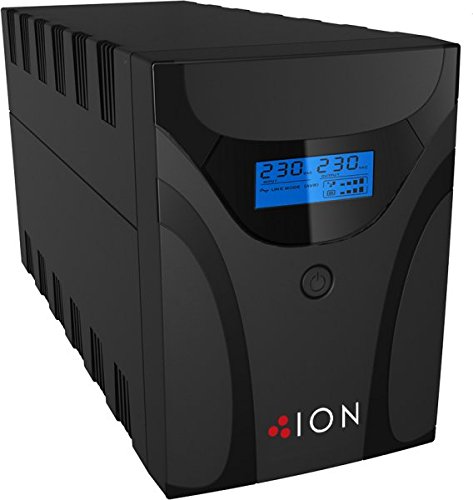
The entry pick is ION's F11 650VA, a compact line-interactive tower that punches above its price. ION is an Australian-market UPS brand you'll see stocked alongside APC and CyberPower, and the F11 is its bread-and-butter home and small-office line. You get 650VA / 360W with boost-and-buck AVR, a proper LCD showing load and estimated runtime (rare at this price), a USB port with free monitoring-and-shutdown software, and modem/phone line surge protection. Sold and shipped by Amazon AU directly, so ACL coverage and returns are straightforward.
At $150 this is the "every desk should have one" tier. It will not hold a gaming PC and monitor for half an hour, that isn't the job. It gives you a few minutes of clean power for a graceful shutdown, rides out the brief flickers that come with summer storms, and keeps a modem, NBN box and router alive through the short drops, all while the AVR trims the voltage sag that quietly ages everything plugged into it.
Honest caveat: Simulated (stepped) sine wave output, so like the APC below it this isn't the pick for a modern gaming PC with an Active PFC PSU (that's pick D). 650VA is the smallest capacity in this guide, so keep the load to networking gear plus a single machine. And like every consumer UPS it runs a sealed lead-acid battery, so budget for the standard replacement cartridge around the 3-year mark.
Best for: Home modem + router + NBN protection, a single office desktop or mini-PC on a conventional PSU, NVR/CCTV systems, small retail point-of-sale, anyone who wants an LCD and AVR at the entry price. Sold and shipped by Amazon AU.
Capacity: 650VA / 360W • Topology: Line interactive • Waveform: Simulated sine wave • AVR: Yes (boost/buck) • Display: LCD (load, runtime) • Battery: Sealed Lead Acid (user-replaceable) • Comms: USB + free shutdown software • Plug: AS/NZS 3112 (Australian) • Warranty: 3 years ION
Related models: ION's F11 line scales up in stepped capacities (850VA, 1100VA, 1500VA and the 2200VA in pick C) if you need more runtime than the 650VA model provides. They are listed as related products on the Amazon page.
View on Amazon AU
APC by Schneider Electric Back-UPS 950VA Battery Backup
Amazon AU #149 in Power Supplies • ASIN B091347RXJ • $175.00 • Amazon AU direct
APC is the brand we see most often in the workshop, and that matters more than it sounds. Replacement batteries are stocked locally, the runtime figures are honest, and almost every IT person in the country already knows the interface. When a UPS is going to sit under a desk for six years, boring and well supported beats clever.
At 950VA this is sized for a modem, router and a single conventional desktop with headroom to spare, giving you enough time to save work and shut down properly rather than riding out a long outage.
Honest caveat: Simulated sine wave output, so this is not the pick for a modern desktop with an Active PFC power supply. For that, step up to the CyberPower PFC Sinewave 900VA below.
Best for: A conventional home office desktop, modem and router, or anyone who wants the brand their IT support already knows.
Capacity: 950VA / 520W • Topology: Line interactive • Waveform: Simulated sine • AVR: Yes
View on Amazon AU
ION F11 2200VA / 1200W Line-Interactive Tower UPS (F11-2200)
Amazon AU #31 in Power Supplies • ASIN B079PS16NH • $426 • Amazon AU direct
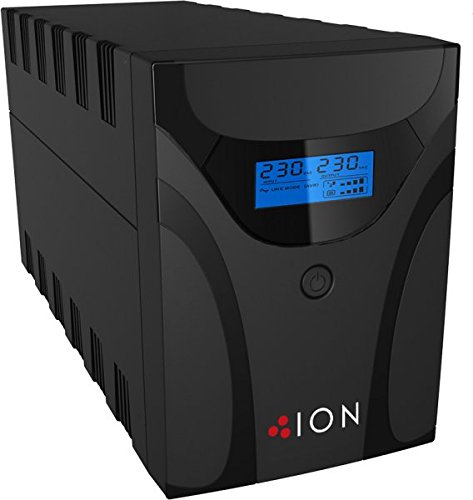
The highest-capacity pick in this guide, and the value play if your gear runs on conventional (non-PFC) supplies. At $426 the ION F11 2200VA gives you a full 2200VA / 1200W, more raw capacity than anything else here including the dearer pure-sine CP1350 below it. It's the big brother of the entry F11: the same line-interactive design, the same boost-and-buck AVR and LCD, scaled up. USB plus an HID interface and ION's free shutdown software, modem/phone surge protection, and a 3-year warranty, longer than the 2-year cover on the CyberPower and APC units here.
Measured on capacity per dollar this is the standout: 2200VA for $426 works out near 5.2 VA per dollar, against about 3.4 for the pure-sine CP1350. It also sits at #31 in Amazon AU's Power Supplies chart, the joint highest-ranked unit in this guide. For an office desktop or two on older PSUs, a NAS with a router and switch, reception or point-of-sale gear, or a surveillance DVR, this is the most headroom you can buy without paying the pure-sine premium.
Honest caveat: Simulated (stepped) sine wave output, so this isn't the right pick for modern gaming PCs with Active PFC power supplies (almost any PSU rated 80+ Bronze or higher made in the last five years). For Active PFC PCs, pick D below is the correct choice. For everything else, office desktops with older PSUs, small business reception equipment, NAS units, networking gear, surveillance DVRs, multiple loads needing serious capacity, this is the value standout.
Best for: Office desktops with conventional PSUs, small-business reception/POS setups, NAS + router + switch combos, surveillance DVR backup, anyone wanting maximum VA-per-dollar without modern PSU compatibility concerns. Sold and shipped by Amazon AU.
Capacity: 2200VA / 1200W • Topology: Line interactive • Waveform: Simulated sine wave • AVR: Yes (boost/buck) • Display: LCD (load, runtime) • Comms: USB + HID + free shutdown software • Battery: Sealed Lead Acid (user-replaceable) • Cooling: Silent operation • Plug: AS/NZS 3112 (Australian) • Warranty: 3 years ION
Related models: the ION F11 line steps down through 1500VA, 1100VA, 850VA and the 650VA in pick A if 2200VA is more than you need. The smaller F11 units run well under this price and are listed as related products on the Amazon page.
View on Amazon AU
CyberPower PFC Sinewave 1350VA / 810W Tower UPS (CP1350EPFCLCD)
Amazon AU #50 in Power Supplies • ASIN B0DF77G2WB • $395 • Pure sine wave • Amazon AU direct
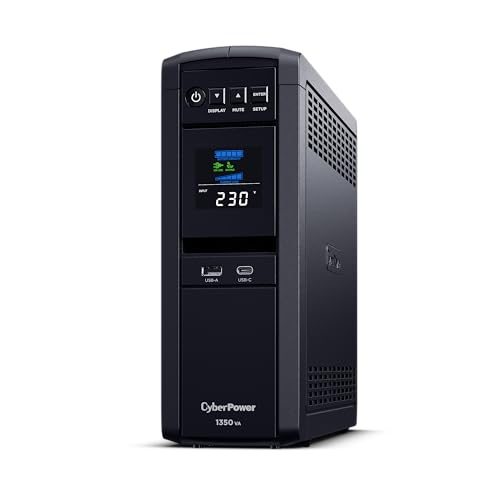
The pure sine wave pick, and the direct successor to the CP1600 we used to run here, same PFC Sinewave family, same reason to buy it. 1350VA / 810W tower with true pure sine wave output on battery (essential for Active PFC PSUs), line-interactive topology with AVR, energy-saving GreenPower technology, and a proper LCD showing live load and estimated runtime. Six AU outlets across the back plus a USB-A and a USB-C charging port, and two 12V/7AH batteries inside on a 2-year advanced-replacement warranty that covers the cells, not just the box.
Pure sine wave matters specifically for: Any desktop PC with an 80+ rated PSU (Bronze, Silver, Gold, Platinum, Titanium) from the last 5 years, high-end audio equipment (amplifiers, DACs), some medical equipment, variable-speed motor loads. If your PC has an Active PFC supply, the simulated sine wave from less costly UPSes can cause the PSU to alarm, shut down, or refuse to start when grid power drops: the exact moment you need the UPS to work. The step up from the simulated-sine picks above it buys you compatibility with the hardware you actually own, not the hardware UPSes were designed around twenty years ago.
Best for: Modern gaming PCs, content creator workstations, home labs with multiple SSDs (sudden power loss is the #1 killer of consumer SSDs over time), anyone running a PSU rated 80+ Bronze or higher. Pair with the GPU and monitor picks in our RTX 50-series guide.
Capacity: 1350VA / 810W • Topology: Line interactive • Waveform: Pure sine wave (PFC compatible) • AVR: Yes • Display: LCD (load, runtime, status) • USB Charging: USB-A + USB-C • Outlets: 6 AU • Battery: 2× 12V/7AH SLA • Warranty: 2 years advanced replacement (incl. batteries)
Related models: CyberPower's PFC Sinewave line scales up past 1350VA to larger tower models at higher price points if you need more runtime. They are listed as related products on the Amazon page.
View on Amazon AU
CyberPower Brics LCD 700VA / 420W (BR700ELCD)
Amazon AU • ASIN B01ADP01HI • $155.50 • Amazon AU direct
What this adds over the less costly units is information. The LCD shows actual load in watts and estimated runtime, which changes how you use a UPS. Most people size a UPS by guesswork and then discover during the first blackout that it holds for ninety seconds, not fifteen minutes. A display removes that guesswork on day one.
At the bench we find the load readout is also the fastest way to catch a failing power supply. A desktop that suddenly draws 60W more than it used to is telling you something.
Honest caveat: 420W of output is the lowest here, and it is simulated sine wave. It is a monitoring upgrade over the F10, not a capacity upgrade.
Best for: Anyone who wants to know their real load before sizing a bigger unit, or a desk where the UPS sits visible.
Capacity: 700VA / 420W • Topology: Line interactive • Waveform: Simulated sine • Display: LCD, load and runtime
View on Amazon AU
CyberPower PFC Sinewave 900VA / 540W (CP900EPFCLCD)
Amazon AU #88 in Power Supplies • ASIN B077PQZJYT • $278.78 • Amazon AU direct
This is the lowest-cost way into pure sine wave output, and pure sine wave is not a marketing tier. Modern PC power supplies with Active PFC can refuse to accept a stepped approximation of mains and will shut down or click loudly when a simulated-sine UPS switches to battery. That is the exact fault we are called about when someone says their new UPS made things worse.
540W of clean output covers a mid-range desktop and a monitor comfortably. If your machine has an 80+ rated supply, start here rather than saving $140 on a unit that may not hold it.
Honest caveat: You pay a real premium per watt for the waveform. If nothing you own has an Active PFC power supply, the less costly units protect you just as well.
Best for: A desktop PC with an 80+ rated power supply, a NAS, or anything that refused to run on a less costly UPS.
Capacity: 900VA / 540W • Topology: Line interactive • Waveform: Pure sine wave • Display: LCD
View on Amazon AU
ION F11 1200VA Line-Interactive Tower UPS (F11-1200)
Amazon AU #182 in Power Supplies • ASIN B079PLJWYY • $359.95 • Amazon AU direct
The gap-filler between the 650VA entry tower and the 2200VA unit further down. 1200VA is the point where a UPS stops being a graceful-shutdown device and starts being a genuine ride-through for short outages: a desktop, two monitors and a modem will typically hold for long enough that a brief interruption becomes a non-event.
Same ION F11 chassis and Australian-market support as the 650VA pick, so if you have used one you already know the interface.
Honest caveat: ION does not list this as pure sine wave, so treat it as unsuitable for an Active PFC desktop supply. For that load at similar money, the CyberPower 900VA above is the safer choice despite the lower capacity.
Best for: A full desk of conventional gear, a home lab shelf, or a small office running several devices from one point.
Capacity: 1200VA • Topology: Line interactive • Form: Tower • AVR: Yes
View on Amazon AUSide-by-side comparison
| Product | Price | Best for |
|---|---|---|
| CyberPower UT850EG 850VA / 425W… | ~$118.62 | |
| ION F11 650VA Line Interactive Tower UPS | ~$158.09 | |
| Cyberpower Brics LCD 420W / 700VA… | ~$155.00 | |
| APC Back-UPS 950VA / 520W (BX950MI-AZ) | ~$175.00 | |
| CyberPower Systems PFC Sinewave Series… | ~$278.00 | |
| ION F11 1200VA Line Interactive Tower UPS | ~$359.95 | |
| CyberPower Systems PFC Sinewave Series… | ~$395 | |
| ION F11 UPS 2200VA / 1200W Line Interactive… | ~$426.20 |
What we see fail at the bench: 16 years of UPS service work
This is the section nobody writing affiliate roundups can match. We've serviced UPSes from APC, CyberPower, Eaton, Powershield, Tripp Lite, and dozens of generic brands at iFix since 2009. The failure modes are remarkably consistent across all brands and price tiers. Here's what genuinely matters:
What a surge actually does to a logic board
When a spike or surge gets past the wall socket, it does not politely stop at the power inlet. It travels down the rail and lands on the logic board. On a PC that means the motherboard VRM and the power supply's primary-side MOSFETs; on a NAS, router or console it means the main board's power section. What we pull apart at the bench is consistent: blown MOSFETs, a cooked PMIC, scorched traces around the DC input. That is the difference between a machine that boots and one that is dead, decided in a single event.
Brownouts are quieter but just as expensive over time. A rail that keeps sagging toward 200V and recovering makes the board's regulators work harder on every cycle. The electrolytic capacitors dry out and bulge years early, and a tired cap sitting next to a hot MOSFET is how a slow-degrading board becomes a no-power board. Repairing that is board-level work, component by component under the microscope, and almost all of it was preventable at the wall.
Here is the value maths, done plainly. A $150 UPS with AVR holds the voltage steady and rides out the spike so it never reaches the board. A board-level repair on the motherboard or power supply that a surge kills runs well past that, and if a drive was on the same rail when the power dropped, the data recovery job on top of it runs higher again. The UPS is the small line item. It is there so the parts that cost real money never land on our bench.
The 3-year sealed lead-acid battery cycle is universal
Every consumer-tier UPS in this guide uses sealed lead-acid (SLA) batteries, also called AGM (Absorbed Glass Mat). SLA batteries have a 3-5 year usable life regardless of how often the UPS runs on battery, and the chemistry degrades on its own through plate sulfation. We see UPS units come into the shop at 36-40 months with the same symptom every time: the unit alarms, the self-test fails, runtime has dropped from 15 minutes to 90 seconds. The fix is a replacement battery cartridge (APC's RBC series, CyberPower's RB series), typically $80-$150. The UPS body itself is fine and good for another battery cycle. Budget for a replacement battery at the 3-year mark and you'll get 6-8 years of UPS service for the price of the unit plus one battery swap.
Pure sine wave matters for modern Active PFC PSUs: this is not marketing
Every PSU manufactured in the last 5 years with an 80+ Bronze rating or higher uses Active PFC. Active PFC takes the incoming AC waveform and aggressively reshapes it to draw current in phase with voltage (improving efficiency). The downside: Active PFC controllers really don't like the stepped-approximation waveform that simulated-sine UPSes produce on battery. The symptoms we see at the bench: PSU alarms when the UPS switches to battery, PC immediately shuts off, PSU coil whine and overheating, in some cases PSU damage that requires replacement. If your PC was built or its PSU replaced in the last 5 years, you need a pure sine wave UPS, full stop. The CP1350 (pick D) is the only pure sine option in this guide.
"My UPS won't power on" almost always means a flat battery
This is one of the most common "UPS is dead" calls we get. The owner reports the UPS won't power on, even with mains plugged in. In 90% of cases the actual cause is: the SLA battery has self-discharged below the trickle-charge threshold (typically below 9.5V on a 12V battery), the UPS's charging circuit refuses to wake up because it interprets the deeply-discharged battery as faulty, and the UPS appears completely dead. The fix is either a replacement battery or, in some cases, an external charger to bring the battery back up enough to let the UPS take over. If you're storing a UPS unplugged for more than 2-3 months, plug it in and let it charge for 24 hours before storing. Better yet, leave it plugged in even when not in service.
AVR matters specifically for the Central Coast and older Sydney suburbs
Our shop is in Erina, and we routinely see mains voltage at customer premises swinging from 215V to 250V during peak hours. The cause is feeder lines from substations being sized decades ago for much lower household loads. Modern household loads (heat pumps, EV chargers, induction cooktops, multiple PCs running simultaneously) cause real voltage sag and surge. AVR in a UPS uses an autotransformer to correct these fluctuations without burning battery cycles. Without AVR, every brownout triggers a battery cycle, and at hundreds of brownouts per year, you halve battery life. Every line-interactive pick in this guide includes AVR. This is a feature, not a marketing bullet.
Generators and consumer UPSes don't mix well
If you're planning blackout backup with a portable generator + UPS for sensitive equipment, be aware: most consumer UPSes will reject generator power because of frequency variations under load changes. The UPS sees the unstable 50Hz output (especially when a generator's load changes, say a fridge compressor kicks in or lights switch on) and decides the input is unreliable, so it switches to battery. Battery drains in minutes. We've seen this pattern multiple times with customers who bought a $1,500 generator and a $400 UPS thinking they had a backup solution. Commercial double-conversion (online) UPSes with "generator mode" handle this; consumer line-interactive UPSes don't. If generator backup is your plan, you need a transfer switch and a properly sized inverter, not a UPS.
Load undersizing: the "5-minute runtime" disappointment
The most common customer complaint we hear: "I bought a 1500VA UPS and it only lasted 5 minutes in the outage." VA ratings are nameplate maximums under ideal conditions. Real runtime depends on load percentage: a 1500VA / 900W UPS running 500W of equipment will deliver maybe 10-12 minutes of runtime. Running 800W: 4-6 minutes. UPSes are designed for graceful shutdown, not extended operation. If you need hours of backup, you want a portable power station with a battery capacity measured in watt-hours, not a UPS measured in VA. We're working on a separate guide for portable power stations, check back soon.
"Self-test failed" gives you 30-90 days of warning
Both APC and CyberPower units periodically run a battery self-test (usually every 14 days). When a battery is degrading toward the end of its life, the self-test will start failing intermittently: you'll see the orange/red battery LED or hear a single beep on power-up. This is your 30-90 day warning that the battery is about to fail. Order a replacement cartridge now. Don't wait for the actual failure during an outage when you discover the runtime is 30 seconds instead of 15 minutes.
Decision tree: which UPS is right for you?
- Just need to protect a modem, router, and an older office desktop? → ION F11 650VA at $150. Entry tier, LCD, AVR, Amazon AU direct.
- Just an NBN box, router and one PC, and you want the APC name? → APC Back-UPS at $175. Fanless line-interactive with AVR and a battery self-test warning, six IEC outlets.
- Running a NAS + multiple devices on conventional (non-PFC) PSUs? → ION F11 2200VA at $426. Highest capacity-per-dollar in this guide, 3-year warranty.
- Have a modern gaming PC, content creator workstation, or any 80+ rated PSU? → CyberPower CP1350 PFC Sinewave at $396. Pure sine wave is non-negotiable for Active PFC compatibility.
- Need extended runtime (hours, not minutes)? → You don't want a UPS. You want a portable power station, see our separate buying guide (coming soon).
- Backing up a generator-fed setup? → None of these will work reliably. You need a transfer switch + inverter, not a UPS.
Frequently asked questions
How long does a UPS battery actually last before needing replacement?
Sealed lead-acid (SLA) batteries in consumer UPS units typically last 3-5 years before noticeable capacity degradation. We see them start failing at year 3 in our shop. The first sign is the self-test failing or the runtime dropping below half the original spec. APC's replacement battery cartridges (RBC series) and CyberPower's RB series are direct swaps, so there is no need to replace the whole UPS. Budget around $80 to $150 for a replacement cartridge at the 3-4 year mark.
What's the difference between simulated sine wave and pure sine wave UPS?
Simulated (or "stepped approximation") sine wave is a less costly approximation that works fine for most consumer electronics. Pure sine wave produces a smooth AC waveform identical to mains power and is required for modern Active PFC (Power Factor Correction) power supplies, which means most current desktop PCs, gaming rigs, and high-end audio equipment. If your PC has an 80+ Gold or Platinum PSU made in the last 5 years, it likely has Active PFC and will refuse to run on simulated sine wave when the UPS switches to battery. Pure sine wave costs $80 to $150 more but is non-negotiable for modern gaming and workstation builds.
Do I need AVR (Automatic Voltage Regulation)?
AVR corrects minor voltage fluctuations (brownouts and surges) without switching to battery, which extends battery life by reducing battery cycle count. On the Central Coast and in older Sydney suburbs, voltage instability is common. AVR is genuinely useful here. Every line-interactive pick in this guide includes AVR.
Can I use a UPS with a generator during a blackout?
Mostly no, and this catches people out. Generators produce AC power with frequency variations under load changes that confuse most consumer UPSes. The UPS sees the unstable frequency and keeps switching to battery, which drains the battery quickly. Consumer-tier UPSes in this guide don't have generator mode. If generator backup is your plan, you need a transfer switch and a properly sized inverter, not a UPS.
My UPS only lasted 5 minutes during the outage: what went wrong?
Almost always: you've oversized the load relative to the UPS's runtime curve. A 1500VA UPS doesn't run a desktop PC for 30 minutes: it might run a small load for 30 minutes, but a gaming PC + monitor + router pulling 300W will drain it in 8-10 minutes. UPSes are designed for graceful shutdown, not extended runtime.
What's VA vs Watts, and why do UPS specs use both?
VA (volt-amperes) is the apparent power rating: the maximum the UPS can deliver including inductive/capacitive load characteristics. Watts is the real power rating: what your equipment actually consumes. For modern PCs with Active PFC, the two are roughly equal. For older equipment with non-PFC supplies, VA is typically 1.5-2× the actual wattage. Always look at the Watts rating, not just VA, when sizing your UPS for the equipment you want to protect.
Related buying guides
Need help choosing the right UPS for your setup?
Bring your gear into our Erina workshop. We can size the right unit for your actual load, not just nameplate watts.
Visit our Erina workshop Book Online