Prices from Amazon AU, updated daily. Swipe or use the arrows for more.
Disclosure: This article contains affiliate links to amazon.com.au. If you buy through one of these links iFix may earn a small commission at no extra cost to you. It doesn't change which products we recommend. We focus on what actually lasts based on 16 years of repair-shop experience.
Quick summary8 picks
- LG 55" QNED70B AI MINI LED 4K SMART TV 2026 about$99555" screen.
- Entry PickJVC 55" 4K QLED Google TV about$556.93QLED panel, 55" screen, Dolby Vision.
- JVC 55" 4K Mini LED 144Hz Google TV -… about$841.78144Hz refresh, 55" screen.
- LG 55" QNED80B EVO AI MINI LED 4K SMART TV… about$94555" screen.
- Philips 55-Inch 4K LED Android Smart TV |… about$997.91
- Sony 55" X90L BRAVIA XR Full Array LED 4K… about$1,04755" screen.
- SKYWORTH Q6600H 55-inch QLED+ 4K Google TV about$629QLED+ panel, 120Hz refresh, Dolby Vision.
- Most PremiumLG QNED86B Evo AI Mini LED 4K Smart 2026… about$1,375144Hz refresh.
Why 55 inches still suits most lounges
Most Australian lounges have the couch somewhere between two and three metres from the wall the TV goes on, and at that distance a 55-inch 4K screen is about the size where the picture fills your view without you turning your head to follow the action. Go bigger and you'll love it for films, but plenty of people find a 65 or 75 a bit much for the nightly news in a smaller room. Go smaller and you lose most of the reason to pay for 4K in the first place, because you can't see the extra detail from the couch.
There's a practical side too. A 55 fits on most existing TV units and entertainment cabinets, it goes on a standard wall bracket without needing a stud finder and two extra people, and it's the size most second rooms and bedrooms can take when the big TV eventually gets replaced. That second life matters. Plenty of the TVs that come into the shop are on their second room, and a 55 is the size that most often gets handed down rather than thrown out.
If your couch is closer to three and a half metres away or the room is open plan, have a look at the 65-inch guide instead, because that's where the bigger size starts to make sense. For everyone else, 55 inches is the sweet spot, and it's also where the most sensible money sits on the current Amazon AU listings.
Mini LED, full-array LED and where OLED went
Every TV in this guide is an LED-backlit LCD. The screen itself doesn't make light. Behind it sits a backlight made of LEDs, and the way those LEDs are arranged decides most of the picture quality. Mini LED uses thousands of very small LEDs grouped into dimming zones, so the TV can turn down the light behind dark parts of the picture and push it up behind bright parts. Full-array LED, like the Sony here, uses fewer, larger LEDs behind the whole screen with local dimming. Both beat the edge-lit designs on entry-level TVs, where the LEDs sit along the bottom or the sides and the light is spread across the screen by a diffuser.
You might be wondering why there's no OLED. On the day I checked, there was no 55-inch OLED from Amazon AU inside this price band, and I don't pick from grey imports or overseas sellers on a TV, because warranty and return shipping on a 55-inch screen is a nightmare. OLED does give you perfect blacks, but for a bright Australian lounge room with the blinds open in the afternoon, a good Mini LED is brighter and doesn't carry the burn-in concerns that come with leaving a news ticker or a game HUD on screen for hours every day.
The trade-off with Mini LED is blooming, a faint halo around bright objects on a dark background, like subtitles on a night scene. More dimming zones and better processing reduce it. It's worth seeing in a store if you watch a lot of dark films, but most people stop noticing it within a week.
Panel type is the other variable worth a quick look. many of LG's QNED sets have used IPS-type panels, which hold colour better when you're sitting off to the side but show greyer blacks in a dark room, while many Sony sets use VA-type panels with deeper blacks and narrower viewing angles. If the couch sits square in front of the TV, VA usually looks better. If people watch from a kitchen bench or an L-shaped lounge, IPS holds up better. The listings here don't state the panel type, so check the full spec sheet if it matters for your room.
What fails in a TV, and how to buy around it
The most common TV fault I see by a long way is the backlight. LED strips run warm for thousands of hours, and eventually one LED fails. On many designs the LEDs are wired in series, so one failure takes out a whole strip and you get a dark band, a dim half or a TV that has sound but no picture. Manufacturers often run the LEDs hard to hit brightness numbers, which shortens their life, and some TVs come in with failed strips just outside warranty.
You can't see backlight quality on a spec sheet, but you can look after it. Turn the backlight or brightness setting down from the shop-floor vivid mode to something sensible for your room, which also cuts power use, and don't block the vents on the back. A TV jammed into a tight cabinet runs hotter, and heat is what ages LEDs and the power supply. Leave a hand's width of air around the back if it's on a unit.
The second common fault is the power supply board, often after a storm or a power spike. That's where a decent powerboard earns its keep. Plugging the TV, console and soundbar into one of the surge-protected powerboards I'd trust costs a fraction of a power board replacement, and it also protects the HDMI ports, which can be damaged when connected devices sit on different power circuits during a surge. Unplug the whole lot during a big storm if you're home.
The third is physical damage: a toddler's toy, a Wii remote in the old days, or a TV that tipped off a unit. Wall-mount it or use the anti-tip strap that comes in the box. It takes ten minutes and it's the easiest repair you'll ever avoid.
HDMI ports, gaming and what HDMI 2.1 means
If you've got a PS5, an Xbox Series X or a gaming PC, the HDMI ports matter more than anything else on the spec sheet. HDMI 2.1 features like 4K at 120Hz, VRR (variable refresh rate) and ALLM (auto low latency mode) are what make console games look smooth and feel responsive. The Sony X90L lists all three, and it has PS5-specific features like Auto HDR Tone Mapping. The SKYWORTH lists a 120Hz refresh rate with MEMC. The JVC lists a 144Hz Mini LED panel and four HDMI inputs.
What the listings don't always tell you is how many of the HDMI ports support the full 2.1 features. On many TVs it's only two of the four, and one of those is often the eARC port you need for a soundbar. If you've got a console and a soundbar, check the full spec sheet so you're not stuck choosing between them, or plan to run the console through a soundbar that passes through 4K at 120Hz.
HDMI ports are also a common repair, both on TVs and consoles. Cables get yanked when someone trips over them, plugs get forced in at an angle, and ports get damaged by surges. I've written up how we repair console HDMI ports, and the same care applies to the TV end. Use a cable with a bit of slack, route it so it can't be tripped on, and don't plug or unplug HDMI cables while everything's powered up if you can avoid it.
Smart platforms and how long updates last
A TV is a computer now, and like any computer its usefulness depends on software updates. Streaming apps change their requirements every few years, and a TV that stops getting updates eventually loses an app or two. That's the point where a perfectly good screen starts to feel old. It's one of the more frustrating things I hear from customers, because the panel and backlight are fine and the TV is effectively retired by its software.
The LG QNED80B listing is the specific one here, stating security updates until 31 December 2030. The SKYWORTH, Sony and JVC run Google TV, and the Philips runs Android TV, which both get updates through Google and the manufacturer, but the listings don't commit to a timeline. I'd treat a stated date as worth something when you're comparing two TVs that are otherwise close.
If a TV's own apps do get left behind, a streaming stick plugged into a spare HDMI port fixes it for a fraction of the price of a new set. A good streaming device also tends to be faster than the TV's built-in software, and some people prefer to run everything through one from day one so the TV is just a screen.
Plan for sound from the start
Thin TVs have very little room for speakers, and the speakers they do have usually fire down or backwards. Every TV in this guide lists Dolby Atmos support or sound processing of some kind, and the Sony has positioned tweeters to lift the sound up to the screen, but none of them will fill a lounge room the way a dedicated soundbar does. Dialogue is usually the first complaint, especially in action films where the music and effects drown out the talking.
My advice is to set aside part of the budget for a soundbar from the start rather than treating it as an extra later. Connect it through the TV's eARC or ARC port so one remote controls the volume, and turn on the TV's dialogue or voice setting while you wait. If you're shopping for one, I've picked a set of soundbars under $1,000 that pair well with TVs in this price range.
One small thing that saves a lot of frustration: turn on HDMI-CEC in the TV's settings (each brand calls it something different, like SIMPLINK on LG or BRAVIA Sync on Sony) so the soundbar powers on and off with the TV. Most of the soundbar complaints we hear are really settings problems rather than faults, and that's the setting that solves the most of them.
Picture settings worth changing on day one
Every TV leaves the factory set up to look good under the bright lights of a showroom, which usually means a vivid or dynamic mode with the backlight flat out, colours pushed and motion smoothing turned on. At home, that looks harsh, films look like daytime soap operas and the backlight works harder than it needs to for its whole life. Changing three or four settings on the first night makes a bigger difference to the picture than the gap between most of these TVs.
Switch the picture mode to FILMMAKER Mode, Cinema or Standard. Turn the backlight or brightness down until whites look bright but not glaring in your room at night, and set up a brighter daytime mode if the room gets a lot of sun. Turn off motion smoothing for films and dramas, though you might like a low setting for sport. Leave sharpness near its default or lower, because high sharpness adds halos around edges rather than detail. Then leave it alone for a week before you judge it, because your eyes need time to adjust from the store look.
Setting it up so it lasts
Check the weight and VESA mount pattern on the spec sheet before you buy a wall bracket, and fix the bracket into studs or masonry, never plasterboard alone. Leave space behind the TV for the cables and for air. A TV mounted flat against the wall with a power brick and three HDMI cables crushed behind it runs hotter and puts strain on the ports, which is a slow way to break something that was fine.
On running cost, a 55-inch LED TV typically uses somewhere around 100 to 150W in normal viewing. At the AU average tariff of roughly 33c/kWh, a TV drawing 150W for five hours a night costs about 25c a night, so it isn't a big bill, but turning the brightness down from the store mode helps the backlight last as well as the power bill. Turn off quick-start or instant-on modes if you don't use them, because they keep parts of the TV awake around the clock.
If the picture does go dark, half the screen dims or the TV clicks without starting, don't assume it's dead. Backlight and power board faults are often repairable, and bringing it into our Erina workshop for a look costs a lot less than replacing a TV that only needed one part.
The 8 picks, $557 to $1,375
Prices are Amazon AU at time of writing (31 October 2026) and move week to week. Ranks are Amazon AU category sales ranks, checked the same day.

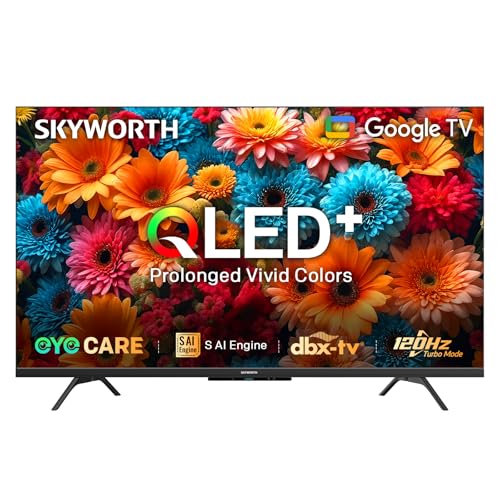
SKYWORTH Q6600H 55-inch QLED+ 4K Google TV
ASIN B0DXFKXCW7 • $629 • Sold by SKYWORTH Australia
The SKYWORTH Q6600H takes the lead slot because it's one of the best-selling TVs on Amazon AU, sitting at #4 in the whole TVs category when I checked, and at $629 it undercuts every other 55-inch pick here except the JVC QLED. It's a QLED+ TV, which SKYWORTH describes as its Gen 5 quantum dot design with sapphire crystal optics and a reflector sheet in place of the usual diffusion plate. The listing says that gives a wider colour range and more efficient light. That's the brand's claim rather than something I've measured, so treat it as a reason to look at one in a store, not a guarantee.
For motion and gaming the listing gives it a 120Hz refresh rate, with MEMC and 120Hz Turbo Motion aimed at fast sport and games. It lists Dolby Vision and Dolby Atmos, plus an S AI Engine with a dedicated NPU that upscales the picture in real time. It runs Google TV with voice control and screen casting, so the streaming apps and phone casting work much like they do on the Sony and JVC. The design is frameless with a light bar under the screen, which suits a lounge where the TV is on show.
The trade is detail. The listing doesn't give the HDMI port count, HDMI 2.1 or VRR support, dimming zones or a software update date, so it's a better fit for streaming, sport and free-to-air than for a console on its own, and the LG and Sony listings are clearer on what they offer. It's sold by SKYWORTH Australia rather than Amazon AU itself, so check the delivery date and returns terms on the listing at checkout. At this price it's a lot of screen for the money, and a streaming stick later is an inexpensive fix if the built-in apps slow down.
Honest caveats: The listing doesn't state HDMI 2.1, VRR, the number of HDMI ports, dimming zones, peak brightness or how long software updates last, so check SKYWORTH's spec sheet if you game on a PS5 or Xbox. The reflector-sheet and colour claims are the manufacturer's own. It's sold by SKYWORTH Australia, not Amazon AU.
Best for: Shoppers who want a best-selling 55-inch QLED+ with a 120Hz panel and Dolby Vision for well under $1,000.
Panel: QLED+ (Gen 5 quantum dot) • Resolution: 4K • Refresh rate: 120Hz, MEMC • Processor: S AI Engine with NPU • HDR: Dolby Vision • Sound: Dolby Atmos, Dolby Audio DBX-tv • Software: Google TV, voice control, screen casting • Seller: SKYWORTH Australia • Price: $629 at time of writing • Rank: #4 in TVs (Amazon AU)
View on Amazon AU
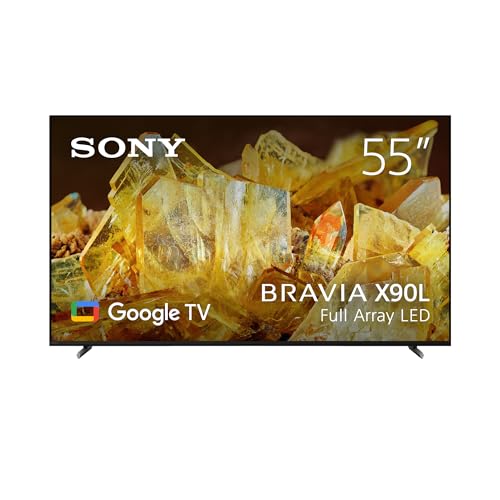
Sony 55" X90L BRAVIA XR Full Array LED 4K HDR Google TV
ASIN B0BYPLR5JQ • $1,047 • Ships from Amazon AU
The Sony X90L is the pick for PlayStation owners and people who care most about film. It's $1,047 from Amazon AU and was #7 in TVs when I checked. It uses a full-array LED backlight with local dimming rather than Mini LED, and Sony's Cognitive Processor XR, which the listing says handles contrast, colour and brightness. Sony's picture processing has a long track record for natural colour and motion, and in my experience it's one of the better TVs at making ordinary streaming and free-to-air content look clean, not just showing off with 4K demo reels. The listing adds XR Triluminos Pro for colour and support for Dolby Vision, IMAX Enhanced and Netflix Adaptive Calibrated Mode.
For gaming, the listing lists HDMI 2.1 features including 4K at 120Hz, VRR and ALLM, and PS5-specific features: Auto HDR Tone Mapping, which sets HDR correctly on the console automatically, and Auto Genre Picture Mode, which switches to a low-latency mode for games and back to a film mode for streaming. Those are small things on paper, but they save a lot of fiddling with settings. Google TV covers the streaming apps, and the listing confirms Apple AirPlay support. Sony also includes BRAVIA CORE credits on the listing, with five movie credits and a 12-month subscription to its classics library, which streams at a higher bitrate than most services and makes a good test of what the TV can do.
Sound is better than most TVs here, with Acoustic Multi-Audio tweeters and Dolby Atmos support. It's still not a replacement for a soundbar, but dialogue is clearer than on most thin TVs. The X90L has been around longer than the other picks, which cuts both ways. It's a known quantity with a strong reputation, but it'll stop getting updates sooner than a 2026 model. If you've got a PS5 and watch a lot of films, I think that trade is worth making, especially paired with a streaming stick down the track.
Honest caveats: The X90L is an older model than the LG and JVC picks, so check you're comfortable with a few years less software support. Full-array LED has fewer dimming zones than good Mini LED, so it's not quite as bright. The listing doesn't state the number of HDMI 2.1 ports.
Best for: PS5 owners and film watchers who want Sony's picture processing, Dolby Vision and HDMI 2.1 gaming features.
Panel: Full Array LED with local dimming • Resolution: 4K UHD • Processor: Cognitive Processor XR • HDR: Dolby Vision, IMAX Enhanced, Netflix Adaptive Calibrated Mode • Gaming: HDMI 2.1: 4K/120, VRR, ALLM; PS5 Auto HDR Tone Mapping • Software: Google TV, Apple AirPlay • Seller: Amazon AU • Price: $1,047 at time of writing • Rank: #7 in TVs (Amazon AU)
View on Amazon AU
LG 55" QNED80B QNED Evo Mini LED 4K Smart TV (2026)
ASIN B0GN35FC69 • $945 • Ships from Amazon AU
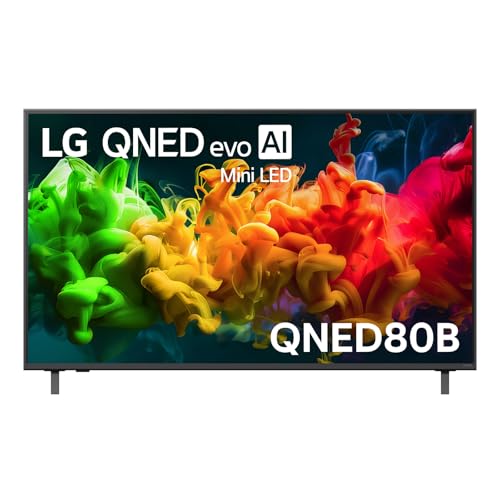
The QNED80B is LG's 2026 Mini LED below the QNED86B, and at $945 from Amazon AU it's the one to look at if you want a current-year LG for less money. It was #30 in TVs when I checked. The listing gives it LG's alpha 7 AI Processor Gen9 and Dynamic QNED Colour Pro, which LG says replaces quantum dots and reaches 100% colour volume to DCI-P3, independently tested to the Intertek specification according to the listing. In plain terms, it's the newer colour system and the 2026 software at a lower price than the QNED86B, which matters more over the life of a TV than most people expect.
The software is the standout. The listing gives webOS with Google Gemini, Microsoft Copilot, Google Cast and Apple AirPlay, and it states security updates until 31 December 2030. That's the clearest update commitment in this guide, and it's the kind of thing I'd want in writing before buying a TV I planned to keep for six or seven years. Google Cast and AirPlay together mean anyone in the house can throw a video from their phone to the screen, whatever phone they carry, which saves a lot of passing the remote around the lounge room. The webOS interface is also one of the quicker smart TV systems to use day to day.
FILMMAKER Mode and HDR10 Pro are there for films. For a bedroom, a second lounge or anyone who mostly streams and watches free-to-air, I think it's the smartest value among the LGs. It costs about $102 less than the Sony X90L, and the listing doesn't state a refresh rate or VRR, which the Sony does. If you don't game on a console, you won't miss them. Put the difference toward a soundbar and you'll end up with a better setup overall than the Sony on its own, which is how I'd spend the money in a second lounge.
Honest caveats: The listing doesn't state the refresh rate, dimming zone count or HDMI 2.1 support, so if you game on a PS5 or Xbox, check LG's spec sheet before choosing it over the Sony or JVC. The AI assistants need an internet connection and accounts to work, and some features may need a subscription.
Best for: Streaming and free-to-air viewers who want a 2026 Mini LED with security updates promised to the end of 2030.
Panel: Mini LED • Resolution: 4K UHD • Processor: alpha 7 AI Processor Gen9 • Colour: Dynamic QNED Colour Pro, 100% colour volume (DCI-P3) • HDR: HDR10 Pro, FILMMAKER Mode • Software: webOS, Google Cast, AirPlay; security updates to 31 Dec 2030 • Seller: Amazon AU • Price: $945 at time of writing • Rank: #30 in TVs (Amazon AU)
View on Amazon AU
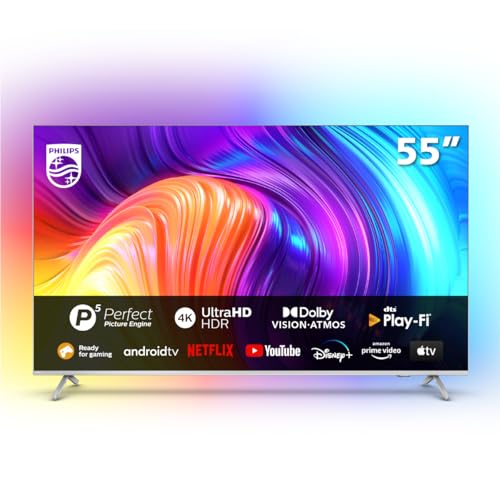
Philips 55" 4K LED Android Smart TV, 3-Sided Ambilight (55PUT8507/75)
ASIN B0CGHPS3YZ • $997.91 • Ships from Amazon AU
The Philips is here for one reason you won't get on any other brand: Ambilight. LEDs on three sides of the back of the TV throw light onto the wall that matches what's on screen which makes the picture feel bigger and softens the contrast between a bright screen and a dark room. People who've lived with it tend to miss it when they switch brands. It's $998 from Amazon AU. Amazon AU didn't publish a sales rank for this listing when I checked, so I can't tell you how it sells against the others, but it's sold and shipped by Amazon AU, which counts for a lot on a TV.
The rest of the listing is solid. It supports the major HDR formats including HDR10+ and Dolby Vision, plus Dolby Atmos sound, with Philips' P5 picture engine doing the processing. It runs Android TV with Google Assistant voice control, works with Alexa, and has DTS Play-Fi for wireless speakers, so you can add Play-Fi speakers around the room later rather than running speaker cables around the room. It's a standard LED panel, not Mini LED, so it won't match the LGs for contrast or peak brightness in a sunny room. Ambilight also works as a sensible bias light behind the TV at night, so the room doesn't go pitch black between bright scenes.
Now the catch. The listing states plainly that this TV does not have Freeview. Check how you watch free-to-air before you buy it. If you watch free-to-air through an antenna, it may not suit you. If you mostly stream through Netflix, Stan, Disney+ and the catch-up apps, it matters much less, and plenty of households now watch the channels through apps like ABC iview and SBS On Demand anyway. Ambilight is a feature people either love or don't care about, so if you've never seen it, look at a Philips in a store before buying one online.
Honest caveats: The listing says it does not have Freeview, so if you rely on free-to-air channels, check the TV's tuner and app support carefully, or plan on watching through apps or a set-top box. It's a standard LED panel without Mini LED dimming. Amazon AU doesn't publish a rank for it.
Best for: Movie nights in a dim room, where Ambilight makes the screen feel bigger, for people who stream more than they watch free-to-air.
Panel: 4K LED • Lighting: 3-sided Ambilight • HDR: HDR10+, Dolby Vision • Sound: Dolby Atmos, DTS Play-Fi • Processor: P5 Perfect Picture Engine • Software: Android TV, Google Assistant, works with Alexa • Free-to-air: Listing states no Freeview • Price: $998 at time of writing • Rank: Not published by Amazon AU (checked 31 October 2026)
View on Amazon AU
JVC 55" 4K Mini LED 144Hz Google TV (AV-A557155A)
ASIN B0DSPS64XX • $841.78 • Ships from Amazon AU
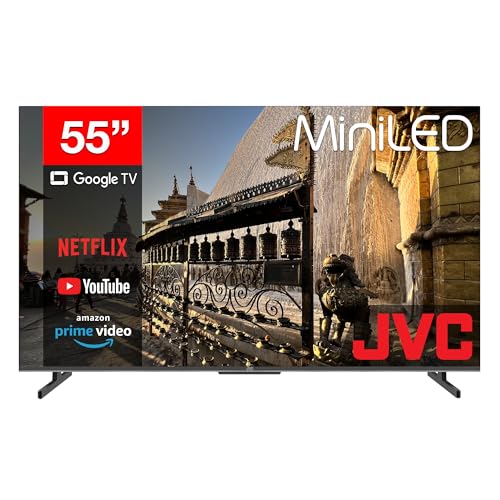
The JVC is the way into Mini LED at 55 inches for the least money in this guide. It's $842 from Amazon AU and was #18 in TVs when I checked. The listing gives it a Mini LED panel at 4K UHD with a 144Hz refresh rate, which is a high number at this price and good news for anyone with a PC or a console that can push high frame rates. It runs Google TV 3.0 with Google Cast built in and a voice remote with Google Assistant and shortcut buttons for the streaming apps, so the day-to-day experience is close to the Sony's despite the gap in price.
The connection list is the most complete in this guide. The listing states four HDMI inputs (one with ARC), three USB inputs, an AV input, an antenna input, optical audio out, a headphone out and an RJ45 network port. The wired network port matters more than people think: a 4K stream over a cable is far more stable than over Wi-Fi when the TV sits at the far end of the house from the router, and it takes one variable out of buffering complaints. The headphone out is handy for late-night viewing or for anyone who likes the volume louder than the rest of the house. Few TVs at any price list that many connections.
The listing is short on picture detail, and JVC's processing isn't in the same league as Sony or LG. For a games room, a bedroom or a first TV, it's a lot of screen for the money. In my experience JVC TVs sold here don't usually come with the same long software update commitments the LG listings give, so plan on a streaming stick when the apps eventually slow down. But the Mini LED panel and the 144Hz rate are real advantages at $842, and for a room where the TV isn't the main screen, that's a sensible place to spend less.
Honest caveats: The listing doesn't state dimming zones, HDR formats, peak brightness or whether the HDMI ports support 2.1 features, and only one HDMI port is listed with ARC, not eARC. Check the full spec sheet before relying on 144Hz from a console. Image processing is a step below the LG and Sony picks.
Best for: A games room, bedroom or first 55-inch TV where Mini LED and 144Hz matter more than premium processing.
Panel: Mini LED • Resolution: 4K UHD (3840 x 2160) • Refresh rate: 144Hz • Software: Google TV 3.0, Google Cast, Google Assistant voice remote • Inputs: 4x HDMI (one ARC), 3x USB, AV, antenna, RJ45 • Outputs: Optical audio, headphone • Seller: Amazon AU • Price: $842 at time of writing • Rank: #18 in TVs (Amazon AU)
View on Amazon AU
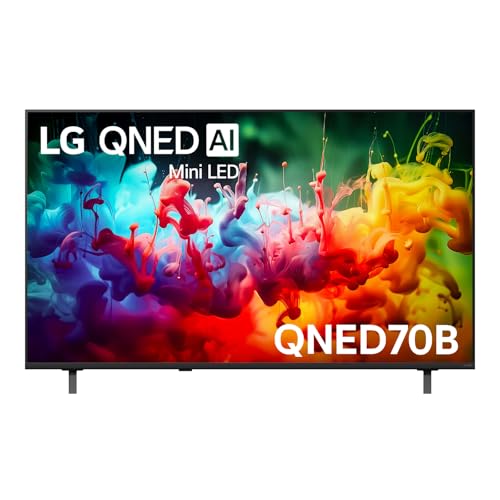
LG 55" QNED70B AI Mini LED 4K Smart TV (2026)
ASIN B0GN2YFGLJ • $995 • Ships from Amazon AU
The QNED70B is the best-selling TV in this guide. It was #2 in the whole TVs category on Amazon AU when I checked, and it's $995 from Amazon AU. The listing gives it LG's alpha 7 AI Processor Gen9 and Mini LED for clarity, brightness and contrast, plus Dynamic QNED Colour Solution, which LG says replaces quantum dots for richer colour. Those are LG's descriptions rather than anything I've measured. A high sales rank shows plenty of buyers have chosen it, but it isn't a review.
The software and update promise match the other two LGs. The listing gives webOS with Google Gemini, Microsoft Copilot, Google Cast and Apple AirPlay, FILMMAKER Mode and HDR10 Pro for films, and security updates until 31 December 2030. On support alone the three LGs here are level. The listing notes that a Wi-Fi network is needed and a subscription service may be required for the smart features, and that you have to accept terms and privacy policies to use them.
Price is where it gets awkward. LG's model numbering puts the QNED70B under the QNED80B, yet it's $50 above it right now. The QNED80B listing states Dynamic QNED Colour Pro with 100% colour volume, while this one says Colour Solution and gives no figure. Check both prices on the day you buy. If the gap is still there, the QNED80B is the one I'd look at first.
Honest caveats: The listing doesn't state the refresh rate, VRR, the number of HDMI ports, HDMI 2.1 support or the number of dimming zones, so check LG's spec sheet if you game on a PS5 or Xbox. The AI assistants need an internet connection and accounts to work, and some features may need a subscription.
Best for: Shoppers who want a top-selling 2026 LG Mini LED with security updates promised to the end of 2030, and who compare the price with the QNED80B first.
Panel: Mini LED • Resolution: 4K • Processor: alpha 7 AI Processor Gen9 • Colour: Dynamic QNED Colour Solution • HDR: HDR10 Pro, FILMMAKER Mode • Software: webOS, Google Gemini, Microsoft Copilot, Google Cast, AirPlay; security updates to 31 Dec 2030 • Seller: Amazon AU • Price: $995 at time of writing • Rank: #2 in TVs (Amazon AU)
View on Amazon AU
JVC 55" 4K QLED Google TV (AV-AQ557155A)
ASIN B0DSPTVJWF • $556.93 • Ships from Amazon AU
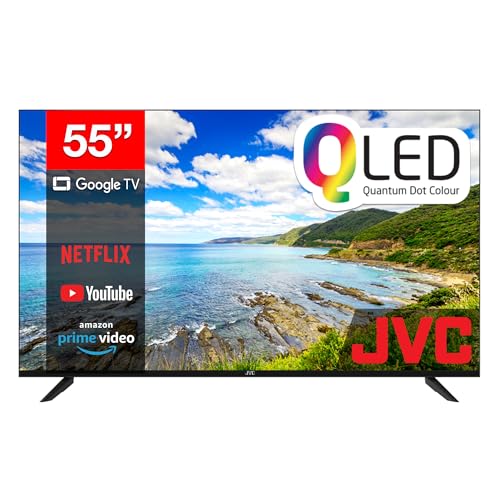
The JVC QLED is the lowest-priced pick in this guide. It's $557 from Amazon AU and was #12 in TVs when I checked. The listing gives it a QLED panel, described as a quantum dot LED matrix, at 4K UHD (3840 x 2160), with Dolby Vision and Dolby Atmos. Among the other picks here, only the Sony, Philips and SKYWORTH also list Dolby Vision, and all of them cost more.
It runs Google TV, and the listing gives a voice remote with Google Assistant and shortcut buttons for the streaming apps. The connection list is generous for the money: four HDMI inputs (one with ARC), two USB inputs, an AV input, an antenna input, optical audio out and an RJ45 network port. That's one USB input fewer than the JVC Mini LED, and the listing doesn't mention a headphone out. A wired network port is worth using if the TV sits far from the router, because a 4K stream over a cable is steadier than over Wi-Fi.
The trade is what the listing leaves out. It doesn't state a refresh rate, so unlike the 120Hz SKYWORTH or the 144Hz JVC Mini LED you can't assume smooth high-frame-rate gaming, and only one HDMI input is listed with ARC, not eARC. It also doesn't say how long software updates last. For a bedroom, a spare room or a first 55-inch TV that's mostly streaming and free-to-air, it's about $285 less than the JVC Mini LED, and that gap can go toward a soundbar.
Honest caveats: The listing doesn't state the refresh rate, dimming zones, peak brightness, HDMI 2.1 support or how long software updates last, so check the full spec sheet before relying on it for a console. Image processing is not described.
Best for: A bedroom, spare room or first 55-inch TV where QLED, Dolby Vision and four HDMI inputs matter more than a stated high refresh rate.
Panel: QLED (quantum dot LED matrix) • Resolution: 4K UHD (3840 x 2160) • HDR: Dolby Vision • Sound: Dolby Atmos • Software: Google TV, Google Assistant voice remote • Inputs: 4x HDMI (one ARC), 2x USB, AV, antenna, RJ45 • Outputs: Optical audio • Seller: Amazon AU • Price: $557 at time of writing • Rank: #12 in TVs (Amazon AU)
View on Amazon AU
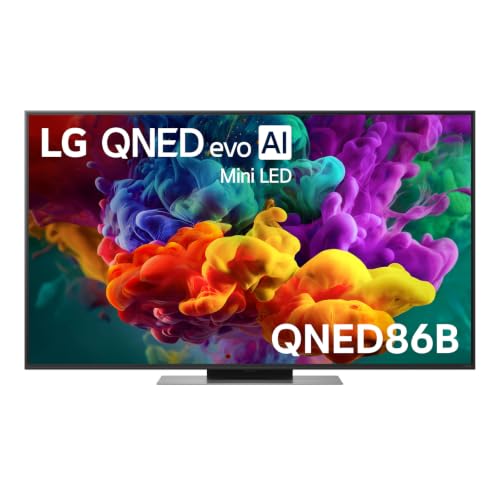
LG 55" QNED86B Evo AI Mini LED 4K Smart TV (2026)
ASIN B0H5VSQXMH • $1,375 • Ships from Amazon AU
The QNED86B is the highest-priced TV in this guide at $1,375 from Amazon AU, and it was #30 in TVs when I checked. It sits above the QNED80B in LG's 2026 line. The listing gives it Dynamic QNED Colour Pro with 100 percent colour volume, Mini LED Precision Dimming for contrast, and AI-powered picture and sound. Those are LG's descriptions, and the listing doesn't give a dimming zone count.
Gaming is the reason to pay more. The listing states ultra smooth 144Hz VRR gaming support, which neither of the other LG listings states. Of the rest of the picks, only the JVC Mini LED lists 144Hz, and the Sony lists 4K at 120Hz with VRR. If you have a PC or console that can use a high frame rate, this is the LG here that says so most plainly. The listing doesn't say how many HDMI ports carry it, so check that before you plan a console and soundbar around it.
The listing also states secured system updates supported until 2030, the same year the other two LGs give. It doesn't name the processor, smart platform or HDR formats, so check LG's spec sheet rather than assume it matches the QNED80B. It's $430 above the QNED80B and $328 above the Sony X90L. For most lounges one of those two is better value, and this one is for the buyer who wants the 144Hz VRR and a 2026 LG.
Honest caveats: The listing doesn't state the processor, smart platform, HDR formats, HDMI port count or dimming zones. At $1,375 it's the highest-priced pick here, so it's the one most worth confirming on LG's spec sheet before you buy.
Best for: Gamers with a PC or console that can use 144Hz VRR who want a 2026 LG and are happy to pay the most in this guide for it.
Panel: Mini LED, Precision Dimming • Resolution: 4K • Refresh rate: 144Hz with VRR • Colour: Dynamic QNED Colour Pro, 100% colour volume • Updates: system updates supported until 2030 • Seller: Amazon AU • Price: $1,375 at time of writing • Rank: #30 in TVs (Amazon AU)
View on Amazon AUSide-by-side comparison
| Product | Price | Best for |
|---|---|---|
| LG 55" QNED70B AI MINI LED 4K SMART TV 2026 | ~$995 | Entry LG Mini LED |
| JVC 55" 4K QLED Google TV | ~$556.93 | Lowest price here, QLED with Dolby Vision |
| JVC 55" 4K Mini LED 144Hz Google TV -… | ~$841.78 | Mini LED with a 144Hz panel |
| LG 55" QNED80B EVO AI MINI LED 4K SMART TV… | ~$945 | Updates promised to 2030, under $1,000 |
| Philips 55-Inch 4K LED Android Smart TV |… | ~$997.91 | 3-sided Ambilight |
| Sony 55" X90L BRAVIA XR Full Array LED 4K… | ~$1,047 | Full-array backlight |
| SKYWORTH Q6600H 55-inch QLED+ 4K Google TV | ~$629 | Best-selling QLED+ with 120Hz and Dolby Vision |
| LG QNED86B Evo AI Mini LED 4K Smart 2026… | ~$1,375 | Most premium, 144Hz refresh |
What we see fail in the workshop: TVs
TVs don't usually die all at once. They fail in a handful of predictable ways, and most of them give some warning first. These are the three faults that bring the most TVs into the shop, what usually causes them, and what you can do to make each one less likely on any of the TVs in this guide. Some are worth fixing.
Backlight strips that go dark
The classic symptom is sound but no picture, or a picture you can only see with a torch shone at the screen. Sometimes it's a dark band or one half of the screen dimmer than the other. That's a failed LED in the backlight, and because the LEDs are often wired in series, one dead LED can take out a whole strip. It's usually repairable by replacing the strips, which means taking the panel apart carefully. Running the TV at a sensible brightness and keeping the vents clear are the two best ways to make the backlight last.
Power boards after storms
A TV that clicks but won't start, or that's completely dead after a storm, often has a damaged power supply board. Surges come in through the mains or sometimes through the antenna cable and other connected devices. Power boards are usually a replaceable module, so this often costs far less to fix than a new TV, but it's far better avoided. A surge-protected powerboard for the TV and everything connected to it, plus unplugging during a big storm if you're home, prevents most of these. A burning smell or crackling means unplug it immediately and leave it unplugged.
Damaged HDMI ports
HDMI ports wear and break more than most people expect. A cable gets yanked when someone trips over it, a plug goes in at an angle, or a surge travels between devices on different power points. The symptom is usually a flickering picture, no signal on one input, or a picture that drops out when you touch the cable. Some can be repaired at board level, and on others the main board is replaced. Leave a bit of slack in your HDMI cables, run them where they won't get caught, and plug everything into the same powerboard.
Decision tree: which one should you actually buy?
- Want a best-selling 120Hz QLED+ 55-inch TV for well under $1,000? → The SKYWORTH Q6600H at $629, with a 120Hz panel, Dolby Vision and Google TV.
- Got a PS5 or care most about film? → The Sony X90L at $1,047, with HDMI 2.1, Dolby Vision and Sony's processing.
- Want a 2026 TV with updates promised to 2030 for under $1,000? → The LG QNED80B at $945.
- Watch films in a dim room and stream rather than watch free-to-air? → The Philips Ambilight at $998, but check the Freeview caveat first.
- Want Mini LED and 144Hz for a games room or bedroom for the least outlay? → The JVC Mini LED at $842.
- Want the best-selling 2026 LG Mini LED on Amazon AU? → The LG QNED70B at $995, but check it against the QNED80B first.
- Want the lowest price for a QLED with Dolby Vision? → The JVC QLED at $557, with four HDMI inputs.
- Gaming on a PC or console that can use 144Hz VRR, and happy to pay for it? → The LG QNED86B at $1,375.
- Current TV has sound but no picture, or died after a storm? → Bring it to our Erina workshop: backlight and power board faults are often fixable.
Frequently asked questions
How far should I sit from a 55-inch TV?
As a rough guide, somewhere between about two and three metres suits a 55-inch 4K TV in most lounges. Closer than that and you'll start to see more of the picture's detail, which is the point of 4K, but some people find it tiring for long sessions. Much further away and a 65-inch starts to make more sense. The best test is to measure from where your head will be on the couch to the wall, then mark the TV's width on the wall with tape and sit there for a few minutes before you buy.
Is Mini LED better than OLED?
They're good at different things. OLED gives you perfect blacks and very wide viewing angles because each pixel makes its own light. Mini LED is usually brighter, which helps a lot in a sunny Australian lounge room, and it doesn't carry the same burn-in risk from static images like news tickers and game menus. Mini LED can show a little blooming around bright objects on dark backgrounds. On the day I checked, there was no 55-inch OLED from Amazon AU inside this guide's price band, so there is no OLED in this guide.
Do I need HDMI 2.1 on my TV?
Only if you game on a PS5, an Xbox Series X or a gaming PC and want 4K at 120 frames per second, variable refresh rate and the lowest input lag. For streaming, free-to-air and Blu-ray, HDMI 2.1 makes no difference. If you do game, check how many of the TV's HDMI ports support 2.1, because it's often only two, and one of those may be the eARC port the soundbar needs. The Sony X90L in this guide lists 4K at 120Hz, VRR and ALLM on its listing.
How long should a TV last?
A good LED TV usually lasts seven to ten years of normal use, sometimes longer, and the backlight is the part that most often fails first. Software support often runs out before the hardware does, which is why the stated update periods on the LG listings are worth paying attention to. You can extend a TV's life by running the backlight at a sensible brightness rather than the vivid store mode, keeping the vents clear, using a surge-protected powerboard and adding a streaming stick if the built-in apps stop being updated.
Is it worth repairing a TV with no picture?
Often, yes. Sound but no picture usually means a backlight fault, and replacing the LED strips costs much less than a new TV of the same size and quality. A TV that's completely dead after a storm often has a damaged power supply board, which is usually a replaceable module. It's worth getting a quote before you replace a TV that's only a few years old. Cracked screens are the exception: a broken LCD panel usually costs close to the price of a new TV, so that's generally the point to replace it.
Do I need a soundbar with a new TV?
For most people, yes. Modern TVs are so thin that there's very little room for speakers, and dialogue is usually the first thing to suffer, especially in action films. The Sony X90L in this guide has better built-in sound than most, but a soundbar connected through the TV's eARC or ARC port will still sound clearer and fuller, and you can control the volume with the TV's remote. If you're on a budget, turn on the TV's dialogue enhancement setting until you can add one.
Related buying guides
Sound but no picture, or dead after a storm?
Most TVs that come in with a dark screen have a failed backlight strip, and most that won't start after a storm have a damaged power board. Both are often repairable for much less than a new TV. Bring it into Erina and I'll tell you what's failed and whether it's worth fixing before you spend anything on a replacement.
Visit our Erina workshop Book Online