Prices from Amazon AU, updated daily. Swipe or use the arrows for more.
Disclosure: This article contains affiliate links to amazon.com.au. If you buy through one of these links iFix may earn a small commission at no extra cost to you. It doesn't change which products we recommend. We focus on what actually lasts based on 16 years of repair-shop experience.
Quick summary8 picks
- Ascrecem 7in Kids Tablet about$99.99Bumper sleeve, Kids apps, 32GB.
- VESWWE Kids Tablet 7in about$99.98Yubabe kids apps, Shockproof case, 32GB.
- LeapFrog LeapPad Academy about$189.95Curriculum, No open web, Built-in bumper.
- Xiaomi Redmi Pad 2 9.7in about$297.992K 120Hz screen, 7600mAh battery, Dolby Atmos.
- Lenovo Tab 10.1in FHD (LTE) about$313.9410.1in FHD, 128GB, Kickstand case.
- Samsung Galaxy Tab A11+ about$411.436GB RAM, 11in 90Hz, Long updates.
- Lenovo Idea Tab FIFA Edition 11in about$471.068GB RAM, 2.5K screen, Folio and pen.
- Samsung Galaxy Tab S10 FE+ about$1,09713.1in, 8GB RAM, Water resistant.
The best kids tablet is not the fastest one. It is the one that survives the first year, has parental controls a parent will actually use, and does not need replacing after a fall onto the bathroom tiles.
Cracked screens and snapped charging ports are what these tablets come into our workshop with. Every pick below is sold by an Australian seller on Amazon AU and priced as at 4 October 2026, cheapest first.
What to look for
- A proper bumper case. The single biggest factor in whether a kids tablet survives. Several picks include one.
- Under 6: a dedicated kids tablet. Locked-down software and a thick case matter more than speed.
- School age: a real Android tablet with 4GB of RAM or more, set up with Google Family Link for screen time and app approval.
The 8 picks, cheapest first
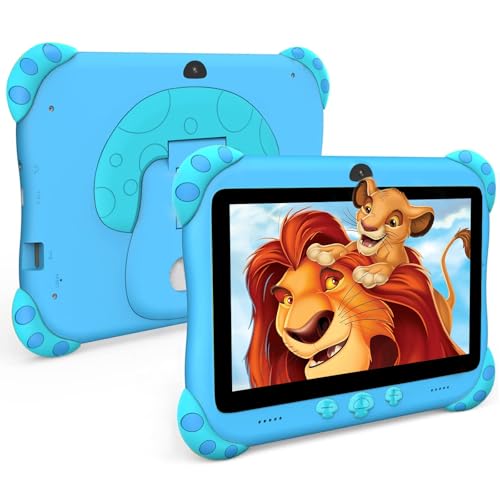
Ascrecem 7" Kids Tablet
$99.99 • Sold by ascrecem-au
A 7-inch Android tablet made for toddlers, with a chunky shock-resistant sleeve and handle, a kids app space preloaded and parental controls for screen time and content. At under $100 it is the one to buy for a three-year-old who will drop it daily.
Watch out for: Slow for anything beyond kids apps and video, and the cameras are basic. It will be outgrown by about age 7.
Screen: 7in • Storage: 32GB • Case: shock-resistant sleeve included • Ages: 3 and up • Rank: #26 in Tablets
View on Amazon AUVESWWE 7" Kids Tablet
$99.98 • Sold by veswwe-au
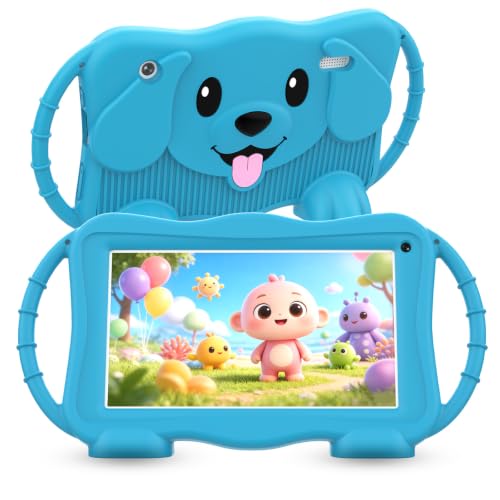
A 7-inch Android kids tablet that arrives with the Yubabe kids space already loaded: Montessori, brain training, art, painting and karaoke, most of it usable offline. A shockproof case is included and the parental controls cover screen time, blocking apps and content filtering.
Watch out for: The Kids TV app needs a connection, and a quad-core chip with a 7-inch HD screen makes this a kids-apps-and-video tablet, not a schoolwork one. Treat it as a toddler to early primary school tablet.
Screen: 7in IPS HD • Storage: 32GB • Battery: 3500mAh • Case: shockproof case included • Cameras: dual • Rank: #22 in Tablets
View on Amazon AULeapFrog LeapPad Academy
$189.95 • Sold by Amazon AU
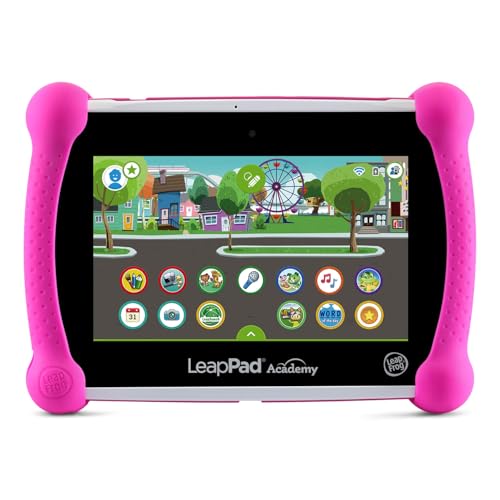
A closed learning system rather than a general tablet: a structured reading, maths and science curriculum, a built-in bumper, and no open web or app store to worry about. For parents who want learning without the YouTube rabbit hole, it is the pick.
Watch out for: It is not an Android tablet in the usual sense, so it will not run the apps older kids ask for. Content is LeapFrog's own.
Type: learning tablet • Content: structured curriculum • Case: built-in bumper • Web: controlled • Rank: #2 in Kids' Tablets
View on Amazon AUXiaomi Redmi Pad 2 9.7"
$297.99 • Sold by Amazon AU
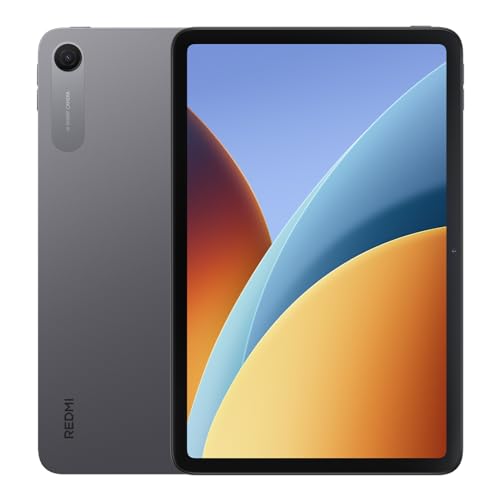
A grown-up tablet for the school-age child who has outgrown toddler gear. The 9.7-inch 2K screen runs at 120Hz, the 7600mAh battery is built for long days, and the dual speakers support Dolby Atmos, so it handles video, games and homework without the toy-tablet feel.
Watch out for: Nothing in the listing mentions a case or a kids mode, so budget for a thick bumper case and set up parental controls yourself before handing it over. This listing is the grey model.
Screen: 9.7in 2K, 120Hz • Storage: 64GB • Battery: 7600mAh, 18W fast charge • Chip: Snapdragon 6s 4G Gen 2 • Audio: dual speakers, Dolby Atmos • Rank: #9 in Tablets
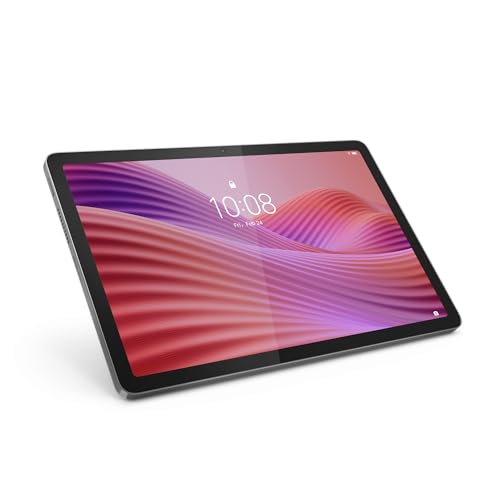
View on Amazon AULenovo Tab 10.1" FHD (LTE)
$313.94 • Sold by Amazon AU
A 10.1-inch Full HD screen, 128GB of storage and up to 9.5 hours of streaming, with a kickstand case included. The size most families end up wanting for movies, homework and car trips.
Watch out for: This listing is the LTE version, which is only worth it if you plan to add a SIM. The Helio G85 chip is modest, so do not expect speed.
Screen: 10.1in FHD • RAM: 4GB • Storage: 128GB + microSD • Mobile: LTE • Rank: #9 in Tablets
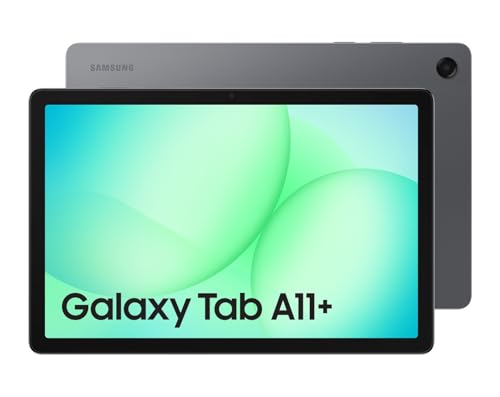
View on Amazon AUSamsung Galaxy Tab A11+
$411.43 • Sold by Amazon AU
The one I would buy a school-age child. 6GB of RAM keeps it quick, the 11-inch 90Hz screen is good enough for schoolwork, and Samsung's Kids mode plus Family Link cover the controls. Samsung also supports these tablets with updates for longer than most budget brands.
Watch out for: No case in the box, and it needs a proper one. At this price, it is the one you least want dropped bare.
Screen: 11in, 90Hz • RAM: 6GB • Storage: 128GB + microSD • Audio: quad speakers • Rank: #4 in Tablets
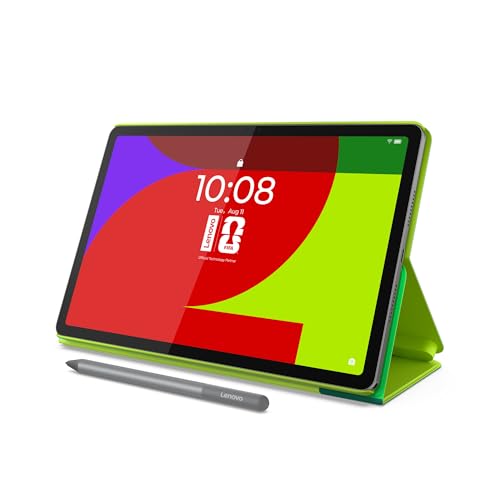
View on Amazon AULenovo Idea Tab FIFA Edition 11"
$471.06 • Sold by Amazon AU
8GB of RAM, a sharp 2.5K 90Hz screen, and a folio case and pen in the box. For a high schooler taking notes, it is more complete out of the box than tablets that cost more once you add a case and pen.
Watch out for: Licensed editions ship in batches, so stock comes and goes. The FIFA branding is on the folio, not the tablet.
Screen: 11in 2.5K, 90Hz • RAM: 8GB • Storage: 128GB • In the box: folio and pen • Rank: #108 in Tablets
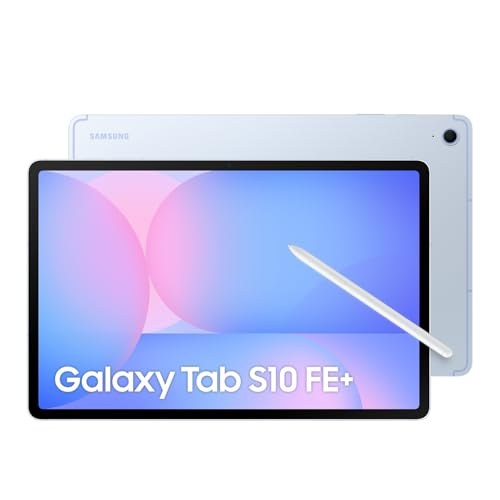
View on Amazon AUSamsung Galaxy Tab S10 FE+
$1,097.00 • Sold by Amazon AU
A 13.1-inch tablet with 8GB of RAM and dust and water resistance, for an older teen who will use it for school, drawing and entertainment for years. Water resistance is a genuine advantage for a tablet that lives near drinks.
Watch out for: Too big and too expensive for a young child. The S Pen is in the box, but a case is not.
Screen: 13.1in, 90Hz • RAM: 8GB • Storage: 128GB • Rating: dust and water resistant • Rank: #30 in Tablets
View on Amazon AUSide-by-side comparison
| Product | Screen | Storage | Case | Ages | Price | Best for |
|---|---|---|---|---|---|---|
| Ascrecem 7in Kids Tablet | 7in | 32GB | Sleeve included | 3 to 6 | ~$99.99 | Toddlers |
| VESWWE Kids Tablet 7in | 7in | 32GB | Shockproof case | Young kids | ~$99.98 | Preloaded learning apps |
| LeapFrog LeapPad Academy | 7in | Built-in | Built-in bumper | 3 to 7 | ~$189.95 | Structured learning |
| Xiaomi Redmi Pad 2 9.7in | 9.7in 2K | 64GB | None listed | 6 and up | ~$297.99 | Screen and video |
| Lenovo Tab 10.1in FHD (LTE) | 10.1in FHD | 128GB | Kickstand case | 6 and up | ~$313.94 | Family movies |
| Samsung Galaxy Tab A11+ | 11in 90Hz | 128GB | Not included | 7 and up | ~$369 | School age |
| Lenovo Idea Tab FIFA Edition 11in | 11in 2.5K | 128GB | Folio and pen | 11 and up | ~$471.06 | High school notes |
| Samsung Galaxy Tab S10 FE+ | 13.1in | 128GB | Not included | 13 and up | ~$1,097 | Older teens |
Mistakes I see in the workshop
No case, or the wrong case. A clear case stops scratches. It does nothing for a drop onto tiles. A thick bumper case is the cheapest repair you will ever avoid.
Charging from the wrong cable. Kids yank cables sideways, and that is how charging ports break. A right-angle cable costs a few dollars and saves the port.
Skipping parental controls on day one. Set up Google Family Link or the tablet's kids mode before it is handed over. Retrofitting rules later is a much harder conversation.
Frequently asked questions
What age should a child get their own tablet?
There is no single right age, but the hardware choice changes around 6. Under that, a dedicated kids tablet with a thick case and a locked-down app space is the safer buy. From about 6 to 12, a real Android tablet with Google Family Link gives you screen-time limits and app approval while letting it grow with them. For teenagers, buy the tablet you would buy an adult and focus on a good case.
Is a kids tablet better than a normal tablet?
For young children, often yes: the cases are thicker, the software is locked down and nothing important is lost if it breaks. The trade-off is speed and lifespan, because most kids tablets are slow and get outgrown quickly. From school age, a mainstream Lenovo or Samsung tablet with a bumper case and Family Link is usually the better long-term buy.
How do I set up parental controls on an Android tablet?
Install Google Family Link on your phone, create a Google account for your child, and sign in to the tablet with it. From Family Link you can set daily screen-time limits, approve app downloads, filter content and lock the tablet at bedtime. Samsung tablets also have a built-in Kids mode. Do it before the tablet is handed over, not after.
What breaks first on kids tablets?
The screen and the charging port. Screens crack from drops, which is why a proper bumper case matters more than any spec. Charging ports fail from cables being pulled sideways while plugged in; a right-angle cable prevents most of it. Both are repairable, but on a cheap tablet the repair can cost close to a replacement.
Should I buy an iPad for my child?
An iPad is a good choice and lasts for years, but it is not sold through our Amazon picks. If you are considering one, our refurbished Apple devices are a cheaper way in, with our own warranty behind them.