

Prices from Amazon AU, updated daily. Swipe or use the arrows for more.
Disclosure: This article contains affiliate links to amazon.com.au. If you buy through one of these links iFix may earn a small commission at no extra cost to you. It doesn't change which products we recommend. We focus on what actually lasts based on 16 years of repair-shop experience.
Quick summary8 picks
- Entry PickASUS TUF Gaming A16 FA607NUQ-RL009W about$1,69916GB RAM, 512GB SSD, 144Hz refresh.
- Lenovo Yoga Slim 7i 14IPH11 PTLU7 32GB 1TB… about$1,999OLED.
- Lenovo Legion 5i 15IRX10 15.1 Inch OLED… about$2,8991TB SSD, 165Hz refresh, 15.1" screen.
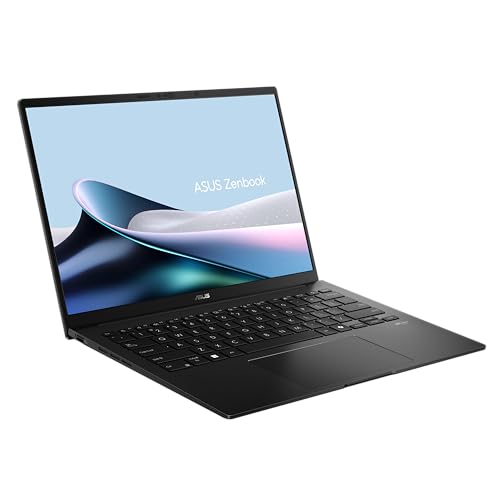
- ASUS Zenbook 14 UM3406GA-QL108W about$2,99932GB RAM, 1TB SSD, 14" screen.
- Apple 2025 MacBook Pro about$3,346
- Lenovo Yoga Slim 7I Ultra 14IPH11 PTLU7… about$3,400.871TB SSD, 120Hz refresh, OLED.
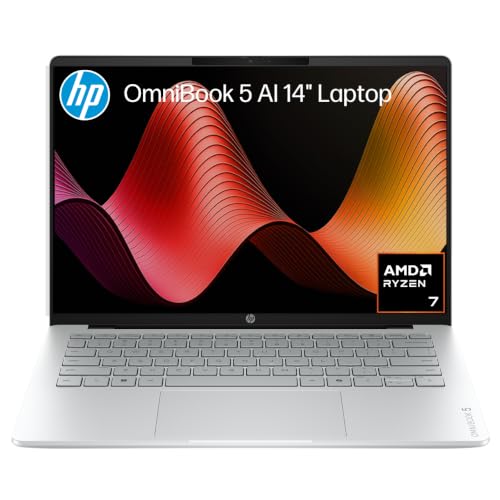
- HP 14" OmniBook 5 Laptop Next Gen AI about$3,49932 GB RAM, 1 TB SSD, 14" screen.
- Most PremiumLenovo Legion 7i 16IAX10 16 Inch OLED 240Hz… about$3,7991TB SSD, 240Hz refresh, 16" screen.
What a programming laptop actually needs
Most laptops sold as programming laptops are just fast laptops with a code editor in the product photo. Writing code doesn't take much power on its own, and a text editor will run on almost anything. What takes power is everything around it: a browser with forty tabs, two or three Docker containers, a local database, a language server indexing a big project, a test suite, and maybe a virtual machine or an Android emulator. That's the load that decides whether a laptop feels quick or drags all day.
The five laptops in this guide sit between $1,699 and $3,799 on Amazon AU at time of writing, from Apple, Lenovo and ASUS. All five are sold by Amazon AU, and every one has a model or part number that matches its title. I've picked them on memory first, then on whether that memory can be upgraded later, then on how well the cooling holds up when the processor is pinned for twenty minutes during a build.
I've also looked at the things that make a laptop pleasant to work on for eight hours, like the keyboard, the screen resolution and the ports, because a developer laptop spends more hours with someone typing on it than almost any other computer. A fast chip doesn't help much if the keyboard is mushy or the screen is too low-resolution to fit two files side by side.
The repair side matters here too. Developer laptops get worked hard, carried every day and kept for years, so the ones that come into the shop are usually worn keyboards, swollen batteries, cooked fans and SSDs that have filled up. A laptop you can open, clean and upgrade lives a lot longer than one where everything is glued and soldered.
How much RAM you actually need for development
RAM is the spec that matters most for programming, and it's the one people most often get wrong. Code editors like VS Code are built on a browser engine, so they use more memory than you'd expect. Each Docker container, each local database and each emulator takes its own share on top. On a 16GB machine running a modern web stack, it's common to see the laptop swapping to the SSD by mid-afternoon, which is when everything starts to feel slow.
For front-end and general web work, 16GB is the floor I'd accept in 2026, and only if the memory can be upgraded later. For anyone running containers, virtual machines, Android Studio or a local AI model, 24GB to 32GB is where the laptop stops getting in the way. Three of the five picks here have 24GB or more out of the box, and the other two have memory slots you can add to.
Apple's unified memory works a little differently, because the CPU and GPU share one pool. In my experience a 24GB MacBook handles the same workload as a 32GB Windows laptop reasonably well, mostly because macOS compresses memory aggressively. It still runs out, though, and when it does, it swaps just like any other computer. If you're unsure, buy more memory than you think you need, because on most modern laptops you can't add it later.
Storage is the other half of this. Container images, node_modules folders, SDKs and build caches fill a drive quickly, and an SSD that's more than about 85% full slows down and wears faster. All five picks have 512GB or 1TB, and I'd treat 1TB as the sensible size for a developer machine that'll be kept for four or five years.
Soldered memory against upgrade slots
This is the repair-shop point that most buying guides skip. Thin laptops almost always use LPDDR5X memory, which is soldered straight onto the logic board next to the processor. It's fast and it uses less power, but whatever you buy is what you'll have for the life of the laptop. The MacBook Pro and the Yoga Slim 7i in this guide both work this way. That's why they're the two I'd only buy with 24GB or 32GB from day one.
Gaming-class laptops still mostly use SO-DIMM slots, which are small removable memory sticks. The Legion 7i lists two 16GB SO-DIMM sticks, the Legion 5i lists two 12GB sticks, and the ASUS TUF says its memory and both of its M.2 SSD slots are accessible for upgrades. That means you can buy one of these with the memory it comes with and add more in a year or two, when prices drop or the work gets heavier. It's usually a ten-minute job with a small screwdriver.
Soldered memory also changes what a fault costs. When a memory chip fails on a soldered board, it's a board-level repair or a new logic board, and on a newer laptop that can cost a large share of the purchase price. When an SO-DIMM stick fails, you swap the stick. I'd weigh that up honestly against the weight and battery life you gain from a thin machine.
SSDs follow a similar pattern. All five picks use M.2 NVMe drives, which can be swapped on the Windows laptops, but the Legion 5i lists a shorter 2242-size drive rather than the common 2280 size. Shorter drives are harder to find in big capacities, so check the size before you buy an upgrade.
Processors, cooling and long compile times
A compile, a test run or a container build pins every core of the processor for minutes at a time. Thin laptops often hit their full speed for the first thirty seconds, then slow down as the heat builds up, because there's only so much a small fan and a thin heatsink can move. That's called thermal throttling, and it's the reason two laptops with the same chip can finish the same build at very different times.
The Legion 7i lists an Intel Core Ultra 9 275HX with 24 cores, and the Legion 5i lists a Core i7-14700HX with 20 cores. Both are HX chips, built for bigger laptops with proper cooling, and they're the fastest picks here for heavy multi-threaded builds. The ASUS TUF lists a Ryzen 7 170, and the Yoga Slim 7i lists an Intel Core Ultra 7 built for thin laptops, which trades raw speed for battery life. The MacBook Pro's M5 sits in a class of its own for speed per watt.
The practical point is that cooling wears. Fans pull in dust, the dust packs into the heatsink fins, and the thermal paste between the chip and the heatsink dries out over a few years. A laptop that compiled quickly when it was new can be noticeably slower after three years of dust. Cleaning the fans and replacing the paste usually brings most of that speed back, and it's one of the most useful services we do for developer laptops.
macOS, Windows and Linux
The operating system matters more for programming than for most jobs. macOS is a Unix system underneath, so the terminal, shell scripts and most open-source tools work the way they do on a Linux server. It's also the only way to build iOS and Mac apps. That's why so many developers end up on a MacBook, and it's why the MacBook Pro is the lead pick here. For more on the rest of Apple's line-up, see the full MacBook range.
Windows has become a much better developer platform with WSL2, which runs a real Linux kernel inside Windows. Most web, Python and container work runs well in it, and Docker Desktop uses it under the hood. The catch is that WSL2 and Docker both take their own share of memory, which is another reason I'd want 32GB on a Windows developer laptop rather than 16GB.
Linux on the laptop itself is the third option, and it's where the hardware choice matters most. Intel and AMD laptops with common Wi-Fi chips usually install Linux without much fuss, while very new laptops sometimes need a newer kernel before the Wi-Fi, sound or sleep work properly. Gaming laptops with NVIDIA graphics need the NVIDIA driver, which is fine on most popular distributions but is one more thing to set up. None of these listings promise Linux support, so I'd test a live USB before wiping Windows.
I've left out the Windows on ARM laptops with Snapdragon chips. They're great for battery life, but some developer tools, older Docker images and virtual machine software still don't run natively on ARM Windows, and that's a frustrating thing to find out after you've bought one.
When a dedicated GPU matters
Most programming doesn't need a dedicated graphics card. Web, mobile, back-end and scripting work runs perfectly well on integrated graphics, and a dedicated GPU adds weight, heat and a bigger power brick. The MacBook Pro and the Yoga Slim 7i both rely on their built-in graphics, and for most developers that's the right call.
The exception is anyone working with machine learning, CUDA or game engines. A lot of AI and data tooling still expects an NVIDIA card, and running a model locally needs video memory as much as system memory. The Legion 7i lists an RTX 5070 with 8GB of GDDR7, the Legion 5i an RTX 5060 with 8GB, and the ASUS TUF an RTX 4050. That's enough for learning, testing and small models, though bigger models usually end up on a cloud GPU anyway.
The other thing a gaming laptop brings is cooling. Because they're built to run a hot GPU, they have bigger fans and heatsinks than a thin laptop, and that helps with long compiles even when the GPU isn't being used. The cost is weight, a louder fan under load and shorter battery life on the road.
Keyboard, screen and ports
A developer types more than almost anyone else, and the keyboard is the part that wears first on the laptops that come in. Keys that stop registering, shiny worn keycaps and liquid spills are all common. A laptop keyboard is usually riveted to the top case, so replacing it can mean replacing the whole top half of the laptop. If you work at a desk most of the day, a proper external keyboard takes the wear off the laptop's own keys and is far easier to replace.
Screen resolution matters for code because more pixels means more lines on screen and sharper text. The MacBook Pro, the Yoga Slim 7i and both Legions have 2.5K or higher screens, which fit two files side by side comfortably. The ASUS TUF has a 1920 by 1200 FHD+ screen, which is fine but noticeably less sharp. An external monitor helps any of them, and a USB-C portable monitor is a good option if you work from different places.
Ports are easy to overlook until you need one. HDMI for a client's projector, a wired network port for a lab, USB-A for a hardware programmer or a microcontroller board. Thin laptops often only have USB-C, which means carrying a dongle, so check the port list on the current listing against the gear you actually use. Most of these listings don't state their ports in full, so look at the photos or the manufacturer's page.
What I left out and why
I left out the 16GB MacBook Air, even though it's the best-selling laptop on Amazon AU right now. It's a lovely laptop and it's fine for learning to code or light web work, but 16GB of soldered memory is tight once containers and emulators come into it, and you can't add more later. If you want an Air for development, I'd look for a 24GB version.
I also left out an HP OmniBook Ultra with 32GB of memory, because its title quotes a 16.5-hour battery while its feature list says up to 21 hours, and its part number field lists the processor rather than a model code. When the listing data doesn't agree with itself, I'd rather leave it out than guess which version turns up. A few close contenders are in the extras below the picks.
Apple has M6 MacBook Pro listings up on Amazon AU at the moment, with a release date of 6 November 2026, so I haven't picked one until they're actually shipping. If you're buying for heavy work right now, the M5 is the one you can get. For anyone who works mostly at one desk, a mini PC on the desk with a monitor gives a lot more memory and storage per dollar than any laptop.
If your work is as much video as code, the video editing laptops guide covers the GPU and screen side in more depth. And if you've already got a laptop that's slowing down, it's worth getting it cleaned and checked before replacing it, because a lot of the time it's dust, a full SSD or a tired battery rather than the processor.
The 5 picks, $1,699 to $3,799
Prices are Amazon AU at time of writing (4 November 2026) and move week to week. Ranks are Amazon AU category sales ranks, checked the same day.

Apple 2025 MacBook Pro 14-inch, M5 chip, 10-core CPU and GPU, 24GB Unified Memory, 1TB, Space Black
ASIN B0FWF8RJZC • $3,346 • Ships from Amazon AU
The MacBook Pro 14 with the M5 chip is the laptop I'd point most developers to first. This configuration is $3,346 on Amazon AU at time of writing, sold by Amazon AU, and the MacBook Pro listing is #14 in Amazon AU's Traditional Laptops category. It has a 10-core CPU, a 10-core GPU, 24GB of unified memory and a 1TB SSD, in Space Black. The part number MDE34X/A matches the title, and the X/A ending is Apple's Australian code. The listed weight is about 1.55kg. Apple's one-year warranty applies, and buying from Amazon AU makes returns simple if anything's wrong on arrival. Apple's 14-inch M5 listings share one sales rank across configurations, so the #14 covers the range rather than this exact memory size.
The reason it leads is that macOS is Unix underneath, so the terminal and most open-source tools behave the way they do on a Linux server, and it's the only way to build iOS and Mac apps. The listing says up to 24 hours of battery and the same performance on battery as plugged in, which matters if you compile on the couch or on a train. The 24GB of memory is the important part of this pick. There's a 16GB version with the same 1TB SSD for $3,097, which is $249 less, but memory is soldered, so the 24GB is the one I'd buy for containers and emulators. The M5 runs cool enough under most builds that the fan stays quiet for longer than on most Windows laptops.
The listing doesn't state the port list for this model, so check it on the current listing if you rely on HDMI or an SD card slot. Like every MacBook, the memory and SSD can't be upgraded, and a failed SSD means a logic board repair. Look after the battery by not leaving it at 100% on the charger all day, and keep it off soft surfaces that block the vents. AppleCare is worth pricing up for a laptop you'll keep for five years, because a screen or board repair out of warranty costs a lot. If your work is mostly web, mobile or back-end, this is the one.
Honest caveats: Honest caveats: memory and storage are soldered, so 24GB and 1TB is what it'll have for life. The listing doesn't state the full port list. A failed SSD on a MacBook means a logic board repair, not a drive swap. It's the most expensive pick per gigabyte of memory. Apple's warranty is one year.
Best for: Most developers, especially anyone building for iOS or Mac, who want macOS and long battery life.
Chip: Apple M5, 10-core CPU, 10-core GPU • Memory: 24GB unified (soldered) • Storage: 1TB SSD • Screen: 14-inch • Battery: Up to 24 hours (per listing) • Weight: About 1.55kg (listed 3.42 lb) • Model: MDE34X/A • Seller: Amazon AU • Rank: #14 in Traditional Laptops (Amazon AU), listing shared with other 14-inch M5 configurations
View on Amazon AU
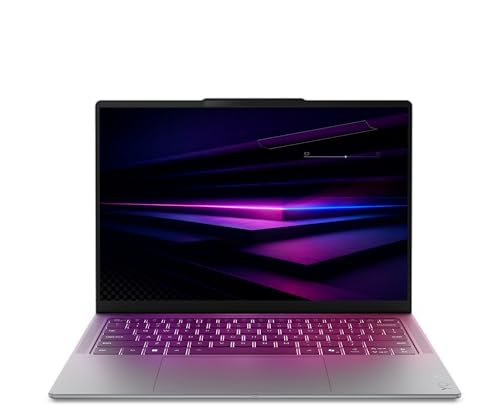
Lenovo Yoga Slim 7i 14IPH11, Intel Core Ultra 7, 32GB, 1TB, 2.8K OLED, Luna Grey (83QM000EAU)
ASIN B0GVHK46T6 • $1,999 • Ships from Amazon AU
The Lenovo Yoga Slim 7i is the lowest-priced way into 32GB of memory in this guide. It's $1,999 on Amazon AU at time of writing, sold by Amazon AU, and it's #127 in Amazon AU's Traditional Laptops category. It has an Intel Core Ultra 7, 32GB of LPDDR5X memory, a 1TB PCIe Gen4 SSD and a 14-inch 2.8K OLED screen. The model number 83QM000EAU matches the title, and the AU ending is Lenovo's Australian code. This listing is Luna Grey. Lenovo also lists a 2-in-1 Yoga 7i with the same memory and storage for $2,799, which is a lot more for a hinge that most developers won't use. Amazon AU selling it directly keeps returns simple.
For a Windows developer running WSL2 and Docker, 32GB is the number that matters, and this is $1,347 less than the 24GB MacBook Pro. The 2.8K OLED screen is sharp enough to fit two files side by side, and OLED gives very dark backgrounds in a dark-theme editor. The graphics are integrated Intel Arc, which is fine for everything except CUDA and machine learning work. The listing describes an ultra-slim design, which means the processor is a thin-laptop chip rather than an HX one, and long builds will run slower than on the Legions. Intel laptops usually install Linux without much fuss, though a very new model may need a recent kernel.
The memory is soldered, so 32GB is what it'll have for life, which is exactly why I'd buy this version rather than a 16GB one. The listed weight is 1.8kg, which is heavier than I'd expect for a slim 14-inch, so check the current listing if weight matters to you. The warranty is listed as one year. OLED screens can show image retention if a static window sits for hours at full brightness, so let the screen sleep when you step away and use a dark theme. For 32GB in a thin Windows laptop at a mid-range price, it's the one.
Honest caveats: Honest caveats: the memory is soldered, so there's no upgrade path. The listing doesn't name the exact processor model or state the port list. The listed 1.8kg weight is high for a slim 14-inch. Thin-laptop cooling means slower long builds than the HX picks. The warranty is one year.
Best for: Windows developers running WSL2 and Docker who want 32GB and a sharp screen in a thin laptop.
Processor: Intel Core Ultra 7 • Memory: 32GB LPDDR5X (soldered) • Storage: 1TB PCIe Gen4 SSD • Screen: 14-inch 2.8K OLED • Graphics: Intel Arc (integrated) • Weight: 1.8kg (per listing) • Model: 83QM000EAU • Seller: Amazon AU • Rank: #127 in Traditional Laptops (Amazon AU)
View on Amazon AU
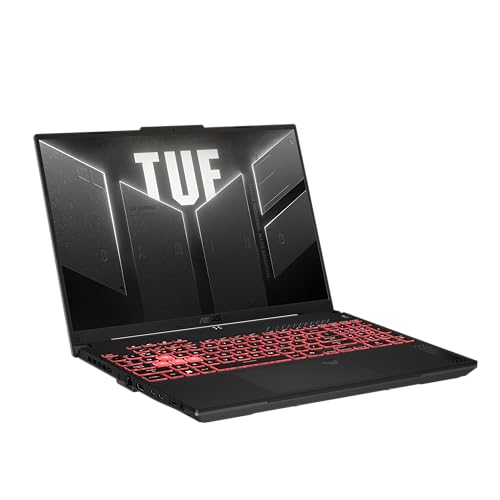
ASUS TUF Gaming A16 FA607NUQ, Ryzen 7 170, 16GB DDR5, 512GB, RTX 4050, Mecha Gray
ASIN B0GTQ2BGK6 • $1,699 • Ships from Amazon AU
The ASUS TUF Gaming A16 is the entry pick, and the reason it's here is that you can upgrade it. It's $1,699 on Amazon AU at time of writing, sold by Amazon AU, and it's #10 in Amazon AU's Traditional Laptops category, the best-ranked pick in this guide. It has an AMD Ryzen 7 170, 16GB of DDR5 memory, a 512GB SSD and an NVIDIA RTX 4050. The model number FA607NUQ-RL009W matches the title. This listing is Mecha Gray, and the listed weight is about 2.2kg. The warranty is listed as one year pick up and return, which means ASUS collects it if it fails. ASUS sells the TUF range widely in Australian stores, so chargers and spare parts are usually easy to find.
16GB is tight for container-heavy work, but the listing says the DDR5 memory and both of its M.2 SSD slots are easily accessible for future upgrades. That changes the maths, because you can start with 16GB and 512GB and add memory or a second drive later for a few hundred dollars. The second M.2 slot is handy for developers, because you can keep a separate drive for Linux or for container images. The RTX 4050 gives you CUDA for learning machine learning tools, and the bigger gaming chassis has more cooling than a thin laptop. The 16-inch 1920 by 1200 screen runs at 144Hz. The listing also mentions NVIDIA Advanced Optimus, which switches to the Ryzen's built-in graphics when the RTX card isn't needed, and that helps battery life away from the desk.
The listing doesn't say how many memory slots there are or the maximum it'll take, so check the ASUS specification for this exact model before you buy an upgrade. The screen is lower resolution than the other picks, which means less sharp text in an editor. Gaming laptops run their fans hard under load, so clean the vents every year or so. Check the charger rating on the current listing too, because USB-C charging on gaming laptops is often limited. For a student or a junior developer who wants room to grow, it's the best place to start.
Honest caveats: Honest caveats: 16GB and 512GB are the minimum for development, so plan on an upgrade. The listing doesn't state the number of memory slots or the maximum memory. The FHD+ screen is the least sharp here. At about 2.2kg it's the heaviest pick. Fan noise under load is noticeable.
Best for: Students and junior developers who want CUDA and the option to add memory and a second SSD later.
Processor: AMD Ryzen 7 170 • Memory: 16GB DDR5 (upgradable per listing) • Storage: 512GB, dual M.2 slots • Graphics: NVIDIA RTX 4050 • Screen: 16-inch FHD+ 144Hz • Weight: About 2.2kg (listed 4.85 lb) • Model: FA607NUQ-RL009W • Seller: Amazon AU • Rank: #10 in Traditional Laptops (Amazon AU)
View on Amazon AU
Lenovo Legion 5i 15IRX10, Core i7-14700HX, 24GB DDR5, 1TB, RTX 5060, 15.1-inch OLED (83LY004PAU)
ASIN B0FC6DP2Y5 • $2,899 • Ships from Amazon AU
The Lenovo Legion 5i is the pick for heavy builds with removable memory. It's $2,899 on Amazon AU at time of writing, sold by Amazon AU, and it's #32 in Amazon AU's Traditional Laptops category. It has an Intel Core i7-14700HX with 20 cores and 28 threads, 24GB of DDR5 memory as two 12GB SO-DIMM sticks, a 1TB SSD and an NVIDIA RTX 5060 with 8GB of GDDR7. The model number 83LY004PAU matches the title. This listing is Eclipse Black, and the listed weight is about 2kg. Lenovo lists a one-year warranty, and buying from Amazon AU makes returns simple. The i7-14700HX is a 14th-generation chip rather than the newest Core Ultra, which is part of why it costs $900 less than the Legion 7i.
The HX processor is built for bigger laptops with proper cooling, so it holds its speed through a long compile better than a thin-laptop chip. The two SO-DIMM sticks mean you can swap them for two 16GB or two 32GB sticks later, which is the kind of upgrade that keeps a developer laptop useful for years. The 15.1-inch WQXGA OLED screen is 2560 by 1600 at 165Hz, sharp enough for two files side by side. The RTX 5060 gives you CUDA for machine learning and game engine work. The 115W GPU power limit in the listing is a good figure for a laptop this size. The 15.1-inch size also makes it a little more portable than a full 16-inch gaming laptop.
The SSD is listed as an M.2 2242 drive, which is shorter than the usual 2280 size, so big-capacity upgrades are harder to find. The listing doesn't state the port list or the battery size. Gaming laptops draw a lot of power, so carry the full charger rather than relying on USB-C. Clean the fans every year, because dust in an HX laptop costs speed quickly. When you upgrade the memory, buy a matched pair at DDR5-4800 or faster. For a Windows developer who wants HX speed and room to grow, this is the one.
Honest caveats: Honest caveats: 24GB is a slightly odd amount, and going to 32GB means replacing both sticks. The SSD is the shorter 2242 size. The listing doesn't state the ports or battery size. Battery life is short under load. Fan noise during long builds is noticeable.
Best for: Developers running heavy builds and CUDA work who want memory they can upgrade later.
Processor: Intel Core i7-14700HX, 20 cores • Memory: 24GB DDR5-4800 (2x 12GB SO-DIMM) • Storage: 1TB M.2 2242 PCIe 4.0 • Graphics: NVIDIA RTX 5060 8GB, 115W • Screen: 15.1-inch 2560x1600 OLED 165Hz • Weight: About 2kg (listed 4.39 lb) • Model: 83LY004PAU • Seller: Amazon AU • Rank: #32 in Traditional Laptops (Amazon AU)
View on Amazon AU
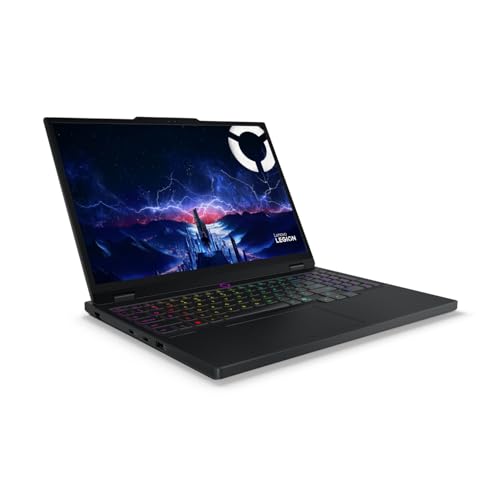
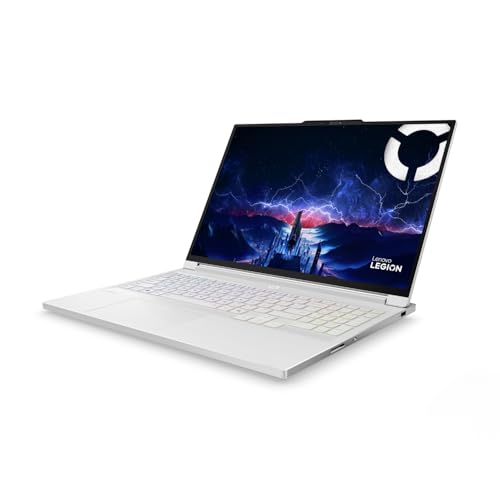
Lenovo Legion 7i 16IAX10, Core Ultra 9 275HX, 32GB DDR5, 1TB, RTX 5070, 16-inch OLED (83KY000MAU)
ASIN B0FC6DZBM5 • $3,799 • Ships from Amazon AU
The Lenovo Legion 7i is the pick with the most headroom in this guide. It's $3,799 on Amazon AU at time of writing, sold by Amazon AU, and it's #55 in Amazon AU's Traditional Laptops category. It has an Intel Core Ultra 9 275HX with 24 cores, 32GB of DDR5-5600 memory as two 16GB SO-DIMM sticks, a 1TB M.2 2280 SSD and an NVIDIA RTX 5070 with 8GB of GDDR7. The model number 83KY000MAU matches the title. This listing is Glacier White, and the listed weight is about 2kg. Lenovo lists a one-year warranty, and Amazon AU sells it directly. The listed release date is May 2025, so it's been on sale long enough for early BIOS and driver updates to settle.
This is the laptop for someone running several containers, a database, a virtual machine and an IDE all at once, then compiling on top. The 24-core HX chip is the fastest in the guide for multi-threaded builds, and the 32GB in SO-DIMM slots can be swapped for 64GB later. The SSD is the common 2280 size, so upgrades are easy to find. The 16-inch WQXGA OLED screen is 2560 by 1600 at 240Hz and covers 100% DCI-P3. The RTX 5070 runs at 115W, which handles CUDA work and small local AI models well. White laptops show grime on the keyboard faster, so keep a cloth nearby. The DDR5-5600 memory is faster than the Legion 5i's, which helps a little with big builds.
The listing doesn't state the port list or the battery size, so check them on the current listing. It's $453 more than the MacBook Pro, and it'll be louder and heavier on the road with much shorter battery life. Clean the fans every year, because the cooling is what keeps an HX chip at full speed. When you go to 64GB, buy two matched 32GB DDR5-5600 sticks rather than mixing sizes. A cooling pad or a laptop stand that lifts the back helps the fans on long builds at a desk. For heavy builds, CUDA and room to grow to 64GB, it's the one to choose.
Honest caveats: Honest caveats: it's the most expensive pick. Battery life under load is short and the listing doesn't state the battery size or ports. Fan noise during builds is noticeable. White keycaps show wear and grime faster. Linux needs the NVIDIA driver set up for the RTX 5070.
Best for: Developers running containers, VMs and CUDA together who want 32GB now and room for 64GB later.
Processor: Intel Core Ultra 9 275HX, 24 cores • Memory: 32GB DDR5-5600 (2x 16GB SO-DIMM) • Storage: 1TB M.2 2280 PCIe 4.0 • Graphics: NVIDIA RTX 5070 8GB, 115W • Screen: 16-inch 2560x1600 OLED 240Hz • Weight: About 2kg (listed 4.39 lb) • Model: 83KY000MAU • Seller: Amazon AU • Rank: #55 in Traditional Laptops (Amazon AU)
View on Amazon AUSide-by-side comparison
| Product | Price | Best for |
|---|---|---|
| ASUS TUF Gaming A16 FA607NUQ-RL009W | ~$1,699 | |
| Lenovo Yoga Slim 7i 14IPH11 PTLU7 32GB 1TB… | ~$1,999 | |
| Lenovo Legion 5i 15IRX10 15.1 Inch OLED… | ~$2,899 | |
| ASUS Zenbook 14 UM3406GA-QL108W | ~$2,999 | |
| Apple 2025 MacBook Pro | ~$3,346 | |
| Lenovo Yoga Slim 7I Ultra 14IPH11 PTLU7… | ~$3,400.87 | |
| HP 14" OmniBook 5 Laptop Next Gen AI | ~$3,499 | |
| Lenovo Legion 7i 16IAX10 16 Inch OLED 240Hz… | ~$3,799 |
What we see fail in the workshop: developer laptops
Developer laptops get used hard, carried every day and kept for years, so the faults that bring them in are mostly wear rather than bad luck. Keyboards wear out from constant typing, cooling clogs with dust and slows down long builds, and batteries swell from sitting on the charger at 100% all day. On soldered machines, a failed SSD or memory chip turns into a logic board repair.
Worn and spilt-on keyboards
The keyboard is the part that wears first on a laptop that's typed on all day. Keys stop registering, the switches go soft, or a coffee spill reaches the board underneath. On most modern laptops the keyboard is riveted to the top case, so the repair is often a whole top case rather than a single keyboard. If a spill happens, turn the laptop off straight away, unplug it, and bring it in before trying to power it back on, because liquid on a live board does far more damage than the spill itself.
Clogged fans and dried thermal paste
A laptop that's slowed down over a few years is often just hot. Dust packs into the heatsink fins, the fan can't move enough air, and the thermal paste between the chip and the heatsink dries out. The processor then drops its speed to protect itself, and compile times creep up. Cleaning the fans and replacing the paste usually brings most of the speed back. Gaming laptops with HX chips need this more often than thin ones, because they move a lot more heat. Once a year is about right for a laptop that works hard every day.
Swollen batteries
Developers often leave a laptop plugged in at a desk all day, every day, which keeps the battery at 100% and warm. Over a couple of years that's what makes lithium batteries swell. The first signs are a trackpad that stops clicking properly, a case that doesn't sit flat, or a keyboard that bulges in the middle. Stop using it and bring it in, because a swollen battery can push on the screen and the board. Most laptops have a charge limit setting that holds the battery at about 80%, and turning it on helps a lot.
Decision tree: which one should you actually buy?
- Building for iOS or Mac, or want macOS for development? → The MacBook Pro 14 M5 with 24GB at $3,346, the lead pick, with long battery life and a Unix terminal.
- Want 32GB on Windows for WSL2 and Docker without a gaming laptop? → The Lenovo Yoga Slim 7i at $1,999, with 32GB, 1TB and a 2.8K OLED screen.
- Student or junior developer who wants room to grow? → The ASUS TUF Gaming A16 at $1,699, with an RTX 4050 and memory and SSD slots you can upgrade.
- Heavy builds and CUDA work with memory you can swap later? → The Lenovo Legion 5i at $2,899, with a 20-core HX chip, two SO-DIMM slots and an RTX 5060.
- Containers, VMs and machine learning all at once? → The Lenovo Legion 7i at $3,799, with a 24-core HX chip, 32GB in SO-DIMM slots and an RTX 5070.
- Your laptop is slowing down, overheating or has a swollen battery? → Bring it into our Erina workshop and we'll check the cooling, the battery and the SSD, and tell you whether a clean, a battery or an upgrade will fix it before you spend anything on a new one. We also do laptop repairs on the Central Coast.
Frequently asked questions
How much RAM do I need for programming in 2026?
For learning to code and light web work, 16GB is enough. For anyone running Docker, virtual machines, Android Studio or a local database alongside an IDE and a browser, 24GB to 32GB is where the laptop stops slowing you down. If the memory is soldered, as it is on MacBooks and most thin Windows laptops, buy the bigger amount from the start, because you can't add more later. On laptops with SO-DIMM slots, you can start smaller and upgrade.
Is a MacBook good for programming?
Yes, for most kinds of development. macOS is Unix underneath, so the terminal and most open-source tools work the way they do on a Linux server, and it's the only way to build iOS and Mac apps. Battery life is excellent and the M5 stays fast on battery. The downsides are price, soldered memory and storage, and that some Windows-only tools and CUDA work need a different machine. A 24GB MacBook Pro suits most developers well.
Do I need a dedicated graphics card for coding?
Not for most programming. Web, mobile, back-end and scripting work runs fine on integrated graphics. A dedicated NVIDIA card matters for machine learning, CUDA, data science tools and game engines, because a lot of that software expects an NVIDIA GPU. Gaming laptops also have bigger cooling systems, which helps with long compiles, but they're heavier, louder and have shorter battery life than thin laptops. If you only need a GPU now and then, renting a cloud GPU for the heavy jobs can make more sense than carrying one every day.
Can I upgrade the RAM in my laptop?
It depends on whether the memory is soldered or in slots. MacBooks and most thin Windows laptops use LPDDR5X memory soldered onto the board, which can't be upgraded. Many gaming and workstation laptops use SO-DIMM slots, which take removable sticks. The Legion 5i and Legion 7i in this guide both list two SO-DIMM sticks, and the ASUS TUF says its memory is accessible for upgrades. Check the manufacturer's specification for the exact model before buying memory.
Is Linux easy to install on a new laptop?
Usually, on Intel and AMD laptops with common Wi-Fi chips. Very new models sometimes need a recent kernel before the Wi-Fi, sound or sleep work properly, and laptops with NVIDIA graphics need the NVIDIA driver installed. The easiest way to check is to boot a live USB of your chosen distribution before you wipe Windows, and test the Wi-Fi, sound, trackpad, sleep and external display. None of the listings in this guide promise Linux support.
Why is my laptop slower at compiling than when it was new?
Most of the time it's heat. Dust builds up in the fans and heatsink, and the thermal paste between the processor and the heatsink dries out, so the chip drops its speed to stay cool. A full SSD is the other common cause, because SSDs slow down when they're nearly full. Cleaning the cooling, replacing the paste and freeing up drive space usually brings most of the speed back without replacing the laptop.
Related buying guides
Developer laptop slowing down, overheating or swelling?
Most developer laptop faults are clogged cooling, a swollen battery, a worn keyboard or a full SSD. Bring it into our Erina workshop and we'll check the fans, the battery and the drive, find out what's slowing it down, and tell you whether it's worth fixing or upgrading before you spend anything.
Visit our Erina workshop Book Online