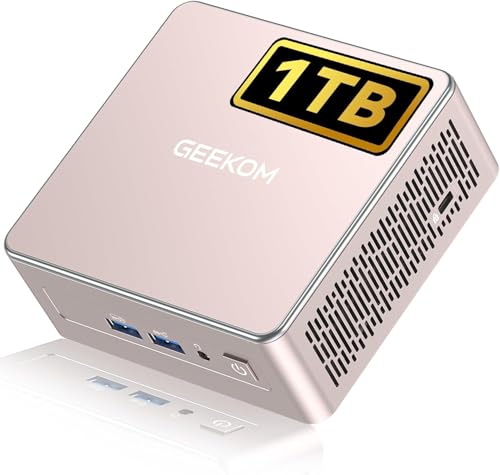
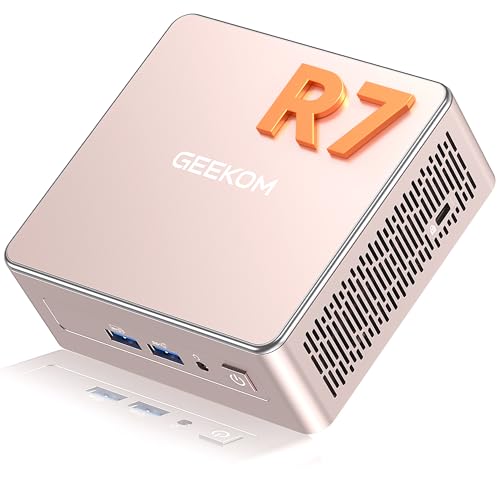
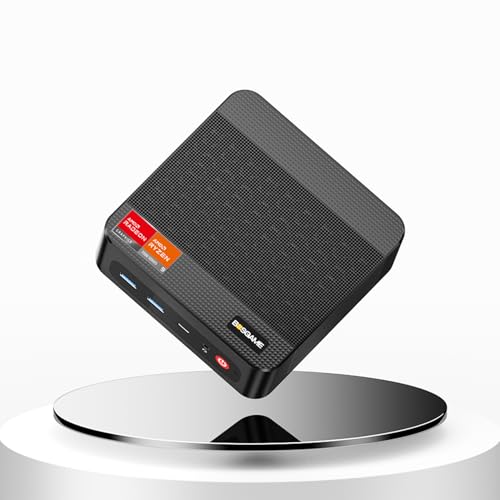
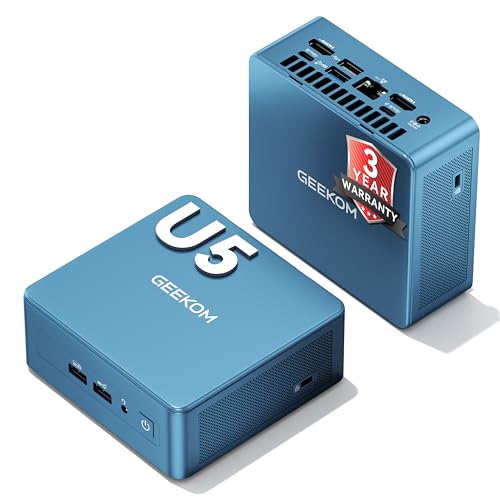
Prices from Amazon AU, updated daily. Swipe or use the arrows for more.
Disclosure: This article contains affiliate links to amazon.com.au. If you buy through one of these links iFix may earn a small commission at no extra cost to you. It doesn't change which products we recommend. We focus on what actually lasts based on 16 years of repair-shop experience.
Quick summary9 picks
- Entry PickMini PC BOSGAME E2NEO Windows 11 Pro AMD… about$319.008GB RAM, 60Hz refresh.
- B: Best Small-Office BoxGEEKOM Air12 Business Mini PC about$399256GB SSD.
- Entry PickMini PC BOSGAME P4 Ryzen 7 7730U about$569.0516GB RAM.
- GEEKOM A5 Mini PC Pre-Installed OS Ryzen 5… about$639.0016GB RAM, 512GB SSD.
- GEEKOM 2026 Best Mini PC A5 PRO Mini PC AMD… about$64916GB RAM, 512GB SSD.
- GEEKOM A5 Mini PC 3-Year Support about$594.1516GB RAM.
- GEEKOM A5 Mini PC about$76916GB RAM.
- BOSGAME P3PRO Mini Gaming PC about$999.0016GB RAM, 1TB SSD.
- Most PremiumGEEKOM IT12 Mini PC Ultra 5 125U about$999.0016GB RAM, 120Hz refresh.
Why this matters now
The mini PC category has matured properly in 2024-2026. Three years ago, "cheap mini PC" usually meant an underpowered Celeron with 4GB of soldered RAM and a slow eMMC drive. Today, the entry tier ships with a real quad-core Ryzen or Intel N-series chip, 16GB of DDR4, an M.2 NVMe SSD, and Windows 11 Pro, for under $400. The price-per-performance crossover with full-size desktop towers happened in 2024 for general productivity and crossed for light creative work in 2025.
A lot of these end up as a lounge-room media box or a Plex / Home Assistant server, and at that point they lean on your home network as hard as the CPU. If 4K streams to the TV stutter or the far end of the house drops out, the fix is usually the router, not the mini PC. Our best mesh Wi-Fi systems guide covers what actually works.
What hasn't changed: the bench failure modes. Mini PCs concentrate the same components a tower contains into one-tenth the volume, which means thermal design matters more, the external power brick is a common point of failure, and memory channel population genuinely affects performance in ways that aren't obvious to most buyers. The pickier you are about these details, the longer your mini PC lasts.
Cost-of-living context applies here too. With real wage growth at 0.3% and discretionary tech spending under pressure, the rational PC purchase in 2026 is the one that delivers the right performance for your actual workload without paying for headroom you won't use. Mini PCs win that calculus for ~80% of home and small-office buyers.
The four picks, ranked from cheapest to most premium
Prices accurate at time of writing (August 2026). Amazon AU buybox shifts week to week, so treat the figures as a guide rather than a fixed sticker. Every pick below is stocked by an Australian seller so you get local warranty and no cross-border freight.
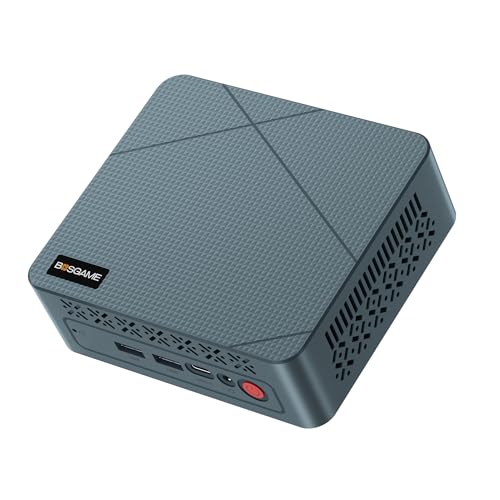
BOSGAME E2NEO Mini PC AMD Ryzen 5 3500U
ASIN B0F3CQDXP1 • $319.00 • Amazon AU (BOSGAME, Australian seller)
The clearest value pick in this guide, and currently the number-one seller in Amazon AU's Mini Desktop Computers list. The BOSGAME E2NEO pairs an AMD Ryzen 5 3500U (4 cores, 8 threads, up to 3.7GHz) with Radeon Vega 8 graphics: enough for Windows 11 Pro, Office, web, video calls, 4K media playback and light photo work. It ships with 16GB of DDR4 and a 512GB M.2 NVMe SSD. At $330 you get a complete, warrantied machine with its service life ahead of it rather than behind it, which is the whole argument against trawling the renewed-desktop listings to save a hundred dollars.
One catch worth knowing before you buy: the 16GB arrives as a single stick, so it runs single-channel out of the box. Dropping in a matched second stick to run dual-channel is the single cheapest upgrade you can make here, and the bench section below explains why it helps the integrated graphics. BOSGAME is an OEM brand sold through an Australian storefront, so if a unit arrives faulty, Australian Consumer Law gives you a clear repair-or-replace path with the local seller. Buying the AU-stocked listing rather than a cross-border one is what makes that path actually work.
Best for: Primary home office PC for general productivity, replacing a 5-7 year old desktop tower, lounge-room media PC paired with a TV, Home Assistant / Plex server, point-of-sale, anyone who needs a real working PC without paying a brand-name premium. Triple 4K output (two HDMI plus USB-C) drives a multi-monitor desk comfortably.
CPU: AMD Ryzen 5 3500U (4C/8T, up to 3.7GHz) • iGPU: Radeon Vega 8 • RAM: 16GB DDR4 (single stick) • Storage: 512GB M.2 NVMe • OS: Windows 11 Pro • Outputs: 2x HDMI + USB-C (triple 4K) • Form factor: True mini PC
View on Amazon AU
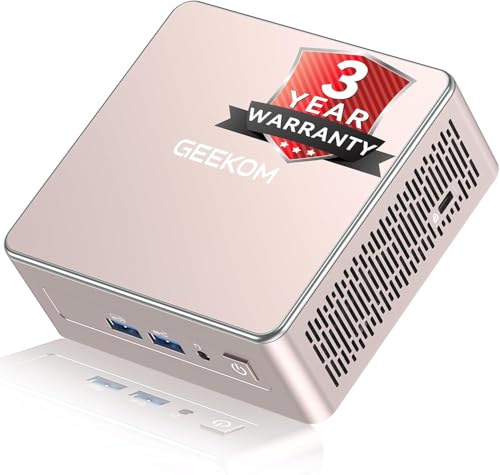
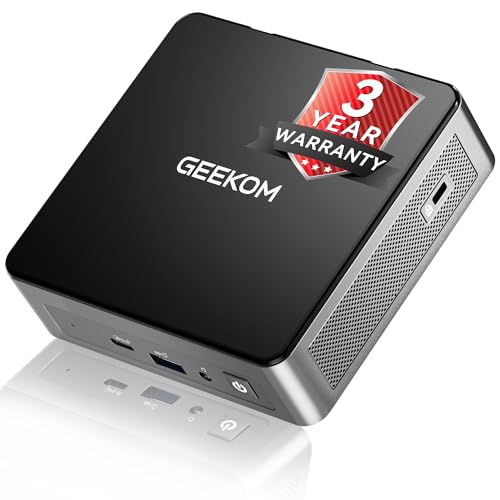
GEEKOM Air12 Business Mini PC (Intel 7505, 8GB, 256GB)
ASIN B0HCPGB23P • $399.00 • Amazon AU (GEEKOM AU Store, Australian seller)
The pick for a desk that needs a quiet, low-draw machine more than a fast one, and currently the number-five seller in Amazon AU's Mini Desktop Computers list. The Air12 runs an Intel Pentium Gold 7505 on a 10nm SuperFin process, up to 3.5GHz, with Intel UHD Graphics and 48 execution units. GEEKOM rates its single-core performance 30 percent above the Ryzen 5 3500U in the E2NEO above, and rates the machine at up to 90 percent less energy than a traditional tower. It ships with 8GB of DDR4 in a dual-slot layout and a 256GB M.2 drive that accepts either SATA or NVMe and expands to 2TB.
Where it earns its place is the part that matters in a room with people in it. IceBlast 3.0 cooling, dual copper heat pipes and a large-diameter fan keep it under 30dB, so it disappears behind a monitor in a study or on a reception desk. Display output is generous for the money: three 4K screens or one 8K screen over HDMI, Mini DisplayPort and USB-C, alongside three USB 3.2 ports and an SD card reader. Gigabit LAN, Wi-Fi 6 and Bluetooth 5.2 cover the network side. GEEKOM backs it with a 3-year warranty where most mini PC brands stop at one, and for a machine that will sit unattended in a computer lab, a library or a lobby display, that is the line on the spec sheet I weigh heaviest.
Honest caveats: 8GB and 256GB are a starting point, not a finish line. Add the second DDR4 stick on day one for dual-channel, the same advice as the BOSGAME picks, and plan a bigger SSD if this is going to be someone's main machine. The 7505 is an entry-level chip: right for browsers, Office, Teams and signage duty, wrong for photo editing or code compiles. If the work is heavier than that, pay the difference for the P4 below.
Best for: Office and reception desks, school and library computer labs, thin clients, digital signage and conference-room screens, and any always-on box where noise, power draw and a long warranty matter more than raw speed.
CPU: Intel Pentium Gold 7505 (up to 3.5GHz, 10nm SuperFin) • iGPU: Intel UHD Graphics (48 EUs) • RAM: 8GB DDR4, dual slot, to 32GB • Storage: 256GB M.2 (SATA or NVMe), to 2TB • Outputs: HDMI + Mini DP + USB-C, triple 4K or single 8K • Networking: Gigabit LAN, Wi-Fi 6, Bluetooth 5.2 • Cooling: IceBlast 3.0, under 30dB • Warranty: 3 years GEEKOM • Rank: #5 in Mini Desktop Computers (Amazon AU)
View on Amazon AU
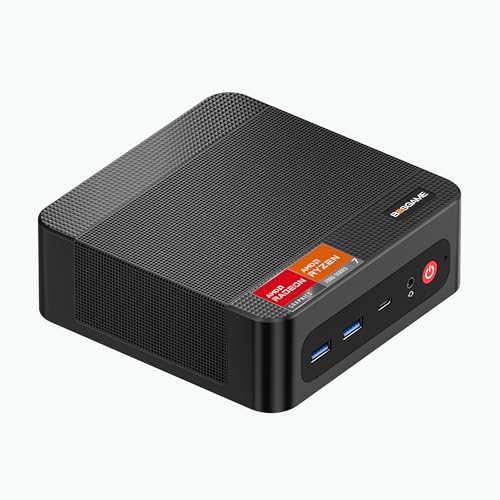
BOSGAME P4 Mini PC AMD Ryzen 7 7730U
ASIN B0F3CQ8X83 • $569.05 • Amazon AU (BOSGAME, Australian seller)
The natural step up when the budget pick is not quite enough. The BOSGAME P4 runs an AMD Ryzen 7 7730U (8 cores, 16 threads, up to 4.5GHz, 16MB cache) with Radeon graphics, so it has the multi-thread headroom for heavier multitasking, photo editing, code compiles and dozens of browser tabs without bogging down. It ships with 16GB of DDR4 and a fast 1TB PCIe 4.0 NVMe SSD, and it shares the top of Amazon AU's Mini Desktop best-seller list with the E2NEO above.
Two things set it apart from the budget tier: dual 2.5-gigabit LAN ports, genuinely useful for a home server, a NAS link or a router box, and Wi-Fi 6E for faster wireless. A second M.2 slot lets you add storage later without cloning, and triple 4K output over HDMI, DisplayPort and USB-C covers a serious multi-monitor desk. Like the budget pick it ships 16GB as a single stick, so add a matched second module to unlock dual-channel.
Best for: An everyday primary PC that needs to stay quick for years, a home server or Home Assistant box that also does real work, a small-business machine, anyone who wants comfortable performance without stepping into the four-figure tier. Pair it with a quality monitor, see our monitors guide.
CPU: AMD Ryzen 7 7730U (8C/16T, up to 4.5GHz) • iGPU: Radeon (Vega-class) • RAM: 16GB DDR4 (single stick) • Storage: 1TB PCIe 4.0 NVMe • OS: Windows 11 Pro • Networking: Dual 2.5GbE + Wi-Fi 6E • Form factor: Mini PC
View on Amazon AU
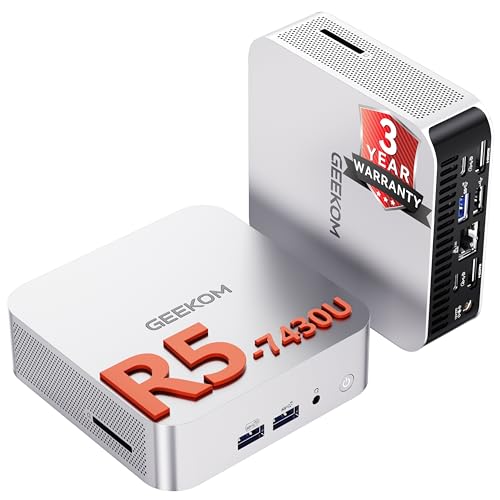
GEEKOM IT12 Mini PC (Intel Core Ultra 5 125U, 16GB, 512GB)
ASIN B0F89XFJCR • $999.00 • Amazon AU (GEEKOM AU Store, Australian seller)
The top of this guide, and the pick when the machine has to keep up with you rather than the other way around. The IT12 runs an Intel Core Ultra 5 125U: 12 cores, 14 threads, up to 4.3GHz, with a built-in AI engine sitting alongside the graphics. GEEKOM's pitch here is efficiency rather than brute force, and the listing is specific about what that buys: full-format 4K video decoding, a stack of open browser windows and video conferencing without desync, out of a U-series part that does not draw tower-class power.
The cooling is why I would trust it as an always-on machine. GEEKOM's IceBlast system lifts heat dissipation by 52 percent and drops noise by 40 percent on their own figures, holding the unit near 38dB, and a cooler machine is a slower-ageing machine: heat is what kills the capacitors and fan bearings in small computers, not use. The 3-year GEEKOM warranty applies here too. Both the 16GB of memory and the 512GB SSD are expandable, so the machine has somewhere to go in year three instead of becoming a paperweight.
Honest caveats: at $999 this is the dearest machine in the guide, and the Ultra 5 is a mainstream chip rather than a workstation part. If you want Intel Arc graphics, an Ultra 7 or Ultra 9, or 32GB out of the box, that is a different class of machine and it lives in the premium guide linked further down. A 512GB drive also fills faster than people expect once Windows, Office and a photo library are on it, so budget for the second SSD.
Best for: A primary work machine that has to stay quick for years, video calls and multi-display productivity, a quiet always-on box doing real work, and anyone replacing a tower who wants it to fit behind the monitor.
CPU: Intel Core Ultra 5 125U (12C/14T, up to 4.3GHz) • AI: Built-in AI engine • RAM: 16GB (expandable) • Storage: 512GB SSD (expandable) • Cooling: IceBlast, about 38dB • Warranty: 3 years GEEKOM • Form factor: Mini PC • Rank: #42 in Mini Desktop Computers (Amazon AU)
View on Amazon AUSide-by-side comparison
| Product | Price | Best for |
|---|---|---|
| Mini PC BOSGAME E2NEO Windows 11 Pro AMD… | ~$319.00 | Light office work for the least money |
| Mini PC BOSGAME P4 Ryzen 7 7730U | ~$569.05 | Everyday use with dual 2.5G LAN and room for a second SSD |
| GEEKOM A5 Mini PC Pre-Installed OS Ryzen 5… | ~$639.00 | A 3 year warranty and 2.5G Ethernet |
| GEEKOM 2026 Best Mini PC A5 PRO Mini PC AMD… | ~$649 | A 16GB AMD box with the GEEKOM warranty |
| GEEKOM A5 Mini PC 3-Year Support | ~$594.15 | 1TB of storage and four-screen output |
| GEEKOM A5 Mini PC | ~$769 | 8 cores and room for up to 10TB of storage |
| BOSGAME P3PRO Mini Gaming PC | ~$999.00 | The fastest CPU here, with 780M graphics for gaming |
| GEEKOM IT12 Mini PC Ultra 5 125U | ~$999.00 | The only Intel box here, with a built-in AI engine |
| GEEKOM Air12 Business Mini PC | ~$399 | B: Best Small-Office Box |
What we see fail at the bench
Sixteen years repairing electronics, plenty of mini PCs through the workshop, and a handful of failure modes that show up over and over.
Thermal throttling under sustained load: the single most common "mini PC is slow" call. Tiny chassis have minimal thermal mass. Fanless designs (some Intel N-series boxes, anything advertised as "silent") hit thermal limits within 10-20 minutes of CPU-bound work and then throttle to 50-60% of rated clocks. The clue: "feels fine for a while, then gets sluggish, then recovers after I leave it alone for 10 minutes". Diagnosis takes one CPU stress test (Cinebench or HWMonitor + Prime95). The fix is mechanical: better case airflow if there's a fan, or for fanless designs, accept the throttled performance is the actual sustained performance and budget accordingly. Don't buy fanless for content creation or sustained CPU loads.
The external power brick is the #1 failure component. Mini PCs use external 12V or 19V power bricks, and we replace these constantly at the bench. Brick capacitors degrade over 3-5 years (sooner in hot Australian summers if the brick lives behind a TV in poor airflow). When the brick fails, the symptom is "the PC won't turn on" or "it shuts off randomly under load". Customer assumes the PC died; the actual problem is a $30-40 power brick. Always test with a known-good brick before condemning a mini PC. Also: avoid using third-party replacement bricks unless they exactly match voltage and current ratings; under-spec'd bricks cause shutdowns under load and damage the PC's internal regulators over time.
NVMe drives without heatsinks throttle and die early. Cheap mini PCs ship M.2 NVMe drives with no heatsink. The drive sits in a tight space with limited airflow, hits thermal limits under sustained writes (large file transfers, virtual machine workloads, video editing), and throttles its write speed and lifespan. We see this manifest as "the drive is slow" or eventually "the drive is failing", and SMART data tells the story. Fix: drop a $15 NVMe heatsink onto the drive when you receive the PC, or for sealed designs, accept the limitation and don't run sustained write-heavy workloads on the mini PC. The pricier picks in this guide have more internal room and active cooling, which helps here; the bottom-tier no-name boxes often skimp on the drive heatsink.
Single SODIMM populated: the silent performance killer. Mini PCs always have two SODIMM slots. Many ship with a single 16GB stick in one slot and the second slot empty. This forces the system into single-channel memory mode, which roughly halves the memory bandwidth available to the integrated GPU. iGPU performance, video playback, browser scrolling on multi-monitor setups, and general system responsiveness all suffer. The fix is buying a 2x8GB kit instead of 1x16GB, or replacing the single stick with a matched pair. None of our customers know this matters until we run a benchmark with single vs dual channel and they see the iGPU score double. Always check before buying: does the listing specify "dual-channel" or "2x8GB"? If it just says "16GB", it might be one stick. Both BOSGAME picks in this guide ship 16GB as a single stick, so a matched second module is the first upgrade to make on either.
Refurbished SFF/desktop motherboard capacitor failure: the year-4-to-5 pattern. Renewed Dell OptiPlex, HP EliteDesk, and Lenovo ThinkCentre desktops from the 2017-2019 era are excellent value at $300-500, but the underlying silicon is 6-9 years old. Capacitors on the motherboard age in service. We see failure patterns clustering around years 4-6 in actual customer service life: bulging electrolytic caps, weak voltage regulation under load, random reboots, BIOS reset on power-off. By the time we diagnose it the motherboard usually needs to be replaced, which on an 8-year-old machine isn't economic. Buy refurbished for the deal, but mentally amortise the cost over 3-4 years not 6.
BIOS update neglect on OEM brands. Cheap mini PCs (GMKtec, AOOSTAR, MINIX, Beelink) often stop receiving BIOS updates 12-18 months after a model's release. Windows 11 cumulative updates start failing on out-of-date BIOS firmware, USB devices misbehave, sleep/wake breaks, and the customer thinks "Windows is broken". Check the manufacturer support page for BIOS updates when the PC arrives, and reflash if a newer version exists. The big-name OEMs and the more established mini-PC vendors maintain BIOS updates longer, which avoids this; the no-name boxes are where the risk sits.
The "i7" branding trap. Mini PC sellers love putting "Intel i7" on the product title without specifying which generation. An i7-1195G7 (2021) is genuinely good silicon. An i7-1065G7 (2019) is fine. An i7-8650U (2018) is borderline. An i7-6700T (2015) is what you'd put in a kids' machine, not a workhorse. Always check the full model number before buying, the suffix matters more than the i7 in the name. The same trap applies to a bare "Ryzen 7" or "Core Ultra" with no part number: the picks here are a Ryzen 7 7730U, a Ryzen 9 7940HS and a Core Ultra 9 185H, all current-generation silicon.
Decision tree
- I want new silicon at the lowest price: BOSGAME E2NEO Ryzen 5 ($319). The headline value pick: a new, warrantied machine with a current-generation Ryzen in it.
- I need a quiet, low-draw box for an office, a lab or a signage screen: GEEKOM Air12 Business ($399). Under 30dB, triple 4K output and a 3-year warranty.
- I want an everyday all-rounder that stays quick for years: BOSGAME P4 Ryzen 7 7730U ($569). Eight cores, a 1TB PCIe 4.0 drive and dual 2.5GbE.
- I want the most headroom in the guide: GEEKOM IT12 Core Ultra 5 125U ($999). Twelve cores, a built-in AI engine and the same 3-year warranty.
- I'm unsure between the E2NEO and the P4: Default to the P4 unless price is the deciding factor. The extra $250 buys eight cores, a 1TB drive, dual 2.5GbE and Wi-Fi 6E.
- I'm unsure between the E2NEO and the Air12: The BOSGAME has the stronger multi-core chip and twice the memory; the GEEKOM is quieter, draws less power and carries three years of warranty. Choose on the room it lives in, not the benchmark.
So what should you actually buy?
For most Australian buyers shopping mini PCs in 2026:
- The pragmatic default: BOSGAME E2NEO Ryzen 5 ($319). New, warrantied, and enough for everyday work.
- The better all-rounder: BOSGAME P4 Ryzen 7 7730U ($569). Eight cores, a 1TB drive and dual 2.5GbE for not much more.
- The quiet always-on box: GEEKOM Air12 Business ($399). Under 30dB, a 3-year warranty and triple 4K output for a reception desk or a computer lab.
- If you want the most headroom here: GEEKOM IT12 Core Ultra 5 125U ($999). Twelve cores, a built-in AI engine, and room to grow both the memory and the SSD.
The biggest mistake we see at the bench is not which mini PC someone bought, but how they set it up: leaving the second SODIMM slot empty, never updating BIOS, blocking the airflow vents behind a TV unit. Spend the first 30 minutes on day one verifying dual-channel memory, updating BIOS to current, and giving the unit clear airflow on all sides. The pickier you are about these details, the longer your mini PC lasts.
For monitor pairing, see our best value monitors guide. The budget BOSGAME picks pair naturally with a sharp 27-inch 1080p or 1440p panel, while the GEEKOM performance picks earn a 1440p or ultrawide display. For GPU-paired desktop builds rather than mini PCs, see the RTX 50-series GPU guide. And if you want that kind of gaming power in something you can carry, a premium gaming laptop is the other route, covered in our best gaming laptops over $2,000 guide.
Every pick above tops out at $999. If you need more than that, higher RAM and CPU tiers, a workstation for a home server, Home Assistant or a local AI model, or a NUC-class machine you can service yourself, that is a separate class of mini PC. We cover it in our best premium and workstation mini PCs guide, from around $799 to $5,256.
On the Central Coast and want help picking the right mini PC for your setup, migrating your old desktop to a new one, or diagnosing a mini PC that's misbehaving? Bring it to our Erina workshop and we will take a look.
Need help picking or setting up a mini PC?
If you'd like a hand matching a mini PC to your existing setup, migrating data from an old desktop, or diagnosing a mini PC that's throttling or behaving strangely, we're happy to help on the Central Coast.