Prices from Amazon AU, updated daily. Swipe or use the arrows for more.
Disclosure: This article contains affiliate links to amazon.com.au. If you buy through one of these links iFix may earn a small commission at no extra cost to you. It doesn't change which products we recommend. We focus on what actually lasts based on 16 years of repair-shop experience.
Quick summary8 picks
- Entry PickPatriot EP A1 microSD Card SDXC 64GB for… about$21.49
- Patriot Memory A1 V30 MicroSD Memory Card… about$35.99
- Lexar 633x 128GB Micro SD Card about$54.99
- Patriot Memory A1 V30 MicroSD Memory Card… about$63.99
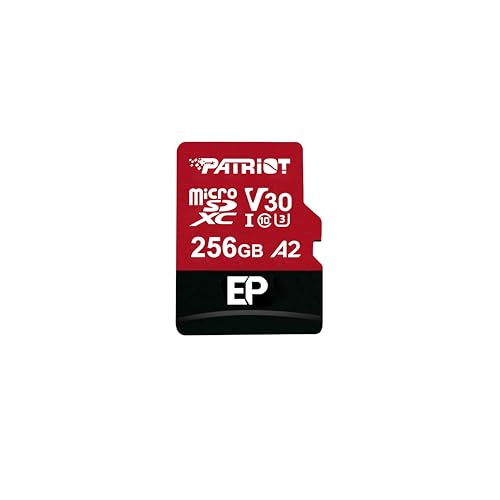
- Patriot EP Series 256GB Micro SDXC V30 A2… about$64.99
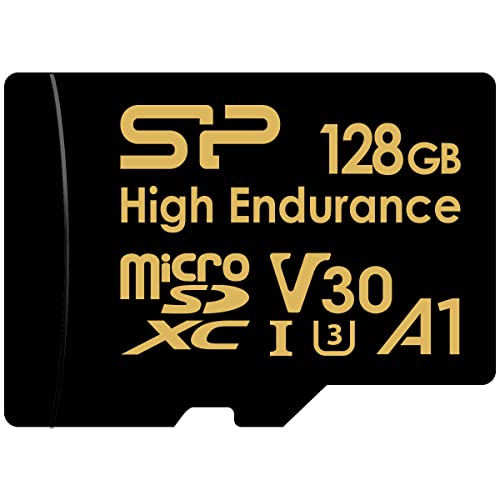
- Silicon Power 128GB High Endurance… about$64
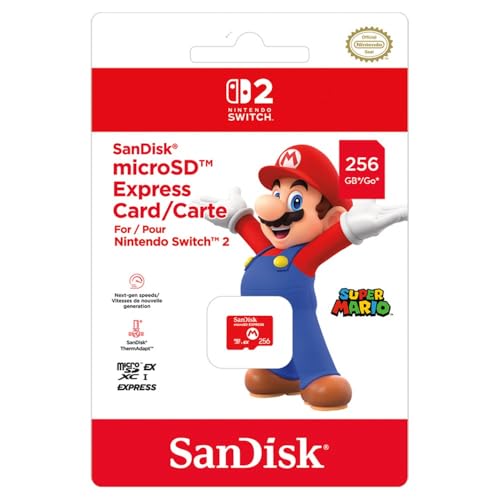
- SanDisk 256GB MicroSD Express for Switch 2 about$83.95
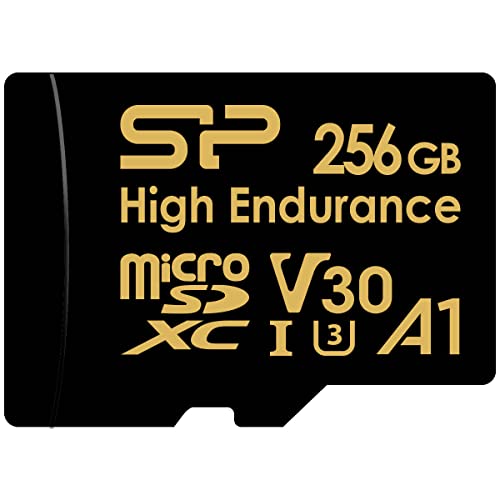
- Most PremiumSilicon Power 256GB High Endurance… about$112
The smallest part in the system does the hardest job
Somewhere in your dash cam, your security camera or your kid's console there is a fingernail of plastic doing more work than any other component in the device. A microSD card in a dash cam rewrites its entire capacity every few days, forever, and flash memory wears out by being written to. That makes the card a consumable, like tyres, and it's the one component in the whole recording chain that is guaranteed to die first. Most people buy the card the way they buy batteries: whatever is nearest the checkout. Then the crash happens, the footage matters, and the card that cost a tenth of the camera decides whether the evidence exists. We see the aftermath at the shop often enough that there's a separate page on dash cam footage recovery, and the honest summary is that prevention costs $64 and recovery costs a lot more than that.
This page covers eight cards from Australian storefront sellers, $21 to $112, split across the three jobs people actually buy microSD for: continuous recording in a dash cam or security camera, general storage in a phone, tablet, drone or camera, and game storage in a handheld console. The split matters because the cards are engineered differently, and the marketing does its best to blur that. A card that is excellent in a phone can be a liability in a dash cam, and the dearest card here isn't the fastest one, it's the one rated to be overwritten around the clock. If your storage problem is bigger than a card slot, a pocket drive from my Samsung T7 Shield comparison is the next step up the ladder. For everything with a spring-loaded slot, read on.
U3, V30, A1, A2: which letters matter for which job
The alphabet soup on a card label is three separate rating systems stacked on top of each other. The V number (V30 on every standard card here) is a sustained write guarantee: V30 means the card can take 30 megabytes per second continuously without the buffer running dry, which is the number that stops a 4K camera dropping frames. The U3 mark is the older way of saying roughly the same thing. The A rating is different: it measures random access, thousands of tiny scattered reads and writes, which is what apps and games do. A1 is the baseline, A2 is faster at it. A dash cam doesn't care about the A rating at all, and a handheld running games off the card cares about little else. Read the label against the job, not against the biggest number on it.
Then there are the headline megabyte figures, and they need a haircut. The Patriot A1 card states reads up to 100MB/s and writes up to 80MB/s; the Patriot EP states 90 and 80; the two Silicon Power endurance cards state 100 and 80. Those are best-case sequential numbers measured in a card reader, not in your device, and the 'up to' is doing honest work. What the numbers are useful for is transfers: pulling an hour of 4K footage off a card at that pace takes minutes, not half an hour. One spec none of these listings states is the endurance figure in terabytes written, which is the number that would actually tell you when the card dies. The industry mostly keeps that one quiet on consumer cards, so we buy by class and by duty instead.
What a high endurance label actually buys
Standard consumer cards are built for cameras and phones: write occasionally, read often. A dash cam inverts that completely. It writes constantly from the moment the engine starts, loops back over itself when the card fills, and does it in a cabin that swings from a cold morning to a baking windscreen afternoon. High endurance cards exist because ordinary cards fail early under exactly that duty. Silicon Power's two endurance cards here are stated to be optimised for 4K recording in dash cams and security cameras, with write-intensive 24/7 surveillance named as the intended use, and they're rated waterproof, shockproof, X-ray proof and temperature proof. The listings don't publish a terabytes-written figure or name the flash type inside, so the practical read is simpler: the manufacturer is willing to put continuous recording on the label for these, and isn't willing to say it about the standard cards.
The price of that rating is capacity per dollar. The 128GB endurance card costs $64, about the same money as a standard 256GB, and the 256GB endurance card is $112. That is the honest trade: half the space, or nearly double the price, for a card designed to be rewritten daily for years. In a dash cam that runs parking mode, where the camera writes around the clock instead of just on the commute, I reckon it's the only sensible buy. In a phone it's wasted money, because a phone barely writes compared to a recorder. The endurance premium follows the duty cycle. Pay it where the card lives a hard life, skip it where the card mostly sits and reads, and never solve a dash cam card problem by buying a bigger standard card; the loop just takes a little longer to come back around.
microSD Express is not a faster microSD
The SanDisk Express card in this list needs its own explanation, because the name misleads in both directions. microSD Express moves the card off the old SD interface and onto the PCIe lanes that SSDs use, which is why the Switch 2 requires it: the console treats the card like a small solid state drive, and my gaming handhelds guide covers why storage speed shapes that whole class of device. The catch runs the other way too. In a standard camera, dash cam or card reader, an Express card falls back to ordinary card speeds, so it buys you nothing there. Nintendo is blunt about the pairing: the Switch 2 is only compatible with microSD Express cards for expansion, and this one is the SanDisk 256GB card sold for it, $84 from The Gamesmen, an Australian games retailer.
The buying logic is unusually simple. If you own a Switch 2 and want more than the internal storage, this is the card class you're buying, and the SanDisk Express card sitting at #203 in the microSD chart is the boring correct answer. If you own anything else, ignore Express entirely for now: the standard cards on this page are better value for every non-Switch job, and there's no version of the maths where paying the new-interface premium helps a device that can't use the interface. Standards transitions always have this awkward stage. The one mistake to avoid is the reverse one, buying a big standard card for a Switch 2 because it looks identical in the photos. It won't work as game storage, and the return postage costs more than the reading this paragraph took.
Fakes, and the ten minute test that catches them
Counterfeit and mislabelled microSD cards remain the most common storage fraud there is. The classic fake reports 256GB or a terabyte to the operating system while containing 16 or 32GB of real flash. It works fine at first, files write and read back, and then somewhere past the real capacity the card starts silently overwriting what came before. On a laptop that costs you photos. In a dash cam it costs you exactly the footage you needed, because loop recording spends its whole life at the edge of capacity. The defence at purchase time is boring and effective: buy cards sold by Amazon AU or an Australian storefront seller, the same gate every pick on this page passed, and treat marketplace listings with prices that look impossible as exactly what they look like.
The defence after purchase takes ten minutes and a free tool. H2testw on Windows, or F3 on Mac and Linux, writes test data across every block of the card and reads it back, which catches both fake capacity and early bad flash while a return is still trivial. I run it on every card that goes into anything that matters, including cards from legitimate channels, because flash has a defect rate even when nobody is committing fraud. Test, then format the card in the device it will live in rather than in the computer, because the device's own format lays the filesystem out the way its firmware expects. Those two habits, a full surface test on day one and an in-device format, prevent most of the card problems that end up in my workshop.
Matching the card to the slot it will live in
For a dash cam doing a normal commute, the 128GB endurance card is the fit: at typical 1080p bitrates a dash cam writes somewhere near 6 to 8GB an hour, so 128GB holds a couple of weeks of ordinary driving before the loop comes back, and the endurance rating covers years of that duty. Add parking mode, which most people wire in with a hardwire kit, and the write load roughly doubles, which is where the 256GB endurance card earns its $112. A home security camera follows the same logic as a dash cam that never sleeps: my dash cam guide and the camera pages both end up recommending the same class of card for the same reason. Continuous recorders get endurance cards. That rule has no interesting exceptions I've found yet.
For phones, tablets and drones, the standard Patriot cards are the value: the A1 for straight storage, photos, music and video, and the EP with its A2 rating where apps or games actually run off the card, since the A2 random-access advantage only shows up in exactly that use. For cameras, either Patriot covers stills and 4K video within the V30 envelope. The one place I steer people away from microSD entirely is backup. A card is a terrible archive: small, losable, and silent about its own decay. Footage that matters gets copied off the card the same day, and anything irreplaceable belongs on real storage with a second copy, a discipline covered properly on our data recovery page by people who meet the counterexamples weekly.
How I picked these eight
Same gates as every guide on this site: sold new on Amazon AU by Amazon itself or an Australian storefront seller, priced inside the $20 to $150 queue band on the day of writing, no import versions, no grey-market export sellers, and a real Amazon AU category sales rank. The microSD chart turned out to be unusually healthy by those gates, which isn't always true of this queue: the lead Patriot card sits at #8 in Micro SD Cards, the SanDisk Express at #203, the Silicon Power endurance pair at #18, the Patriot EP at #21 and the Lexar 633x at #24. Every spec quoted on this page comes off the current listings, and where a listing goes quiet, the spec table says not stated rather than guessing. Prices are checked against Amazon AU every morning; ranks move daily and are quoted as the day's reading.
What got cut: a Netac card whose stated write speed of 30MB/s sits well behind the field at a higher price than the lead pick, every listing from bare-name marketplace sellers with no Australian storefront behind them, and the novelty tier of cards priced too well to be real, which this category grows like weeds. What made the cut on purpose is one card per job rather than near-identical rivals: a straight storage card, an A2 app card, two endurance cards at the two capacities that make sense, the one Express card the Switch 2 forces, and three smaller standard cards (Patriot 64GB and 128GB, Lexar 633x 128GB) for phones and tablets where capacity matters less than price. If the card you need is bigger than any of these, that's usually the sign the job has outgrown card storage, and the pocket SSD class handles it with room to spare.
The 8 picks, $21 to $112
Prices are checked against Amazon AU every morning. Ranks are Amazon AU category sales ranks, checked the same day.

Patriot Memory A1 V30 256GB MicroSD Card
ASIN B07FKJ99QP • $63.99 • Sold by Patriot Memory AU on Amazon AU
The Patriot sits at #8 in Amazon AU's microSD chart at $64 for 256GB, and it earns the entry slot by being exactly what most people need and nothing they don't. The stated ratings are A1 for app performance and V30 for video, with reads up to 100MB/s and writes up to 80MB/s, which covers Full HD and 4K recording within the class envelope. The listing pitches it at Android phones and tablets, which is the natural habitat: a big, unglamorous pool of storage for photos, music, offline maps and downloads. Patriot is an established memory brand rather than a marketplace mystery, the card ships from the brand's own AU storefront, and there's no premium anywhere in the price for features the job doesn't use.
In use the numbers translate simply. Sequential transfers are the strong suit, so filling the card with media or pulling a camera shoot off it runs at proper speed through a decent reader. The A1 rating means apps installed to the card open acceptably rather than instantly; it's the baseline, and the EP below is the step up if apps are the point. The V30 rating makes it a legitimate camera card for stills and 4K video. What it isn't is an endurance card, and the listing makes no continuous-recording claims: this is the card for devices that write in bursts and read the rest of the time. In a phone, a tablet, a drone or a camera bag, that's precisely the duty it will see, and there's no reason to pay more.
First week checks are the standard pair: run a full surface test with h2testw or F3 before trusting it, then format it in the device it will live in. Keep the receipt and the blister card, because memory warranty claims want both. My only real caution is scope: if any part of the plan involves a dash cam or a security camera, skip ahead to the endurance pair instead of pressing this card into a duty it isn't rated for. As a straight storage card from a real brand's AU storefront, it's the sensible default and the one I'd buy for my own tablet.
Honest caveats: No endurance rating and no continuous-recording claim, so keep it out of dash cams and security cameras. The listing states no terabytes-written figure and doesn't name the flash inside, which is normal for consumer cards, and the 100MB/s read figure is a best-case number you'll only see in a good reader.
Best for: Phones, tablets, drones and cameras: maximum honest capacity per dollar from a real brand.
Capacity: 256GB • Ratings: A1, V30, UHS-I • Stated read: Up to 100MB/s • Stated write: Up to 80MB/s • 4K recording: Stated capable • Endurance rating: None stated, standard consumer card • Sold by: Patriot Memory AU • Rank: #8 in Micro SD Cards (Amazon AU)
View on Amazon AU
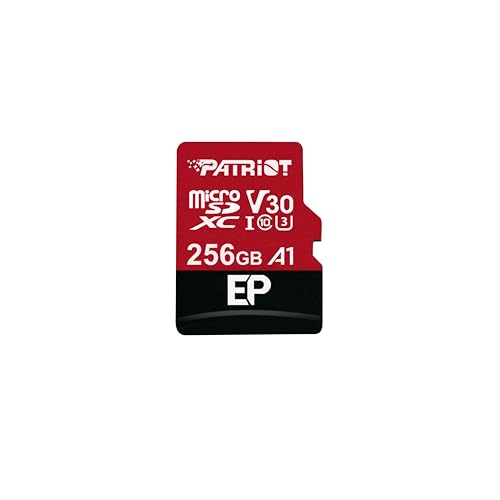
Patriot EP Series 256GB MicroSDXC V30 A2 Card
ASIN B0DFD3K75L • $64.99 • Sold by Patriot Memory AU on Amazon AU
The EP is Patriot's step-up card, $65 for 256GB, and the extra dollar or so over the A1 buys one specific thing: an A2 random-access rating in place of A1. The rest of the sheet is familiar territory, V30 and U3 video ratings on a UHS-I interface, stated reads up to 90MB/s and writes up to 80MB/s, with 4K recording support stated on the listing. Sitting at #21 in the same Amazon AU microSD chart, it's the card for the growing class of devices that treat a microSD slot as a place programs live rather than a shoebox for files: Android phones and tablets that move apps to the card, retro and emulation handhelds, single-board computers, and any gadget where the card is effectively the system drive.
A2 matters because random access is a different discipline from streaming. Launching an app or loading a game level scatters thousands of small reads across the card, and sequential megabyte figures say nothing about how that feels. The A2 spec sets minimum random performance several times higher than A1, which in practice is the difference between an emulation handheld that stutters loading assets and one that doesn't. One honest caveat from the spec sheet: the stated sequential read, 90MB/s, is fractionally below the A1 card's 100, and neither number is the reason to choose between them. Choose by workload. Files and media, buy the A1 and keep the change. Apps and games running off the card, the EP is the correct one of the pair.
Same first-week routine as every card: full surface test, then format in the destination device, and for a handheld that means the console's own format menu. The EP is still not an endurance card, and a listing that stays silent on continuous recording should be read as a no, so the dash cam rule from the rest of this page applies here too. Between the two Patriots the buying error people actually make is grabbing this one for a camera bag out of a bigger-number instinct; the camera can't use the A2 advantage. For the handheld in the Christmas stocking, though, this is the $65 that stops the complaining.
Honest caveats: Not an endurance card, and the listing makes no 24/7 claims, so it stays out of recorders. Stated read speed is slightly below its $64 sibling. The A2 advantage only appears in devices that run software off the card; for pure media storage it's money spent on a spec you'll never touch.
Best for: Handhelds, phones and anything that runs apps or games directly off the card.
Capacity: 256GB • Ratings: A2, V30, U3, UHS-I • Stated read: Up to 90MB/s • Stated write: Up to 80MB/s • 4K recording: Stated supported • Endurance rating: None stated, standard consumer card • Sold by: Patriot Memory AU • Rank: #21 in Micro SD Cards (Amazon AU)
View on Amazon AU
Silicon Power 128GB High Endurance MicroSDXC Card
ASIN B0BZHVB7S2 • $64 • Sold by Silicon Power AU on Amazon AU
This is the card I'd put in most dash cams on the Central Coast. Silicon Power's 128GB High Endurance is $64, rated V30, U3, Class 10 and A1 on a UHS-I interface, with stated writes up to 80MB/s and reads up to 100MB/s, and the listing says the words the standard cards won't: optimised for 4K recording in dash cams and security cameras, with write-intensive 24/7 surveillance named as the intended duty. It ships with a full-size SD adapter, carries a two year warranty, and is rated waterproof, shockproof, X-ray proof and temperature proof. That last rating matters more than it sounds for a card that lives behind a windscreen in an Australian summer, because cabin heat is the quiet second stress on dash cam flash after the write load itself.
The capacity maths works for commuter duty. At the 6 to 8GB an hour a typical 1080p dash cam writes, 128GB holds a couple of weeks of ordinary driving before the loop returns; a 4K cam tightens that to a few days, which is still comfortably enough for the incident-to-download window that actually matters. The endurance rating is what changes the ownership experience: this card is designed to sit in the loop-write cycle for years, while the standard cards people grab at the checkout come across the bench worn out, throwing errors or locked read-only after a year or two of that duty. The $64 question isn't whether the endurance premium is real. It's whether your recorder runs around the clock, and that's what decides 128 versus 256.
Setup notes for dash cams specifically: format the card in the camera on day one, then let the camera manage its own loop rather than deleting files from a computer, and re-format from the camera menu every few months as routine maintenance, since recorder filesystems accumulate clutter. Check the protected-clip folder occasionally too, because emergency-locked files eat loop space quietly until the card seems mysteriously full. If the cam runs only while driving, this card is the balanced answer on this page, and it pairs naturally with the incident habits in the dash cam guide linked earlier.
Honest caveats: No terabytes-written endurance figure is published, so the 24/7 rating is a design claim rather than a measurable quota, and the two year warranty is shorter than the card's intended service life. 128GB is tight for 4K cameras, and parking-mode duty pushes you to the 256GB version instead.
Best for: Dash cams and security cameras on drive-time duty rather than 24/7 parking mode.
Capacity: 128GB • Line: High Endurance • Ratings: V30, U3, Class 10, A1, UHS-I • Stated write: Up to 80MB/s continuous recording • Stated read: Up to 100MB/s • Rated for: 24/7 surveillance and dash cam duty (listing) • Durability: Waterproof, shockproof, X-ray and temperature proof • Warranty: 2 years, SD adapter included • Rank: #18 in Micro SD Cards (Amazon AU)
View on Amazon AU
Silicon Power 256GB High Endurance MicroSDXC Card
ASIN B0BZJ2BV5M • $112 • Sold by Silicon Power AU on Amazon AU
The 256GB version of the same Silicon Power High Endurance line is the dearest card on this page at $112, and it exists for one duty: recorders that never stop. Parking mode through a hardwire kit, a security camera watching a driveway, a site camera on a job: anything writing around the clock roughly doubles the write load a commuter dash cam sees, and it needs both the endurance rating and the room. The sheet matches its smaller sibling, V30, U3, Class 10 and A1 on UHS-I, stated 80MB/s writes and 100MB/s reads, the same waterproof, shockproof, X-ray and temperature proofing, the same SD adapter in the box and two year warranty, and the same #18 slot in Amazon AU's microSD chart on the day I checked.
Capacity is the quiet half of endurance. Because flash wears per write, a card twice the size takes twice as long to loop, which halves the number of times any given block gets rewritten in a year. On a 24/7 recorder that arithmetic compounds: the 256GB card isn't just more room, it's a slower odometer. It also changes what survives an incident. With 256GB, a parking-mode cam holds several days of history rather than one, which is the difference between having footage of the door ding you found on Thursday and having re-recorded over it on Tuesday night. For a camera guarding anything you'd actually want evidence about, the bigger endurance card is the entire point of the exercise.
At $112 it costs a meaningful fraction of some cameras, so aim it where the duty justifies it: parking-mode dash cams, standalone security cameras, and continuous recorders generally. The same care rules apply, in-camera format on day one and periodically after, plus a surface test before first use, which takes longer on 256GB and is still worth the hour. If the footage on it ever does matter, stop recording immediately and get the card imaged before anything else touches it; the recovery page linked earlier explains why the first response decides the outcome.
Honest caveats: The price per gigabyte is the steepest here, roughly double the standard 256GB cards, and the listing publishes no terabytes-written quota to measure the endurance claim against. Overkill for a cam that only runs while you drive; the 128GB sibling covers that duty for $48 less.
Best for: Parking-mode dash cams and 24/7 security cameras where the card never rests.
Capacity: 256GB • Line: High Endurance • Ratings: V30, U3, Class 10, A1, UHS-I • Stated write: Up to 80MB/s continuous recording • Stated read: Up to 100MB/s • Rated for: 24/7 surveillance and dash cam duty (listing) • Durability: Waterproof, shockproof, X-ray and temperature proof • Warranty: 2 years, SD adapter included • Rank: #18 in Micro SD Cards (Amazon AU)
View on Amazon AU
SanDisk 256GB MicroSD Express Nintendo Switch 2 Memory Card
ASIN B0FZ191W78 • $83.95 • Ships from The Gamesmen
This card is on the page for one reason: if you own a Nintendo Switch 2, this is the class of card you must buy. It is the 256GB SanDisk microSD Express card sold for the console, $84 from The Gamesmen, an Australian games retailer, and it sits at #203 in the microSD chart. microSD Express is a different interface, the card talking over PCIe like a small SSD rather than over the old SD bus, and Nintendo made it mandatory for expansion on the Switch 2. So the usual comparative shopping questions mostly don't apply here. The console picked the standard, and an Australian retailer as the seller settles the counterfeit question about as cleanly as this market ever allows.
What you give up relative to the rest of the page is flexibility. In any device other than an Express host, this card falls back to ordinary card speeds, so it holds no advantage in a camera, dash cam or phone, and its listing states no V-class or A-class ratings to judge those duties by. Treat it as a console part, the way a memory card for a games machine has always been a console part. The one comparison worth making is against internal storage anxiety: $84 adds 256GB of game space in a single purchase, which is the whole business case in one sentence.
Buying notes: counterfeiters follow demand, and a new console standard is demand, so the buy-from-an-AU-seller gate matters more here than anywhere else on the page. Test it on arrival the same as any card, load a game onto it and play it, and keep the packaging while the return window runs. If the console reports the card unreadable down the track, check Nintendo's own troubleshooting steps before assuming the card died; interface standards this young get firmware updates on both sides. For every non-Switch purpose, buy from the rest of this page instead.
Honest caveats: Single-purpose in practice: outside an Express host it runs at ordinary card speeds, and the listing states no ratings for camera or recorder duty. The listing is thin on specification detail generally, stating little beyond the brand, the capacity and the Switch 2 pairing, and 256GB is the only size offered on it. It is sold and sent by The Gamesmen rather than by Amazon itself, so check the delivery date at checkout.
Best for: Switch 2 owners adding game storage; nobody else.
Capacity: 256GB • Interface: microSD Express • Compatibility: Nintendo Switch 2 (Express required for expansion) • Camera and recorder ratings: Not stated on the listing • Fallback behaviour: Standard card speeds in non-Express readers • Sold by: The Gamesmen (Australian games retailer) • Rank: #203 in Micro SD Cards (Amazon AU)
View on Amazon AU
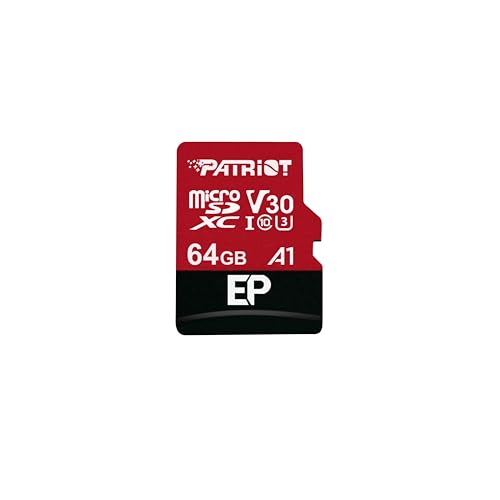
Patriot EP A1 64GB MicroSDXC Card
ASIN B07FKJS15M • $21.49 • Sold by Patriot Memory AU on Amazon AU
At $21, this is the lowest-cost card on the page and the one to buy when 64GB is genuinely enough. The listing states A1 app performance and V30 video ratings, reads up to 100MB/s and writes up to 80MB/s, 4K recording support, and an SD adapter in the box. It is pitched at Android phones and tablets, and it sits at #8 in Amazon AU's Micro SD Cards chart, sold by Patriot's own AU storefront rather than a marketplace unknown.
The sensible uses are the small jobs: a second phone, a kid's tablet, a spare for a camera bag, or a card that exists to hold offline maps and music. The V30 rating means 4K video isn't beyond it, but 64GB fills quickly with video, so this isn't the card for a drone or a camera that shoots a lot. Same first-week routine as every card on this page: a full surface test with h2testw or F3, then format it in the device it will live in.
Honest caveats: Smallest capacity on the page, and the listing makes no endurance or continuous-recording claim, so it stays out of dash cams and security cameras. The 100MB/s read figure is a best-case number from a good reader.
Best for: Phones and tablets that only need 64GB, and spare cards.
Capacity: 64GB • Ratings: A1, V30 • Stated read: Up to 100MB/s • Stated write: Up to 80MB/s • 4K recording: Stated supported • Adapter: SD adapter included • Endurance rating: None stated, standard consumer card • Sold by: Patriot Memory AU • Rank: #8 in Micro SD Cards (Amazon AU)
View on Amazon AU
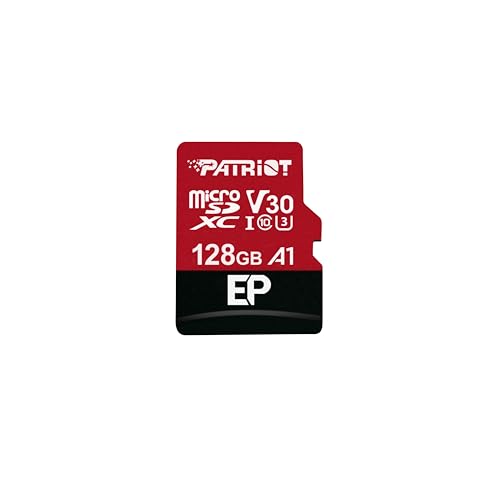
Patriot Memory A1 V30 128GB MicroSD Card
ASIN B07FKN4T4H • $35.99 • Sold by Patriot Memory AU on Amazon AU
This is the same Patriot A1 V30 card as the 256GB lead pick at half the capacity, $36 for 128GB. The listing states A1 app performance, V30 video speed, reads up to 100MB/s, writes up to 80MB/s, 4K recording capability and an SD adapter, and it sells from Patriot's AU storefront at #8 in the Micro SD Cards chart. If 64GB is too tight and 256GB is more than you will ever fill, this is the size that matches most phones and tablets.
The reasoning is the same as for the bigger Patriot: storage for photos, music, offline maps and downloads, with enough sustained write rating to cope with 4K video. It is not an endurance card and the listing makes no continuous-recording claim, so a dash cam gets one of the Silicon Power cards instead. Test it with h2testw or F3 in the first week, then format it in the destination device.
Honest caveats: No endurance rating or continuous-recording claim, so keep it out of recorders. The listing doesn't name the flash inside or publish a terabytes-written figure, and the 100MB/s read figure is a best case.
Best for: Phones and tablets that need more room than 64GB but not 256GB.
Capacity: 128GB • Ratings: A1, V30 • Stated read: Up to 100MB/s • Stated write: Up to 80MB/s • 4K recording: Stated capable • Adapter: SD adapter included • Endurance rating: None stated, standard consumer card • Sold by: Patriot Memory AU • Rank: #8 in Micro SD Cards (Amazon AU)
View on Amazon AU
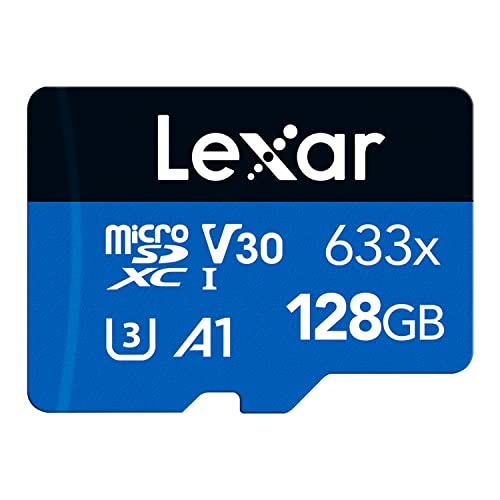
Lexar 633x 128GB MicroSDXC Card with Adapter
ASIN B0BX98STTD • $54.99 • Ships from Amazon AU
Lexar 633x 128GB is the name-brand pick in the 128GB class. The listing is for a 128GB microSDXC on a UHS-I interface, rated A1, Class 10, U3 and V30 with reads up to 100MB/s, and it comes with an SD adapter. It is sold by Amazon AU itself at $55 and sits at #24 in the Micro SD Cards chart.
It costs about $19 more than the Patriot 128GB, which states the same V30 rating and the same 100MB/s read figure, so the premium is for the Lexar name and Amazon AU as the seller. The listing is aimed at smartphones, tablets and cameras, which is where it belongs. Treat 100MB/s as a best-case read from a good reader, then run the same surface test on arrival and format the card in the device it will live in.
Honest caveats: The listing states no write speed and no endurance rating, so it is not a card for dash cams or security cameras; the Silicon Power endurance cards are the ones for those jobs. It is dearer than the Patriot 128GB, which states V30 as well, and it ranks lower at #24.
Best for: Everyday 128GB storage in a phone or tablet from a name brand.
Capacity: 128GB • Interface: UHS-I, microSDXC • Ratings: A1, Class 10, U3, V30 • Stated read: Up to 100MB/s • Stated write: Not stated on the listing • Adapter: SD adapter included • Sold by: Amazon AU • Rank: #24 in Micro SD Cards (Amazon AU)
View on Amazon AUSide-by-side comparison
| Product | Price | Best for |
|---|---|---|
| Patriot EP A1 microSD Card SDXC 64GB for… | ~$21.49 | Phones and tablets that only need 64GB |
| Patriot Memory A1 V30 MicroSD Memory Card… | ~$35.99 | Phones and tablets on a tight budget |
| Lexar 633x 128GB Micro SD Card | ~$54.99 | Everyday 128GB storage from a name brand |
| Patriot Memory A1 V30 MicroSD Memory Card… | ~$63.99 | Phones, tablets, drones and cameras |
| Patriot EP Series 256GB Micro SDXC V30 A2… | ~$64.99 | Handhelds and apps run off the card |
| Silicon Power 128GB High Endurance… | ~$64 | Commuter dash cams and security cameras |
| SanDisk 256GB MicroSD Express for Switch 2 | ~$83.95 | Nintendo Switch 2 game storage |
| Silicon Power 256GB High Endurance… | ~$112 | Parking-mode dash cams and 24/7 recorders |
What we see fail at the bench: memory cards
Memory cards come across the bench in two states: dead, and worse than dead. Worse than dead is the card that still mounts but corrupts what it writes, because people keep trusting it while it quietly eats their footage. Nearly every failure traces to one of three causes, and none of them is bad luck. Cards wear out on schedule, fakes fail by design, and filesystems get scrambled by how the card was handled rather than by the card itself.
Worn flash goes read-only, then silent
Flash cells tolerate a finite number of writes, and a loop-recording camera spends that allowance faster than any other consumer device. The end of life usually announces itself: recording errors, files that stop a few seconds in, a camera that complains about the card weekly, and eventually a card that locks itself read-only to protect what remains. People replace the camera at that point surprisingly often, because the symptoms look like camera failure. Try a fresh card first, always. And treat a dash cam card as a service item on a schedule: the endurance models buy years, not immortality, and a $64 replacement every few years is the cost of the footage existing when it matters.
Fake capacity fails exactly when it matters
A fake 256GB card with 32GB of real flash inside doesn't fail at purchase, it fails at hour forty of loop recording, when the write pointer sails past the real capacity and the firmware starts mapping new footage over old blocks. The camera reports success the whole time. The first anyone learns of it is after the incident, when the file list shows a fortnight of clips and half of them open as grey noise. A ten minute h2testw pass on day one catches every card of this kind, which is why I bang on about it, and the AU-storefront buying gate stops most of them reaching you in the first place.
Yanked cards and scrambled filesystems
The third failure class is self-inflicted: cards pulled out of a live device mid-write, cleaned up from a computer while the camera expected its own layout, or shuffled between devices that each format a little differently. The flash is healthy; the filesystem on it is scrambled, and the device responds by demanding a format, which people agree to with the only copy of something still on the card. If a card holds anything that matters, the order of operations is copy first, format second, never the reverse. And if the card holds something irreplaceable and refuses to mount, stop. Every write reduces what recovery can get back, and recovery is a real option while the card stays untouched.
Decision tree: which one should you actually buy?
- Dash cam that runs while you drive, nothing fancy? → Silicon Power 128GB High Endurance, $64. Rated for the loop-write duty and big enough that a commute takes weeks to wrap around.
- Parking mode wired in, or a security camera that never sleeps? → Silicon Power 256GB High Endurance, $112. Twice the room means half the wear rate and several days of history instead of one.
- Filling a phone, tablet or drone with media? → Patriot A1 256GB, $64. Straight storage value from a real brand's AU storefront, with V30 covering 4K video.
- Just need low-cost, reliable capacity in a phone or tablet? → Patriot A1 128GB at $36, or the Patriot EP A1 64GB at $21. Both state A1 and V30 ratings, and both come with an SD adapter. Lexar 633x 128GB is the name-brand alternative.
- Handheld or any device that runs games and apps off the card? → Patriot EP 256GB, $65. The A2 random-access rating is the one spec that job actually feels.
- Nintendo Switch 2? → The SanDisk microSD Express 256GB, $84 from The Gamesmen, an Australian games retailer. The console accepts nothing older, so the decision is made for you.
- Card corrupted, gone read-only, or holding footage you cannot lose? → Stop writing to it immediately and bring it to our Erina workshop. We image the card first and tell you what is recoverable before you spend anything.
Frequently asked questions
How long does a microSD card last in a dash cam?
It depends on the duty, not the calendar. A standard consumer card in a loop-recording dash cam is commonly showing errors inside a year or two, because loop recording rewrites the whole card every few days and flash wears per write. A high endurance card doing commuter duty should run for years; the same card under 24/7 parking mode wears at more than double the rate. The listings publish no terabytes-written quota, so treat the card as a service item: watch for recording errors, files that cut off early, or the camera complaining about the card, and replace it when the symptoms start rather than after the footage you needed is gone.
Are high endurance cards actually different, or just marketing?
The label reflects a real design difference, even though the listings keep the internals vague. Endurance lines are built and warranted around continuous rewriting, and the manufacturer states 24/7 surveillance and dash cam duty as the intended use, which it pointedly does not say about standard cards. What crosses my bench matches the label: the worn-out, read-only cards that come out of dash cams are overwhelmingly standard cards that were asked to do a recorder's job. What the label does not give you is a number, since no terabytes-written figure is published on these consumer listings, so the honest framing is a class of card designed for the duty rather than a guaranteed lifespan.
How do I check a microSD card is genuine?
Two gates. At purchase, buy from Amazon AU directly or an Australian storefront seller, and treat a price that is dramatically below the field as the warning it is; every pick on this page passed that gate. After purchase, run a full surface test before trusting the card: h2testw on Windows or F3 on Mac and Linux writes data across every block and reads it back, which exposes fake capacity and early bad flash in about ten minutes for a 128GB card. Do it inside the return window. A fake card passes casual use and fails precisely when the real capacity runs out, so the surface test is the only check that actually settles the question.
What size card do I need for a dash cam?
Work from the write rate. A typical 1080p dash cam writes somewhere near 6 to 8GB an hour, so a 128GB card holds roughly two weeks of an hour-a-day commute before the loop wraps; 4K roughly halves that. The question is how much history you need to survive between an incident happening and you saving the clip, and for drive-only recording, 128GB of endurance card is comfortably enough. Parking mode changes the answer, because the camera writes around the clock: history shrinks to a day or two on 128GB, which is why the 256GB endurance card is the right fit there. Bigger also wears slower, since the loop takes longer to revisit any given block.
Can I use a microSD Express card in my normal camera or dash cam?
It will usually work, but it is the wrong buy. Express cards fall back to ordinary card speeds in devices that lack the Express interface, so you pay the new-standard premium and receive standard-card performance, and the SanDisk Express listing states no V-class or endurance ratings for recorder duty anyway. The traffic runs the other way too: a Switch 2 will not accept a standard microSD for game storage, since the console requires Express cards for expansion. Match the card to the slot. Express for the Switch 2, endurance cards for recorders, and standard A1 or A2 cards for phones, tablets and cameras.
Why has my card gone read-only, and can the files be saved?
Read-only is usually the card's own end-of-life behaviour: when worn flash can no longer write safely, the controller locks the card to protect what is already there. First check the physical lock slider on the SD adapter if you are using one, because that catches a surprising number of people. If the card itself has locked, the good news is the protection generally works: the existing files are commonly readable, so copy everything off promptly and retire the card. Do not format it, and do not keep forcing it back into the camera. If the card will not mount at all and the contents matter, stop touching it and have it looked at professionally.
Related buying guides
Dead card, missing footage, or a camera that keeps eating cards?
Half the dead cards that reach the bench still hold everything, and the other half were killed by something upstream: a failing camera, a bad reader, a fake sold as a name brand. Bring the card in to Erina before you format anything. We image it first, tell you what is recoverable, and work out whether the camera or the card is the real problem before you spend a dollar on either.
Visit our Erina workshop Book Online