Prices from Amazon AU, updated daily. Swipe or use the arrows for more.
Disclosure: This article contains affiliate links to amazon.com.au. If you buy through one of these links iFix may earn a small commission at no extra cost to you. It doesn't change which products we recommend. We focus on what actually lasts based on 16 years of repair-shop experience.
Quick summary8 picks
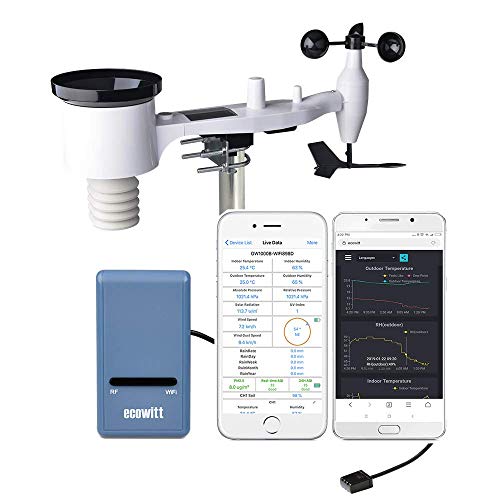
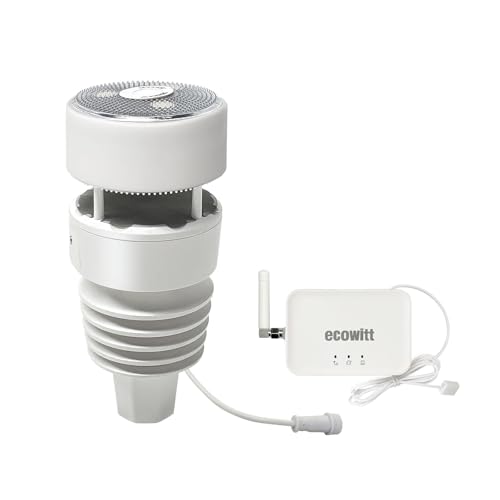
- Entry PickECOWITT GW1101 Wi-Fi Weather Station about$129.99
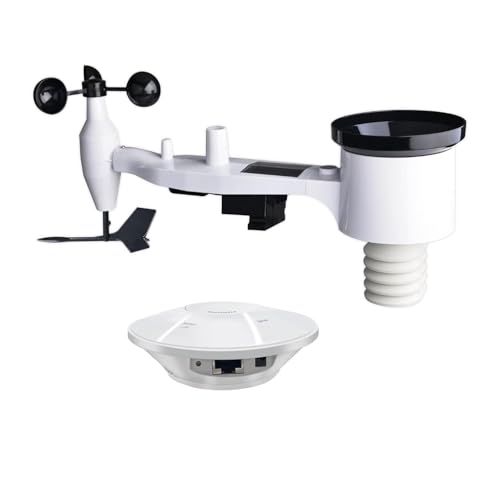
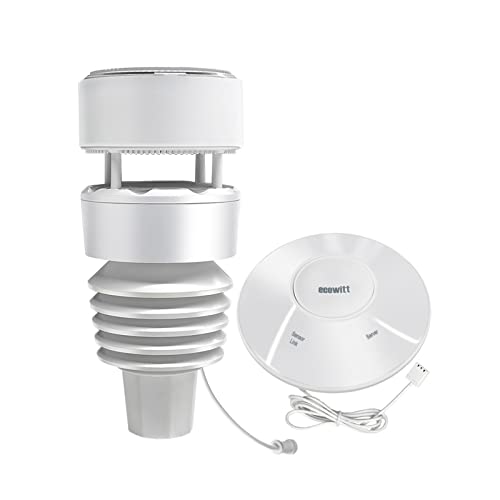
- ECOWITT GW2002 Weather Station Kit about$156.99
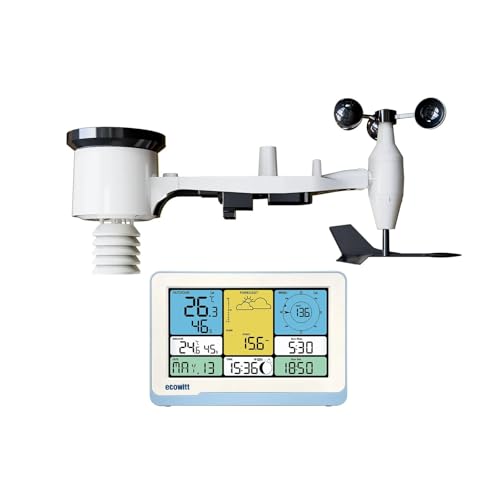
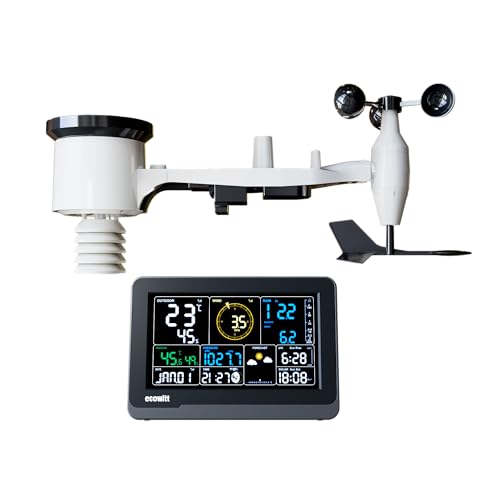
- ECOWITT Wi-Fi Weather Station Combo WS3820 about$199.99
- ECOWITT Wi-Fi Weather Station GW1210 about$239.99
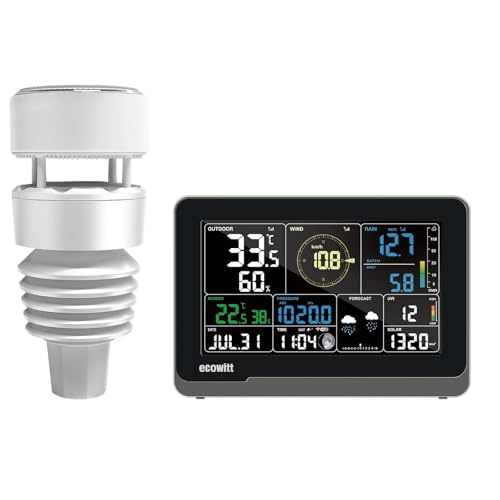
- Ecowitt WS3900 Wi-Fi Weather Station Kit… about$259.99
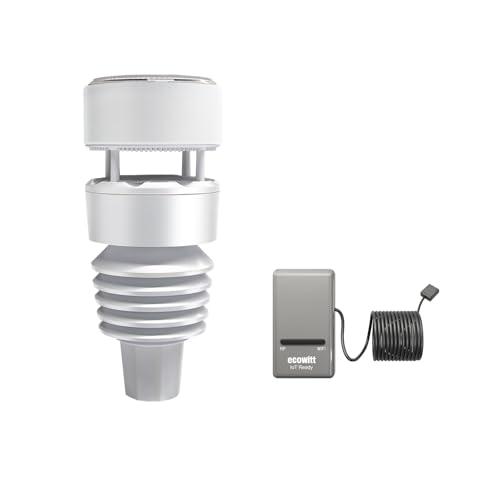
- Ecowitt Wittboy Weather Station about$269.99
- Most PremiumEcowitt WS3901 Wi-Fi Weather Station Kit… about$299.99
- ECOWITT GW3001 Weather Station about$299.99
Why a repair shop is writing about weather stations
A home weather station is a small radio transmitter bolted to a pole in the weather, talking to a box inside the house that talks to your Wi-Fi. Every part of that chain is electronics, and most of what goes wrong with one isn't the weather at all. It's flat or leaking batteries, a corroded battery contact, a radio that's on the wrong frequency, or a console that won't join the home Wi-Fi. Those are the faults people ask us about, and they're mostly avoidable at the buying stage.
This guide covers Wi-Fi weather stations with a proper outdoor sensor array, the kind with wind cups, a wind vane, a rain gauge, a temperature and humidity sensor and a light and UV sensor in one unit. I've left out indoor-only weather clocks that just show outdoor temperature, and separate add-on sensors sold on their own. All five picks are Ecowitt, sold by Ecowitt's own Australian Amazon store, and every one of their listings states 433 MHz.
The five picks run from $129.99 to $299.99 at time of writing. Two are app-only kits with a small indoor hub and no screen, the GW1101 and the GW2002. Two pair a 7.5 inch indoor console with an outdoor array, the WS3900 and the WS3901. The fifth, the Wittboy, pairs Ecowitt's compact Wittboy array with its own hub. I also looked at PanTech, an Australian brand selling similar stations, but its listings don't state the radio frequency, so it isn't here.
433 MHz, Wi-Fi and the frequency trap
The outdoor array sends its readings to the indoor console or hub by radio, and both ends have to be on the same frequency. Ecowitt makes the same products in different radio versions for different countries, and the Australian listings here are the 433 MHz version. The GW1101 listing goes as far as saying every one it sells on amazon.com.au is 433 MHz. That matters most later, when you add a soil moisture sensor or a second thermometer, because the add-on has to match the frequency of the hub it talks to.
I'd avoid importing one from an overseas store for that reason. A kit bought from a US seller is usually the 915 MHz version, and it'll work with its own array, but locally sold add-on sensors won't pair with it. It's a frustrating thing to discover when you've already mounted the array on the roof. Check the frequency in the title or the feature list before you order any add-on sensor, and if a listing doesn't state it, ask the seller first.
The Wi-Fi side is a separate radio. Every console and hub among the picks joins a 2.4 GHz network only, which trips up a lot of people on mesh systems and modern routers that merge 2.4 and 5 GHz under one network name. The setup fails, or joins and then drops off at night. If yours won't connect, give the router a separate 2.4 GHz network name for a few minutes during setup, or see our mesh Wi-Fi guide for systems that let you split the bands.
Console, hub or gateway: where the data goes
There are two ways to read the data. A console is an indoor screen that shows the weather at a glance, plus its own indoor temperature, humidity and pressure sensors. A gateway or hub is a small box with no screen, which collects the readings and sends them to an app and the internet. A console suits a kitchen or a hallway where the family looks at it every day. A hub suits someone who reads the weather on a phone or wants the data in a home automation system.
The WS3900 and WS3901 are the console picks. Both use the same 7.5 inch LCD console, which joins Wi-Fi and uploads to the internet as well as showing the data on screen. The WS3900 listing is honest about a limit worth knowing: some add-on sensors, like soil moisture, water leak and lightning detectors, upload to the cloud through the console but don't show on its screen at all. If you want soil moisture on the screen, check the listing's display list before buying the sensor.
The GW1101, GW2002 and Wittboy are the hub picks. The GW1101 uses Ecowitt's GW1100 gateway, a small plug-in box. The GW2002 uses the newer GW2000 hub, which adds an ethernet socket, so it can sit on a cable to the router instead of Wi-Fi, and comes with an indoor temperature, humidity and pressure sensor on a 1.5m USB lead so the sensor isn't warmed by the hub. The Wittboy has its own Wittboy Wi-Fi hub paired with the compact array.
Whichever you pick, the data goes to the same places. The listings name Ecowitt's own free weather server, Weather Underground, Weathercloud and the WOW network as upload targets, and Ecowitt's consoles and gateways generally support a custom server address too, which the Wittboy Pro listing names. That last option is the one that matters for home automation, because it lets the readings go to a computer in your own house instead of a server overseas. Ecowitt's app handles the Wi-Fi setup, and the WS3900 console can also be set up from a web page.
Where to mount the outdoor array
Where you put the array decides how good the readings are, more than which model you buy. Weather services measure temperature about head height over grass, away from walls, and measure wind well above roofs and trees. A home station usually compromises: a pole on the side of a shed or a fence post a metre or so above the roofline for wind, or a lower post in an open part of the yard if temperature and rain matter more. A pole on the house eave is the most common, and the least accurate for temperature.
Keep the array away from hot surfaces. A sensor above a Colorbond roof, beside a brick wall or over a concrete driveway reads several degrees high on a sunny afternoon, because the surface radiates heat long after the sun moves. Keep it away from air-conditioner condensers, hot water heat pumps and barbecues for the same reason. The WS69 listings mention a bubble level and the Wittboy's a mounting tube and base, and getting the array level matters for the rain gauge and the wind vane.
Mount it where you can reach it with a short ladder. The array needs cleaning and fresh batteries now and then, and a station mounted somewhere you can't safely reach is a station that stops reporting after a couple of years. Point the solar panel north, which is the sun side in Australia, and check the instructions for which way the array has to face so the wind direction reads true. The Wittboy listing quotes up to 150m of radio range with obstacles, so most suburban blocks are well within reach.
Rain, wind and why your numbers won't match the BoM
People are often disappointed that their station doesn't match the Bureau of Meteorology's nearest site, but it isn't supposed to. The nearest official station might be kilometres away, at an airport, at a different height and in a very different exposure. Rain especially varies street to street in a summer storm. Your station is measuring your yard, which is the point of having one, so compare trends over a season rather than one afternoon's numbers.
Barometric pressure is the reading most people get wrong at setup. The console or hub measures absolute pressure at your height above sea level, while the BoM reports pressure corrected to sea level. Set the relative pressure offset in the settings to match a nearby BoM reading on a calm day, and the numbers will line up from then on. The forecast icon on the console works from pressure changes, so it's only as good as that setup.
Rain gauges need a bit of care. A traditional gauge collects water in a funnel and counts it in small steps, and leaves, spiders and bird droppings in the funnel make it under-read. The Wittboy uses what Ecowitt calls a haptic rain sensor, which senses drops hitting its top surface instead of collecting water, and the Wittboy Pro listing is upfront that its daily rain total can drift in some conditions with drop size and wind. If accurate rain totals matter most, mount it in the open and check it against a simple manual gauge for a few weeks.
Home Assistant, apps and keeping the data local
For anyone running a smart home, a weather station with a local data feed is one of the most useful sensors you can add. Wind speed can close the awning, rain can skip the sprinkler schedule, and outdoor temperature and humidity can drive the fans and the heat pump. Home Assistant has an Ecowitt integration that receives the gateway's custom-server upload on your own network, so the data doesn't have to leave the house. Check the current Home Assistant docs for which consoles and hubs it supports before you buy.
The hub picks are the natural fit for this. The GW2000 hub in the GW2002 kit can run on ethernet, which takes Wi-Fi drops out of the picture for an automation that closes an awning in a gust. Our Home Assistant hardware guide covers the small computers and radio dongles that run it, and the same station data can feed the solar and battery automations in our smart home power savings guide.
If you don't run home automation, the Ecowitt app and the free Ecowitt server are enough. The GW1101 listing says the app shows live data on your home network, and the server keeps graphs and history you can download, with email alerts for any sensor. The consoles add the screen on top. One thing to know is that the cloud services depend on the company keeping them running, so the custom-server option is worth setting up even if you never use it day to day.
Batteries, solar and the power faults we see
The outdoor arrays here run on solar with batteries as backup. The WS69 array in the WS3900, GW1101 and GW2002 kits takes 2 AA batteries, which aren't included, alongside its solar panel. The Wittboy listing describes a built-in solar panel with backup batteries. Use good quality lithium AA cells in an outdoor array rather than alkalines, because alkaline cells left in a hot, damp enclosure for a year or two leak and corrode the battery contacts, which is the most common fault we see in outdoor sensors of any kind.
Corrosion on the contacts shows up as an array that drops out overnight, then comes back when the sun hits the solar panel. If that starts happening, open the battery door, look for white or green crust on the springs, and clean it with a cotton bud and a little isopropyl alcohol. Badly corroded springs can be replaced, but by then moisture has often reached the circuit board, so check the battery door seal every time you change cells.
Indoors, the consoles and hubs run from USB power. A no-name USB adapter that's electrically noisy can cause a console to drop Wi-Fi or restart at random, and a failing one can run hot. Use a decent RCM-marked adapter, and see our guide to bad chargers for what to avoid. If the array is on a metal pole on a high, exposed roof, run the pole's earth properly, because a nearby lightning strike can induce a surge into anything on it.
Add-on sensors, buying new and checking it on arrival
The real value of a hub or console is the add-ons. The listings here pair with up to eight extra temperature and humidity sensors for rooms, sheds and fridges, soil moisture probes for the garden, a pool thermometer, water leak sensors, PM2.5 air sensors and a lightning detector, depending on the model. Soil moisture probes pair well with our raised garden bed picks. Each add-on is a separate purchase, so price the ones you want and check that the hub you pick supports that sensor and that many of them.
Buy new and check it the day it arrives, before anything goes up a ladder. Fit the batteries, pair the array to the console or hub on the kitchen table, join the Wi-Fi and leave it overnight. Spin the wind cups, turn the vane and pour a little water into the rain gauge to see every reading move. A fault found on the table is an easy return, and one found after the array is bolted to the roof is a much bigger job.
All five picks are sold by Ecowitt's Australian store on Amazon, and none of the listings state a warranty term, so check the seller's returns details and keep the order email. If the console, hub or the phone you use to run the app plays up, those are ordinary electronics faults. A phone with a dead charge port, a cracked screen or a battery that won't last a day can come into our Erina phone repair workshop to be checked.
The 5 picks, $129.99 to $299.99
Prices are Amazon AU at time of writing (2026-11-16) and move week to week. Ranks are Amazon AU sales ranks in Weather Stations, checked the same day, with the overall Amazon AU rank alongside. The WS3900 and WS3901 ranks are each shared with other Ecowitt kits on one grouped listing, so treat those two as listing ranks rather than the model's own.

Ecowitt WS3900 Wi-Fi Weather Station Kit with 7.5 inch Console and WS69 Array, 433 MHz
ASIN B0CTTCGF64 • $259.99 • Sold by ecowitt au on Amazon AU
The Ecowitt WS3900 kit is the one I'd buy for most homes, because it gives the family a screen to look at and still does everything the app-only kits do. It's listed at $259.99, sold by Ecowitt's AU store, and ranks #2 in Amazon AU's Weather Stations category and #143 overall. That rank is shared with other Ecowitt console kits on one grouped listing, so it tells you the group sells well rather than this kit alone. Its part number is WS3900CA-Kit, and the title and feature list both state 433 MHz. Being sold by Ecowitt's own Australian store keeps a return or a question about pairing simple in the first weeks. Both console picks in this guide use this same WS3900 console, so the screen and setup are the same either way, and the choice between them comes down to the outdoor array.
The kit pairs the WS3900 indoor console, a 7.5 inch LCD with its own indoor temperature, humidity and barometric pressure sensors, with the WS69 outdoor array. The WS69 carries a temperature and humidity sensor, a rain gauge, wind cups, a wind vane, a light and UV sensor and a solar panel, and runs on solar plus 2 AA batteries that aren't included. The console joins 2.4 GHz Wi-Fi and is set up from the Ecowitt app or a web page at 192.168.4.1. A 7.5 inch screen is big enough to read from across a kitchen, which is the main reason to pay for a console over a hub. The console's own indoor sensors mean you don't need a separate indoor thermometer, and it should keep showing outdoor readings from the array even when the home internet is down, because the array talks to it by radio rather than through the router.
The listing is upfront about a limit: lightning, PM2.5, water leak and soil moisture sensors pair with the console and upload to the cloud, but don't show on its screen. A WS90, WS80 or WS68 wind sensor and a WH40 rain gauge do show. The listing doesn't state a warranty, the console's power supply or the array's weight. Buy lithium AA cells for the array, and set the relative pressure offset on day one. Keep the console out of direct sun and away from the oven, or its indoor temperature reading drifts high. A decent RCM-marked USB adapter avoids random restarts, and pairing the array on the table before mounting it saves a ladder climb if anything's wrong.
Honest caveats: The rank is shared across a grouped Ecowitt listing. Some add-on sensors upload but don't display on the console. The array needs 2 AA batteries that aren't included, and the listing doesn't state a warranty or the console's power supply. It costs about $103 more than the GW2002 kit for the screen.
Best for: Most homes that want a big indoor screen for the family plus the app, cloud and Home Assistant options of a hub.
Price: $259.99 (Ecowitt AU) • Console: 7.5 inch LCD, indoor temp, humidity, pressure • Outdoor array: WS69 7-in-1 • Radio: 433 MHz • Wi-Fi: 2.4 GHz • Array power: Solar plus 2 AA (not included) • Part number: WS3900CA-Kit • Rank: #2 in Weather Stations, #143 overall on Amazon AU, listing shared with other Ecowitt kits
View on Amazon AU
Ecowitt GW1101 Wi-Fi Weather Station, WS69 Array and GW1100 Gateway, 433 MHz
ASIN B07R1Y72G4 • $129.99 • Sold by ecowitt au on Amazon AU
The Ecowitt GW1101 is the lowest-priced pick of the five and the one for someone happy to read the weather on a phone. It's listed at $129.99, sold by Ecowitt's AU store, and ranks #9 in Amazon AU's Weather Stations category and #997 overall. Its part number is GW1101BU. The listing says plainly that every unit it sells on amazon.com.au is 433 MHz, which is the clearest frequency statement of the five picks. It's sold by Ecowitt's own Australian store, so a return in the first weeks is simple. The GW1100 is older than the GW2000 hub in the GW2002 kit, and it's been around long enough that most home automation guides and forum answers cover it, which helps when something doesn't connect first time.
The kit pairs the same WS69 seven-in-one outdoor array as the WS3900 kit with Ecowitt's GW1100 Wi-Fi gateway, a small indoor box with no screen. The listing says the array updates every 16 seconds, and the gateway shows live data in the Ecowitt or WSView Plus app on your home network and uploads to Ecowitt's free server for remote viewing, graphs and email alerts. It supports up to eight extra WN31 temperature and humidity sensors and eight WH51 soil moisture probes. The WS69 array in this kit is the same one in the WS3900 and GW2002 kits, so the outdoor readings are the same quality across all three, and the extra money on those kits goes on the indoor end. The app also handles uploads to Weather Underground, Weathercloud and WOW, and Ecowitt's gateways can usually send to a custom server address too, which is what Home Assistant uses.
There's no screen at all, so everyone who wants the weather needs the app on their phone. The listing doesn't state a warranty, the gateway's power supply or whether the gateway measures indoor conditions. The GW2002 kit costs more for a newer hub with ethernet. Plug the gateway into a decent RCM-marked USB adapter rather than a no-name one, and fit lithium AA cells in the array. Put the gateway somewhere central with good Wi-Fi, not in a cupboard behind the router. If the family later wants a screen, a console can be added, as long as it's the 433 MHz version to match the array.
Honest caveats: There's no screen, so it's phone-only. The listing doesn't state a warranty, the gateway's power supply or an indoor sensor in the gateway. The array needs 2 AA batteries that aren't included, and Wi-Fi is 2.4 GHz only. There's no ethernet socket on the GW1100, unlike the GW2000 hub in the GW2002 kit.
Best for: Phone-first households and Home Assistant users who want the outdoor array without paying for a screen.
Price: $129.99 (Ecowitt AU) • Console: None, GW1100 gateway and app • Outdoor array: WS69 7-in-1 • Update interval: 16 seconds • Radio: 433 MHz • Add-ons: Up to 8 WN31 and 8 WH51 • Part number: GW1101BU • Rank: #9 in Weather Stations, #997 overall on Amazon AU
View on Amazon AU
Ecowitt GW2002 Weather Station Kit, GW2000 Wi-Fi Hub and WS69 Array, 433 MHz
ASIN B0D9Q152B4 • $156.99 • Sold by ecowitt au on Amazon AU
The Ecowitt GW2002 kit is the one I'd pick for a smart home, because its hub can run on a network cable instead of Wi-Fi. It's listed at $156.99, sold by Ecowitt's AU store, and ranks #4 in Amazon AU's Weather Stations category and #765 overall, the best-ranked of the three hub picks. Its part number is GW2002CA, and the title and feature list both state 433 MHz. It's sold by Ecowitt's own Australian store, so a return in the first weeks is simple. It costs $27 more than the GW1101 for the newer hub, and for anyone with home automation that's money well spent. The kit carries the same WS69 array as the GW1101 and WS3900 kits, so the outdoor readings match those two.
The kit pairs the WS69 seven-in-one outdoor array with Ecowitt's GW2000 hub. The listing says the hub can be set up over Wi-Fi from the app or a web page, or connected to the router with an ethernet cable, which is sold separately. It also comes with an indoor temperature, humidity and pressure sensor on a 1.5m USB extension lead, so the indoor reading isn't warmed by the hub itself. It supports a WS90 array, a WH32 outdoor sensor, a WH40 rain gauge, a WS68 anemometer and up to eight WH31 sensors. The listing says the WS69 array in this kit also works with Ecowitt's GW1100 and GW1200 gateways and a long list of their consoles, sold separately, as long as the console is on the same frequency. That means you can add a WS3900 console later and keep the array on the roof.
Like the GW1101, there's no screen, so the weather lives in the app or your home automation system. The listing doesn't state a warranty or the hub's power adapter, and the ethernet cable isn't in the box. On ethernet, the automations that depend on wind or rain don't stop when the Wi-Fi drops. Run the array on lithium AA cells, and level it with the bubble on day one. Plug the hub into the router or a network switch if you can, because it takes Wi-Fi out of the list of things that can go wrong. Set the custom server upload to your Home Assistant address, and check it still reports after a power cut.
Honest caveats: There's no screen, and the ethernet cable isn't included. The listing doesn't state a warranty or the hub's power adapter. The array needs 2 AA batteries that aren't included. It's still a no-screen kit, like the GW1101, so anyone who wants a wall display adds a 433 MHz console later.
Best for: Home Assistant and smart home users who want a wired hub that keeps feeding weather data when the Wi-Fi drops.
Price: $156.99 (Ecowitt AU) • Console: None, GW2000 hub and app • Hub connection: 2.4 GHz Wi-Fi or ethernet (cable not included) • Indoor sensor: Temp, humidity, pressure on 1.5m USB lead • Outdoor array: WS69 7-in-1 • Radio: 433 MHz • Part number: GW2002CA • Rank: #4 in Weather Stations, #765 overall on Amazon AU
View on Amazon AU
Ecowitt Wittboy Weather Station, Wittboy Wi-Fi Hub and 7-in-1 Outdoor Sensor, 433 MHz
ASIN B09TZZTYPK • $269.99 • Sold by ecowitt au on Amazon AU
The Ecowitt Wittboy is the pick for someone who wants less to clog up on the roof. It's listed at $269.99, sold by Ecowitt's AU store, and ranks #10 in Amazon AU's Weather Stations category and #1,212 overall, the lowest-ranked of the five picks. Its part number is GW2001 with a model code of GW2001BU, and the title and feature list both state 433 MHz. It's a compact seven-in-one array with its own Wittboy Wi-Fi hub and no screen. It's sold by Ecowitt's own Australian store, so a return in the first weeks is simple. A weaker rank here says it sells in smaller numbers than the WS69 kits, which makes sense for a dearer kit aimed at people who've had trouble with a funnel gauge before. Ecowitt describes the array as compact and built to last.
The difference is the rain sensor. The listing describes a haptic rain sensor on top of the array, which detects rain hitting its surface rather than collecting water in a funnel, so there's no funnel to fill with leaves, spiders or bird droppings. It also lists IPX5 water resistance, thermal insulation materials, a built-in solar panel with backup batteries, bird spikes in the box, and radio range of up to 150m with obstacles or 300m in the open. Bird spikes in the box are a small thing that matters on the Central Coast, where birds love perching on anything mounted up high and their droppings land on the sensors. The listing also says the hub works with Ecowitt's other add-on sensors, including up to eight WH51 soil moisture probes, a WN31 thermo-hygrometer, a WN36 pool thermometer and a WN34 thermometer.
Ecowitt's own Wittboy Pro listing is honest that this type of rain sensor's daily total can drift with drop size and wind, so a funnel gauge is still more accurate for rain totals. The listing doesn't state a warranty or the battery type. It costs more than the GW2002 kit, which carries the WS69 array. Mount it level on the supplied tube, in the open, away from trees. Wipe the top of the rain sensor clean every few months, because a crust of dust or pollen can change what it reads. Pair it on the table first, then mount it.
Honest caveats: Ecowitt says this type of haptic rain sensor's daily totals can drift in some conditions. There's no screen. The listing doesn't state a warranty or the backup battery type, and it's the lowest-ranked of the five picks. A WS69 kit with a funnel gauge suits people who want the most accurate rain totals.
Best for: Hard-to-reach mounts where a rain funnel clogging with leaves would be a nuisance, and phone or Home Assistant users.
Price: $269.99 (Ecowitt AU) • Console: None, Wittboy Wi-Fi hub and app • Rain sensor: Haptic, no funnel • Water resistance: IPX5 • Range: Up to 150m with obstacles, 300m open • Radio: 433 MHz • Part number: GW2001 (model GW2001BU) • Rank: #10 in Weather Stations, #1,212 overall on Amazon AU
View on Amazon AU
Ecowitt WS3901 Wi-Fi Weather Station Kit with 7.5 inch Console and WS90 Array, 433 MHz
ASIN B0CTTF39BL • $299.99 • Sold by ecowitt au on Amazon AU
The Ecowitt WS3901 kit is the highest-priced pick of the five, and it combines the screen of the WS3900 with the compact WS90 array. It's listed at $299.99, sold by Ecowitt's AU store, and ranks #3 in Amazon AU's Weather Stations category and #279 overall. That rank is shared with Ecowitt's Wittboy Pro on one grouped listing, so read it as the group's rank. Its part number is WS3901CA-Kit, and the title and feature list both state 433 MHz. It's sold by Ecowitt's own Australian store, so a return in the first weeks is simple. It costs $40 more than the WS3900 kit for the compact WS90 array in place of the WS69, and $30 more than the Wittboy for the screen. Of the five picks, it's the one kit that has both the screen and the smaller array.
The kit pairs the same 7.5 inch WS3900 indoor console, with its own indoor temperature, humidity and pressure sensors, with the WS90 seven-in-one outdoor array. Its listing prints the console's display list in the most detail: alongside the WS90, it says the console can show a WS80, WS69 or WS68 wind sensor, a WH40 rain gauge, a WN32 sensor, a WH45 or WH46 air quality sensor and up to eight WN31, WN30 or WN36 sensors. It joins 2.4 GHz Wi-Fi. The WS3901 listing describes the WS90 as a compact array, which suits a hard-to-reach mount where a smaller unit is easier to fit. The console's own indoor sensors and big screen are the same as on the WS3900, and the listing says Wi-Fi setup runs through the Ecowitt app or the console's web page at 192.168.4.1.
The WS3901 listing doesn't describe the WS90's rain sensor itself, but Ecowitt's Wittboy Pro listing, which uses the same WS90, describes it as haptic and says its daily total can drift. The listing doesn't state a warranty, the console's power supply or the array's power. The two console listings disagree on whether a lightning detector shows on screen, so check with Ecowitt before buying one for display. Set the relative pressure offset at setup. Keep the console out of direct sun, and pair the WS90 on the table before mounting it. Fit the array level on its pole, because the rain and wind readings depend on it.
Honest caveats: It's the highest-priced pick of the five, and its rank is shared with the Wittboy Pro. The listing doesn't describe the WS90's rain sensor, its power or a warranty. Rain totals from a haptic sensor can drift, per Ecowitt's own Wittboy Pro listing. A WS69 kit suits buyers who want a funnel gauge for rain totals.
Best for: Households that want the big console screen with the compact funnel-free array and the most detailed on-screen sensor list.
Price: $299.99 (Ecowitt AU) • Console: 7.5 inch LCD, indoor temp, humidity, pressure • Outdoor array: WS90 7-in-1 • Radio: 433 MHz • Wi-Fi: 2.4 GHz • Listed on screen: WS80, WS69, WS68, WH40, WN32, WH45/WH46, 8 x WN31 • Part number: WS3901CA-Kit • Rank: #3 in Weather Stations, #279 overall on Amazon AU, listing shared with the Wittboy Pro
View on Amazon AUSide-by-side comparison
| Product | Price | Best for |
|---|---|---|
| ECOWITT GW1101 Wi-Fi Weather Station | ~$129.99 | |
| ECOWITT GW2002 Weather Station Kit | ~$156.99 | |
| ECOWITT Wi-Fi Weather Station Combo WS3820 | ~$199.99 | |
| ECOWITT Wi-Fi Weather Station GW1210 | ~$239.99 | |
| Ecowitt WS3900 Wi-Fi Weather Station Kit… | ~$259.99 | |
| Ecowitt Wittboy Weather Station | ~$269.99 | |
| Ecowitt WS3901 Wi-Fi Weather Station Kit… | ~$299.99 | |
| ECOWITT GW3001 Weather Station | ~$299.99 |
What we see fail in the workshop: weather station electronics
A weather station spends its life outside in sun, salt air and summer storms, and the faults follow from that. Very few are a dead sensor. Most are power, corrosion or radio problems that look like a broken station and take ten minutes to fix once you know where to look. These are the three I'd plan around.
Corroded battery contacts in the outdoor array
Alkaline AA cells left in an outdoor array for a year or two leak, and the electrolyte eats the battery springs and creeps along the circuit board. The symptom is an array that drops out every night and comes back when the sun hits the solar panel. Clean light corrosion with isopropyl alcohol and a cotton bud, replace badly eaten springs, and switch to lithium cells, which don't leak the same way and handle the heat better. Check the battery door seal every time.
Consoles and hubs that drop off the Wi-Fi
Every console and hub among the picks is 2.4 GHz only, and most Wi-Fi faults are a router or mesh system steering it toward 5 GHz, a router firmware update that changed the band settings, or the hub sitting too far from the nearest access point. A noisy no-name USB adapter can cause random restarts that look like Wi-Fi drops too. Try a known good adapter first, then give the hub a dedicated 2.4 GHz network name. A hub that still drops is better off on ethernet if it has a socket.
Lost radio link between the array and the console
When the console shows dashes for every outdoor reading, the radio link has dropped. Flat array batteries are the usual cause, followed by a new metal shed, solar panels or a water tank between the array and the house. Re-pairing the array is in the manual, and moving the console or hub to a window facing the array often fixes a marginal link. A link that dropped after a storm is worth checking for water inside the array.
Decision tree: which one should you actually buy?
- Most homes, want a screen for the family? → The Ecowitt WS3900 kit at $259.99 pairs a 7.5 inch console with the WS69 array and still uploads to the app and cloud.
- Happy to read it on your phone and want the lowest price? → The Ecowitt GW1101 at $129.99 has the same WS69 array with a small gateway and no screen.
- Running Home Assistant or a smart home? → The Ecowitt GW2002 kit at $156.99 has a GW2000 hub that can run on ethernet, plus a separate indoor sensor lead.
- Array mounted somewhere hard to reach, or trees nearby? → The Ecowitt Wittboy at $269.99 uses a haptic rain sensor with no funnel to clog, plus bird spikes in the box.
- Want the screen and the compact array together? → The Ecowitt WS3901 kit at $299.99 pairs the 7.5 inch console with the compact WS90 array.
- Phone or tablet running the app playing up, or a charging fault? → Bring it into our Erina workshop and we'll check it and tell you what it needs before you spend anything.
Frequently asked questions
Does a weather station need to be 433 MHz in Australia?
The kits sold for Australia are 433 MHz, and every pick here states it in the title or features. What matters most is that the outdoor array, the console or hub and any add-on sensors are all on the same frequency, because they won't pair otherwise. Kits from overseas stores are often 915 MHz, which works with its own array but not with locally sold add-ons. Check the frequency before you buy any extra sensor, and ask the seller if it isn't stated.
Why does my weather station read hotter than the BoM?
Usually because of where it's mounted. A sensor above a metal roof, beside a brick wall or over concrete reads several degrees high on a sunny afternoon, because those surfaces radiate stored heat. The nearest Bureau of Meteorology site is also likely to be kilometres away, at a different height and in open grass. Mount the array in the open, away from hot surfaces and air-conditioner condensers, and compare trends over weeks rather than single readings.
Can I use a weather station with Home Assistant?
Yes. Home Assistant has an Ecowitt integration that receives the data a gateway or console sends to a custom server address on your own network, so the readings stay on your network and don't need an overseas server. Hubs like the GW2000 in the GW2002 kit can run on ethernet, which keeps automations working when the Wi-Fi drops. Check the current Home Assistant documentation for supported models before you buy, because integrations change over time.
Why won't my weather station connect to Wi-Fi?
Every console and hub among the picks joins 2.4 GHz Wi-Fi only. Mesh systems and modern routers often put 2.4 and 5 GHz under one network name, and the setup fails or the device drops off later. Give the router a separate 2.4 GHz network name during setup, keep the hub within good range of an access point, and power it from a decent USB adapter. If it has an ethernet socket, a cable to the router takes Wi-Fi out of the picture.
What batteries should go in the outdoor sensor?
Lithium AA cells. The arrays here run on solar with batteries as backup, and alkaline cells left in a hot, damp outdoor enclosure for a year or two tend to leak and corrode the battery springs. That shows up as an array that drops out overnight. Lithium cells cost more up front but handle heat and cold better and don't leak the same way. Check the battery door seal each time you change them.
Do I need a console or is the app enough?
It depends on who reads it. A console puts the weather on a screen in the kitchen or hallway for everyone in the house, and adds its own indoor temperature, humidity and pressure readings. A hub with no screen costs less and suits people who read everything on a phone or feed it into home automation. All five picks upload to the Ecowitt app and cloud, so the choice is mostly about whether you want a screen on the wall.
Related buying guides
Console, hub or phone playing up?
Corroded battery springs, noisy USB adapters and Wi-Fi faults are behind most weather station problems, and the phone that runs the app has its own faults too. Bring the console, the hub or the phone into our Erina workshop and we'll check it and tell you what it needs before you spend anything.
Visit our Erina workshop Book Online