Prices from Amazon AU, updated daily. Swipe or use the arrows for more.
Disclosure: This article contains affiliate links to amazon.com.au. If you buy through one of these links iFix may earn a small commission at no extra cost to you. It doesn't change which products we recommend. We focus on what actually lasts based on 16 years of repair-shop experience.
Quick summary8 picks
- VTech BM3350N 2.8" Full Colour Video Baby… about$992.8" screen.
- Entry PickKawayiads 2K Baby Monitor with Camera about$89.99
- bonoch V2.0 7" 1080P Baby Monitor with… about$164.997" screen, 6000mAh.
- VTech RM5754HDV2 5” Smart HD Video Baby… about$2155" screen.
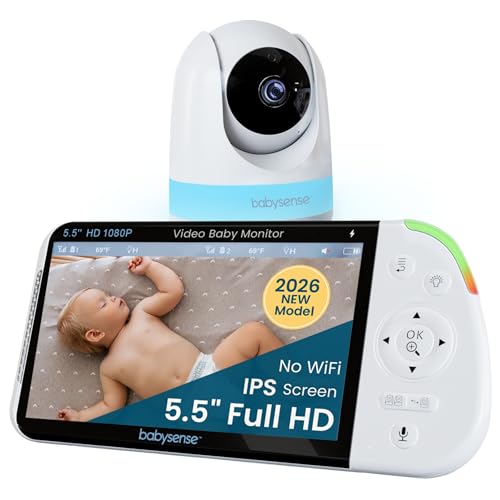
- Babysense Full HD No WiFi Split-Screen Baby… about$199.995.5" screen, 5000mAh.
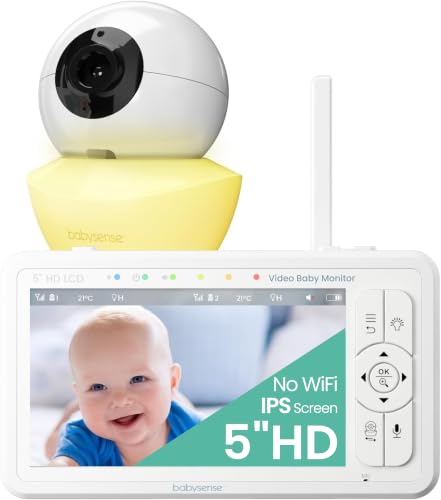
- Babysense 5" HD No WiFi Baby Monitor about$159.985" screen, 4000mAh.
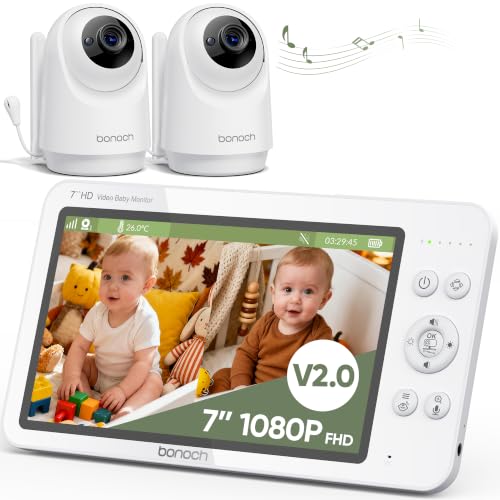
- bonoch V2.0 7" 1080P Baby Monitor 2 Cameras about$269.997" screen, 6000mAh.
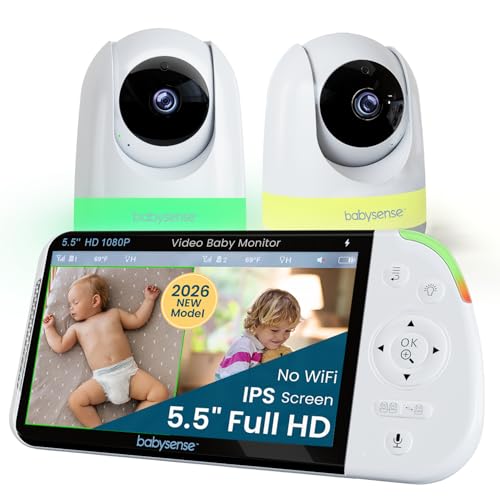
- Most PremiumBabysense Full HD No WiFi Split-Screen Baby… about$279.995.5" screen, 5000mAh.
A camera pointed at the most private room in the house
Strip the marketing off a baby monitor and it's a camera and a microphone in a bedroom, running around the clock, sending video to somewhere. The only question that matters before the screen size or the lullaby count is where that somewhere is. On a closed-link monitor the video goes from the camera to a handheld parent unit over a private 2.4GHz radio link and never touches your router, your phone or anyone's server. On a Wi-Fi monitor it goes through your router to the maker's cloud and back down to an app, which is how you get to watch from the office, and also how a stranger with your reused password gets to watch too.
I've spent a lot of this year writing about security cameras that keep footage in the house, and the argument is stronger for a nursery than it is for a driveway. A driveway camera protects the car. A nursery camera has nothing to protect against except the people who might get into the feed, so every extra hop the video takes is a cost with no matching benefit unless you specifically need remote viewing.
That's the frame for this guide. Four of the five picks use a closed radio link and can't be reached from the internet at all. The fifth, a VTech, runs either way and lets you choose. None of them needs an account, a subscription or a working NBN connection to do the basic job, and I'd treat that as the minimum standard for anything you point at a cot.
How the no-Wi-Fi monitors actually work
The closed-link units use frequency-hopping spread spectrum, FHSS, on the 2.4GHz band. The camera and parent unit are paired at the factory and hop between channels dozens of times a second in a pattern only the pair knows, so a neighbour's monitor on the same band gets noise, not your feed. There's no network stack, no IP address and no login. Babysense and bonoch both state 2.4GHz FHSS on their listings, and the Babysense units quote a 300m range, which you should read as open-air, line-of-sight. Through a brick veneer wall and a couple of plasterboard ones, a realistic house range is a fraction of that, though usually still enough to cover a single-storey home and the back deck.
The trade-off is that you can only watch from the parent unit. No phone app, no viewing from work, no clip saved to the cloud when the baby rolls over. For a lot of parents that's the whole point. For others it's a dealbreaker, and I'd rather you know before buying than find out at 3am. The other thing to know is that these units share the 2.4GHz band with your Wi-Fi, your microwave and your Bluetooth speaker. FHSS is designed to cope with that, but if the picture stutters, moving the router's 2.4GHz network to a fixed channel away from the monitor generally helps. The Wi-Fi extender guide goes into why the 2.4GHz band is so crowded in an Australian suburb.
One more thing that's specific to this category: the pairing is a hardware generation, not a standard. bonoch's listing says plainly that V2.0 units shipped after 16 June 2026 won't talk to V1.0 cameras or monitors. Babysense says the 5 inch HD unit takes up to four cameras and the Full HD unit shows two on a split screen, with the second camera sold separately. If you plan to add a camera for a second child later, buy it from the same maker while the generation is still current, or you'll be buying a whole new system.
Wi-Fi and app monitors: what you're signing up for
A Wi-Fi monitor is a small IP camera with a nicer box. The video goes to the maker's servers and back to your phone, which means you're trusting three things you can't inspect: their account security, their firmware update schedule, and their willingness to keep the servers running after the product is discontinued. I've had customers bring in perfectly good cameras that turned into paperweights because the app was pulled from the store. A baby monitor has a natural life of two or three years per child, which is shorter than most product cycles, so this risk is lower than it is for a doorbell. It's not zero.
The security failure mode isn't usually a clever exploit either. It's a reused password on the monitor account, the same one that leaked from some retailer's database, and a default setting that lets the feed be viewed from anywhere. If you go the app route, the account gets a unique password from a password manager and two-factor if the app offers it, the same way you'd treat a bank login. Most of the monitor breaches that make the news trace back to skipping that step, not to anything sophisticated.
The sensible middle is a unit that does both, and the VTech RM5754HDV2 in this list is exactly that. It has what VTech calls Direct Connect mode, camera to parent unit with no network involved, and a separate App Connect mode that puts it on your Wi-Fi for the MyVTech Baby app. You can leave it in direct mode for a year and switch app mode on for the week grandparents are minding the baby. That's the honest compromise, and it's why it's here rather than a pure cloud camera.
The parent unit is a phone with a worse battery
Every parent unit in this guide is a small screen, a speaker and a lithium battery, and the battery is the part that wears out. The listings quote capacities from 4000mAh on the Babysense 5 inch through 5000mAh on the Full HD to 6000mAh on the bonoch, and hours from 15 on the VTech RM5754 to 19 on the little BM3350N and 25 on the bonoch in VOX mode. Read the mode next to the hours. VOX, or voice activation, turns the screen off until the camera hears something, and it's where the big numbers come from. bonoch quotes 14 hours with the screen on constantly against 25 in VOX, and that's the truthful pair of figures every maker should publish.
The battery lives its whole life on a bedside table, plugged in most of the time, at full charge, which is the storage condition lithium cells like least. After eighteen months of that the 19 hours becomes 8 and then 3, and the unit that used to last the night now dies at midnight. That's the cell, not a fault. Some parent units have a battery you can replace with a screwdriver and a generic pack, most are glued, and none of the five listings state which. If yours starts fading, it's worth asking before you bin it, because the Erina workshop swaps small lithium packs all week and the parent unit is often a ten-minute job.
The second wear point is the charging socket. A parent unit gets plugged and unplugged twice a day for two years, often one-handed in the dark, and that's more insertions than most phones see. The listings don't state the connector type, so check the photos: a USB-C socket is generally sturdier and easier to replace than micro-USB or a barrel jack. Use the supplied brick and cable. The camera end is powered from the wall permanently, and a no-name replacement adaptor there is the same problem I described in the piece on what bad chargers do, just pointed at a baby's room.
Screen size, resolution and night vision without the marketing
Parent unit screens in this band run from 2.8 inches on the VTech BM3350N to 7 inches on the bonoch, with three 5 to 5.5 inch units in between. Bigger is nicer at a glance and costs battery, weight and desk space. Resolution matters less than the number suggests: 720p on a 5 inch screen held at arm's length is perfectly sharp, and 1080p mostly buys you a cleaner picture after you zoom. The VTech BM3350N doesn't state a resolution at all, which on a 2.8 inch screen doesn't much matter. Every zoom in this category is digital, which means it crops the sensor image and scales it up, so the 8x and 10x figures on the RM5754 listing describe how far you can crop, not how much extra detail you'll see.
Night vision on all five is infrared, and the picture goes black and white when the room is dark because the sensor is seeing the IR illuminators rather than visible light. bonoch specifically says its illuminators don't show a red glow, which some older units do. The illuminators light a few metres at most, so camera placement decides whether you see a face or a grey blob. A pan and tilt camera, which four of the five have, solves the placement problem by letting you steer from the parent unit, and adds a small motor and a ribbon cable that can wear. The VTech BM3350N has a manually adjustable angle instead, which is one less thing to fail and one more reason to get the placement right on day one.
The extras are where the listings pad out. Two-way talk, a night light, a room temperature reading and a handful of built-in sounds appear on all of them in some form. The temperature reading is a thermometer in the camera; treat it as a room number and nothing more. The sounds are a speaker in the camera playing a loop. Neither is a reason to choose one unit over another, and none of them changes what the camera sees.
Setting it up so it lasts
The camera runs from the wall, not a battery, so it needs a socket near the cot and a cable run that stays well out of reach as the child starts standing and pulling. Mount it high, angle it down, and clip the cable along the skirting or behind furniture rather than letting it hang. Use the brick that came in the box. If it ever needs replacing, match the voltage and polarity and look for the RCM mark, the same rule as any small power supply in an Australian house. A powerboard behind a cot is fine if it's a decent one that isn't also running a heater; the surge powerboard guide covers what makes a board worth having.
On the radio side, do a range test on the first day rather than the first night. Walk the parent unit to the kitchen, the back deck, the laundry, wherever you'll actually be, and see where the picture drops. If a room you need is marginal, moving the camera a metre or the router's 2.4GHz channel usually fixes it. Keep the parent unit away from the microwave while it runs, because 2.4GHz is 2.4GHz and even FHSS has its limits.
Then leave the unit plugged in during the day but take it off charge for the overnight stretch a couple of times a week. It's a small thing that slows the battery fade I described above, and it's the difference between a unit that still does a full night at the end of year two and one that doesn't. When the second child arrives, buy the add-on camera from the same maker while the generation is current, and factory reset everything before handing the kit on. The parent unit holds nothing, but a Wi-Fi camera in app mode is still tied to your account until you remove it.
How I picked these five
The filter was the one I use for every guide here. Sold new by Amazon AU or an AU-registered storefront, so warranty and returns are local and the power brick fits the wall. Priced between $80 and $400 on the day I checked, which turned out to be generous, because every unit worth listing sat under $200. Then the privacy test: it had to work with no account and no internet, either exclusively or as a selectable mode. That removed a lot of app-only cameras that would otherwise have ranked well on price.
Within what was left, I sorted on Amazon AU's category sales ranks, since a monitor that thousands of Australian parents are buying is one whose support line has been tested, and I read each listing for the numbers that matter: link type, stated range, screen size, resolution where given, battery capacity and hours with the mode stated, and how many cameras the parent unit will take. None of the five carries a star rating or review count in the data I pulled, so I've relied on rank and stated specs, not repeated opinion. Where a spec isn't on the listing I've said so.
The result runs from a $99 VTech with a 2.8 inch screen and a 19 hour battery, through a 7 inch bonoch and two Babysense units with closed links, to a $199 VTech that works both ways. If the parent unit that came with your first child now dies by midnight, it's usually the battery and often worth a look before you replace the set; small electronics repairs on the Central Coast are a normal day for us, and it's a lighter bill than a new system.
The 5 picks, $99 to $200
Prices are Amazon AU at time of writing (31 August 2026) and move week to week. Ranks are Amazon AU category sales ranks, checked the same day.

VTech BM3350N 2.8 Inch Full Colour Video Baby Monitor
ASIN B0BYY44F3D • $99 • Ships from Amazon AU
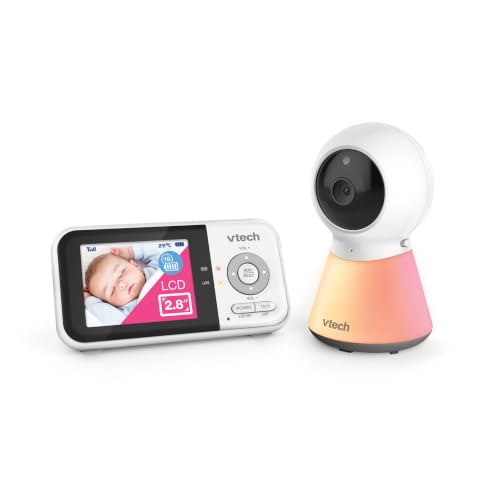
The BM3350N is the plain one, and that's a compliment. At $99 from Amazon AU it's a camera with a manually adjustable angle, automatic night vision and digital zoom, talking to a 2.8 inch colour parent unit over a closed link with no app and no account. The listing quotes up to 19 hours of active monitoring from the rechargeable parent unit battery, which is the second-longest stated figure in the five and doesn't hide behind a VOX qualifier. It has a temperature sensor with alerts, a multi-colour night light, four built-in sounds and two-way talk. It sits at #10 in Amazon AU's Video Baby Monitors category, which for the smallest screen in the list tells you plenty of people want exactly this.
What the small screen buys you is battery and simplicity. A 2.8 inch panel draws far less than a 5 or 7 inch one, so the 19 hour figure is believable in normal use rather than only in a power-saving mode, and the unit is light enough to carry in a pocket around the house. What it costs you is detail: the listing doesn't state a resolution or a range, there's no pan and tilt, and you position the camera by hand. For a cot in a small room with the camera on a shelf two metres away, that's no handicap at all. For a toddler's room where the child moves, you'll want the steerable cameras further down the list.
I'd send this to anyone who asked for a monitor that just works, doesn't need Wi-Fi and won't need charging every night. It's the one with the fewest parts to fail: no pan motor, no network, no app, and a camera that never moves once you've set it. Two years from now the battery will have faded like every lithium pack does, and at $99 the decision between a new pack and a new unit will be a close one, but the fixed camera will still be doing its job. If the room is small and the cot doesn't move, I'd stop reading here and buy it.
Honest caveats: No resolution, range or connector type stated on the listing. The camera angle is set by hand, so if the child moves out of frame you're getting up to adjust it. The 2.8 inch screen is small for two-camera use and the listing doesn't say whether a second camera is supported. No star rating or review count in the data I pulled.
Best for: A first monitor for a small nursery where simplicity and a long battery matter more than screen size.
Link: Closed camera-to-parent-unit link, no Wi-Fi or app • Parent unit: 2.8 inch full colour, rechargeable • Battery: Up to 19 hours active monitoring (listing) • Camera: Adjustable angle by hand, auto night vision, digital zoom • Extras: Temperature alerts, night light, 4 sounds, two-way talk • Resolution: Not stated on the listing • Seller: Amazon AU • Rank: #10 in Video Baby Monitors (Amazon AU)
View on Amazon AU
bonoch V2.0 7 Inch 1080P Baby Monitor with Camera, No WiFi
ASIN B0CFX7SMV8 • $164.99 • Sold by iVANKY | Bonoch AU on Amazon AU
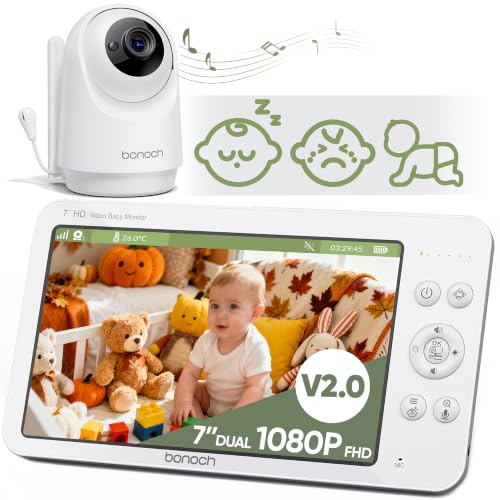
The bonoch is the one you buy for the screen. A 7 inch 1080p parent unit is closer to a small tablet than a monitor, and at $164.99 from the iVANKY and Bonoch AU storefront it's the most display per dollar in the five. The link is 2.4GHz FHSS with no Wi-Fi, no app and no account, and the listing is unusually specific about power: a 6000mAh battery good for 25 hours in VOX mode or 14 hours with the screen on the whole time. That second figure is the one to plan around, and I respect a maker for printing it. The camera pans 355 degrees and tilts 115, with 4x digital zoom and infrared night vision that the listing says shows no red glow in the room.
Version 2.0 added detection modes that run on the parent unit without any network: it can flag crying, motion and what bonoch calls rollover, and the listing notes you have to switch the alarm on manually the first time. There's a built-in library of eight sounds, three white noise and five lullabies, a temperature reading and a one-year warranty. Two listing notes matter more than the features. First, V2.0 units shipped after 16 June 2026 aren't compatible with V1.0 cameras and monitors, so if you're adding to an older bonoch set, check the version before you order. Second, there's a firmware update for sound quality available from the seller on request, which is a good sign about support and a reminder that this is a small computer.
The trade is the same as any big screen: weight, desk footprint and a battery that's working harder. Fourteen hours on-screen is honest but it means a nightly charge if you leave the picture up, so plan a spot for the charger next to the bed rather than across the room. It sits at #17 in Video Baby Monitors, sold through an AU storefront rather than Amazon itself, which is fine for returns but worth knowing. If you want to see the whole cot from across the lounge without squinting, or you're monitoring a toddler who roams, this is the one, and the closed link means the bigger picture never leaves the house.
Honest caveats: One-year warranty, shorter than the two years some brands offer. The V2.0 generation doesn't pair with V1.0 hardware, so it's a poor match for an existing bonoch set. Fourteen hours with the screen on means a daily charge in practice. Sold by an AU storefront, not Amazon AU directly. No star rating or review count in the data pulled. Remove the screen film before use, per the listing.
Best for: Parents who want the largest, sharpest picture available on a closed link and don't mind charging the parent unit daily.
Link: 2.4GHz FHSS, no Wi-Fi, app or account • Parent unit: 7 inch, 1080p • Battery: 6000mAh: 25 h VOX, 14 h screen on (listing) • Camera: 355 degree pan, 115 degree tilt, 4x digital zoom, IR night vision • Detection: Cry, motion and rollover alerts on the parent unit, enable manually • Extras: 8 sounds, temperature reading, two-way talk • Warranty: 1 year (listing) • Seller: iVANKY | Bonoch AU (AU storefront) • Rank: #17 in Video Baby Monitors (Amazon AU)
View on Amazon AU
Babysense Full HD No WiFi Split-Screen Baby Monitor, 5.5 Inch
ASIN B0FQ61NN82 • $199.99 • Sold by Babysense Australia on Amazon AU
This is the newer Babysense and the one I'd pick from the brand for a single camera today. At $189.98 from Babysense Australia you get a 1080p pan, tilt and zoom camera talking to a 5.5 inch parent unit over 300m FHSS, with no app and no internet involved anywhere. The listing quotes a 5000mAh battery without stating hours, which is a gap, though a 5.5 inch screen on 5000mAh should sit between the small VTech and the big bonoch in practice. Two-way talk, 4x zoom and a six-colour night light round it out. It sits at #1 in Amazon AU's Audio Baby Monitors category, which is an odd shelf for a video unit but is where Amazon has filed it, and it's the top of that list.
The split-screen is the feature that separates it from the 5 inch Babysense below: the 5.5 inch parent unit shows two cameras at once, and the listing is clear that the second camera is sold separately. So this is a one-camera purchase that becomes a two-room system later without changing the parent unit, which is the sensible way to buy if a second child is likely. The 5 inch model takes up to four cameras but I'd take 1080p and two on screen over 720p and four in rotation for most houses. Pan is stated for the camera without a figure on this listing, so I've left it out rather than borrow the 350 degrees from its sibling.
The gaps in the listing are the honest caveats: no hours figure for the battery, no pan range, no warranty period, and a category rank that doesn't compare directly with the Video Baby Monitors list the VTechs and bonoch sit in. What you're buying is the sharpest closed-link picture in the five short of the bonoch's 7 inch panel, from a brand with an AU storefront, in a size that still fits a bedside table. For most families buying one camera today with a second room a possibility later, this is the Babysense I'd choose, and the 1080p sensor is what makes the split screen usable when that second camera arrives.
Honest caveats: Battery hours, pan range and warranty aren't stated on the listing, only the 5000mAh capacity. The second camera for split-screen costs extra. Its #1 rank is in the Audio Baby Monitors category, which isn't the same list as the other picks, so don't read it as beating them head to head. No star rating or review count in the data pulled.
Best for: A single-camera buyer who wants 1080p on a closed link and the option to add a second room later.
Link: 2.4GHz FHSS, 300m stated range, no Wi-Fi or app • Parent unit: 5.5 inch, split-screen for 2 cameras • Camera: 1080p pan, tilt and zoom, 4x zoom • Battery: 5000mAh, hours not stated • Extras: Two-way talk, 6-colour night light • Second camera: Sold separately • Seller: Babysense Australia (AU storefront) • Rank: #1 in Audio Baby Monitors (Amazon AU)
View on Amazon AU
VTech RM5754HDV2 5 Inch Smart HD Video Baby Monitor with Remote Access
ASIN B0CZPRKR6W • $215 • Ships from Amazon AU
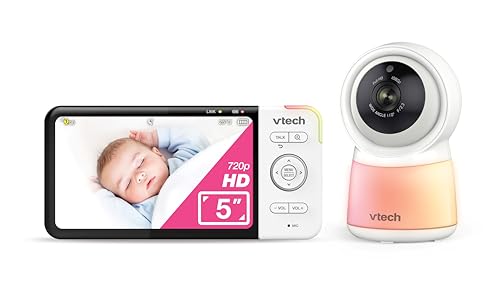
The RM5754HDV2 is the compromise pick, and it's a good one. At $199 from Amazon AU it pairs a 1080p camera with a 5 inch HD parent unit and gives you two ways to connect: Direct Connect mode, camera straight to the parent unit with nothing on your network, and App Connect mode, which puts the camera on your Wi-Fi for the free MyVTech Baby app with remote viewing and recording to your phone. Automatic night vision, a wide-angle lens, 8x zoom on the parent unit and 10x through the app, a night light, ten built-in sounds, room temperature and motion detection. It ranks #5 in Amazon AU's Smart Baby Monitors category.
The reason I rate it is that the choice isn't made for you. Run it in direct mode and it's as closed as the Babysense and bonoch units, with no account involved. Flip to app mode for the fortnight the grandparents are minding the baby, or when you want a clip on your phone, then flip back. Battery is quoted at up to 15 hours of active video monitoring, the shortest stated figure here, which is what a 5 inch screen and a Wi-Fi radio cost you. Two-way talk works from the parent unit or remotely through the app. As with any unit that can go online, the app account gets a unique password and two-factor if offered, and you should read that as part of the price.
It's the one for a household that's split on the question: one parent wants a closed link, the other wants to check in from work. Both are right at different times, and this is the only unit in the five that lets you be right on different days. Sold by Amazon AU, so returns go through Amazon rather than a storefront. My advice is to run it in direct mode as the default and treat app mode as something you switch on for a reason and off again afterwards, because a camera that's only online when you need it to be is a far smaller target than one that's online all year.
Honest caveats: The shortest stated battery figure in the five at 15 hours. App mode puts a camera on your Wi-Fi and ties it to a VTech account, with all the password hygiene that implies. The listing doesn't state range in direct mode or whether a second camera is supported. Ranked in Smart Baby Monitors, a different list from the Video Baby Monitors category. No star rating or review count in the data pulled.
Best for: A household that wants a closed link by default and the option of remote viewing without buying a second system.
Link: Direct Connect (closed) or App Connect (Wi-Fi), selectable • Parent unit: 5 inch HD, rechargeable • Camera: 1080p, wide angle, auto night vision • Zoom: 8x on parent unit, 10x via app (digital) • Battery: Up to 15 hours active video monitoring (listing) • Extras: Motion detection, 10 sounds, temperature, night light, two-way talk • App: MyVTech Baby, remote viewing and recording • Seller: Amazon AU • Rank: #5 in Smart Baby Monitors (Amazon AU)
View on Amazon AU
Babysense 5 Inch HD No WiFi Baby Monitor with Pan and Tilt Camera
ASIN B0D2KWKQYY • $159.98 • Sold by Babysense Australia on Amazon AU
The 5 inch Babysense is the multi-room system of the five. At $199.99 from Babysense Australia it's a 720p pan, tilt and zoom camera on a 300m FHSS link with a 5 inch parent unit that will take up to four cameras and show them on a split screen, with the extra cameras sold separately. The camera pans 350 degrees and tilts 90, the parent unit has a 4000mAh battery and a power-saving mode that wakes the screen on sound, and there's infrared night vision, an adjustable night light, two-way talk and a library of lullabies and white noise. It ranks #3 in Amazon AU's Smart Baby Monitors category, which is a strange shelf for a unit whose listing leads with no Wi-Fi, but that's where it sits.
The listing calls it hack-proof, and I'd put that more carefully: there's no network interface, so there's nothing to reach from the internet, which is the practical claim and the one that matters. Against its Full HD sibling you're trading 1080p for 720p and a 5.5 inch screen for a 5 inch one, in exchange for the four-camera limit instead of two. For a house with two or three children's rooms that's a fair swap, because rotating between cameras on one parent unit is exactly the job a busy household needs. The 4000mAh battery is the smallest stated capacity here, though the listing doesn't give hours, and the power-saving mode is doing a lot of the work of getting it through a night.
Buy this if the plan is more than two cameras in the next few years and you want them all on one handset with no app involved. Buy the Full HD Babysense if it's one camera now and maybe a second later. Either way it's the same AU storefront, and either way the second camera has to be the matching Babysense model, so price the add-on camera at the same time you price the kit. At $199.99 it's the most you'll spend in this list, and what the money buys is the four-camera parent unit rather than picture quality, which is worth being clear-eyed about before you order.
Honest caveats: 720p rather than the 1080p of the newer Babysense, and a 4000mAh battery with no hours figure stated. Extra cameras cost extra and must be the matching model. The hack-proof wording on the listing is marketing; the accurate statement is that it has no network interface. Its rank is in Smart Baby Monitors, not the Video Baby Monitors list. No star rating or review count in the data pulled.
Best for: A multi-room household that wants up to four closed-link cameras on one parent unit.
Link: 2.4GHz FHSS, 300m stated range, no Wi-Fi • Parent unit: 5 inch LCD, split screen, up to 4 cameras • Camera: 720p, 350 degree pan, 90 degree tilt, zoom, IR night vision • Battery: 4000mAh with sound-activated power-saving mode, hours not stated • Extras: Night light, two-way talk, lullabies and white noise • Extra cameras: Sold separately, matching model only • Seller: Babysense Australia (AU storefront) • Rank: #3 in Smart Baby Monitors (Amazon AU)
View on Amazon AUSide-by-side comparison
What we see fail at the bench: baby monitors
Baby monitors come in more often than you'd think, usually a year or two in, and nearly always as the parent unit rather than the camera. The camera sits on a shelf on mains power and does very little wrong. The handset gets carried, dropped, charged twice a day and left on a bedside table at full charge, and those habits produce the same three faults over and over. All three are more about wear than about any brand being bad.
The battery that no longer lasts the night
This is the most common one by a wide margin. A parent unit that did 15 or 19 hours new starts dying at midnight around the eighteen-month mark, and the owner assumes the unit is faulty. It isn't, it's the cell. Lithium packs held at full charge, warm, for months on end lose capacity faster than packs that get cycled, and a parent unit's life is exactly that. Whether it's worth fixing depends on how the pack is fitted: some slide out behind a cover, some are soldered or glued in. Bring it in and I'll tell you in a minute which kind you have, and whether a replacement pack costs less than a new set.
The charging socket that only works at an angle
Two plug cycles a day for two years is well over a thousand insertions, most of them done by feel in the dark. The socket on the parent unit starts to wobble, then charges only when the cable is held at an angle, then not at all. On a phone we'd replace the port, and on a parent unit it's the same board-level job, just on a lower-cost device, so the maths only works on the units that cost more than about $150 new. A right-angle cable that's left plugged into a dock at the bedside, so the socket sees fewer insertions, is the simplest prevention there is.
The picture that drops out after a router change
A closed-link monitor doesn't use your Wi-Fi, but it shares the air with it. The pattern I see is a monitor that ran fine for a year, then started stuttering the week a new router or mesh system arrived. Newer routers often run wider 2.4GHz channels and sit on the same frequencies the monitor was happily using. Nothing has failed. Log into the router, set the 2.4GHz band to a fixed 20MHz channel at one end of the range, and the monitor usually settles down. If the router won't let you, moving the camera or the parent unit a couple of metres from the router does nearly as much.
Decision tree: which one should you actually buy?
- First baby, small nursery, want the simplest thing that works without Wi-Fi? → The VTech BM3350N. Closed link, hand-set camera angle, 19 hour battery, nothing to configure.
- Want to see the whole cot clearly from across the lounge? → The bonoch V2.0 at $164.99. Seven inch 1080p screen on a closed FHSS link. Plan on a daily charge if you leave the picture up.
- One camera now, probably a second room later, no app ever? → The Babysense Full HD at $189.98. 1080p, 5.5 inch split-screen parent unit, second camera when you need it.
- One parent wants a closed link, the other wants to check in from work? → The VTech RM5754HDV2 at $199. Direct mode for everyday, app mode when you need it, and back again.
- Two or three children's rooms on one handset, no Wi-Fi? → The Babysense 5 inch HD at $199.99. Up to four matching cameras on one parent unit, 720p, closed link.
- Parent unit dies by midnight, or only charges when the cable's held just right? → That's a battery or a charging port, not a reason to buy a new set yet. Bring it to our Erina workshop and we'll tell you which, and what it costs, before you spend anything.
Frequently asked questions
Is a no-Wi-Fi baby monitor really more private?
Yes, in the way that matters. A closed-link monitor sends video from the camera to the parent unit over a paired 2.4GHz radio link and never touches your router or any server, so there's no account to be phished and no cloud to be breached. Someone would need to be within radio range with equipment matched to that specific pairing, which isn't a realistic threat to a house in an Australian suburb. A Wi-Fi monitor can be perfectly safe too, but only if you treat the account like a bank login, and the failures that make the news are almost always a reused password rather than a clever attack.
How far will a baby monitor work through walls?
Less than the box says. The 300m figures on the Babysense listings are open-air, line-of-sight numbers. Inside a brick veneer house with plasterboard walls, a realistic range is a fraction of that, usually enough for a single-storey home and the back deck but not always a detached granny flat or the far end of a big block. Do a walk test on the first day rather than the first night, and if a room you need is marginal, move the camera a metre or change the router's 2.4GHz channel. Metal, foil-backed insulation and water tanks between camera and handset cut range more than plain walls do.
Why does the parent unit battery die so fast after a year?
Because it lives at full charge on a bedside table, warm, for months at a time, which is the storage condition a lithium cell likes least. The 15 to 25 hour figures on the listings are for a new pack, and after eighteen months of that treatment it's normal to see a third of that. It isn't a fault. Taking the handset off charge for the overnight stretch a couple of times a week slows the fade, and when it does go, some parent units take a replacement pack behind a cover while others have it glued in. Ask before you replace the whole set.
Can I add a second camera later?
Only if the parent unit supports it and only from the same maker and generation. The Babysense Full HD unit shows two cameras on its split screen, the Babysense 5 inch takes up to four, and both need the matching Babysense camera sold separately. bonoch's listing says its V2.0 units shipped after 16 June 2026 won't pair with V1.0 hardware, which shows how quickly a generation can close. The VTech listings don't state whether a second camera is supported. If a second room is likely, buy the add-on camera while the model is still current rather than hoping it's available in two years.
Do I need 1080p on a baby monitor?
Not really, on a 5 inch screen. 720p held at arm's length looks sharp, and the difference only shows once you zoom, because every zoom in this category is digital and just crops the picture. Where 1080p earns its keep is the 7 inch bonoch, where the pixels are spread over a bigger panel, and on the split-screen units where each camera gets half the display. Night vision is black and white on all of them regardless of resolution, since the sensor is seeing infrared light. Spend on the link type, the battery and camera placement before you spend on pixels.
The monitor started stuttering after I changed routers. Is it broken?
Almost certainly not. Closed-link monitors don't use your Wi-Fi but they share the 2.4GHz band with it, and a new router or mesh system often runs wider channels that overlap the frequencies the monitor was using. Frequency hopping copes with a lot of interference, but a wide channel from a strong router a metre away is a lot. Log into the router, set the 2.4GHz band to a fixed 20MHz channel at one end of the range, and the picture usually settles. If that option isn't there, moving the camera or handset a couple of metres from the router does most of the same job.
Related buying guides
Parent unit fading, or a charging port that's gone loose?
A monitor that used to last the night and now dies at midnight is nearly always the battery, and a handset that only charges at an angle is the socket. Both are common repairs on small electronics, not reasons to buy a new system. Bring it in to Erina and we'll tell you which fault you've got and whether the repair costs less than replacing the set, before you spend anything.
Visit our Erina workshop Book Online