Prices from Amazon AU, updated daily.
Disclosure: This article contains affiliate links to amazon.com.au. If you buy through one of these links iFix may earn a small commission at no extra cost to you. It doesn't change which products we recommend. We focus on what actually lasts based on 16 years of repair-shop experience.
Quick summary3 picks
- Entry PickHP All-in-One 23.8in, Core Ultra 5 about$1,949.008GB RAM, 512GB SSD, 23.8" screen.
- HP All-in-One 23.8in, Core Ultra 7 about$1,379.398GB RAM, 512GB SSD, 23.8" screen.
- Most PremiumHP All-in-One 27in, Ryzen AI 7 about$1,717.358GB RAM, 512GB SSD, 27" screen.
Before you read on, should you actually buy an AIO?
This isn't a guide that tries to talk you into the most expensive option. iFix repairs computers for a living, which means we've seen the long-term reality of every desktop form factor at year 5, year 7, year 10. The honest summary on AIOs:
Buy an AIO when: cable clutter is genuinely a problem you're solving (retail point-of-sale, reception desk, school computer lab, shared family workstation, kitchen meal-planning PC), your IT support model treats failed units as replace-not-repair, or you simply want the tidiest possible desk with one power cable. AIOs are also a strong fit for older users who appreciate the simplicity of a single lead.
Skip the AIO when: long-term repairability matters to you, you might want to upgrade the display later (or use multiple monitors), or you'd prefer to keep one component while replacing another over a 10-year ownership cycle. For these scenarios, our mini PC buying guide plus a separate monitor is usually a better long-term value.
If you've read this far and an AIO still makes sense for your situation, the three picks below are the cleanest options genuinely stocked on Amazon AU right now, all from HP's consumer All-in-One range, with proper Australian retail supply.
What you're actually buying: HP consumer All-in-Ones
Here is the honest situation, and it is the reason this guide reads differently from most. On Amazon Australia the business-tier all-in-ones you might expect to see (Lenovo ThinkCentre, HP EliteOne, Dell OptiPlex) are almost entirely listed by cross-border US resellers. Those carry no Australian warranty, ship with customs and freight exposure, and are not something we'll put our name behind. What Amazon AU actually stocks with local retail supply is HP's consumer All-in-One line. So all three picks here are HP All-in-One consumer units. That's the reality, not a compromise we're hiding.
What consumer-tier means in practice, stated plainly so you can decide with eyes open:
First, Windows 11 Home, not Pro. All three ship with Home. That is fine for the large majority of home and small-office users, but it means no BitLocker drive encryption, no Group Policy, no Remote Desktop hosting and no Hyper-V. If you specifically need those business features, you want a business-tier machine bought direct from HP, Lenovo or Dell Australia, not a grey-import Amazon listing.
Second, 8GB of RAM. Every pick here ships with 8GB. For web, email, Office and video calls that is workable, but it is the single biggest limitation of these units and the first thing you will feel if you run many browser tabs or heavier apps. Whether you can add more depends on the exact model: some HP All-in-Ones expose a RAM slot behind a service panel, others solder memory to the board. Check HP's maintenance guide for the specific model number before you buy if upgradeability matters to you.
Third, serviceability is model-dependent. Consumer All-in-Ones vary widely in how easy they are to open. Some give you screwed-down access to the SSD and RAM, some are heavily glued. Do not assume these are as service-friendly as a business ThinkCentre. If long-term repairability is your priority, the honest recommendation is further down this page, and it isn't an AIO at all.
The three picks, ranked from least expensive to dearest
Prices accurate at time of writing (August 2026); the Amazon AU buybox shifts week to week. All three ship to Australian addresses from Amazon AU directly. These are the only all-in-ones we found with genuine Australian retail supply in this price range.
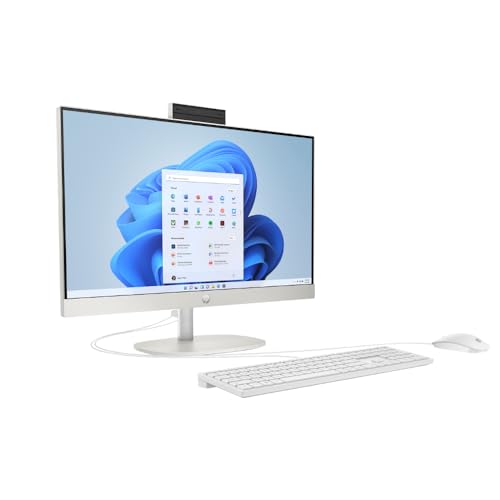
HP All-in-One 23.8 inch FHD IPS, Intel Core Ultra 5, 8GB, 512GB SSD
ASIN B0F8HTPV85 • $966.00 • Sold and shipped by Amazon AU
The value entry pick. A modern Intel Core Ultra 5 processor (the new Core Ultra platform, not the older Core i-series) with 8GB DDR5 RAM, a 512GB M.2 NVMe SSD, and a 23.8 inch FHD IPS display in a clean white chassis. Wi-Fi 6, Bluetooth 5.3, an HD webcam and dual speakers round it out, running Windows 11 Home.
What makes this the entry pick: at $966 it is the lowest-cost genuine Amazon AU all-in-one that still pairs a current-generation processor with a 512GB SSD, so it will not feel slow at the basics. The Core Ultra 5 comfortably handles Office productivity, web browsing, video calls, photo editing and light media work. It is a tidy single-unit desktop for anywhere a tower and separate monitor would just add clutter.
Honest caveats: 8GB RAM is the obvious limit; heavy multitaskers will feel it, so check the model's RAM upgradeability before buying if that is you. No touch screen. Integrated graphics only, so no gaming or heavy GPU work. Windows 11 Home rather than Pro. This is a consumer unit, not a business-tier machine.
Best for: Reception desks, retail point-of-sale (with the right software), school computer labs, SOHO accountants and consultants, and anyone wanting a clean single-unit desktop around the $1,000 mark.
CPU: Intel Core Ultra 5 • RAM: 8GB DDR5 • Storage: 512GB M.2 NVMe SSD • Display: 23.8 inch FHD IPS (non-touch) • OS: Windows 11 Home • Graphics: Intel integrated • Connectivity: Wi-Fi 6, Bluetooth 5.3 • Warranty: HP standard
View on Amazon AU
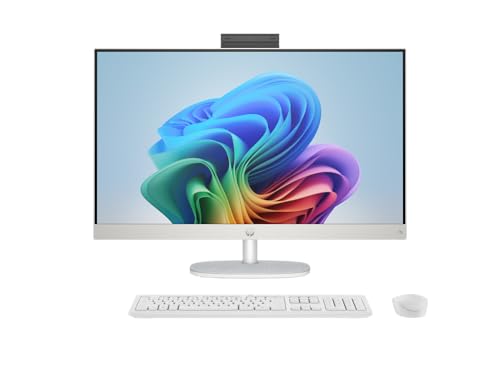
HP All-in-One 27 inch FHD IPS, AMD Ryzen AI 7 350, Radeon Graphics, 8GB, 512GB SSD
ASIN B0F8HZ8JTX • $1,717.35 • Sold and shipped by Amazon AU
The big-screen pick, and interestingly the mid-price one too. This is the only 27 inch all-in-one with genuine Amazon AU retail supply in the set. It runs an AMD Ryzen AI 7 350 with Radeon integrated graphics, 8GB RAM, a 512GB SSD, and adds an IR FHD camera that supports Windows Hello face sign-in. The extra screen real estate is the reason to buy it: 27 inches gives you genuine room for two documents side by side, or a video call with your notes open beside it.
What the step up from the entry unit buys you: 3.2 more inches of usable screen (23.8 inch to 27 inch is a meaningful productivity difference, not a marketing one), the Ryzen AI 7 350 with Radeon graphics which is a little stronger on lightly threaded and graphics-adjacent tasks, and the IR camera for password-free login. For a primary home-office desktop where the screen is where you live all day, the bigger panel is often worth more than raw CPU.
Honest caveats: The 27 inch panel is FHD (1920 by 1080), which at 27 inches works out to about 81 PPI, a relatively low pixel density. For text-heavy and everyday work it is perfectly readable; for design or fine detail work you would want higher density. Still 8GB RAM, still Windows 11 Home, still no touch, still integrated graphics. Check RAM upgradeability for this exact model before buying if you plan to keep it many years.
Best for: Home offices and small-business desks where screen size matters most, two-up document workflows, and anyone who wants the largest clean single-unit display without stepping up to a business-tier price.
CPU: AMD Ryzen AI 7 350 • RAM: 8GB • Storage: 512GB M.2 NVMe SSD • Display: 27 inch FHD IPS (non-touch, ~81 PPI) • OS: Windows 11 Home • Graphics: AMD Radeon integrated • Camera: IR FHD (Windows Hello) • Warranty: HP standard
View on Amazon AU
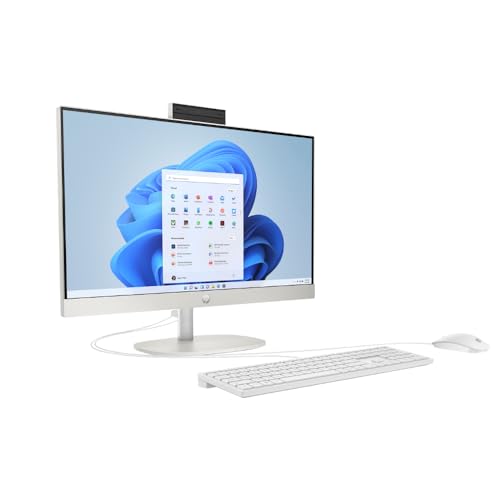
HP All-in-One 23.8 inch FHD IPS, Intel Core Ultra 7, 8GB DDR5, 512GB SSD
ASIN B0F8HFBTGT • $1,752.00 • Sold and shipped by Amazon AU
The fastest of the three. Same clean 23.8 inch FHD IPS white chassis as the entry pick, but stepped up to an Intel Core Ultra 7 processor, the strongest CPU in this AU-stocked set, with 8GB DDR5 RAM, a 512GB SSD, Wi-Fi 6, Bluetooth 5.4 and Windows 11 Home. If your work leans on CPU (spreadsheets that recalculate heavily, larger photo batches, many apps open at once), this is the one that keeps up longest.
What the premium over the entry unit buys you: the Core Ultra 7 is a genuine step up in sustained processing over the Core Ultra 5, which shows in heavier productivity and content tasks. You are paying for the processor, not the screen; this is the same 23.8 inch panel as pick A. If you want a bigger display instead of more CPU, the 27 inch pick above is the better spend.
Honest caveats: At $1,752 you are approaching the price of a capable mini PC plus a good separate monitor, which would give you better long-term repairability. It is still 8GB RAM out of the box (the first upgrade we would make, model permitting), still a 23.8 inch FHD panel, still Windows 11 Home, and still no touch. The value here is entirely in the processor.
Best for: Home offices and small businesses whose work is CPU-bound, anyone who wants the most processing headroom in an all-in-one with real Australian retail supply, and buyers happy to trade screen size for speed.
CPU: Intel Core Ultra 7 • RAM: 8GB DDR5 • Storage: 512GB M.2 NVMe SSD • Display: 23.8 inch FHD IPS (non-touch) • OS: Windows 11 Home • Graphics: Intel integrated • Connectivity: Wi-Fi 6, Bluetooth 5.4 • Warranty: HP standard
View on Amazon AUSide-by-side comparison
| Product | Price | Best for |
|---|---|---|
| HP All-in-One 23.8in, Core Ultra 5 | ~$1,949.00 | |
| HP All-in-One 23.8in, Core Ultra 7 | ~$1,379.39 | |
| HP All-in-One 27in, Ryzen AI 7 | ~$1,717.35 |
What we see fail at the bench, 16 years of AIO service work
AIOs are the most repair-hostile mainstream desktop form factor. The integrated design that makes them visually appealing also concentrates every failure mode into one unit you can't easily disaggregate. Here's what genuinely fails over the lifecycle, drawn from years of service work on HP, Lenovo, Dell, Apple and ASUS all-in-ones at the iFix bench:
The integrated display is the number one write-off event
Around years 5 to 7 of typical use, the AIO display will develop one of: a stuck pixel cluster, a dim region from backlight LED degradation, a horizontal or vertical line from a failed timing controller, or full panel failure. The replacement panel runs $400 to $800 plus 3 to 5 hours of labour for the disassembly, total $600 to $1,200. On a 5-year-old AIO with a market value of $400, the repair makes no economic sense. The customer's data gets extracted (we charge $80 to $150 for that), the SSD goes into a USB enclosure, and the unit goes to e-waste recycling. Tower PCs avoid this entirely; a failed monitor is a $200 to $450 replacement and the PC keeps running.
Vertical air intake clogs faster than tower PCs
AIO cooling pulls air vertically through small intake vents on the bottom or back of the chassis. In dusty Australian environments (carpeted offices, retail counters, classrooms, anywhere with significant foot traffic) these vents clog with dust, hair and fibres within 2 to 3 years. We see the symptoms as thermal throttling (apps suddenly stutter or freeze for seconds at a time), fan noise increasing dramatically, or in worst cases the CPU hitting 100°C and shutting down. Annual internal cleaning (compressed air through vents with the unit powered off, or proper disassembly for heavy buildup) extends life dramatically. Most users never do this, which is why we see AIOs at the bench with the thermal pad dried out and the heatsink coated in compressed dust.
Integrated power supply failure means the whole unit is dead
Tower PCs have a separate PSU that costs $80 to $150 to swap when it fails. AIO power supplies are integrated, sometimes on the logic board, sometimes a custom internal brick. When they fail (typically years 4 to 7, often from capacitor degradation or surge damage), the repair is either send-to-manufacturer service or replace the whole unit. We can sometimes recap the PSU in-house for $200 to $300, but the supply chain on AIO-specific replacement boards is rough. Pair every AIO with a quality UPS, line interactive with AVR for voltage stabilisation, ideally pure sine wave if the AIO is in an area with mains voltage instability. See our UPS buying guide for picks. The money spent on a UPS prevents a single brownout turning your AIO into an e-waste paperweight.
Webcam and microphone array failures, the "Teams call quality dropped" job
The integrated webcam and microphone array in an AIO is the most-used piece of hardware after the screen, especially since 2020. We see microphone array failures (one mic dies, voice pickup becomes directional and tinny) and webcam autofocus failures (image stays blurry). Replacement is a deep disassembly job because the camera and mic unit sits behind the display panel. For business-critical video calling, a separate USB-C webcam ($60 to $150) and a desk-mounted mic ($50 to $200) often outperforms the integrated array and is independently serviceable.
Stand hinge wear, a 5 to 7 year failure on tilting stands
AIO stands take a lot of stress; they hold several kilos of computer cantilevered out from a small base. The hinge and friction mechanisms that allow tilt and height adjustment wear over time. Around years 5 to 7 we see stands that won't hold position any more, the screen droops forward, tilts to one side, or sags downward overnight. Replacement stands are expensive and the disassembly to fit them is non-trivial. Treat the stand gently, avoid repeated height adjustments, and it will comfortably outlast the rest of the unit.
Storage and RAM soldered to the logic board, check before you buy
Some all-in-ones, particularly Apple iMacs since the M-series and many consumer Windows AIOs, solder the SSD or the RAM (or both) directly to the logic board. When soldered storage fails (consumer NAND wears out after roughly 600 to 1,200 TBW, which is 5 to 8 years of typical use) the whole logic board has to be replaced. Before buying any all-in-one, including the HP picks in this guide, look up the model's maintenance and service guide and confirm whether the SSD and RAM are user-accessible. Given all three picks ship with 8GB of RAM, being able to add a second module later is worth confirming up front. If both memory and storage are soldered, that is a real strike against long-term ownership.
The honest counter-recommendation
For about 70% of customers we advise, a mini PC plus monitor combination delivers better long-term value than any AIO. The reasons: when the display fails (year 5 to 7), you replace the monitor and keep the PC. When the PC fails (year 8 to 10), you keep the monitor and buy a fresh mini PC. Total cost-per-decade is lower, and you can mix and match display sizes as your needs change. AIOs win on aesthetics, cable cleanliness and floor space; if those are genuinely important to you, the picks in this guide are the right ones. If not, the mini PC route is more honest about its compromises.
Decision tree, which AIO is right for you?
- Reception desk, retail counter, school computer lab, or tightest budget? → HP All-in-One 23.8 inch Core Ultra 5 at $966. Current-gen CPU, 512GB SSD, Windows 11 Home.
- Want the biggest screen for two-up document work? → HP All-in-One 27 inch Ryzen AI 7 at $1,543. The only 27 inch AIO with real Amazon AU supply, plus a Windows Hello camera.
- Want the most processing headroom? → HP All-in-One 23.8 inch Core Ultra 7 at $1,752. The fastest CPU of the three, same 23.8 inch screen as the entry pick.
- Want the longest-term repair value? → Don't buy an AIO at all. See our mini PC buying guide plus a separate monitor. The modular form factor wins on cost-per-decade.
- Buying any AIO? → Pair it with a UPS. Integrated power supplies are catastrophic when they fail; a modest UPS protects a four-figure unit.
Frequently asked questions
Should I buy an all-in-one PC or a mini PC plus a separate monitor?
For most home and small-business users, a mini PC plus a separate monitor is the better long-term value. The mini PC plus monitor combination is genuinely more repairable: when the display fails (year 5 to 7 typically), you replace just the monitor and keep the PC. When the PC fails, you keep the monitor. With an AIO, a screen failure usually means replacing the entire unit because integrated panel replacement costs more than the unit's residual value. AIOs make sense when cable clutter is genuinely a problem (retail counters, reception desks, classrooms), you want a clean visual aesthetic, your IT support model is replace-not-repair, or you simply want a single-cable desktop.
Are these business-grade or consumer all-in-ones?
All three picks are consumer-tier HP All-in-One models, and that is a deliberate, honest choice. On Amazon Australia the business-tier all-in-ones (Lenovo ThinkCentre, HP EliteOne, Dell OptiPlex) are almost entirely sold by cross-border US resellers with no local warranty, which we will not recommend. The HP All-in-One consumer line is what Amazon AU actually stocks with genuine local retail supply. Business machines do bring real advantages (Windows 11 Pro, easier service access, longer support cycles), so if you specifically need those, buy direct from Lenovo, HP or Dell Australia rather than through a grey-import Amazon listing.
How do you replace a failed AIO screen?
In most cases, you don't. The economics rarely work. Replacement panels run $400 to $800 plus 3 to 5 hours of labour for the disassembly, which means $600 to $1,200 total, often more than the unit's market value at 4 to 5 years of age. The cleaner play when an AIO display fails out of warranty is to extract the SSD with your data and replace the whole unit. The honest answer: AIO screen failure is usually a write-off event.
What's the typical lifespan of an AIO PC?
In our experience servicing all-in-ones across the Central Coast, consumer-tier AIOs typically deliver 4 to 6 years of reliable service before something significant fails, usually the display backlight, the internal cooling fan, or the integrated power supply. Business-tier units (Lenovo ThinkCentre, HP EliteOne) tend to run 6 to 8 years. Mac iMacs are an exception, the M-series chips run cool and we see iMacs in active service at 10 years and beyond. Compare this to tower desktops which routinely last 12 to 15 years with periodic component swaps. The form factor trade-off is real.
Why do AIOs cost more than equivalent tower PCs?
You're paying for the integrated panel (often the most expensive single component), the engineering required to fit desktop components into a thin form factor with adequate cooling, the integrated webcam and microphone array, and usually a higher-end stand mechanism. A tower PC with a similar processor, 8GB to 16GB of RAM and a 512GB SSD can be built for less, but you'd then need to add a monitor on top. The AIO premium covers integration, cable elimination and visual aesthetics.
Can I upgrade an AIO's RAM or storage later?
It depends entirely on the model, and on consumer all-in-ones you should assume limited or no upgradeability until you confirm otherwise. Some HP All-in-One models expose the SSD and a RAM slot behind a service panel, others solder memory to the board. Because all three picks here ship with 8GB of RAM, upgradeability matters: before you buy, look up HP's maintenance and service guide for the exact model number and check whether the RAM and SSD are user-accessible. If memory is soldered, treat 8GB as the permanent ceiling for that unit's life.
Related buying guides
Need help choosing the right desktop form factor for your setup?
Bring your situation into our Erina workshop. We see a lot of AIOs, tower PCs and mini PCs come through, and we can help you avoid the form-factor decision that costs you thousands at year 5.
Visit our Erina workshop Book Online