
Prices from Amazon AU, updated daily. Swipe or use the arrows for more.
Disclosure: This article contains affiliate links to amazon.com.au. If you buy through one of these links iFix may earn a small commission at no extra cost to you. It doesn't change which products we recommend. We focus on what actually lasts based on 16 years of repair-shop experience.
Quick summary8 picks
- Entry PickTapo TP-Link Smart Home Security Wi-Fi Camera about$44
- Tapo C201 Pan/Tilt 1080p Security Cam about$44
- Tapo TP-Link Smart Home Security Wi-Fi Camera about$69
- Ring Indoor Camera 2K Plus about$97
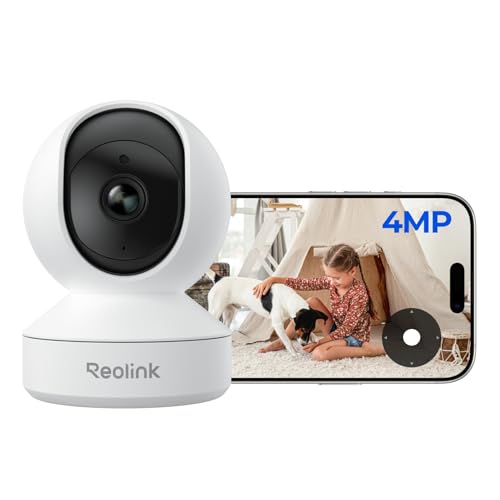
- Reolink E1-2K 4MP Indoor Camera about$64.99
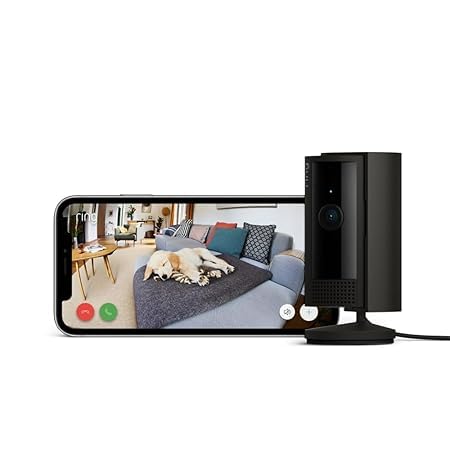
- Ring Indoor Camera (2nd Gen) about$77
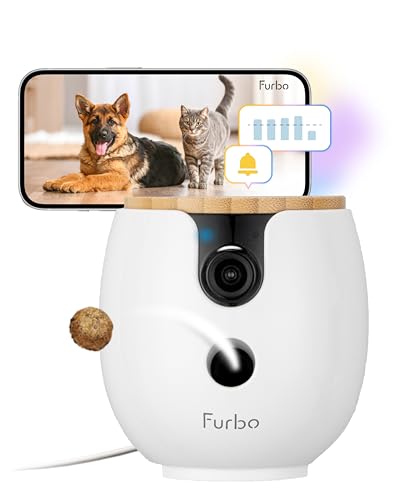
- Furbo Mini 360° 2K Pet Camera for Dog & cat about$82.50
- Most PremiumFurbo Mini 360° 2K Pet Camera about$199
Where the money is in a pet camera
There's a Furbo Mini on Amazon AU for $82.50 and the same Furbo Mini, same lens, same motor, same treat hopper, for $199. The difference is a line in the listing. The $82.50 one says a paid Furbo Nanny subscription is required to activate the camera, the $199 one says the subscription is optional. That one pair of listings tells you the whole business model of this category better than I could. The hardware is sold near cost, or under it, and the plan is where the margin lives. Once you see that, the rest of the shopping gets a lot simpler, because you stop comparing cameras and start comparing what you'll be paying in year three.
I've written before about security cameras that keep footage in the house, and a pet camera is the same product pointed at the lounge instead of the driveway. It's a Wi-Fi camera with a microphone, a speaker and usually a pan-tilt motor. Some add a spring-loaded treat flinger. Every one of them wants an account and an app, and most of them would very much like a monthly payment on top. My job here is to sort out which of the five below give you a useful camera without the plan, which ones are honest about needing one, and which one is a plan with a camera attached.
Local storage versus the cloud, in plain terms
A camera has to put its video somewhere. The two options are a microSD card inside the camera, or the maker's servers with an app pulling clips back down. Local storage means a one-off card purchase, footage that never leaves your house, and a camera that keeps recording if the company gets bought or the plan price doubles. The downside is that if someone walks off with the camera they walk off with the card, which matters for a security camera and matters a lot less for one watching a cat sleep. Cloud storage gives you clips from anywhere, clever detection that runs on their servers, and a bill that doesn't stop.
Of the five picks, only the Tapo C201 states local storage on its listing: a microSD slot up to 512GB with what TP-Link calls free smart AI detection and no recurring fees. The two Rings and both Furbos are cloud-first. Ring says plainly that recording and scroll-back need a Ring Protect plan sold separately, and both boxes come with a 30-day trial. Furbo's $82.50 listing won't even switch on without Nanny. None of that makes them bad cameras, but it does mean the sticker price is the deposit and you should read the plan page before you read the reviews. If you go the card route, a high-endurance microSD card matters more than the camera's resolution, because a camera overwrites that card every day of its life and standard cards wear out doing it.
The arithmetic isn't complicated. Take the $82.50 Furbo Mini with the yearly plan the listing quotes at $5.75 a month. That's $69 a year, so by the end of year two you've spent $220 on a camera that lists at $199 without the obligation. The listing also says core functions such as live view, auto tracking, two-way audio, treat tossing and barking alerts stay active if you cancel, and the monthly plan has a three-month minimum. So in theory you pay about $21, cancel, and keep a working camera. In practice you're relying on a policy that's written in a product listing and can change with an app update, which is a shaky thing to build a purchase on.
Treat tossers: what they actually add
I'll be blunt about the treat flinger because it's the feature that sells these things. It's a small hopper, a spring or a motorised paddle, and a chute. On the Furbo Mini it holds up to ten small treats and the listing specifies 0.6 to 1 cm pieces, with larger ones jamming. The mechanism is fun for about a fortnight. After that most owners I've talked to use it a couple of times a week, and a fair few stop because the dog learned that the camera makes food and started sitting in front of it barking at the lens.
From a repair point of view the tosser is the part with the most moving pieces in a box that otherwise has one motor. Crumbs get into the paddle, treats go soft in humid weather and stick, and the little launcher spring is the first thing I'd expect to lose tension. None of that is a reason not to buy one, but it's a reason not to pay a premium for it if you've got a cat, or a dog that's fed on a schedule anyway. The two-way audio on the Ring and the Tapo does most of the same reassurance job for you, and the animal's reaction to a disembodied voice from a box is about the same either way, mostly confusion.
Pan-tilt motors, night vision and what the resolution number buys you
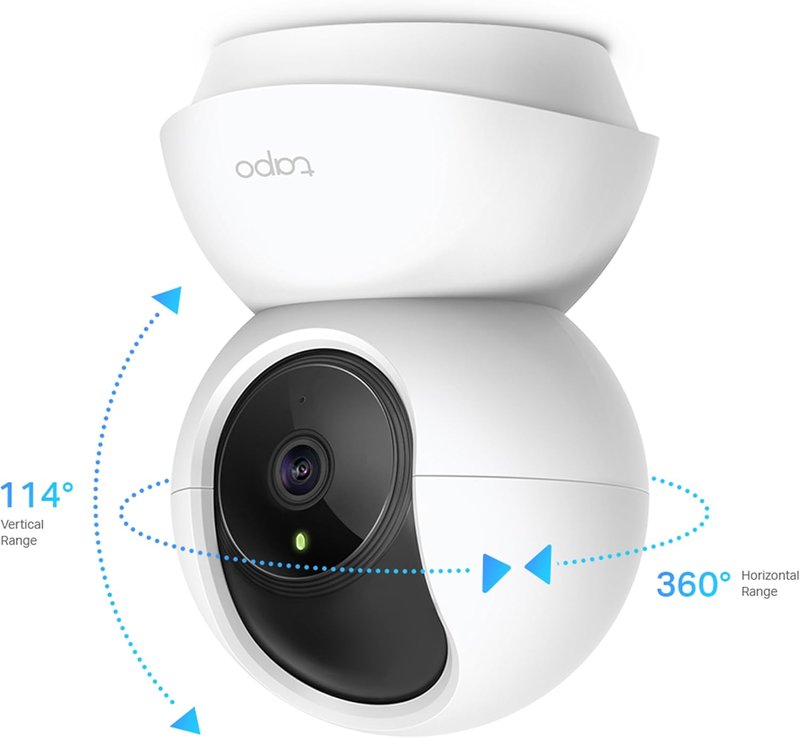
Three of the five picks move, which is the feature I'd actually pay for. A fixed lens covers a corner of a room. A 360 degree pan covers the room. The Tapo quotes 360 degrees of pan and 114 of tilt, and the Furbo Mini a rotating 360 degree view with auto tracking that follows the animal. Both Rings are fixed plug-in cameras. Auto tracking is the one that sounds like a gimmick and isn't, because it means you open the app and the dog is already in frame instead of you thumbing a joystick around the skirting boards looking for it.
Resolution is where the marketing gets loud. The Tapo C201 and the Ring Indoor Camera (2nd Gen) are 1080p, the Ring Indoor Camera 2K Plus and both Furbos are 2K. On a phone screen, in a lit room, you'll struggle to tell them apart. Where 2K earns its keep is digital zoom: the Furbo Mini quotes 8x, and zooming into a 2K frame leaves you something recognisable where a 1080p frame turns to mush. Night vision is the other spec to read carefully. Infrared night vision is black and white and works in a fully dark room; the Tapo quotes it to 40 feet, call it 12 metres. Colour night vision, which Ring and Furbo both advertise, needs some ambient light to work, usually a hallway lamp or streetlight through the curtains, and drops back to infrared when there isn't any.
The motors are the wear item. A pan-tilt camera that gets driven around all day by a bored owner, or one running auto tracking on a hyperactive kelpie, is cycling a small plastic gear train thousands of times a week. The failure you'll see a year or two in is a camera that pans but won't tilt, or one that grinds at the end of travel, and on a camera at these prices that's not a repair anyone does. Park the camera where it doesn't need to move much, use the pan for occasional checks, and it'll outlast the ones being flung around.
Wi-Fi, 2.4GHz and why setup fails
Every pet camera here connects over 2.4GHz Wi-Fi, and both Furbo listings say outright that 5GHz isn't supported. That's normal for this class of device. 2.4GHz goes through walls better and the radio chips cost less. The catch is that a lot of modern routers merge both bands under one network name and let the router decide which band a device gets, and a camera trying to join during setup can get bounced to 5GHz and fail with a useless error. If setup keeps dying at the last step, split the bands in your router so 2.4GHz has its own name, join the camera to that, and it'll usually go through first time.
The 2.4GHz band is also the crowded one. Your microwave, your neighbours' routers, Bluetooth speakers and half the smart plugs in the street all share it. A camera at the far end of a brick house streaming 2K video is going to stutter, and that's the router's problem, not the camera's. I covered the options in the Wi-Fi extender guide, and the short version is that a wired access point beats an extender, and an extender beats moving the camera to a worse spot. While you're in there, put the camera on its own network or guest network if the router offers it. It doesn't need to see your laptop.
Power is the other quiet failure. Both Furbo Minis ship with a USB cable and no power adapter. People plug them into whatever charger is in the drawer, and a tired 5V brick that sags under load makes a camera reboot at random, drop off Wi-Fi at night and generally look faulty when it isn't. A pan-tilt motor and a Wi-Fi radio pull a proper current at start-up. Use a decent 5V 2A adapter, not the freebie from a 2014 phone. I've written up what a bad charger does to the thing it's powering, and cameras are on that list.
A camera in your lounge room is still a camera
It's easy to forget that a pet camera is a live microphone and lens in the room where you sit at night. Two of the picks take that seriously in hardware. Both Rings have a manual cover you physically move over the lens. The Tapo, being local-storage, at least means the footage sits on a card in your house rather than on a server, though the live view still goes through TP-Link's cloud when you're away.
Whichever you buy, treat the account like a bank login. Use a password you don't use anywhere else, turn on two-step verification if the app offers it, and don't share the login with the dog walker; make them a guest user instead. The camera break-ins that make the news are almost never clever hacks, they're reused passwords from some unrelated breach. Ring and Furbo both offer two-step verification and Furbo's listing recommends it. If your phone is the only thing holding those logins and it's on its last legs, that's a battery or screen job at our Erina workshop long before it's a reason to buy a new phone.
How I picked these five
Everything here is condition New, sold by Amazon AU or a maker's own AU storefront, and sitting inside a $40 to $250 band at time of writing. I dropped grey imports and anything listed by a seller with a foreign Amazon marketplace in the name, because a pet camera with a two-pin US plug and no local warranty isn't a saving. I also dropped the older Petcube: it is a fixed 110 degree lens at 1080p, beaten on paper by the Tapo at $31 less, and its Amazon AU buy box has moved to a marketplace seller I could not tie to an Australian operation.
Within what was left, I wanted the price range to show the actual choice you're making. The Tapo C201 at $44 is the local-storage option and the one I'd buy for a cat. The Ring Indoor Camera 2K Plus at $97 and the Ring Indoor Camera (2nd Gen) at $77 are the polished cloud cameras, both fixed plug-ins, and the 2nd Gen is the one ranked #1 in Amazon AU's Security Cameras category at time of writing. The two Furbo Minis are there together on purpose, because seeing the $82.50 and $199 listings side by side is the clearest lesson about subscriptions I can give you. If you want the rest of the house done on the same principle, the smart home without the monthly bills write-up covers cameras, plugs and sensors that don't phone home for money.
The 5 picks, $44 to $199
Prices are Amazon AU at time of writing (26 October 2026) and move week to week. Ranks are Amazon AU category sales ranks, checked the same day.

TP-Link Tapo C201 Pan/Tilt 1080p Camera with microSD
ASIN B0DHJK1KNK • $44 • Ships from Amazon AU
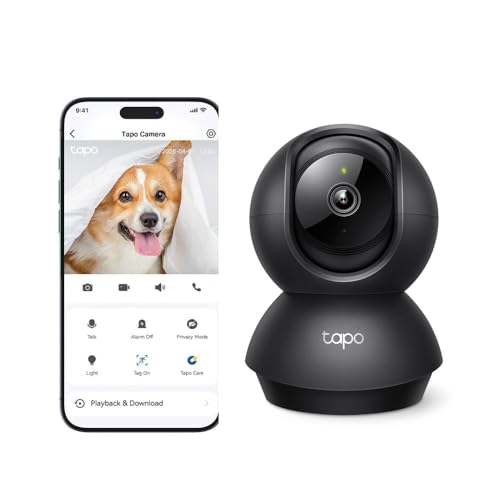
The Tapo C201 is the one I'd point most cat owners at, and it's $44 from Amazon AU. It's a 1080p pan-tilt camera with 360 degrees of horizontal travel and 114 vertical, infrared night vision the listing quotes to 40 feet, a built-in microphone and speaker for two-way talk, and the thing the others don't have: a microSD slot that takes cards up to 512GB. TP-Link's listing says the smart AI detection and auto tracking are free and there are no recurring monthly fees, which in this category is almost a novelty. It's sold as a general indoor security camera rather than a pet product, and it does the pet job just as well.
What you're giving up is polish and pixels. It's 1080p where the Ring 2K Plus and the Furbos are 2K, so digital zoom runs out sooner. The night vision is infrared only, so night clips are black and white. There's no treat hopper, no animal-specific detection on the listing, and the Tapo app is functional rather than lovely. Against that, the footage stays on a card in your house, and a camera that isn't dependent on a plan is a camera that keeps working in five years when the plan pricing has changed twice. Buy a high-endurance card rather than a standard one, because the camera will overwrite it every day for years and ordinary consumer cards die doing that.
Treat the microSD card as the consumable. Format it in the camera, not on a laptop, check once a month that it's still recording by scrolling back a day in the app, and expect to replace it every two to three years even if it looks fine. When one of these turns up with 'stopped recording' the card is the fault nine times out of ten and the camera is perfectly fine. Power it from a proper 5V adapter rather than a spare phone brick and it'll be one of the more boring devices in the house, which is what you want from a camera.
Honest caveats: The listing states 1080p and infrared night vision only, no colour night mode and no treat function. Live view away from home still routes through TP-Link's cloud even though recordings stay local. No microSD card is included, and the endurance rating of the card you choose will decide how long it records before the first fault.
Best for: Cat owners and anyone who wants recordings on a card in the house with no subscription attached.
Resolution: 1080p • Pan/tilt: 360 degrees horizontal, 114 degrees vertical • Night vision: Infrared, quoted to 40 feet (about 12 m) • Storage: microSD up to 512GB, no monthly fees (listing) • Detection: Free smart AI detection with auto tracking • Audio: Built-in microphone and speaker • Seller: Amazon AU
View on Amazon AU
Ring Indoor Camera 2K Plus (Plug-In)
ASIN B0DXNBDKPH • $97 • Ships from Amazon AU
Ring's Indoor Camera 2K Plus is $97 from Amazon AU and sits at #4 in the Security Cameras category. It's a plug-in camera with what Ring calls Retinal 2K, and the listing says you can manually zoom in up to 6x without losing detail. That's the useful part of a 2K sensor on a pet camera: you can put it across the room and still crop in on the dog bed. Low-Light Sight gives a full colour view after dark, and two-way talk lets you speak to the pets, or whoever else is there, from the app.
The trade is the one the other cloud cameras make. The listing says 24/7 recording needs a Ring Protect Plan, sold separately, and a 30-day free trial of the plan comes with the camera. On the plan, recorded video can be kept for up to 180 days and you get alerts when people are detected. Without it you're on live view, which for plenty of people watching a dog they'll be home to in six hours is enough. Check Ring's plan pricing before the trial ends and set a calendar reminder, because these plans roll over quietly and the first you'll hear of it is a line on the credit card statement.
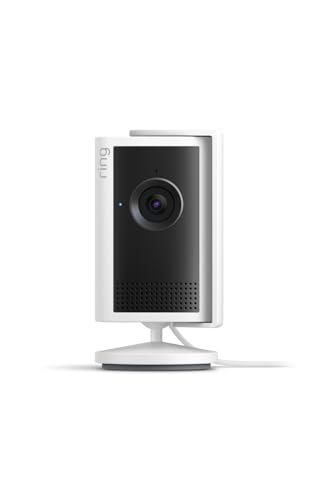
Being wired, there's no battery to age. Plug it into a standard socket, use the swivel mount to aim it, and keep the cable out of reach of anything that chews. Privacy is handled by hand: slide the manual lens cover across when you're home, and Privacy Zones let you mask parts of the view. It also works with Alexa, so you can hear notifications on an Echo Dot or pull up video on an Echo Show.
Honest caveats: Recording, scroll-back and person alerts need a Ring Protect Plan sold separately once the 30-day trial ends. No local storage is stated on the listing. It's mains powered only, so a blackout means no camera and no clip of what happened during it. The listing describes a swivel mount, not motorised pan and tilt.
Best for: Anyone who wants a sharp 2K plug-in camera with a manual lens cover and is prepared to price the Ring Protect plan honestly.
Resolution: Retinal 2K • Zoom: Manual, up to 6x • Night: Low-Light Sight, full colour • Audio: Two-way talk • Power: Wired plug-in • Privacy: Manual lens cover, Privacy Zones • Plan: 30-day Ring Protect trial; recording needs the plan • Local storage: Not stated on the listing • Seller: Amazon AU • Rank: #4 in Security Cameras (Amazon AU)
View on Amazon AU
Ring Indoor Camera (2nd Gen, Plug-In)
ASIN B0B6GJLMK8 • $77 • Ships from Amazon AU
The Ring Indoor Camera (2nd Gen) is $77 from Amazon AU and it's ranked #1 in Security Cameras on Amazon AU at time of writing. It's a plug-in camera with 1080p HD video and two-way talk, and the listing says it sits on a flat surface or mounts to a wall with the bracket. The part I rate is the privacy cover: you swivel it over the camera and the listing says that also turns off the microphone, which I trust more than any software toggle because you can see from across the room that it's closed.
Ring is the most polished app of the five and the one most likely to already be in your house if you've got a doorbell. That's the strength and the catch. The listing says live view, two-way talk and real-time notifications come at no additional cost, and that a Ring Protect Plan, sold separately, is what lets you record, review and share the moments you missed; a 30-day free trial comes with the purchase. Without a plan you've got live view and talk, which for checking on a dog is most of what people use. No local storage is stated, so recording means Ring's cloud. The listing says it pairs with a Ring Chime or a compatible Alexa-enabled device to play audio notifications around the home.
This is the pick for someone who already has a Ring doorbell and just wants the inside of the house on the same app. Put it somewhere it can see the door the dog sits at and the couch it's not allowed on. Use the privacy cover when you're home; it costs nothing. If you take the plan, price it for the year and write it down next to the purchase price, because the total is what the camera really cost. The listing doesn't quote the plan price, so check it on Ring's site before the trial ends.
Honest caveats: The listing gives no pan or tilt, so it covers one view of the room. Resolution is 1080p, where the Ring 2K Plus and both Furbos are 2K. Anything beyond live view depends on a Ring Protect Plan after the 30-day trial, and no local storage is stated. There's no treat function and no pet-specific detection on the listing. It plugs into a standard socket, so a blackout means no camera.
Best for: Households already on the Ring app who want a plug-in 1080p camera with a privacy cover over the lens.
Resolution: 1080p HD • Privacy: Swivel privacy cover, also turns off the microphone • Audio: Two-way talk • Power: Plug-in, standard electrical socket • Mounting: Flat surface or wall bracket • Plan: 30-day Ring Protect trial; recording needs a plan • Local storage: Not stated on the listing • Seller: Amazon AU • Rank: #1 in Security Cameras (Amazon AU)
View on Amazon AU
Furbo Mini 360 2K Pet Camera with Treat Tossing (Nanny plan required)
ASIN B0F8LGB7VR • $82.50 • Sold by Furbo AU on Amazon AU
This is the $82.50 Furbo Mini from Furbo's AU storefront, #5 in Pet Cameras, and I've included it mainly so you can see it next to the $199 one below. The hardware is the same on paper: 2K QHD, a rotating 360 degree view with auto tracking and zoom, colour night vision, two-way audio and the Lite treat tosser that holds up to ten small treats. The difference is that this listing says a paid Furbo Nanny subscription is required to activate the camera. The plan pricing the listing quotes is $6.99 a month billed monthly with a three-month minimum, or $5.75 a month billed yearly, and it doesn't say which currency, so check on the Furbo site.
The listing also states that if you cancel, core functions such as live view, auto tracking, two-way audio, treat tossing and barking alerts stay active. Read literally, that means about $21 on the monthly plan gets you an activated camera you then own outright, which would make this the better buy. I'm not comfortable telling you to bank on that. It's a policy in a product listing, it can change with an app update, and the whole point of selling the hardware this way is that most people don't cancel. Buy it as a camera that costs $82.50 plus $69 a year and it makes sense for someone who actually wants the Nanny alerts and video recaps.
Practical notes from the listing: it's 2.4GHz only, it comes with a USB cable but no power adapter, and the treats have to be 0.6 to 1 cm or they jam. Use a proper 5V adapter, not a spare phone brick, and turn on two-step verification in the app as Furbo recommends. Keep the hopper dry and empty it when you go away for a weekend, because soft treats in a humid room glue themselves to the paddle. Put the camera on a shelf at roughly the animal's eye level rather than up in a corner, because the tosser needs a clear metre of floor in front of it and the auto tracking works better looking across a room than down into it.
Honest caveats: The camera won't activate without a paid Furbo Nanny plan, and the listing's plan prices don't state a currency. The 'core functions remain if you cancel' promise is a policy, not a hardware fact. No power adapter is included, it's 2.4GHz only, and the treat size window is narrow at 0.6 to 1 cm.
Best for: Someone who has already decided they want the Furbo Nanny alerts and would be paying for the plan anyway.
Resolution: 2K QHD • View: Rotating 360 degrees, auto tracking and zoom • Night vision: Colour night vision • Treats: Lite tossing, up to 10 treats of 0.6 to 1 cm • Plan: Furbo Nanny required at setup; $6.99/mo monthly (3-month minimum) or $5.75/mo yearly per listing • Wi-Fi: 2.4GHz only • Power: USB cable included, adapter not included • Seller: Furbo AU • Rank: #5 in Pet Cameras (Amazon AU)
View on Amazon AU
Furbo Mini 360 2K Pet Camera with Treat Tossing (subscription optional)
ASIN B0F8LNT9H7 • $199 • Sold by Furbo AU on Amazon AU
Same Furbo Mini, same #5 rank in Pet Cameras, same Furbo AU seller, $199. This listing says the subscription is optional and you get a 14-day trial of Furbo Nanny instead of a mandatory sign-up. The hardware list is the fuller of the two: 2K QHD, a rotating 360 degree view, 8x zoom, auto tracking that follows the animal, colour night vision with infrared for a fully dark room, adjustable-volume two-way audio and a barking sensor that pushes a notification to your phone with no plan attached. The Lite treat tosser holds up to ten training treats of 0.6 to 1 cm, and it works with Alexa. It's the same physical unit as the listing above, so everything I said about the motor, the hopper and the power supply applies here too.
Paying $116.50 more for the same box is the obvious objection, and the maths is worth doing out loud. At the yearly plan rate the $82.50 listing quotes, $69 a year, the gap is about twenty months of subscription. If you'd never pay for Nanny, this is the one that guarantees you never have to, and the barking alerts and live view work regardless. If you'd happily pay for Nanny for years, the $82.50 unit is the better buy and the plan is your real cost. The people caught in the middle, who'd pay for three months and cancel, are relying on Furbo's cancellation policy staying as generous as the listing describes it.
Setup and care are identical to the other Mini: 2.4GHz Wi-Fi only, a USB cable in the box and no adapter, treats in the narrow size window, two-step verification on. The 8x zoom into a 2K frame is the feature I'd actually use, because it lets you put the camera further back on a bookshelf and still see what the cat is doing to the couch. Keep the lens clean, because a treat tosser next to a lens means fine dust on the glass within a month, and a smeared lens is what most 'night vision has gone blurry' complaints turn out to be.
Honest caveats: It's the priciest camera here for hardware that also sells at $82.50 with a plan attached, so it only makes sense if you're certain you won't subscribe. No power adapter is included and it's 2.4GHz only. The treat tosser is the part with the most moving pieces and the one I'd expect to wear first.
Best for: Owners who want the Furbo tracking and treat hardware with no subscription attached, and will keep it for years.
Resolution: 2K QHD, 8x zoom • View: Rotating 360 degrees, auto tracking • Night vision: Colour night vision plus infrared • Treats: Lite tossing, up to 10 treats of 0.6 to 1 cm • Alerts: Barking sensor push alerts without a plan; 14-day Nanny trial • Wi-Fi: 2.4GHz only • Power: USB cable included, adapter not included • Seller: Furbo AU • Rank: #5 in Pet Cameras (Amazon AU)
View on Amazon AUSide-by-side comparison
| Product | Price | Best for |
|---|---|---|
| Tapo TP-Link Smart Home Security Wi-Fi Camera | ~$44 | The lowest-priced way in, with microSD recording and no monthly fees |
| Tapo C201 Pan/Tilt 1080p Security Cam | ~$44 | Cat owners who want recordings on a card with no subscription |
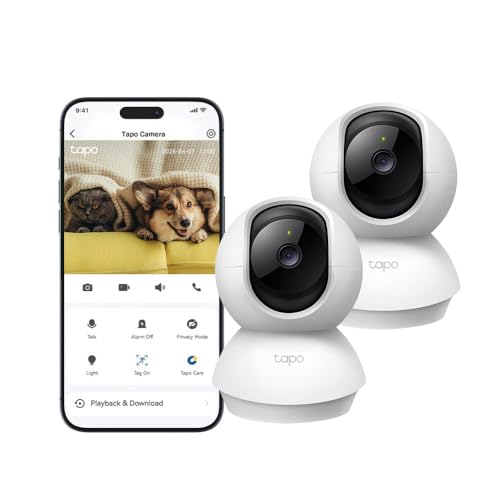
| Tapo TP-Link Smart Home Security Wi-Fi Camera | ~$69 | Two cameras in the box, with microSD recording and no monthly fees |
| Ring Indoor Camera 2K Plus | ~$97 | A sharp 2K plug-in camera, if you will price the Ring Protect plan |
| Reolink E1-2K 4MP Indoor Camera | ~$64.99 | A 355 degree pan camera that records to microSD with no extra fees |
| Ring Indoor Camera (2nd Gen) | ~$77 | Households already on the Ring app who want a privacy cover over the lens |
| Furbo Mini 360° 2K Pet Camera for Dog & cat | ~$82.50 | Owners who want the Furbo Nanny alerts and would pay for the plan anyway |
| Furbo Mini 360° 2K Pet Camera | ~$199 | The Furbo tracking and treat tosser with the subscription optional |
What we see fail: pet cameras
Pet cameras don't come in as often as phones, but when they do the fault is nearly always one of three things, and none of them is the image sensor. They're small plastic boxes with a motor, a Wi-Fi radio and a power input, running around the clock on a shelf in a warm room, and those three parts are exactly where the trouble turns up. Most of it is preventable at purchase or in the first week of setup.
The pan-tilt drive that grinds or sticks
A pan-tilt camera is a small plastic gear train driven by two tiny motors, and every pan is wear. Owners who drive the camera around all day, or run auto tracking on an animal that never sits still, put thousands of cycles a week through it. Around the eighteen-month mark you get a camera that pans but won't tilt, or clicks at the end of travel and drifts off its home position. On a camera at these prices nobody strips the housing to replace a stripped gear; it's not economic. Park it where it doesn't need to move, use pan for occasional checks rather than constant patrols, and turn auto tracking off overnight when nothing's happening anyway.
The power brick that wasn't in the box
Both Furbo Minis ship with a cable and no adapter, and plenty of other cameras do the same. People grab whatever 5V brick is in the drawer, and a tired or under-rated one sags when the motor and the Wi-Fi radio both draw at once. The symptoms look like a faulty camera: random reboots, dropping off Wi-Fi at 3am, night vision flickering. We've had cameras handed over as dead that came good on a proper 5V 2A supply in thirty seconds. Use a decent adapter with an RCM mark, keep the cable short, and don't run it through a powerboard already carrying a heater.
The card that quietly stopped recording
On local-storage cameras like the Tapo, the microSD card is the consumable and it fails silently. The live view works, the app looks normal, and only when you go back to find a clip do you discover the last recording was in March. Consumer cards aren't built for a camera overwriting them every day for years; they wear out and either go read-only or drop offline. Use a high-endurance card, format it in the camera, and get in the habit of scrolling back a day once a month. When a card does fail, the camera itself is almost always fine and a new card fixes it. Replace the card every two or three years regardless.
Decision tree: which one should you actually buy?
- Cat at home, want recordings but refuse to pay a monthly plan? → The Tapo C201 at $44. Local microSD up to 512GB, free detection, pan-tilt, and nothing to subscribe to.
- Want a sharp 2K picture from a plug-in camera and happy to pay for a plan? → The Ring Indoor Camera 2K Plus at $97. 2K with up to 6x manual zoom and a manual lens cover, then price the Ring Protect plan honestly after the 30-day trial.
- Already have a Ring doorbell and want the inside on the same app? → The Ring Indoor Camera (2nd Gen) at $77. Ranked #1 in Security Cameras, with a privacy cover you swivel over the lens (the listing says it also turns off the microphone) for when you're home.
- Want the Furbo alerts and recaps and you'd be paying for Nanny anyway? → The $82.50 Furbo Mini with the plan attached. The camera is the deposit, the plan is the real cost, and you've decided you want it.
- Want the Furbo tracking and treat tosser but never a subscription? → The $199 Furbo Mini with the subscription optional. Barking alerts and live view work with no plan, and no policy can change that.
- Camera rebooting, dropping Wi-Fi, or your phone won't hold the app anymore? → Try a proper 5V adapter first. If the phone is the weak link, bring it to our Erina workshop and we'll tell you whether it's a battery, a port or time to move on.
Frequently asked questions
Do I really need a subscription for a pet camera?
Not for the basic job. Every camera here gives you live view and two-way talk with no plan, and the Tapo C201 records to a microSD card with no fees at all. What the plans add is recorded clips in the cloud, scroll-back through the day, and the smarter detection that runs on the maker's servers. If you just want to check the dog at lunch, you don't need any of that. If you want to know what knocked the vase over while you were out, you need recordings, and then it's a choice between a card in the camera or a monthly plan. Price the plan over three years before you decide, because that's the camera's real cost.
Why is the same Furbo Mini $82.50 on one listing and $199 on another?
Because one of them requires a paid Furbo Nanny subscription to activate and the other doesn't. The hardware is the same on paper. The $82.50 listing is the plan-first version, where Furbo expects to make its money on the monthly payment, and the $199 one is the buy-it-outright version with a 14-day trial instead. The plan-first listing says core functions keep working if you cancel, which in theory lets you pay for three months and walk away, but that's a policy that could change, and I wouldn't build a purchase on it. Decide first whether you'd pay for Nanny long-term, and that decides which listing is the better buy.
Is a treat tosser worth paying for?
In my experience, not much. It's a hopper and a paddle that flings a small treat a metre or two across the floor, and it's fun for the first couple of weeks. Most owners settle into using it a few times a week, and some stop because the dog learned the camera produces food and started camping in front of it. From a wear point of view it's the part with the most moving pieces, and crumbs and soft treats in humid weather are what gum it up. If you've got a cat or a dog on scheduled meals, spend the money on pan-tilt and a good microSD card instead.
Will a pet camera work on my Wi-Fi?
Almost certainly, but on the 2.4GHz band only. Both Furbo listings say 5GHz isn't supported, and that's standard for this class of camera. The problem people hit is a router that merges both bands under one name and shunts the camera onto 5GHz during setup, which fails with a vague error. Split the bands so 2.4GHz has its own network name, join the camera to that, and setup usually goes through first time. If the camera is at the far end of a brick house and the video stutters, that's a coverage problem, and a wired access point or an extender fixes it more reliably than moving the camera.
Can someone else watch my pet camera?
Only if they get your login, and that's how nearly every camera break-in in the news actually happens: a password reused from some unrelated breach, not a clever hack. Use a unique password for the camera account, turn on two-step verification, and give the dog walker a guest login rather than your own. Both Rings have a physical lens cover, and I'd use it whenever you're home. The Tapo keeps its recordings on a card in your house, which shrinks the problem, though live view away from home still goes through TP-Link's servers.
Why does my pet camera keep rebooting or dropping offline at night?
Check the power supply before you blame the camera. Most of these ship with a USB cable and no adapter, and a tired or under-rated 5V brick from the drawer sags when the pan motor and the Wi-Fi radio draw at the same time, which causes random reboots and overnight dropouts. Swap in a decent 5V 2A adapter with an RCM mark and see if it settles. If it does, that was your fault. If it keeps happening, check whether the router is putting the camera to sleep or bouncing it between bands, and only then consider the camera itself faulty, which in my experience is the least likely of the three.
Related buying guides
Camera fine, but the phone running it is on its last legs?
A pet camera is only as good as the phone you watch it on, and a handset with a tired battery or a charging port that only works at an angle is the weak link in the whole setup. Bring it in to Erina and we'll tell you whether it's a battery, a port or a screen before you spend anything, and whether the fix costs less than the camera did.
Visit our Erina workshop Book Online