Prices from Amazon AU, updated daily. Swipe or use the arrows for more.
Disclosure: This article contains affiliate links to amazon.com.au. If you buy through one of these links iFix may earn a small commission at no extra cost to you. It doesn't change which products we recommend. We focus on what actually lasts based on 16 years of repair-shop experience.
Quick summary4 picks
- Big ScreenHP OmniBook 3 16-inch, Ryzen AI 5, 16GB about$1,69716GB RAM, 512GB SSD, 16" screen.
- Entry PickASUS Vivobook Go 15, Ryzen 5, 16GB about$99916GB RAM, 512GB SSD, 15.6" screen.
- HP 15” Laptop about$1,09716GB RAM, 15" screen.
- Most PremiumLenovo 14" OLED IdeaPad 5 2-in-1 Laptop: AI… about$1,8981TB SSD, 14" screen, OLED.
Why a work-from-home laptop is its own job
A laptop that commutes lives a rough life in short bursts. It gets opened and closed a dozen times a day, slung in a bag, and spends most of its hours asleep. A laptop that works from home does the opposite. It runs eight or nine hours straight, usually plugged in at the same desk, often with the lid half shut and an external screen doing the real work. Those are different jobs, and they wear out different parts. The commuter machine dies at its hinges and corners. The home-office machine dies of heat, dust and a battery that's been held at full charge for two years straight, and it usually gives you warning signs for months before it goes.
This guide picks four machines between $999 and $1,898 on Amazon AU, all sold on Amazon AU by Amazon AU itself or an Australian retailer, and all chosen for the long-day job rather than the spec-sheet race. That second part matters, because most laptop reviews are written for the machine's first week, benchmarks, unboxing impressions, how thin it feels in a cafe, and a home-office machine is bought for its fourth year. If the desk is only part of your laptop's life and you want a general all-rounder, our laptops under $1,500 guide covers that band well. This one is about the machine that earns its keep on video calls, shared spreadsheets and thirty open tabs, and is still doing all of it comfortably long after the box has gone to the recycling.
The spec floor: 16GB, a real SSD, and not paying for the same chip twice
Sixteen gigabytes of memory is the floor for a work machine in 2026, and I didn't shortlist anything with less. A browser running Teams or Meet, a mail client, a couple of dozen tabs and a shared spreadsheet will sit on 10 to 12GB before you've opened anything unusual. On an 8GB machine that means constant swapping out to the SSD, which feels like lag when you switch windows and quietly wears the drive while it's at it. One strong-selling $1,299 model made the first cut on sales rank and got dropped for exactly this: 8GB, soldered to the board, no upgrade path, ever. Thin laptops mostly can't take more memory later, the days of clipping in another stick ended years ago on these designs, so the headroom has to be bought on day one or not at all.
Storage is more forgiving, but 512GB is the comfortable size once OneDrive or Google Drive starts keeping local copies of everything. The 16 inch HP OmniBook, the 15.6 inch HP and the ASUS pick here all pair 16GB with a 512GB drive, which is the comfortable size rather than the generous one, and the 14 inch Lenovo 2-in-1 is the only machine here with a full terabyte. On processors, everything here uses a low-power chip designed for exactly this kind of work, and in my experience they're closer in real use than the model numbers suggest. What matters more is not paying twice for the same silicon. While shortlisting I found a $1,699 machine running the identical i7 to a $913 one, same generation, same class, and the dearer one mostly buys you a logo. Check the actual chip model number before you pay extra for the letters on the lid.
Screens: 15.6, 16 or a 14-inch OLED
Screen choice for a desk machine is mostly about what else is on the desk. If the laptop screen is the only screen, bigger wins, and the 16 inch HP OmniBook is the biggest panel in this list, with the 15.6 inch ASUS and HP close behind: spreadsheets at a readable zoom and two documents side by side, though a separate monitor still beats any laptop screen. If you've already got a monitor, the laptop panel becomes the second screen and 14 or 15.6 inches is plenty. Height matters too, whatever the size, because a laptop screen sits well below eye level and eight hours of looking down adds up; a $30 stand under the machine and a separate keyboard sorts that for less than any spec upgrade. A decent external panel also costs less than most people think, and our portable monitor picks start around $130 if your desk moves around the house with you.
Panel behaviour matters more at low brightness than the brochures let on. Flicker at low brightness is the thing to check if you work late with the lights down, and the listings here don't say either way, so read the recent reviews before you order. Anti-glare coatings earn their keep in Australian houses where there's a window behind every desk. And the OLED on the Lenovo is the one genuine luxury in this list: high-contrast black text all day, and video that looks closer to the TV in the lounge than to a laptop. You don't need it for spreadsheets, but it's the only screen here you'd choose to watch something on afterwards.
Ports, docking and the one-cable desk
The port that matters is the USB-C, because on a desk it ends up carrying everything: power, monitor, webcam, keyboard and mouse through a hub. The listings here quote 5Gbps USB-C on the HP machine, which is enough for a 1080p webcam and peripherals but gets tight if you hang fast external drives off the same cable. A $35 hub spreads the load properly, and our USB-C hub guide covers the ones that don't cook themselves. Watch HDMI versions too. HDMI 1.4b, which the $1,097 HP lists, drives a 1080p monitor at 60Hz happily but tops out at 30Hz on a 4K panel, and 30Hz is unusable for anything beyond a static dashboard.
Chargers deserve a paragraph of their own. A work-from-home laptop spends nearly its whole life on the charger, so the charger's quality becomes the laptop's problem, and the problem compounds quietly over thousands of hours. The no-name 100W bricks sold at a third the price of the branded one are behind a lot of dead USB-C ports and cooked charging circuits, because their voltage regulation drifts and their protection circuits are decorative, and the damage usually costs more than the savings did. I've written up why bad chargers kill devices if you want the mechanism in detail. The short version: use the charger the maker shipped, and if you buy a spare for the second desk, buy a brand you've actually heard of.
Cameras, microphones and looking human on calls
Built-in webcams are the most complained-about part of every laptop, and the complaints are usually aimed at the wrong component. A 720p camera like the one listed on the $1,097 HP is perfectly adequate when it's fed decent light, and a sharper camera still looks terrible against a bright window behind you. Light placement does more than sensor resolution: face the window, or put a small light behind the screen, and either camera looks fine. I covered the practical options in the webcam lighting guide, and the ones worth having start around $30, which is a better first spend than any external camera.
Microphones follow the same rule. The dual-microphone arrays on these machines do passable noise rejection in a quiet room, but a $60 wired headset beats every built-in mic in a house with kids, dogs or a dishwasher running, because the microphone sits centimetres from your mouth instead of half a metre away next to a clattering keyboard. If colleagues keep asking you to repeat yourself, that's the fix, not a new laptop. One more trick that costs nothing: hard rooms echo. Laptop mics pick up the room's reflections along with your voice, and software can only strip so much of it out. A rug on the floorboards and a curtain on the window will do more for how you sound on calls than any driver update ever has.
Wi-Fi 5, Wi-Fi 6 and being honest about the internet
One pick here lists Wi-Fi 5, and I can hear the comments already. For a stationary work machine it matters less than the spec sheet implies. A video call uses 2 to 4Mbps each way, and Wi-Fi 5 will deliver a couple of hundred through a wall. The stutters that plague home-office calls are nearly always the uplink on the NBN plan, the router's position in the house, or a congested band, and I reckon nine dropped calls out of ten would've dropped on a Wi-Fi 7 laptop too. If your desk is a long way from the router, fix the network rather than the laptop: the options in our Wi-Fi extender guide cost less than the price gap between any two machines on this page.
Where a newer radio does earn its money is a busy house: three people on calls at once, a console downloading a patch, security cameras uploading to the cloud. The newer standards share a congested channel more gracefully, so everyone's traffic degrades politely instead of one call falling over. If that's your household, weight the radio spec accordingly and put the router somewhere sensible while you're at it, which means high, central and not inside the TV cabinet. If it's you and the cat, spend the difference on a monitor or a decent chair instead, because you'll feel either of those every single day and you'll never once feel the Wi-Fi generation.
What I left off the list
Three machines fell off the shortlist late, and the reasons say something about the current market. The $1,699 unit running the same i7 as a $913 laptop went first, because paying $786 extra for the same chip in a different shell isn't a decision I can defend. Second was that strong-selling $1,299 model with 8GB soldered: right price bracket, wrong memory, no fix later. The third had a listing that couldn't decide what it was selling, with a Core i3 in the title and a Core Ultra 5 in the bullet points. Maybe the better chip is what arrives. I wasn't going to gamble $999 on finding out, and you shouldn't either.
The other thing worth saying: the laptop you're replacing might not need replacing. A machine that's slowed to a crawl usually has a software problem, a stuffed drive or a tired battery, and all three cost far less to sort than anything on this page. If it won't charge, won't wake, or the fan sounds like a lawnmower, bring it past our Erina workshop for a look first, or read up on what's fixable on Central Coast computers. Sometimes the honest answer is a $150 repair, and I'd rather tell you that before you've spent $1,500.
Making it last five years
A desk laptop's battery spends years pinned at full charge and warm, which is the exact combination lithium cells hate most. Most makers now ship a battery-care setting that caps charging at around 80 per cent, and on a machine that lives plugged in you should turn it on the day it arrives. It's the simplest thing you can do to still have usable battery life in year four. The warning sign to act on is physical: if the case starts to bulge, the trackpad stiffens or clicks strangely, or the keyboard deck lifts, that's a swelling battery and it wants attention now, not at the end of the quarter.
The rest is housekeeping. Blow the dust out of the vents once a year, because a clogged fan makes the machine hot, loud and slow in that order. Don't eat over the keyboard, and keep drinks on the far side of the monitor, since liquid damage turns a $150 fix into a motherboard job. Route the charging cable so nobody can snag it walking past, because a yanked USB-C connector takes the port's circuit board with it more often than people expect. None of this is exciting advice. It's just the difference between a three-year laptop and a six-year one.
The 4 picks, $999 to $1,898
Prices are Amazon AU at time of writing (2 November 2026) and move week to week. Ranks are Amazon AU category sales ranks, checked the same day.

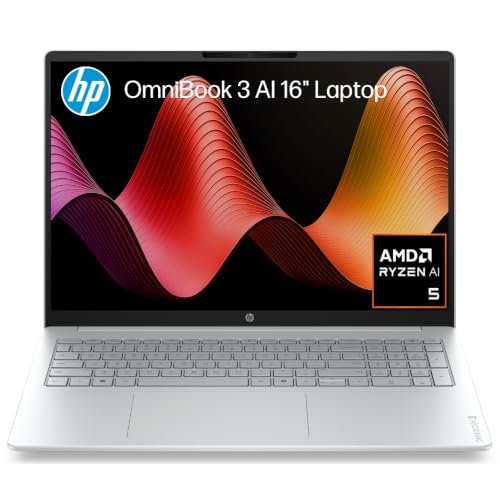
HP OmniBook 3 16-inch, Ryzen AI 5 430, 16GB, 512GB SSD
ASIN B0H6V3TLPG • $1,697 • Ships from Amazon AU
The biggest screen on the page, on ordinary x86 Windows, and a pick that gets there without any Arm homework. A 16-inch panel in a 16:10 shape is the point: the listing gives 1920 x 1200 with an anti-glare finish, which is 120 more rows of pixels than a standard Full HD screen and cuts the reflections from the window behind the desk. At $1,697 it comes with 16GB of DDR5 memory and a 512GB NVMe SSD, which is the pairing I said was the floor. It was at #129 in Amazon AU's Traditional Laptops the day I checked.
Inside is an AMD Ryzen AI 5 430 with Radeon 840M integrated graphics, and the listing calls it a Copilot+ PC with a 50 TOPS NPU. For a desk that means a current chip aimed at exactly the browser, Teams and spreadsheet stack this page is about, with DDR5 memory rather than the DDR4 in the 15-inch HP. The title gives the weight as 1.64kg, which suits a machine that moves between the desk and the kitchen bench rather than one that lives in a bag. HP prints no battery hours, webcam resolution, port list or Wi-Fi generation in the listing, so I am not putting a figure on any of them.
Buy it if the laptop screen is your only screen and you want the room without paying the OLED price: it costs $698 more than the ASUS and $201 less than the Lenovo 2-in-1, and it runs ordinary Windows software with no emulation to worry about. If you already have a monitor on the desk, the ASUS at $999 does most of this job for less.
Honest caveats: It is the second most expensive pick here, so check the price on the day. The listing gives no battery hours, port list or webcam resolution, and the 15-inch HP is the one here with a quoted battery figure, so look at the current listing if you work away from the desk. It doesn't say whether the memory or SSD can be upgraded, so buy the configuration you will want in year four.
Best for: Anyone whose laptop is the only screen on the desk and who wants ordinary Windows software, 16GB and a 16:10 panel.
CPU: AMD Ryzen AI 5 430 • RAM: 16GB DDR5 • Storage: 512GB PCIe NVMe SSD • Display: 16" 2K IPS, 1920 x 1200, 16:10, anti-glare • Graphics: AMD Radeon 840M • AI: Copilot+ PC, 50 TOPS NPU • Weight: 1.64kg (per the title) • Model: D46XCPA, Glacier Silver • Rank: #129 in Traditional Laptops (Amazon AU)
View on Amazon AU
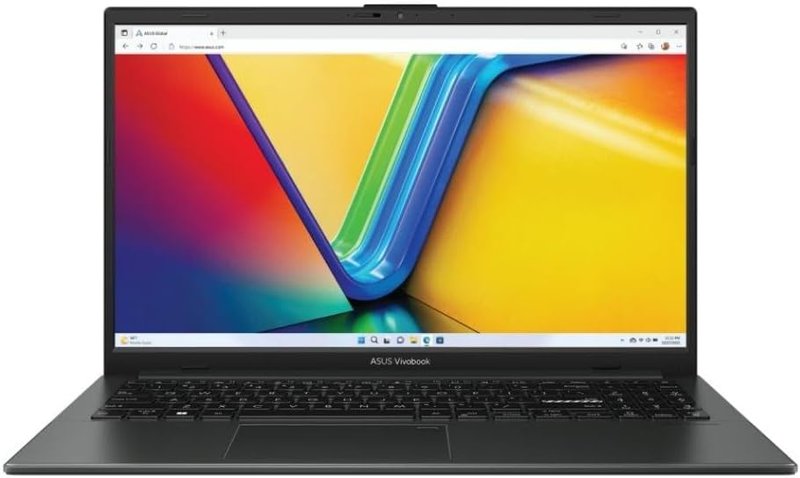
ASUS Vivobook Go 15, Ryzen 5 7520U, 16GB, 512GB SSD
ASIN B0FR8NNSDS • $999 • Sold by Computer Alliance Pty Ltd
This is the lowest-cost way onto this page, and it does it with ordinary x86 Windows rather than an Arm chip. At $999 you get 16GB of memory and a 512GB SSD, which is the pairing I said was the floor, behind a 15.6-inch Full HD IPS panel. If your employer's VPN client or a niche line-of-business program has never been tested on Arm, this is the pick that sidesteps the homework. It was at #290 in Amazon AU's Traditional Laptops the day I checked.
Inside it is an AMD Ryzen 5 7520U, a low-power chip of the kind this page is built around, and the listing quotes WiFi 6E, which helps in a house where several people are on calls at once. The 15.6-inch screen is a standard size: big enough for two windows side by side, small enough to move between the desk and the kitchen bench. The listing doesn't state a battery figure, a webcam resolution or a port list, so I'm not going to guess at any of them.
Pick this one if you want 16GB and a 512GB drive for the least money on this page, and your day is documents, browser tabs and video calls rather than rendering. It sits just under $1,000, so check the price on the day.
Honest caveats: It is sold by Computer Alliance Pty Ltd, an Australian seller, rather than by Amazon AU itself. The listing says nothing about whether the memory can be upgraded, so treat 16GB as fixed for life, and it doesn't state the port list, weight or battery life, so check the current listing if any of those matter to you. The Ryzen 5 7520U is an efficiency-class chip, fine for office loads rather than heavy rendering.
Best for: Anyone who wants 16GB and a 512GB drive for the least money here, on ordinary Windows software rather than Arm.
CPU: AMD Ryzen 5 7520U • RAM: 16GB • Storage: 512GB SSD • Display: 15.6" Full HD IPS • Wi-Fi: WiFi 6E • OS: Windows 11 Home • Price: $999 at time of writing • Rank: #290 in Traditional Laptops (Amazon AU)
View on Amazon AU
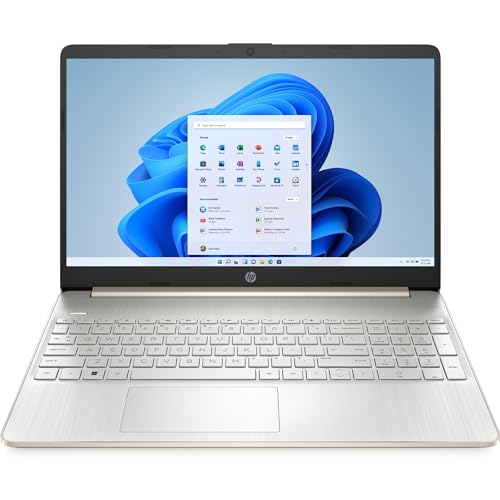
HP 15" Laptop, Ryzen 5 5500U, 16GB, 512GB SSD
ASIN B0CYDVFQW1 • $1,097 • Ships from Amazon AU
This one earns its spot on stamina and completeness rather than headline specs, and for a home office that's often the right trade. The listing quotes up to 9 hours and 30 minutes of battery, and for a work-from-home machine that's the difference between working from the couch, the verandah or the kitchen bench all day and being tethered to the one powerpoint behind the desk. The Ryzen 5 5500U is a six-core chip that boosts to 4.0GHz, and while it's an older design now, six cores with 16GB of memory handles the browser-Teams-spreadsheet stack without drama, and it does it while sipping power. Paired with a 512GB NVMe drive, there's nothing in the core spec sheet you'd need to apologise for.
It's also the most complete video-call package in this list on paper: HP's True Vision 720p camera with a dual-array digital microphone sits above the 15.6 inch micro-edge FHD display, and the pairing matters because camera and mics tuned together tend to behave better in calls than parts that merely coexist. The camera is 720p rather than full HD, which as covered earlier matters far less than your lighting does. Ports run to USB-C at 5Gbps, two USB-A and HDMI, so a monitor, a headset dongle and a mouse receiver all connect without a hub, and the fast-charge support the listing quotes takes the sting out of forgetting to plug in overnight.
It's ranked #159 in Traditional Laptops, so plenty of Australian buyers are making this exact call, and I don't think they're wrong. Every corner that was cut here, and corners were cut, was cut somewhere you can live with: an older chip that still does the job, a last-generation radio, a modest HDMI port. What's left is a machine with the best quoted battery life on this page, sensible memory and storage, and no missing pieces to discover in week two. At $1,097 it's the pick when stamina and a complete, boring feature set beat having the newest silicon in the room.
Honest caveats: The Ryzen 5 5500U is a 2021-generation design, so you're buying proven rather than current. The listing quotes Wi-Fi 5, HDMI 1.4b (1080p at 60Hz is fine, 4K is capped at 30Hz) and Windows 11 in S mode, which you'll want to switch out of, a free one-way change, before installing normal desktop software.
Best for: The all-day-unplugged worker who moves around the house and wants everything, camera to battery, sorted in one box.
CPU: AMD Ryzen 5 5500U, 6 cores, to 4.0GHz • RAM: 16GB DDR4 • Storage: 512GB PCIe NVMe SSD • Display: 15.6" FHD micro-edge • Battery: Up to 9.5 hours (listing) • Webcam: 720p with dual-array mics • Wi-Fi: Wi-Fi 5 • Video out: HDMI 1.4b, USB-C 5Gbps • Rank: #159 in Traditional Laptops (Amazon AU)
View on Amazon AU
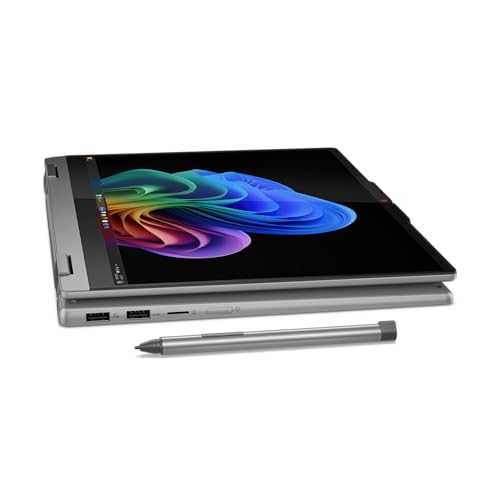
Lenovo IdeaPad 5 2-in-1 14" OLED, Snapdragon X Plus, 16GB, 1TB
ASIN B0DGX7XTZF • $1,898 • Ships from Amazon AU
The premium pick, and the one machine here that changes how the desk works rather than just doing the same job faster. The 14 inch OLED panel in a 16:10 shape is the best screen on this page by a comfortable distance: taller than standard widescreen laptops, so documents and email show more lines before you scroll, and with the OLED contrast that makes long reading sessions easy and end-of-day video look properly good. The 2-in-1 hinge means it folds into a stand for video calls, props up as a second screen beside a monitor, or flattens out for marking up documents. For a role that's half meetings, that flexibility gets used weekly, not once and forgotten.
It runs a Snapdragon X Plus, which is an Arm chip rather than an Intel or AMD part, with a dedicated NPU that qualifies it as a Copilot+ PC per the listing. In practice the Arm platform's party tricks are exactly the ones a home worker notices: it runs cool and near silent under office loads, and standby behaves like a phone rather than a laptop, awake instantly with the battery roughly where you left it days later. With 16GB of memory and a full 1TB SSD it carries twice the storage of the HP OmniBook at the top of this list, and the screen and build sit in a different class again. It's 17.5mm thin and MIL-STD-810H tested per the listing.
It holds rank #217 across Amazon AU's entire Laptops category, which for a $1,898 machine competing against everything less costly is a strong signal that buyers who see one keep it. The honest framing: you can do this job for $1,697 with the HP OmniBook 3 and stay on ordinary Windows software. What the extra $201 buys is the OLED screen you'll stare at for eight hours, the hinge tricks and the 1TB drive. Buy it if your workday is meetings and documents, your software list is modern, and you split time between the home desk and a real office.
Honest caveats: Windows on Arm runs the mainstream office stack well, but some specialist x86 applications and older corporate VPN clients still misbehave under emulation, so check your specific software before committing. The listing doesn't state battery hours or the port list. And at 14 inches, spreadsheet-heavy days will still want an external monitor.
Best for: The meetings-heavy hybrid worker who wants the best screen and build here, and whose software list is modern.
CPU: Snapdragon X Plus (Arm) • AI: Copilot+ PC with NPU • RAM: 16GB • Storage: 1TB SSD • Display: 14" OLED, 16:10 • Form: 2-in-1 convertible, 17.5mm thin • Durability: MIL-STD-810H tested (listing) • Price: $1,898 at time of writing • Rank: #217 in Laptops (Amazon AU)
View on Amazon AUSide-by-side comparison
| Product | Price | Best for |
|---|---|---|
| HP OmniBook 3 16-inch, Ryzen AI 5, 16GB | ~$1,697 | The largest screen here, on ordinary Windows software with 16GB and 512GB |
| ASUS Vivobook Go 15, Ryzen 5, 16GB | ~$999 | The lowest-cost 16GB and 512GB here, on ordinary Windows software |
| HP 15” Laptop | ~$1,097 | Working from the couch and kitchen, mostly unplugged |
| Lenovo 14" OLED IdeaPad 5 2-in-1 Laptop: AI… | ~$1,898 | Meetings-heavy hybrid work with the best screen here |
What we see fail at the bench: work-from-home laptops
Home-office machines have their own failure pattern, and it's not the one laptop reviews prepare you for. They rarely get dropped. Instead they cook slowly: years plugged in, vents against a wall, fans full of dust, batteries pinned at 100 per cent. The three failures below account for most of the desk laptops that come across the bench, and every one of them costs less to prevent than to fix.
The charger cable that takes the port with it
A desk laptop's charge cable gets walked past thousands of times, and eventually someone's foot finds it. On machines that charge through USB-C, a hard sideways yank doesn't just bend the plug, it can lift the port off the circuit board or crack the solder joints under it. After that you get the classic symptom: charging works only when the cable is held at an angle, then not at all. Board-level port repair is routine work, but it's an avoidable bill. Route the cable behind the desk leg, leave slack, and if charging gets fussy, stop wiggling it and get it looked at before the pads tear.
Dust, heat and the slow-motion slowdown
A laptop that lives on the same desk breathes the same dust all year, and the fine stuff mats into a felt layer over the cooling fins. The machine doesn't fail outright. It gets warmer, then louder, then slower, because the processor pulls its own speed back to survive the heat. People live with it for a year and then describe it as old. Mostly it's just clogged. A proper clean and fresh thermal paste brings the clocks back more often than any software trick, and if your fan now runs flat out on a calm Tuesday, that's the machine asking for exactly that.
Batteries held at full charge until they swell
Lithium batteries age fastest when they're kept full and warm, which is a plugged-in desk laptop's permanent condition. Years of that and the cells begin to swell, and the first sign is usually mechanical: a trackpad that clicks oddly, a deck that flexes, a case seam opening. A swollen pack is not a cosmetic issue, it's pressing on everything around it and it wants replacing promptly. The prevention costs nothing: turn on the maker's battery-care limiter so the machine holds around 80 per cent. Do that on day one and the battery conversation moves from year two to year five.
Decision tree: which one should you actually buy?
- Want the most computer per dollar? → The ASUS Vivobook Go 15 at $999. It is the lowest-cost way here to get 16GB and a 512GB drive on a desk, and it runs ordinary Windows software.
- Want the biggest screen, on ordinary Windows software? → The HP OmniBook 3 16-inch at $1,697. A 16:10 anti-glare panel, a Ryzen AI 5 430 chip, 16GB of DDR5 memory and a 512GB drive.
- Work from the couch, the verandah and the kitchen, mostly unplugged? → The HP Ryzen 5 at $1,097. Up to 9.5 hours on the listing, plus the most complete camera and mic setup on this page.
- Meetings-heavy hybrid role, and you care about the screen? → The Lenovo IdeaPad 5 2-in-1. The 14 inch OLED and the fold-into-stand hinge are built for exactly that week.
- Buying for occasional use rather than full-time work? → Step down a band. Our laptops under $1,000 guide covers machines that suit lighter duty for less money.
- Current laptop slow, hot, or refusing to charge? → Get it diagnosed before you replace it. Bring it in to the workshop in Erina, because a clean, a battery or a drive often brings a good machine back for a fraction of a new one.
Frequently asked questions
Is 16GB of RAM actually necessary just for office work?
For a machine you'll keep four or five years, yes. Office work in 2026 mostly happens in a browser, and browsers are memory-hungry: a normal working set of tabs plus Teams or Meet plus a mail client sits at 10 to 12GB on its own. An 8GB machine runs, but it covers the shortfall by constantly swapping to the SSD, which you feel as stutter when switching windows and which adds wear to the drive. Every pick in this guide carries 16GB, and none of them charge a premium for it, so there's no reason to accept less at these prices.
Should I leave my laptop plugged in all day while working from home?
Plugged in is fine, and for performance it's usually better, since most laptops run their fastest profiles on mains power. The problem is holding the battery at 100 per cent constantly for years, which combined with warmth ages the cells faster and eventually leads to swelling. The fix is built in: ASUS, HP and Lenovo all provide a battery-care or charge-limit setting that holds the battery around 80 per cent while on mains. Turn it on the day the laptop arrives. You lose a little unplugged runtime and gain years of battery health, which is the right trade for a desk machine.
Can these laptops drive an external monitor or two?
One external monitor is straightforward on all of them, through HDMI or a USB-C hub. Two externals depends on the specific ports, and this is where you check the current listing rather than assume. Watch the HDMI version in particular: HDMI 1.4b, which the $1,097 HP quotes, is fine for a 1080p monitor at 60Hz but caps a 4K panel at 30Hz, which feels awful for normal work. If you're planning a proper multi-monitor desk, a USB-C hub or dock with DisplayPort is usually the tidier route, and it leaves the laptop's own ports free.
Is the Snapdragon-based Lenovo safe to buy for normal work software?
For the mainstream stack, yes. Browsers, Microsoft 365, Teams, Zoom and the common chat and mail clients all run natively on Windows on Arm now, and the platform's strengths, quiet running, instant wake and long battery, suit a work machine well. The caution is for specialist software: some x86-only applications, older corporate VPN clients and certain hardware drivers still run under emulation or not at all. One of the four picks here, the 14 inch OLED Lenovo 2-in-1, runs a Snapdragon chip, so if your employer issues a specific VPN or a niche line-of-business tool, confirm it works on Arm before buying it. If your software list is modern and mainstream, there's nothing to fear.
Do I need Wi-Fi 6 or Wi-Fi 7 for video calls?
Not for the calls themselves. A video call uses roughly 2 to 4Mbps in each direction, and even Wi-Fi 5 delivers many times that through a wall. Call dropouts nearly always trace back to the internet uplink, the router's position, or interference, not the laptop's radio generation. Wi-Fi 6 earns its keep in busy households where many devices contend for airtime at once, three simultaneous calls, game downloads, cameras uploading. If that's your house, prefer the newer radio or improve the router end. If not, the Wi-Fi 5 machine here will video-call exactly as well as the others.
My current laptop is slow. Should I repair it or replace it?
Diagnose first, because slow has minor causes more often than terminal ones. A drive at 95 per cent full, a clogged cooling system pulling the processor's speed down, or a failing battery making the machine throttle on the desk are all common, and all cost far less than a new laptop to put right. Replacement makes sense when the machine is short on memory with no upgrade path, or the board itself has failed and the quote approaches half the price of new. A quick bench assessment tells you which side of that line you're on before you spend anything serious.
Related buying guides
Slow laptop? Get a diagnosis before you spend $1,500
Most laptops that feel finished aren't. A stuffed drive, a dust-choked cooler or a tired battery makes a good machine feel five years older than it is, and all three are quick, inexpensive fixes. Bring it in to Erina and we'll tell you straight whether yours is worth reviving or genuinely done, before you spend a dollar on a replacement.
Visit our Erina workshop Book Online