Prices from Amazon AU, updated daily. Swipe or use the arrows for more.
Disclosure: This article contains affiliate links to amazon.com.au. If you buy through one of these links iFix may earn a small commission at no extra cost to you. It doesn't change which products we recommend, we focus on what actually lasts based on 16 years of repair-shop experience.
Quick summary9 picks
- Best entry to premiumGEEKOM A6 Mini PC, Ryzen 7 6800H about$9493-year warranty, 1TB SSD, DDR5 to 96GB.
- Quiet, efficient premiumGEEKOM IT12 Mini PC about$8993-year warranty, Ultra 5 125U, 38dB stated.
- Best all-round valueBOSGAME P3PRO Mini PC, Ryzen 9 7940HS about$799.201TB PCIe 4.0 SSD, Ryzen 9 7940HS, 2-year warranty.
- Best Intel value all-rounderGEEKOM IT13 Max AI Mini PC about$1,099.003-year warranty, Ultra 9 185H, 500GB SSD.
- GMKtec EVO-X1 AI Mini PC AMD Ryzen AI 9… about$1,399.99Ryzen AI 9 HX-370, 32GB LPDDR5X, OCuLink.
- GEEKOM IT15 Mini PC about$1,999.003-year warranty, Ultra 9 285H, 32GB DDR5, 2TB SSD.
- Best AMD APU for on-device AIGEEKOM A9 Max AI Mini PC about$2,399Ryzen AI 9 HX 470, 32GB DDR5, 86 TOPS.
- Best with a real GPUASUS ROG NUC 970 Mini PC, RTX 4070 about$4,299.00RTX 4070 8GB, 32GB DDR5, 1TB SSD.
- Most PremiumGMKtec EVO-X2 AI Mini PC Ryzen Al Max+ 395… about$5,255.99Ryzen AI Max+ 395, 128GB LPDDR5X, 2TB SSD.
Why premium, and why now
The machine that lands in the workshop most often with the same complaint is a small N100 or N150 box bought a year or two ago on sticker price alone. It felt quick for a week. Then it started stuttering the moment more than a browser was open, choking on a photo library or any video work, and under real load the fan screamed while the chassis cooked. Open one up and the picture is familiar: a tiny blower cooler clogged with dust, an NVMe drive with no heatsink baking itself, memory soldered at 8GB or 16GB and no way to add more. None of that is a defect. It is what an entry box is, asked to do a premium job.
The premium tier is not a flashier badge, it is parts that have somewhere to go under load: a real CPU with sustained headroom rather than a burst it cannot hold, 32 to 64GB of memory, proper cooling, dual NVMe, fast networking from 2.5GbE up, USB4, and on several of these machines memory and storage you can service yourself. Across 16 years at iFix, the pattern holds: paying once for a machine that stays fast costs less over its life than replacing an underpowered one inside eighteen months. That is honest triage, not fear. If a tiny N100 genuinely covers what you do, keep it. If you have already hit the wall on one, this is the tier that fixes the cause. If your budget sits under $700 or you want a budget or business tiny PC, start with our budget mini PC guide instead.
What to look for in a premium mini PC
The picks below make more sense once you know what actually separates this tier from the budget shelf. Seven things matter.
- CPU tier. A Ryzen 9, a Ryzen AI chip or a Core Ultra 9 holds its clocks under a long load in a way the N-series in budget units cannot. The headline number matters less than whether the box can sustain it without throttling, which comes down to cooling and power delivery.
- Soldered LPDDR5X versus SO-DIMM. LPDDR5X is soldered, runs faster and cannot be changed later, so you buy the capacity you need on day one. SO-DIMM sticks are a touch slower but you can add or replace them yourself, which is the more serviceable choice a repair shop leans toward.
- Storage. Most take a replaceable M.2 NVMe drive, several take two. Storage is the part most likely to wear, so swapping or adding a drive without soldering is a genuine plus.
- Cooling and noise. Heat has nowhere to hide in a small chassis. The good ones use heatpipes, phase-change material and larger fans to stay quiet under load. The weak ones get loud, then throttle.
- Networking. 2.5GbE is the sensible floor. 5GbE and 10GbE matter the moment you move large files to a NAS or run a home server, where a single-gigabit port becomes the bottleneck.
- USB4 and OCuLink. USB4 at 40Gbps handles fast external storage and displays over one cable. OCuLink is a direct PCIe path for an external graphics card, letting an integrated-graphics box grow a real GPU later.
- Complete versus barebone. A complete machine boots out of the box. A barebone kit is chassis, board, CPU and cooling only, and you add memory, an SSD and an operating system. Neither is better, but a barebone's landed cost is the kit plus those parts, so compare like for like. On imports, Australian Consumer Law still applies on top of any manufacturer warranty.
The Mac mini question
Any honest premium mini PC guide has to name the elephant. The Apple M4 Mac mini is the obvious compact desktop, it is efficient, and for a lot of people it is the right buy. These Windows and Linux machines are the alternative when you want what the Mac does not give: more ports, user-serviceable or larger storage, 32 to 128GB of memory, the freedom to run Windows or Linux and a full home-server stack, or discrete graphics. No need to talk the Mac down. If you live in macOS and want the tidiest quiet desktop, buy it. If you want to open the machine, expand it and run your own services on it, one of these is the better trade.
The 9 picks, by what you actually need
Prices are current at the time of writing (October 2026) and swing week to week on premium and imported gear, so treat every figure as "around". The list runs from the most efficient entry boxes up to the local-AI halo. All nine ship complete, ready to boot with memory, storage and Windows already fitted, so the price you see is close to the price you pay.

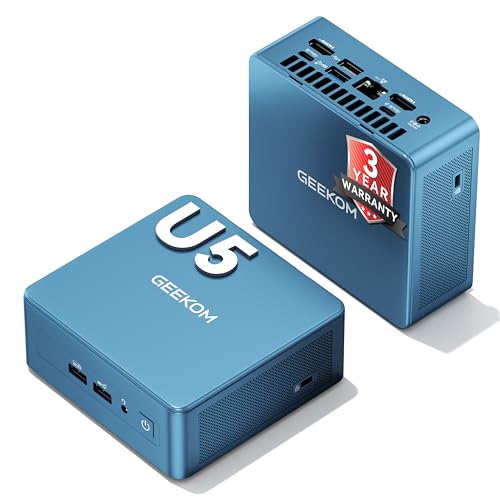
GEEKOM IT12 Mini PC, Intel Core Ultra 5 125U, 16GB RAM, 512GB SSD
Intel Core Ultra 5 125U (12 cores/14 threads, to 4.3GHz) · 16GB RAM · 512GB SSD (expandable) · built-in AI engine · 38dB stated · 3-year warranty · around $899 · Ships within Australia
The reason to look at the IT12 is how little fuss it makes. The Core Ultra 5 125U is a U-series chip, which means it is tuned for efficiency rather than peak clocks, and GEEKOM's listing leans on exactly that: a near-silent 38dB, a cooling system it says cuts noise by 40 per cent, and a power draw it describes as a fraction of a traditional tower. With 12 cores and 14 threads and a built-in AI engine and graphics, it is more than enough for office work, a stack of browser tabs, video calls and 4K video playback, and it is the sort of machine you can leave running all day without it becoming a heater or a hairdryer.
Then there is the warranty. GEEKOM states three years on every unit, which is a long cover for a box that lives on a desk or a shelf and never gets switched off.
The one spec to be sure of. It ships with 512GB, and the listing describes the storage as expandable, so plan on adding a drive if you keep a lot of files local. The listing does not state the memory type or the port layout in the details I could confirm, so check the full spec list before you buy if you need a specific number of display outputs or want to upgrade the RAM yourself. If memory headroom matters more than quiet, the GEEKOM A6 just below is the one with DDR5 you can upgrade yourself, up to 96GB.
Best for: a quiet, efficient premium desktop that stays cool and silent when left on all day, where low noise and a long warranty matter more than raw grunt.
CPU: Intel Core Ultra 5 125U (12 cores/14 threads, up to 4.3GHz) · Memory: 16GB · Storage: 512GB SSD (expandable) · AI: built-in AI engine · Cooling: IceBlast, 38dB stated · Warranty: 3 year + Australian Consumer Law
View on Amazon AU
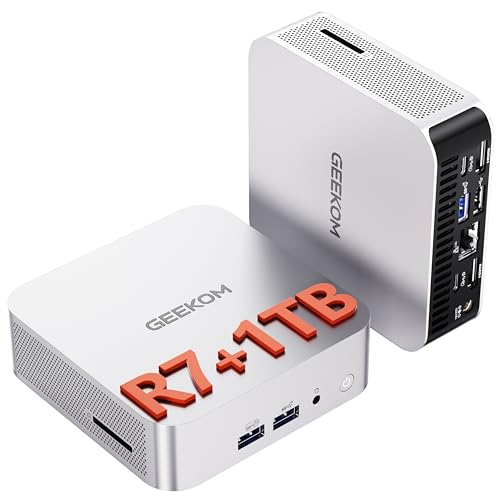
GEEKOM A6 Mini PC, AMD Ryzen 7 6800H, 16GB DDR5, 1TB SSD
Ryzen 7 6800H (8 cores/16 threads) · 16GB DDR5 (to 96GB) · 1TB PCIe 4.0 SSD · 2x USB4 · up to 4 displays · 3-year warranty · around $949.00 · Ships within Australia
This is the lowest-priced three-year-warranty way onto the premium shelf that still treats you like someone who might open the lid later. The Ryzen 7 6800H is an 8-core, 16-thread part, and GEEKOM's listing sets it against the 6-core Ryzen 5 7640HS to make the point that you get a third more cores and threads for multitasking, content work and data crunching. It ships with a 1TB PCIe 4.0 SSD rather than the 512GB most boxes at this money give you, and the DDR5 is upgradeable rather than locked to the board, so the 16GB it starts with can be taken up to 96GB when you need more.
The upgrade path. Two USB4 ports and two HDMI outputs let it drive up to four displays, and the listing is blunt that USB4 is its answer to OCuLink. That is the trade against the box this one replaces: there is no OCuLink port listed, so an external graphics card is not part of the plan here. What you get instead is memory you can grow, a drive that is already roomy, and four BIOS power modes from a quiet 35W up to a 70W high-performance setting.
Best for: a first premium mini PC where a three-year warranty, a 1TB drive and DDR5 you can upgrade matter more than OCuLink or the last bit of speed.
CPU: AMD Ryzen 7 6800H (8 cores/16 threads) · Memory: 16GB DDR5, upgradeable to 96GB · Storage: 1TB M.2 PCIe Gen4 x4 SSD · Ports: 2x USB4, 2x HDMI, SD card reader · Displays: up to 4 · Cooling: IceBlast, noise cut by 40% stated · Warranty: 3 year + Australian Consumer Law
View on Amazon AU
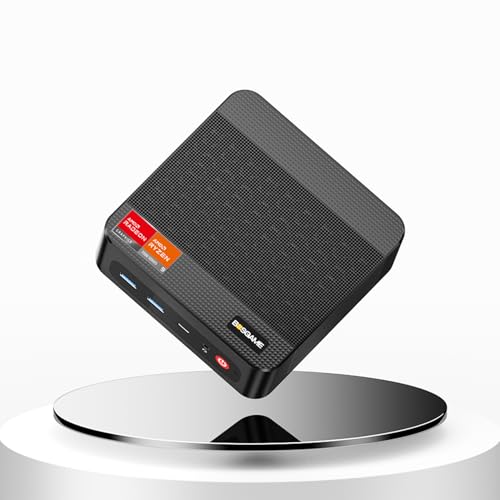
BOSGAME P3PRO Mini PC, AMD Ryzen 9 7940HS, 16GB DDR5, 1TB SSD, Radeon 780M
Ryzen 9 7940HS (8C/16T, to 5.2GHz) · 16GB DDR5 · 1TB PCIe 4.0 SSD · Radeon 780M · Dual 1GbE · Wi-Fi 6E · Windows 11 Pro · 2-year warranty · around $799.20 · Ships within Australia
This is the one I would point most people at. The Ryzen 9 7940HS is an 8-core, 16-thread chip that boosts to 5.2GHz, and with the Radeon 780M graphics it handles office work, photo editing and 1080p gaming without drama. It ships with a 1TB PCIe 4.0 SSD rather than the 512GB most boxes at this money give you, and the 16GB of DDR5 is not soldered, so the listing states it can be taken up to 96GB later. That is the opposite of soldered memory, and it is the reason to prefer this over a box that locks you in on day one.
The rest of the spec sheet is the useful kind. There are two M.2 NVMe slots, so a second drive goes in without touching the first, plus Wi-Fi 6E, three USB 3.2 ports, a USB-C port, and HDMI, DisplayPort and USB-C outputs for up to three 4K displays. Windows 11 Pro is on it, and BOSGAME states a two-year limited warranty. That is a year shorter than the GEEKOM boxes, but it is still real cover on a machine you plan to leave running, and Australian Consumer Law applies on top.
Where it stops short. It ships with 16GB, not 32GB, so a heavy multitasker or anyone running virtual machines should plan on adding memory or look further down the list. Networking is dual 1Gbps Ethernet rather than 2.5GbE, so a fast NAS will cap out. No USB4 or OCuLink port is listed either, so the external-graphics escape hatch is not on the table here: the 780M is strong for integrated graphics but it is not a discrete GPU.
Best for: the everyday premium desktop most buyers should default to, where a 1TB drive, a fast Ryzen 9 and memory you can expand matter more than a three-year warranty or 2.5GbE.
CPU: AMD Ryzen 9 7940HS (8C/16T, up to 5.2GHz) · Memory: 16GB DDR5, expandable to 96GB · Storage: 1TB M.2 PCIe 4.0 SSD, dual M.2 slots · Graphics: AMD Radeon 780M · Networking: dual 1GbE, Wi-Fi 6E · Ports: 3x USB 3.2, USB-C, HDMI, DisplayPort · OS: Windows 11 Pro · Warranty: 2 year + Australian Consumer Law
View on Amazon AU
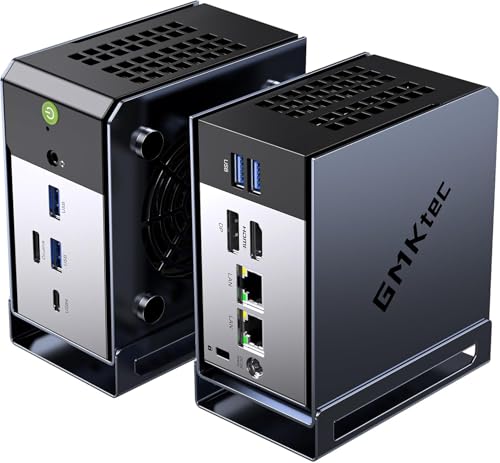
GMKtec EVO-X1, Ryzen AI 9 HX-370, 32GB LPDDR5X, 1TB PCIe 4.0
Ryzen AI 9 HX-370 · 32GB LPDDR5X soldered · 1TB PCIe4 · Radeon 890M · 50 TOPS NPU · OCuLink · around $1,329.99 · Ships within Australia
This is the strongest integrated-graphics box short of the halo. The Ryzen AI 9 HX-370 is a Zen 5 Strix Point chip with a Radeon 890M that is a clear jump over the 780M in the value picks, plus an XDNA 2 NPU rated around 50 TOPS for on-device AI. The 890M closes much of the gap to entry discrete graphics, so 1080p gaming and GPU-assisted creative apps run well, while the NPU takes on AI features that would otherwise tax the CPU. It carries 32GB of LPDDR5X, a 1TB PCIe 4.0 drive, and an OCuLink port to bolt on a desktop graphics card when integrated is not enough. At around $1,329.99 it is the pick for a creator who wants serious iGPU performance and real AI acceleration without a discrete card.
Worth knowing first. As with the other LPDDR5X machines, the 32GB is soldered, so decide up front that 32GB covers you. And an iGPU, however good, still trails a true desktop GPU under sustained heavy 3D load.
Best for: creators and light-AI users who want the best integrated graphics and NPU in a small box, with OCuLink as an escape hatch.
CPU: AMD Ryzen AI 9 HX-370 (Zen 5, up to 5.1GHz) · Memory: 32GB LPDDR5X, soldered (not upgradeable) · Storage: 1TB PCIe 4.0 · Graphics: AMD Radeon 890M · AI: XDNA 2 NPU, around 50 TOPS · Ports: USB4, OCuLink · Networking: dual 2.5G LAN, Wi-Fi 6 · Warranty: 1 year + Australian Consumer Law
View on Amazon AU
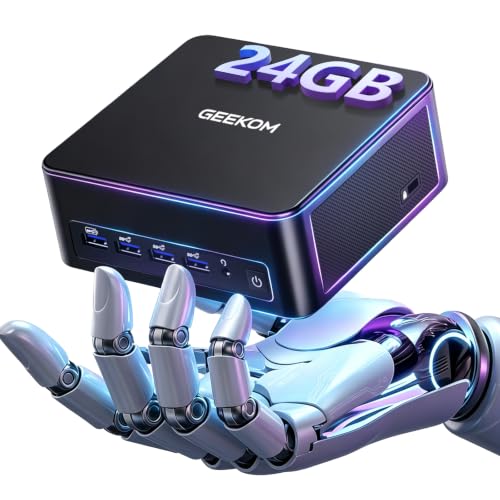
GEEKOM IT13 Max AI Mini PC, Intel Core Ultra 9 185H, 24GB LPDDR5, 500GB SSD
Intel Core Ultra 9 185H (16 cores) · 24GB LPDDR5 soldered · 500GB SSD · Intel Arc · IceBlast 3.0 cooling · 3-year warranty · around $1,099.00 · Ships within Australia
GEEKOM is a name-brand mini PC maker with an Australian storefront, and the IT13 Max is where its value shows. You get the same Core Ultra 9 185H, 16 cores with Intel Arc graphics, that sells for considerably more elsewhere in this class, which makes it the sensible Intel entry for content creation, multimedia editing and heavy multitasking. Cooling is GEEKOM's IceBlast 3.0 system with quiet fans, built to hold the chip's clocks through a long render rather than boosting and backing off. And the warranty is three years where most import brands here give one.
The limit. Memory is 24GB of LPDDR5 soldered to the board, so unlike the GEEKOM boxes further down this one cannot be grown later: 24GB is what you keep. Storage starts at 500GB, which is tight for video work, though the M.2 drive itself is replaceable. The Arc integrated graphics is fine for editing and light gaming but is not on the level of the big-APU machines below.
Best for: an Intel creator who wants the Ultra 9 185H and a three-year warranty for the least money, and is happy to settle the memory question up front.
CPU: Intel Core Ultra 9 185H (16 cores) · Memory: 24GB LPDDR5, soldered (not upgradeable) · Storage: 500GB M.2 SSD (replaceable) · Graphics: Intel Arc · Cooling: IceBlast 3.0 · Warranty: 3 year + Australian Consumer Law
View on Amazon AU
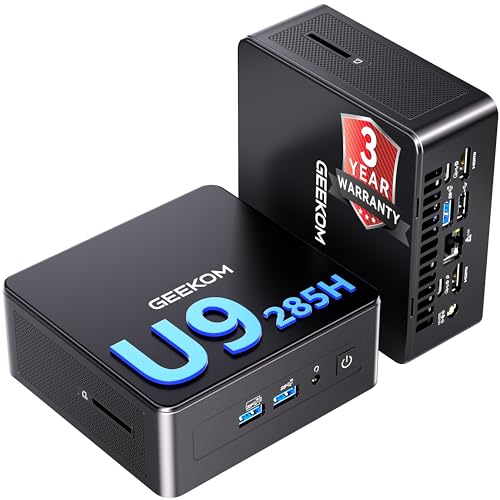
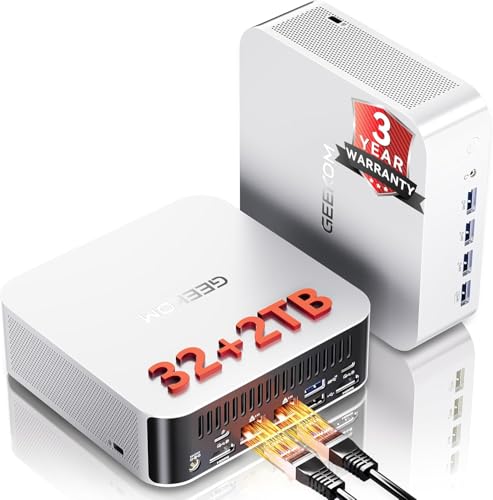
GEEKOM IT15 Mini PC, Intel Core Ultra 9 285H, 32GB DDR5, 2TB PCIe 4.0
Intel Core Ultra 9 285H · 32GB DDR5 (to 128GB) · 2TB PCIe4 · Intel Arc · Wi-Fi 7 · 2.5GbE · 3-year warranty · around $1,999.00 · Ships within Australia
Where the IT13 Max is the value Intel box, the IT15 is the one with headroom. It steps up to the second-generation Core Ultra 9 285H, 16 cores, and ships with a full 2TB PCIe 4.0 SSD and 32GB of DDR5 that goes to 128GB, so it starts where the others expand to. Wi-Fi 7 and 2.5GbE networking keep it current, and GEEKOM's three-year warranty applies here too.
What to weigh. Graphics are again Intel Arc integrated, so this is a CPU-and-memory machine for creation and multitasking rather than a gaming box. For most creators that is the right trade at this price, and the 2TB drive and 128GB memory ceiling mean you are unlikely to outgrow it.
Best for: an Intel creator who wants the most memory and storage headroom without moving to a workstation price.
CPU: Intel Core Ultra 9 285H (16 cores) · Memory: 32GB DDR5 SO-DIMM (to 128GB) · Storage: 2TB PCIe 4.0 · Graphics: Intel Arc · Networking: Wi-Fi 7, 2.5GbE · Warranty: 3 year + Australian Consumer Law
View on Amazon AU
GEEKOM A9 Max AI Mini PC, Ryzen AI 9 HX 470, 32GB DDR5
Ryzen AI 9 HX 470 · 32GB DDR5 (to 128GB) · Radeon 890M · 86 TOPS AI · dual USB4 · dual 2.5GbE · 3-year warranty · around $2,399.00 · Ships within Australia
This is the strongest integrated-graphics and on-device-AI box short of the halo. The Ryzen AI 9 HX 470 is an AMD chip built for local AI, rated around 86 TOPS across its engines, paired with Radeon 890M graphics with 16 RDNA 3.5 compute units for 1080p gaming and GPU-assisted creative work. Memory is 32GB of DDR5 you can take to 128GB, and there are dual USB4 ports at 40Gbps for fast external storage and displays.
Worth knowing. Like every APU box here, the 890M is excellent for integrated graphics but still trails a true desktop GPU under sustained heavy 3D load. The draw is the AI acceleration and the serviceable memory, backed by GEEKOM's three-year warranty and IceBlast cooling.
Best for: creators and light-AI users who want strong on-device AI and integrated graphics with serviceable memory, one step below the LLM halo.
CPU: AMD Ryzen AI 9 HX 470 · Memory: 32GB DDR5 SO-DIMM (to 128GB) · Storage: M.2 PCIe 4.0 SSD · Graphics: AMD Radeon 890M · AI: up to 86 TOPS · Ports: dual USB4, dual 2.5GbE · Warranty: 3 year + Australian Consumer Law
View on Amazon AU
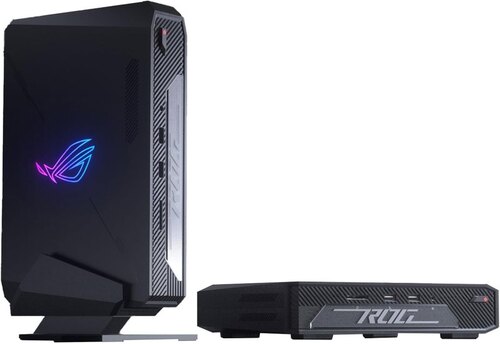
ASUS ROG NUC 970 Mini PC, Intel Core Ultra 9 185H, RTX 4070 8GB, 32GB DDR5, 1TB SSD
Intel Core Ultra 9 185H · GeForce RTX 4070 8GB GDDR6 · 32GB DDR5 · 1TB M.2 SSD · Wi-Fi 6E · 2.5Gb Ethernet · Windows 11 Home · around $4,299.00 · Ships within Australia
This is the only machine in the guide with a graphics card of its own. The ASUS ROG NUC 970 pairs a Core Ultra 9 185H, the same chip as the GEEKOM IT13 Max, with a GeForce RTX 4070 carrying 8GB of GDDR6, so games, streaming, recording and editing do not have to lean on integrated graphics. It arrives with 32GB of DDR5 and a 1TB M.2 SSD fitted and Windows 11 Home installed, so like the rest of the lineup it boots out of the box. Networking is 2.5Gb Ethernet with Intel Killer Wi-Fi 6E and Bluetooth 5.3, a step behind the Wi-Fi 7 boxes above but fine on a wired desk. ASUS includes a vertical stand, so it can stand up or lie flat, and there is an addressable backlit ROG panel with Aura Sync lighting that you can set up with your own colours or logo.
Know what you are buying. This is a gaming-branded mini PC first, and the listing is written for gamers, so if you want a plain office-grey workstation it is not the one. The GPU has 8GB of video memory, which suits gaming and editing but not local language models that need a large memory pool, where the EVO-X2 above is the better fit. The listing does not state a warranty length or say whether the memory can be upgraded, so confirm both on the Amazon page before you order.
Best for: someone who wants gaming, streaming and video editing in a compact Windows box, with an RTX 4070 and 32GB of memory already fitted and nothing to assemble.
CPU: Intel Core Ultra 9 185H · Graphics: NVIDIA GeForce RTX 4070, 8GB GDDR6 · Memory: 32GB DDR5 · Storage: 1TB M.2 SSD · Networking: 2.5Gb Ethernet, Intel Killer Wi-Fi 6E, Bluetooth 5.3 · OS: Windows 11 Home · Extras: vertical stand included, addressable backlit ROG panel with Aura Sync · Warranty: Australian Consumer Law applies
View on Amazon AU
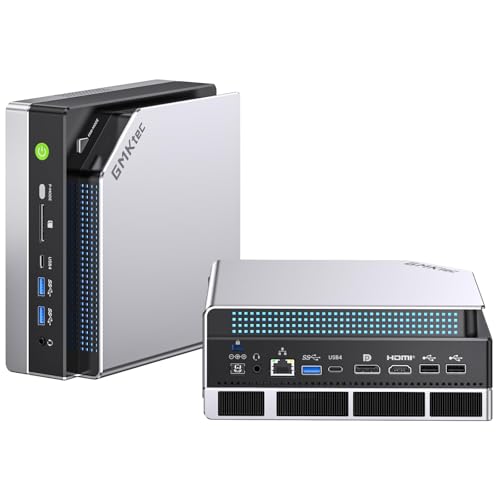
GMKtec EVO-X2, Ryzen AI Max+ 395, 128GB LPDDR5X, 2TB PCIe 4.0
Ryzen AI Max+ 395 · 128GB LPDDR5X unified · 2TB PCIe4 · Radeon 8060S · Wi-Fi 7 · around $5,256 · Ships within Australia
The halo of the list exists for one job the others cannot match: running large AI models on your own hardware. The Ryzen AI Max+ 395 is a Strix Halo APU with 16 Zen 5 cores and an unusually large integrated GPU, the Radeon 8060S with 40 RDNA 3.5 compute units. What matters for local AI is the memory: 128GB of LPDDR5X on an eight-channel setup at up to 8000 MT/s, shared as a unified pool the GPU can draw on, which lets it hold and run language models in tools like LM Studio that would not fit on a machine with a small dedicated GPU buffer. For everything else it is fast, with the muscle for demanding games and heavy creative work, and it ships with a 2TB drive. At around $5,256 it is a workstation price for a workstation job, and you buy it for the local model work.
The catch. The 128GB is soldered LPDDR5X, so the memory pool is fixed at what you buy, and this is a niche, high-ticket machine. It is the right tool for running your own AI stack and overkill for a general desktop.
Best for: running local language models and heavy AI workloads on your own hardware, where a large unified memory pool is the whole point.
CPU: AMD Ryzen AI Max+ 395 (16 Zen 5 cores, up to 5.1GHz) · Memory: 128GB LPDDR5X unified, 8-channel to 8000 MT/s, soldered (not upgradeable) · Storage: 2TB PCIe 4.0 · Graphics: AMD Radeon 8060S (40 CUs) · Networking: 2.5GbE, Wi-Fi 7 · Display: up to four screens, one 8K@60 plus additional 4K outputs · Warranty: 1 year + Australian Consumer Law
View on Amazon AUSide-by-side comparison
Prices are approximate and move week to week. Every machine here ships complete with memory, storage and an operating system fitted, so the figure in the table is close to the out-the-door cost rather than a starting point you build on top of.
| Product | Price | Best for |
|---|---|---|
| GEEKOM IT12 Mini PC, Intel Ultra 5 125U | ~$899 | Efficient always-on premium, light on-device AI |
| GEEKOM A6 Mini PC, Ryzen 7 6800H | ~$949 | Entry to premium with DDR5 you can upgrade |
| BOSGAME P3PRO Mini PC, Ryzen 9 7940HS | ~$799.20 | Best all-round value, 1TB drive and DDR5 to 96GB |
| GMKtec EVO-X1, Ryzen AI 9 HX-370 | ~$1,399.99 | Creators wanting the best integrated graphics |
| GEEKOM IT13 Max AI Mini PC, Intel Ultra 9 185H | ~$1,099.00 | Best Intel value all-rounder |
| GEEKOM IT15 Mini PC, Intel Ultra 9 285H | ~$1,999.00 | Intel creator wanting memory and storage headroom |
| GEEKOM A9 Max AI Mini PC, Ryzen AI 9 HX 470 | ~$2,399.00 | Strongest on-device AI short of the halo |
| ASUS ROG NUC 970 Mini PC, RTX 4070 | ~$4,299.00 | Discrete RTX 4070 graphics in a compact Windows box |
| GMKtec EVO-X2, Ryzen AI Max+ 395 | ~$5,255.99 | Running local language models on your own hardware |
Running it as a home server
One of the best arguments for this tier has nothing to do with sitting at the machine. A premium mini PC is close to an ideal always-on home server: small, quiet, low on power, and finally quick enough to do the job well. The quiet GEEKOM IT12 is the one to leave running all day, while the GEEKOM IT15 is the one with room to grow, with memory that goes to 128GB and Wi-Fi 7 with 2.5GbE. Any of these will happily run a NAS front end, Home Assistant, a Jellyfin or Plex media server, a stack of Docker containers, or a small-business file and app server.
Treat it like the workshop does. Watch the idle power draw, because a server runs all day and the gap between 10W and 40W adds up over a year. Respect the always-on thermals and keep the vents clear, because a cooler that copes for two hours of gaming is now asked to cope for months. Consumer memory has no ECC, so it will not correct the rare bit error server RAM would, which is fine for a media box and worth knowing for data you cannot lose. None of the machines here lists ECC support, so if that matters for your data, a proper server or workstation is the better tool. And back the server up, because "it is the backup" is not a backup.
Local AI belongs here too. The EVO-X2 with its Ryzen AI Max+ 395 and 128GB of unified memory is a real local-language-model box, running models on your own hardware rather than sending your data to someone else's cloud. If you want to stand up your own AI stack on a machine you own, our live AI Handover Kit walks through doing exactly that.
Why a premium mini PC outlasts a budget one
The gap between these machines and the sub-$400 boxes is not really the spec sheet. It is what happens on the hundredth hour of load, and that is where workshop experience earns its keep.
Sustained clocks versus throttling. A budget chip hits its boost for a few seconds, then pulls back to protect against heat because the cooler cannot carry the power. A premium CPU in a properly cooled chassis holds a high clock across a long render or compile, so it stays fast when you lean on it rather than sprinting and stopping.
Cooling, dust and NVMe heat. Every small computer is an air pump, and air carries dust. The tiny blower in a budget box clogs fast, and once airflow drops the whole machine throttles, the SSD included. The larger fans, heatpipes and phase-change material in this tier have more margin and are easier to clean. A yearly blow-out of the vents does more for longevity than almost anything else.
Memory headroom and cost per year. 8GB pages to disk the moment you open real work, which hammers the SSD and feels slow; 32 to 64GB does not, so the machine stays responsive for years. Put it together and the maths favours the premium buy: a budget box replaced inside two years costs more per year of use than a well-cooled premium machine that gives five to seven. You pay once instead of twice.
Common mistakes from the repair shop
The faults we see on mini PCs are rarely bad luck. They are usually a buying or usage decision catching up with the owner. The ones worth avoiding:
- Buying on the CPU name alone. A big chip in a box that cannot cool it is a slow box. Look at the cooling and sustained power rating, not just the model number.
- Not realising it is a barebone. Opening a kit expecting to switch it on, then finding no memory, drive or operating system. Read the listing, and budget for the RAM, SSD and licence.
- Never cleaning the cooler. Dust is the number one killer of small-computer performance. A can of air once a year is the simplest upgrade there is.
- Blocking the vents. A sealed cabinet or a wall traps the machine's own heat. Give it clearance, especially the ones running discrete graphics.
- A bare NVMe with no heatsink. If you add your own drive, fit one with a heatsink or a thermal pad. A cooked drive is a data-recovery job waiting to happen.
- Ignoring the power brick. A marginal third-party supply causes crashes that look like faults but are just starvation under load.
- Skipping the Consumer Law claim on an import. An overseas brand does not mean no recourse. Australian Consumer Law follows the sale, so keep the invoice and use it.
Which one is right for you?
- The everyday desktop most people should buy? BOSGAME P3PRO with the Ryzen 9 7940HS at around $799. A 1TB drive and two years of warranty cover.
- Lowest-cost way into the premium tier with a three-year warranty and room to expand? GEEKOM A6 at around $849, a 1TB drive and DDR5 you can take to 96GB.
- Efficient always-on box with light AI? GEEKOM IT12 at around $999, a U-series chip with a stated 38dB and a three-year warranty.
- Best integrated graphics and NPU in an AMD box? GMKtec EVO-X1 at around $1,329.99.
- Intel creator on a value budget with a long warranty? GEEKOM IT13 Max at around $934.15, three years of cover.
- Intel creator who wants the most memory and storage headroom? GEEKOM IT15 at around $1,999, a 2TB drive and memory to 128GB.
- Strongest on-device AI short of the halo? GEEKOM A9 Max at around $2,399, rated around 86 TOPS.
- Gaming, streaming and editing in a compact Windows box? ASUS ROG NUC 970 at around $3,455.98, with an RTX 4070 8GB, 32GB of DDR5 and a 1TB SSD.
- Local language models on your own hardware? GMKtec EVO-X2 at around $5,256, for the 128GB unified memory pool.
- Want a real discrete GPU rather than integrated graphics? Only the ASUS ROG NUC 970 ships with one, an RTX 4070 with 8GB of GDDR6, and the rest use integrated graphics. For a full desktop build see our graphics cards guide.
- Want that power in something you can carry? For portable grunt, see our premium gaming laptops guide instead.
Frequently asked questions
Is a premium mini PC worth it over a $400 one?
For sustained work, yes. The $400 N100 and N150 boxes we see in the workshop are fine for one browser and a spreadsheet, but they throttle the moment you push photo edits, video, virtual machines or a dozen tabs. A premium mini PC gives you a real CPU with headroom, 32 to 64GB of memory, proper cooling and dual storage, so it stays fast for years rather than feeling slow inside eighteen months.
Can I upgrade the RAM and SSD in a mini PC?
It depends on the memory type. Boxes with upgradeable DDR5, such as the GEEKOM A6, IT15 and A9 Max, let you add or swap memory and NVMe drives yourself, going up to 96GB on the A6 and 128GB on the IT15 and A9 Max. Boxes with soldered memory, such as the EVO-X1 and the EVO-X2 on LPDDR5X and the GEEKOM IT13 Max on LPDDR5, cannot be changed later, so you buy the capacity you need up front. Almost all take a replaceable M.2 SSD, which matters because storage wears out first.
What is a barebone mini PC kit?
A barebone kit is the chassis, board, CPU and cooling, with no memory, SSD or operating system in the box. All nine machines in this guide ship complete and ready to boot, so you do not have to do this. The term is worth knowing anyway because it is common on name-brand kits such as the Intel and ASUS NUC line. If a listing looks unusually low for its chip, check whether it is a barebone. The upside is control: you choose the parts and can service them later. The real cost is the kit plus the RAM, drive and licence you add, so budget for that when you compare against a complete machine.
Mini PC or Mac mini: which should I buy?
The M4 Mac mini is the tidiest compact desktop going and hard to beat on efficiency. A Windows or Linux mini PC is the better call when you want more ports, user-serviceable or larger storage, 32 to 128GB of memory, the freedom to run a home-server stack or Linux, or discrete graphics. Want the smallest quiet macOS desktop? Buy the Mac. Want to open it, expand it and run your own services? Buy one of these.
Can a mini PC run a home server or a local AI model?
Yes, and it is one of the best uses for them. These machines are quiet, sip power and stay on happily, which suits a NAS front end, Home Assistant, Jellyfin or Plex, Docker containers or a small-business file server. For a local AI model the memory pool is what matters: the EVO-X2 with 128GB of unified memory holds larger language models than any other here. Use consumer RAM knowingly, none of the machines here lists ECC support, and back the server up.
How long will one of these last, and does Australian Consumer Law cover an imported mini PC?
A well-cooled premium mini PC that gets its vents cleaned should give five to seven years, longer than a budget box that throttles and cooks its NVMe. Australian Consumer Law applies to goods sold to Australian buyers regardless of the brand being an import, and it sits on top of any manufacturer warranty. For a machine at this price, a major failure inside a few years is generally grounds for repair, replacement or refund. Keep your invoice.
Related buying guides
Mini PC won't boot, running hot, or you need the data off the old one?
Before you write off a dead desktop or mini PC, bring it into our Erina workshop or book a repair online. In my experience, most machines that will not power on are either economically fixable or still hold a fully recoverable drive. We diagnose for free, image before we touch anything, and quote before any paid work. See our pricing guide for what common jobs cost.
Visit our Erina workshop Book Online